

Description
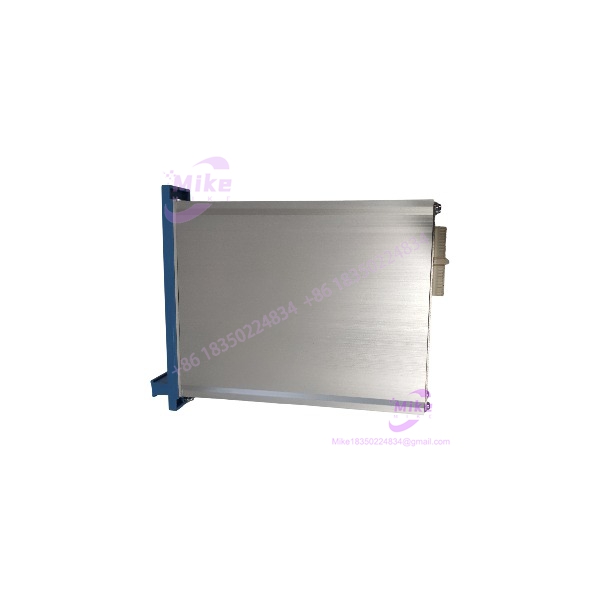
Honeywell FE-USI-0002 | Universal Safety Interface Module
Dynamic Product Introduction
The FE-USI-0002 is a legacy Honeywell Safety Manager Universal Safety Interface module. The important point for a maintenance engineer is that this is not a generic signal-conversion card. It belongs to the Safety Manager control architecture and must be evaluated against the installed Safety Manager software release, hardware revision, and system configuration.
Honeywell subsequently withdrew FE-USI-0002 from production and designated FX-USI-0002 as its replacement. Honeywell’s published hardware documentation states that FX-USI-0002 can replace FE-USI-0002, FC-, and FC-USI-0001 from Safety Manager R140 and higher. A Honeywell system notice further specifies that FX- requires Safety Manager R140.1 or higher for operation.
That makes an original FE- particularly relevant where a plant is maintaining an existing installed base and does not want to introduce a newer replacement without first validating the software and configuration environment.
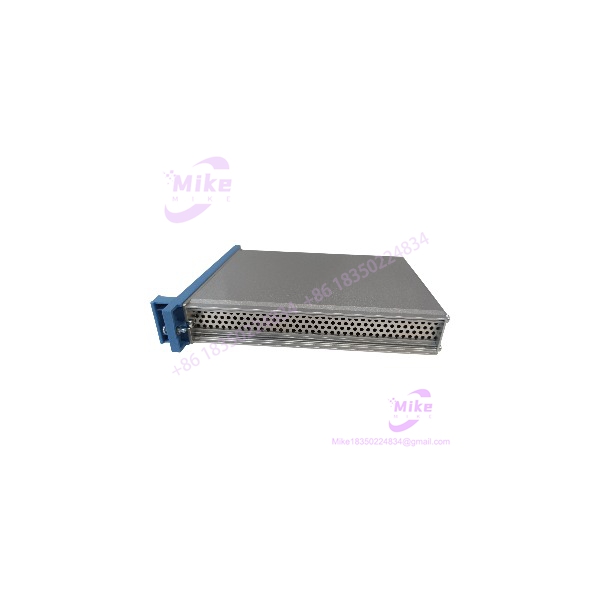
FE-USI-0002
Key Technical Specifications
- Manufacturer: Honeywell
- Part Number: FE-
- Product Description: Universal Safety Interface
- System: Honeywell Safety Manager
- Functional Description: Universal Safety Interface, MMEM CC, EUCN
- Supply Voltage: 5 VDC ±5%
- Maximum Supply Current: 1.2 A
- Operating Temperature: -5°C to +70°C (+23°F to +158°F)
- Storage Temperature: -40°C to +85°C (-40°F to +185°F)
- Relative Humidity: 10–95%, non-condensing
- Approvals: CE, TÜV, UL, CSA, FM
- Approximate Dimensions: 176 × 35.2 × 212 mm (H × W × D)
- Approximate Weight: 0.7 kg
- EUCN Support: Yes
- Replacement Family: FX-
The electrical, environmental, dimensional, and approval data above come from Honeywell’s Safety Manager Hardware Reference.
What the “FE” Version Means
Do not treat the FE prefix as proof that this is interchangeable with every other USI module carrying a similar description.
Honeywell’s documentation distinguishes the FE-, FC-, FC-USI-0001, and later FX- variants. The FE- was eventually withdrawn because components were approaching obsolescence. Honeywell’s withdrawal notice states that FE- would no longer be produced and that FX- would be supplied after remaining FE inventory was exhausted.
For an installed-base replacement, the exact SAP/material number and revision matter. A physically similar USI module should not be substituted merely because the front-panel labeling looks comparable.
Global Sourcing & Live-Test SOP
1. Inbound Verification
For an FE- procurement, start with identity verification rather than cosmetic inspection.
- Confirm the material number on the module label.
- Record the hardware revision and serial/date information where present.
- Inspect the PCB, connectors, housing, and labeling for evidence of unauthorized repair or modification.
- Check the module against the expected Honeywell configuration documentation.
- Confirm whether the plant requires an original FE- specifically or permits migration to FX-.
This last point is important because Honeywell has formally moved the product family toward FX-.
2. Live Simulation
A meaningful functional test should use the appropriate Honeywell Safety Manager hardware environment rather than a generic bench power supply alone.
The module should be evaluated in an authentic compatible system configuration, with the installed Safety Manager release verified before functional testing.
3. Diagnostics
Check for:
- Correct module recognition
- Expected Safety Manager configuration
- Startup diagnostics
- Communication/interface status
- System fault indications
- Compatibility with the installed redundant controller arrangement, where applicable
Do not claim a module has passed a live functional test simply because it powers up. A Safety Manager interface that powers up but fails configuration or system-level diagnostics is not a usable spare.
4. Final Preparation
Before shipment or installation:
- Record the exact part number and revision.
- Record available serial/date information.
- Package using ESD-safe protection.
- Protect connectors and exposed mating surfaces.
- Include the tested configuration/revision record with the internal QC documentation.
Field Engineer’s Pitfall Guide
❗ 1. Do Not Confuse FE- With a Generic Signal Interface
Some aftermarket descriptions incorrectly characterize the FE- as a general-purpose 4–20 mA, 0–10 V, or 24 VDC signal converter. That is not how Honeywell’s official documentation identifies this hardware.
Honeywell classifies it as a Universal Safety Interface within the Safety Manager architecture. Treating it as a standalone signal conditioner can lead to an incorrect replacement decision.
❗ 2. Check Safety Manager Software Before Accepting the Replacement
The bigger compatibility issue is the FX- successor.
Honeywell specifies that FX- can replace FE-, but the replacement has software prerequisites. Honeywell’s system notice states that FX- operates with Safety Manager software R140.1 and higher. Earlier systems therefore require additional attention before migration.
If the plant is running an old Safety Manager release, keeping a verified original FE- as a strategic spare can make operational sense.
❗ 3. Do Not Assume “Pin-Compatible” Means “No Engineering Review”
Honeywell describes FX- as pin-to-pin/function compatible with the earlier USI modules, but software and enhanced-function requirements still apply.
For an installed Safety Manager system, verify the actual configured module type, software release, redundancy arrangement, and applicable online replacement procedure before swapping hardware.
Intent-Driven FAQ
What is the Honeywell FE-?
The is a Honeywell Safety Manager Universal Safety Interface module. Honeywell identifies the product as a variant with EUCN support.
Is FE- still manufactured?
No. Honeywell issued a product withdrawal for FE- and designated as the replacement. Remaining FE- inventory was available until stock was exhausted.
What replaces FE-?
The Honeywell is the documented successor. Honeywell states that it can replace FE-, FC-, and FC-USI-0001 in supported Safety Manager environments.
What power does FE- require?
The official hardware reference specifies 5 VDC ±5%, with maximum supply current of 1.2 A.
What temperature range does FE- support?
The specified operating range is -5°C to +70°C, with a storage range of -40°C to +85°C. Relative humidity is specified at 10–95% non-condensing.
Does FE- support EUCN?
Yes. Honeywell explicitly notes that FE- and FX- support the EUCN protocol.
Can I replace FE- directly with FX-?
Potentially, but verify the Safety Manager software first. Honeywell specifies FX- support beginning with R140.1, and the replacement procedure/configuration must be appropriate for the installed system.
Procurement Verdict
FE- is a legacy Safety Manager Universal Safety Interface and should be purchased primarily as an installed-base maintenance spare, not as a new-system design component.
Its strongest procurement value is straightforward: if the plant already contains FE- hardware and runs a legacy Safety Manager configuration, an authenticated original spare can avoid an unnecessary migration decision during a shutdown.
For new procurement or planned modernization, evaluate instead. Honeywell has formally established it as the successor, but the installed Safety Manager software release must be checked before assuming a direct replacement is acceptable.





