

Description
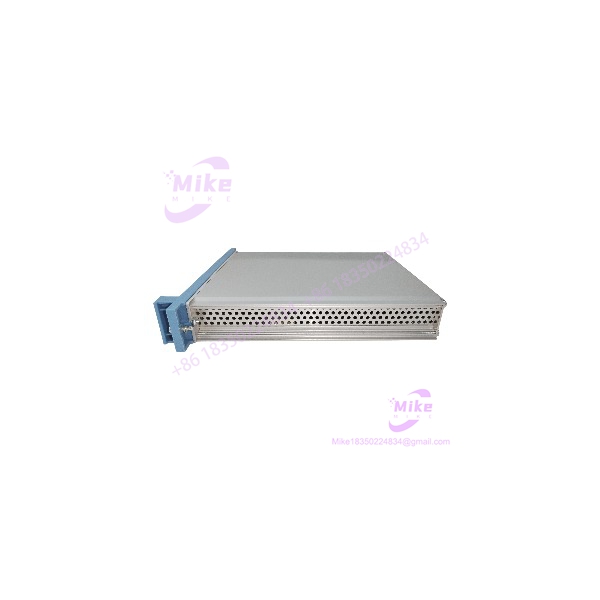
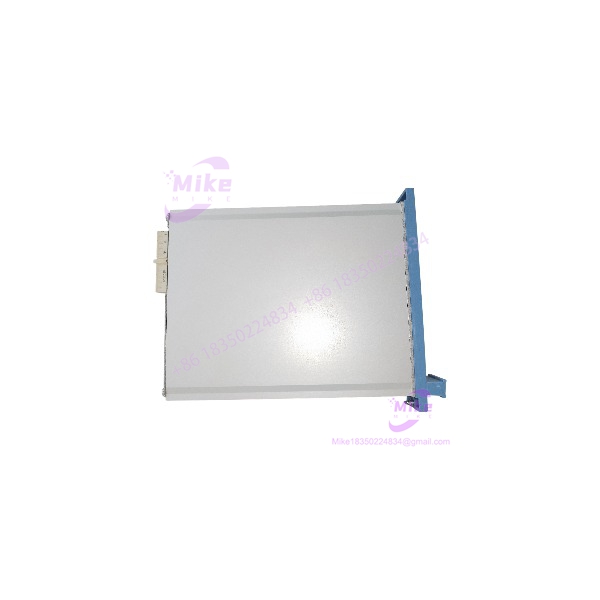
Honeywell FX-USI-0002 | Universal Safety Interface Module
Dynamic Product Introduction
The Honeywell FX-USI-0002 belongs in the Safety Manager controller architecture, not in the same purchasing category as a conventional PLC communication card. Its job is the Universal Safety Interface function within the Safety Manager platform, and Honeywell specifically identifies the module as an EUCN-capable USI-0002. That distinction matters when preparing a spare-parts list because a physically similar interface module is not automatically a valid substitute.
From a migration standpoint, FX-USI-0002 is particularly useful in legacy Safety Manager installations. Honeywell documentation states that it can replace FC-USI-0001, FC-USI-0002, and FE-USI-0002 on supported Safety Manager releases. Earlier Honeywell withdrawal documentation also identifies FX- as the replacement path for those withdrawn USI modules.
The module operates from the Safety Manager’s 5 V supply rather than a typical 24 VDC field-I/O supply. Honeywell specifies a 5 VDC ±5% input and maximum current of 1.2 A. That power figure should not be treated as a minor catalog detail: when several controller modules are installed together, the available backplane power budget must be checked before a replacement is installed.
For procurement teams maintaining an older Safety Manager installation, the exact designation and hardware revision should be recorded against the existing controller configuration. (This is especially important when the spare is intended for an online replacement or a migration project.)
FX-USI-0002
Key Technical Specifications
- Manufacturer: Honeywell
- Part Number: FX-
- Product Family: Safety Manager
- Product Type: Universal Safety Interface (USI) module
- System Role: Safety Manager control processor/interface architecture
- Protocol: EUCN supported
- Supply Voltage: 5 VDC ±5%
- Maximum Supply Current: 1.2 A at 5 V
- Operating Temperature: -5°C to +70°C
- Storage Temperature: -40°C to +85°C
- Relative Humidity: 10–95%, non-condensing
- Dimensions: 176 × 35.2 × 212 mm
- Weight: Approximately 0.7 kg
- Approvals: CE, TÜV, UL, CSA, FM
- Replacement Compatibility: Honeywell documents FX- as a replacement for FC-USI-0001, FC-, and FE- on supported Safety Manager releases.
The compatibility statement deserves careful interpretation. Honeywell does not simply describe FX- as a physically similar spare; its documentation identifies it as a replacement that can replace the earlier USI modules under the applicable Safety Manager software conditions.
Global Sourcing & Live-Test SOP
For an industrial spare, receiving inspection should begin with the nameplate, not the seller’s description.
1. Inbound verification
Confirm:
- Honeywell manufacturer identification
- Exact part number
- Hardware/revision marking
- Connector condition
- PCB and housing condition
- Evidence of corrosion, contamination, rework, or damaged pins
- Packaging and ESD protection
Do not accept a generic “USI module” description as sufficient identification. FC-USI-0001, FC-, FE-, and FX- belong to the same replacement chain, but the installed system release still matters.
2. Configuration verification
Before energizing the spare, record the existing Safety Manager configuration and software release. Honeywell’s published replacement guidance identifies Safety Manager R140 and higher for FX- compatibility. Systems below the supported release should not be assumed compatible simply because the connector and module dimensions match.
3. Electrical inspection
Verify that the Safety Manager power architecture can support the module’s 5 V demand. Honeywell specifies a maximum 1.2 A supply current.
A Fluke multimeter or equivalent calibrated instrument can be used during controlled bench verification to confirm supply voltage before module insertion. Do not substitute a 24 VDC source simply because other Safety Manager equipment uses 24 VDC elsewhere in the cabinet.
4. Functional simulation
Where the site architecture permits offline or controlled testing, verify:
- Controller recognition
- USI module status
- EUCN-related communication
- Diagnostic state
- Redundancy behavior where applicable
- Controller/module communication integrity
- Alarm and fault reporting
Do not treat successful power-up as a complete functional test.
5. 24-hour heat run
For a critical spare, maintain the module under controlled operating conditions for a 24-hour heat run after functional testing. Monitor supply stability, diagnostic status, communication behavior, and abnormal temperature rise.
6. Final procurement preparation
Record the tested part number, hardware revision, software compatibility, test date, measured supply conditions, and observed diagnostic status. For a safety-system spare, this traceability is considerably more useful than simply marking the unit “tested.”
Field Engineer’s Pitfall Guide
1. Firmware/software compatibility can defeat a physically correct replacement.
One of the easiest mistakes is assuming that pin-to-pin compatibility means universal compatibility. Honeywell’s replacement documentation specifically ties FX- to supported Safety Manager software releases. Older installations need a release check before the spare is committed to the cabinet.
A common maintenance scenario is finding an older FC- or FE-series USI module during a shutdown and ordering FX- as the replacement. The hardware may be the correct migration path, but the controller software still needs to be checked.
2. Do not confuse USI with generic field communication hardware.
FX- is part of the Safety Manager controller architecture. It should not be purchased as a generic Modbus, Ethernet, serial, or universal I/O gateway simply because a listing uses broad terms such as “communication interface.”
In field deployments, the system architecture is the first compatibility test. Confirm the controller family, configured USI type, communication architecture, and applicable Safety Manager release.
3. Power-budget errors can create unnecessary commissioning problems.
The FX- uses a 5 VDC ±5% supply and Honeywell specifies a maximum 1.2 A supply current. That is a significant backplane power requirement and should be included in the cabinet power calculation.
Before replacing a module, verify the rack/controller power capacity and connector condition. If the old module is removed from a running system, follow the approved Honeywell replacement procedure rather than treating the operation like a conventional PLC card swap.
Intent-Driven FAQ
Is Honeywell FX- a Safety Manager I/O module?
No. It is a Universal Safety Interface module associated with the Safety Manager controller architecture. It should not be categorized as a conventional digital input, digital output, or analog I/O card.
What protocol does FX- support?
Honeywell’s hardware reference identifies EUCN support for FX-. The module should therefore be evaluated as part of the Safety Manager system communication/interface architecture rather than as a generic multi-protocol gateway.
What voltage does FX- require?
Honeywell specifies 5 VDC ±5%, with a maximum 5 V supply current of 1.2 A. Verify the actual Safety Manager power architecture before installation.
Can FX- replace FE-?
Yes, under the applicable Safety Manager software conditions. Honeywell identifies FX- as the replacement for FE- and also documents replacement compatibility with FC-USI-0001 and FC-.
Is FX- compatible with older Safety Manager systems?
Not universally. Honeywell’s documentation states that FX- can replace the earlier USI modules from Safety Manager R140 and higher. The installed software release should therefore be checked before procurement or commissioning.
Can I perform a firmware downgrade to make FX- work with an older system?
Do not assume a firmware downgrade is an acceptable workaround. The correct approach is to verify the installed Safety Manager release, the required USI module revision, and Honeywell’s approved replacement procedure. If the system is below the supported release, migration planning may be required instead of simply changing firmware.





