

Description
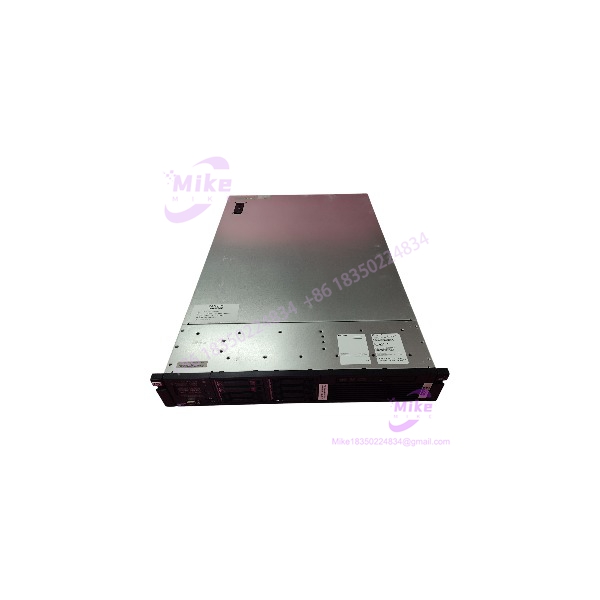
FOXBORO H90 H90C9AA0117S | H90 DCS Server Workstation
Product Introduction
The FOXBORO H90 H90C9AA0117S is a server-class computing platform used within Foxboro DCS architectures. It should not be treated like a plug-in FBM, controller card, or generic industrial PC. The H90 is a rack-mounted computer intended to host or support system-level DCS functions, with its actual CPU, memory, storage, graphics, network hardware, operating system, and application software determined by the ordered configuration. Foxboro’s H90 documentation describes the platform as a 2U rack-mount server and specifies dedicated enclosure, ventilation, and cable-clearance requirements.
That distinction is important during replacement work. A physically identical H90 chassis is not necessarily a functionally equivalent spare. The H90C9AA0117S configuration code needs to be matched against the installed server’s hardware and software image, particularly where the machine participates in operator visualization, engineering, historian, control-core, or other DCS services. Current secondary listings also describe the exact part as an industrial computer/workstation/server rather than a conventional I/O module.
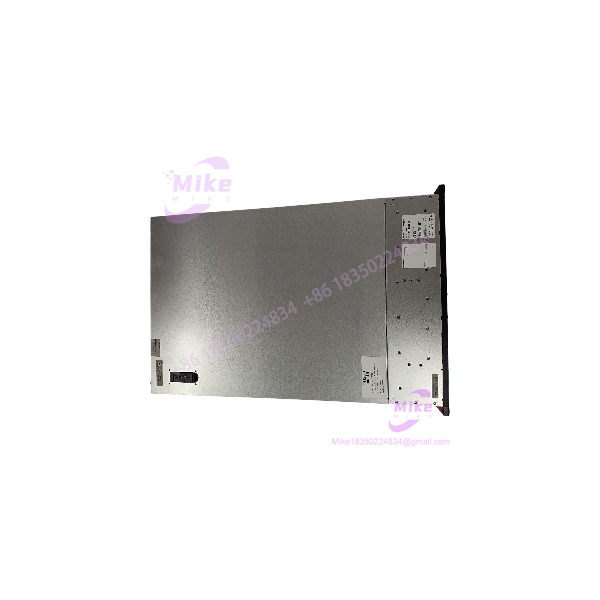
H90 H90C9AA0117S
Key Technical Specifications
- Model: H90
- Configuration / MPN: H90C9AA0117S
- Manufacturer: FOXBORO
- Product class: DCS server / industrial workstation
- Mechanical format: 2U rack-mount
- System application: Foxboro DCS / process-control computing
- Installation: Rack-mounted with front-to-rear ventilation requirements
- CPU: Configuration-dependent; do not substitute a generic processor specification
- RAM: Configuration-dependent
- Storage: Configuration-dependent
- RAID/storage arrangement: Configuration-dependent
- Network interfaces: Configuration-dependent
- Graphics hardware: Configuration-dependent
- Operating system: Configuration-dependent; verify the actual installed image
- Foxboro software: Configuration-dependent
- Expansion hardware: Configuration-dependent
- Remote graphics: H90 documentation identifies optional Remote Graphics Unit configurations for remote displays.
- Replacement classification: Legacy DCS server/workstation spare
A particularly useful H90 installation detail is its physical depth requirement. Foxboro documentation indicates that the H90 needs an enclosure with at least 39.4 in. / 1000 mm of depth to provide adequate front/rear airflow and cable space, and that the server cannot simply be installed in standard Foxboro enclosures because of this depth.
Global Sourcing & Live-Test SOP
1. Inbound Verification
For the H90C9AA0117S, start with configuration identity rather than simply powering it on.
- Photograph the complete nameplate.
- Confirm H90C9AA0117S exactly.
- Record serial number and hardware revision.
- Photograph front and rear panels.
- Record installed drive part numbers.
- Record RAM module part numbers and quantities.
- Record network adapter part numbers.
- Record graphics adapter information.
- Photograph all PCIe/expansion cards.
- Document power-supply configuration.
- Verify whether the supplied unit contains its original Foxboro system image.
The exact eBay listing identifies the unit as new and gives the model/MPN as H90 . Because the listing does not establish the complete internal configuration, the physical server should be treated as the authoritative source for hardware verification.
2. Storage and Software Verification
Before integrating a replacement H90:
- Record operating-system version.
- Record Foxboro application versions.
- Record hostnames and network configuration.
- Record DCS node identifiers.
- Record installed services.
- Record database/historian configuration where applicable.
- Check RAID health.
- Verify disk serial numbers.
- Preserve system-image and application backups.
Do not assume that a server with the correct label contains the same application image as the failed production server.
3. Network Verification
Bench-test the network interfaces before connecting to a live DCS control network.
Verify:
- Ethernet link operation
- Interface numbering
- MAC addresses
- IP configuration
- DNS/hostname behavior
- Required VLAN or switch configuration
- DCS network connectivity
- Redundant network paths where installed
- Time synchronization
- Communication to the relevant Foxboro services
Keep the test network isolated from the live process-control network until the configuration has been reviewed.
4. Application Simulation
Where possible, boot the H90 in a controlled maintenance environment and verify:
- Operating-system startup
- Storage/RAID health
- Foxboro software startup
- Required services
- Operator interface functions
- Engineering functions, if applicable
- Historian/data services, if applicable
- Network communications
- Alarm/event handling
- System diagnostics
Do not connect an unverified replacement server directly to an operating DCS network simply to see whether it works.
5. Extended Test
For a critical DCS spare, perform an extended powered test.
Monitor:
- CPU temperature
- Fan operation
- Power-supply status
- RAID status
- Disk health
- Network link stability
- Operating-system event logs
- Foxboro application logs
- Unexpected system resets
A server that boots successfully for ten minutes has not necessarily demonstrated suitability as a production DCS spare.
6. Final Preparation
Record:
- H90 configuration code
- Serial number
- BIOS/firmware versions
- CPU configuration
- RAM configuration
- Storage configuration
- RAID configuration
- Network adapters
- Graphics hardware
- Operating-system version
- Foxboro software version
- System image/backup status
- Test results
Seal the unit in ESD-safe packaging and protect the rack connectors, drives, and front-panel hardware during shipment.





