

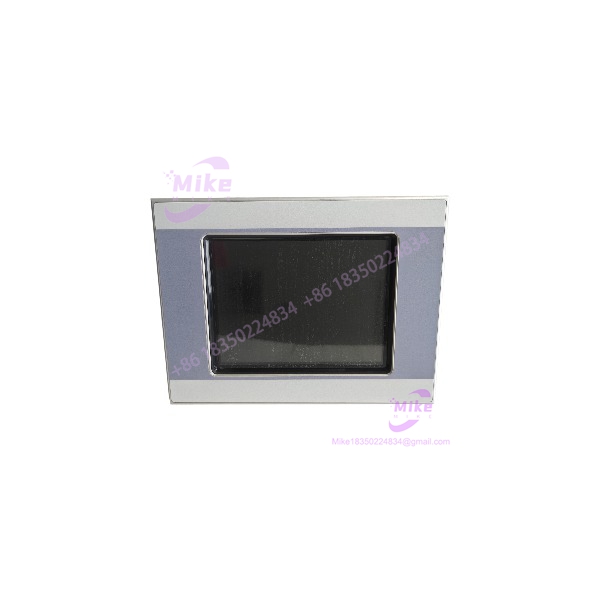
Description
Eaton XVS-440-10MPI-1-1U | 10.4″ HMI Touch Panel In-Stock
Dynamic Product Introduction
Running a complex packaging line or batch processing unit with a dimming, flickering 10.4-inch HMI panel is an operational gamble that usually ends in an unplanned shutdown. The Eaton XVS-440-10MPI-1-1U functions as a centralized command window, pairing a spacious high-resolution display matrix with robust multi-protocol communication transceivers. Built to sit directly on control cabinet doors, it processes rapid screen navigation, continuous alarm logging, and real-time trend updates without straining internal processor cycles or dropping communication frames.
When an aging screen suffers resistive touch degradation or backlighting failure mid-shift, sourcing a drop-in Eaton XVS-440-10MPI-1-1U panel keeps maintenance schedules intact without requiring enclosure modifications. Dropping in a fully bench-tested unit allows automation engineers to restore full visual monitoring instantly. Replacing a worn panel returns sharp display clarity, precise touch feedback, and steady data handshakes across your PLC network.
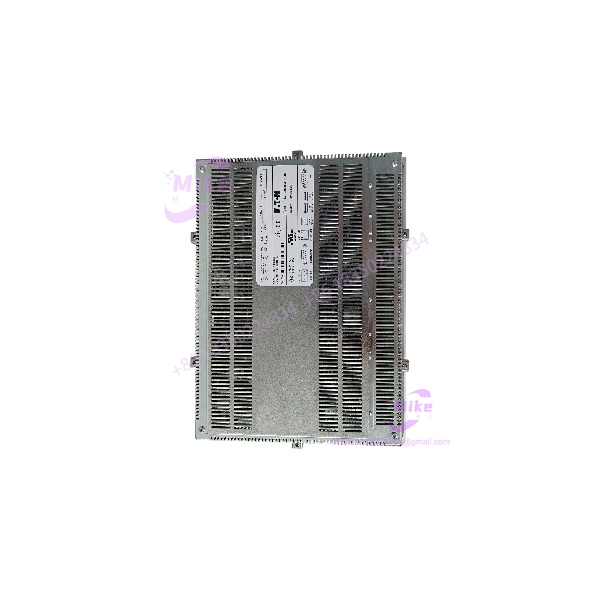
XVS-440-10MPI-1-1U
Key Technical Specifications
- Model Designation: XVS-440-10MPI-1-1U
- Manufacturer: Eaton / Moeller
- Display Size: 10.4-inch diagonal
- Display Type: High-contrast TFT color LCD
- Touch Matrix: Analog resistive touch layer
- Input Voltage: 24 VDC (±20% operational tolerance)
- Communication Ports: MPI/PPI/PROFIBUS-DP interface, RS-232, USB Host/Device ports
- Processor Architecture: 32-bit RISC industrial core
- Front Bezel Protection: IP65 / NEMA 4X (indoor rated)
- Operating Temperature Range: 0°C to +50°C (32°F to 122°F)
- Storage Temperature Range: -20°C to +60°C (-4°F to 140°F)
Global Sourcing & Live-Test SOP (Transparency Core)
Procuring surplus display hardware like the Eaton XVS-440-10MPI-1-1U requires rigid diagnostic procedures to ensure touchscreen accuracy, backlighting stability, and port transceivers meet factory standards. Every incoming module undergoes a multi-step quality control protocol:
- Inbound Verification: Serial numbers and build hardware revisions are validated against original manufacturing logs. Technicians carefully inspect the front membrane bezel for micro-fractures, verify gasket elasticity, and check terminal connectors for heat damage.
- Live Simulation: The Eaton XVS-440-10MPI-1-1U is installed on a diagnostic test stand supplied with regulated 24 VDC power.
- Diagnostics: Technicians perform multi-point touch grid calibration to ensure zero drift across all screen quadrants. The onboard MPI and RS-232 communication interfaces undergo active data loopback testing against an industrial controller. The unit then runs a 24-hour thermal soak inside a test chamber to confirm zero display flicker or backlighting output degradation.
- Final Prep: User memory space is restored to factory defaults, terminal screws are torque-verified, protective film is applied over the display glass, and the panel is sealed in anti-static ESD packaging for shipment.
The Field Engineer’s Pitfall Guide
- ❗ Cable Strain and Physical Connector Damage: —though the 10.4-inch screen bezel provides a broad mounting base, allowing heavy field communication cables to hang unsupported off the rear sub-D ports will fracture internal PCB solder joints. Always secure cable strain-relief brackets behind the cabinet panel to protect the onboard connectors.
- ❗ Over-Torquing Mounting Clips: Unevenly tightening the cabinet retaining clips around the perimeter of the panel will twist the outer frame. I’ve seen plant technicians distort the front gasket and induce permanent touch registration errors simply by using an electric driver instead of tightening clips evenly by hand.
- ❗ DIP Switch and Network Baud Rate Mismatches: Assuming the replacement unit will auto-detect legacy network parameters often leads to startup delays. Failing to align the hardware DIP switches or network baud rates on the Eaton XVS-440-10MPI-1-1U with your targeted PLC network triggers immediate bus communication errors on power-up.
Intent-Driven FAQ
Will replacing an Eaton XVS-440-10MPI-1-1U require downloading the application project again?
Yes. Pre-owned and surplus panels are cleared to baseline factory memory states. You must reload your compiled runtime project application (screen layouts, tag configuration, and driver settings) using the appropriate Galileo programming software via USB or serial connection.
How does the 10.4-inch model differ from smaller 5.7-inch XVS-440 models?
While both series share similar processing cores and protocol support, the Eaton XVS-440-10MPI-1-1U offers a larger 10.4-inch display area with higher pixel resolution, making it better suited for detailed process schematics and multi-trend operator screens.
What should I do if the touch screen registers taps offset from the actual button icons?
If touch points become misaligned, access the system configuration menu during the boot sequence. Run the built-in screen calibration utility and follow the crosshair prompts to re-index the analog resistive touch layer mapping.
Can this panel be powered directly from a raw 24V unregulated transformer output?
No. Unregulated DC supplies often exhibit voltage spikes exceeding the maximum operational limits of the internal power supply board. Always feed the unit from a filtered, regulated 24 VDC industrial power source.
What warranty coverage is included with pre-inspected replacement panels?
All verified Eaton XVS-440-10MPI-1-1U panels come backed by a comprehensive 1-year replacement warranty. If the unit experiences display backlighting failures, touch matrix errors, or communication port faults under standard operating conditions within 12 months, it is replaced directly from tested warehouse stock.





