

Description
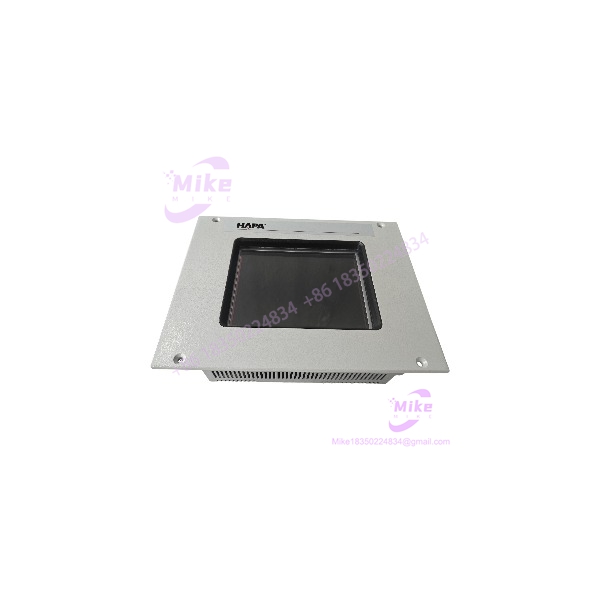
Eaton MC2-442-57CQB-1-2A | Industrial HMI Operator Panel
Product Overview
An HMI failure can leave an otherwise serviceable machine difficult to operate, troubleshoot, or return to production. The Micro Innovation MC2-442-57CQB-1-2A is identified as an industrial operator display panel associated with Eaton and Micro Innovation equipment. It is intended for machine-level visualization and operator interaction, rather than functioning as a standalone PLC or motion controller.
This model is also associated with Romaco packaging equipment in surplus-market listings. That association should be treated as application-specific sourcing information—not proof that every panel with this part number is compatible with every Romaco machine. Confirm the installed panel’s complete marking, machine model, connector arrangement, and application requirements before approving a replacement.
For legacy installations, the main procurement risk is not simply finding a panel with a matching front appearance. The replacement must also be compatible with the machine’s electrical supply, communication arrangement, and HMI project or configuration.
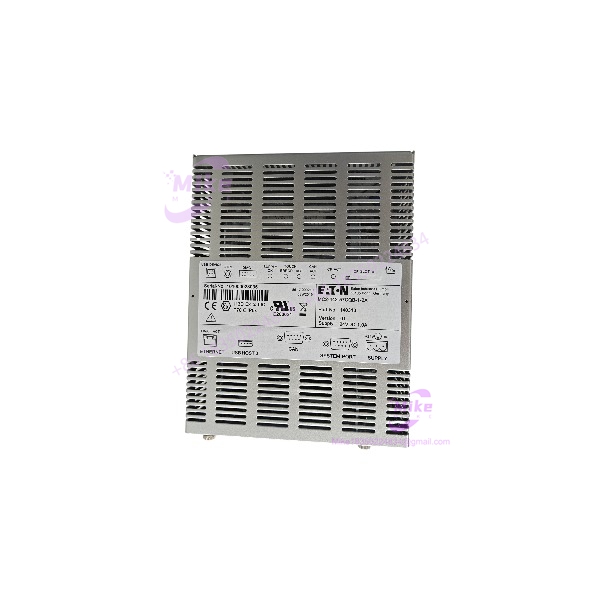
MC2-442-57CQB-1-2A
Key Technical Specifications
- Manufacturer / Brand: Micro Innovation AG; associated with Eaton
- Model Number: MC2-442-57CQB-1-2A
- Article Number: 86 17 000210
- Product Category: Industrial HMI / operator display panel
- Display Size: 5.7 inches, reported
- Display Type: CSTN color LCD, reported
- Touch Technology: Infrared, reported; confirm on the actual unit
- Supply Voltage: 24 VDC, reported
- Rated Current: 1.0 A, reported
- Mounting Style: Panel-mounted; confirm cutout and fastening dimensions
- Communication Interfaces: Verify from the nameplate and equipment documentation
- Firmware / Project Compatibility: Must be confirmed against the target machine
These specifications are based on available equipment listings, not an independently inspected unit or confirmed OEM datasheet. Treat them as preliminary until verified against the actual panel.
Global Sourcing & Live-Test SOP
The following is a recommended inspection procedure for the MC2-442-57CQB-1-2A. It does not imply that a particular supplier’s unit has been tested.
Inbound Verification
- Photograph the complete panel, front display, rear label, connectors, and mounting features.
- Verify the model MC2-442-57CQB-1-2A and article number 86 17 000210.
- Inspect the display window for cracks, delamination, deep scratches, or pressure marks.
- Check connectors, enclosure, and mounting points for physical damage.
Serial and Traceability Review
- Record serial number, hardware revision, and date code where available.
- Request the supplier’s condition classification: new old stock, used, repaired, or refurbished.
- Ask for actual-unit photographs rather than catalog images alone.
- Retain supplier traceability and warranty terms with the purchase record.
Compatibility and Powered Testing
- Confirm the required supply voltage and polarity from the unit’s label or applicable documentation.
- Use a current-limited, compatible 24 VDC test supply only after the rating is verified.
- Check startup behavior, display visibility, touch response, and connector condition.
- Test communications and machine-specific functions only with a compatible setup and approved procedure.
- Do not connect the panel to production equipment until the correct HMI project and machine compatibility are established.
Diagnostics and Test Reporting
- Record the test setup, supply conditions, and observed results.
- Document display defects, touch dead zones, intermittent operation, and communication faults.
- Distinguish basic power-up testing from a complete functional test.
- Identify any functions that could not be verified.
ESD-Safe Shipment
- Use ESD-safe packaging where applicable.
- Protect the display face from pressure and abrasion.
- Secure connectors and prevent movement during transit.
- Include the inspection report and exact part number with the shipment.
Field Engineer’s Pitfall Guide
1. Do not assume the panel is a universal 24 VDC HMI.
Although listings report a 24 VDC, 1.0 A supply, verify the actual nameplate before energizing the MC2-442-57CQB-1-2A. Confirm polarity, connector pinout, and grounding. A matching voltage alone does not establish electrical compatibility.
2. Verify the HMI project and machine-specific configuration.
A replacement panel may power up without having the correct application, screen set, or communication configuration. Confirm whether the original project can be recovered or transferred, and whether the replacement hardware supports the required runtime.
3. Check the complete model and article number before substitution.
Do not substitute a related MC2 panel based only on display size or appearance. Confirm the full suffix, article number, mounting dimensions, and interface requirements. Hot-swap capability should not be assumed.
Frequently Asked Questions
It is a Micro Innovation / Eaton-associated industrial HMI operator panel, identified in equipment listings as a 5.7-inch display unit.
Q2: What is the article number associated with this model?
The associated article number is 86 17 000210. Confirm that marking against the physical unit before ordering.
Q3: What supply voltage does it use?
Available listings report 24 VDC at 1.0 A. Verify the unit’s label and applicable documentation before applying power.
Q4: Is this panel compatible with Romaco machinery?
Some listings associate this model with Romaco equipment. Compatibility depends on the specific machine, panel configuration, project, and communication arrangement. Verify against the installed unit.
Q5: Can it be hot-swapped?
Do not assume so. Follow the machine manufacturer’s shutdown and replacement procedure unless the applicable documentation explicitly permits live replacement.
Q6: Is the still in production?
It appears in legacy and surplus-equipment channels. Confirm current OEM support and actual inventory status with the supplier. Used and refurbished units should be distinguished from new old stock.
Q7: What should buyers request before placing an order?
Request clear photographs of the nameplate and connectors, confirmation of the complete model and article number, condition classification, available functional-test report, warranty terms, and return policy. For a machine replacement, also confirm project and communication compatibility.





