


Description
Woodward 8440-1936 | easYgen-3500 Operator Interface Panel
Architect’s Product Breakdown
The Woodward 8440-1936 functions as the dedicated operator control panel (HMI) and power controller for the easYgen-3500 genset management architecture. Positioned typically on switchgear doors or local control cabinets, it provides comprehensive visual feedback on bus parameters, engine metrics, synchronization states, and breaker positions. Rather than housing the raw high-voltage sensing inputs directly on all variants, this module acts as the critical human-machine interface and communication coordinator, linking operators directly to the core control engine.
Upgrading or replacing this interface requires verifying firmware compatibility with the connected system architecture. Because it serves as the primary local control point during emergency startups and black-start procedures, maintaining an undamaged screen matrix and responsive tactile membrane is mandatory for plant safety.
Panel integration demands rigorous adherence to cutout dimensions and gasket compression specs to preserve the environmental rating of the cabinet against dust, humidity, and chemical exposure. Deploying an authentic 8440-1936 ensures seamless protocol handshakes and eliminates communication dropouts common with unverified third-party display substitutes.
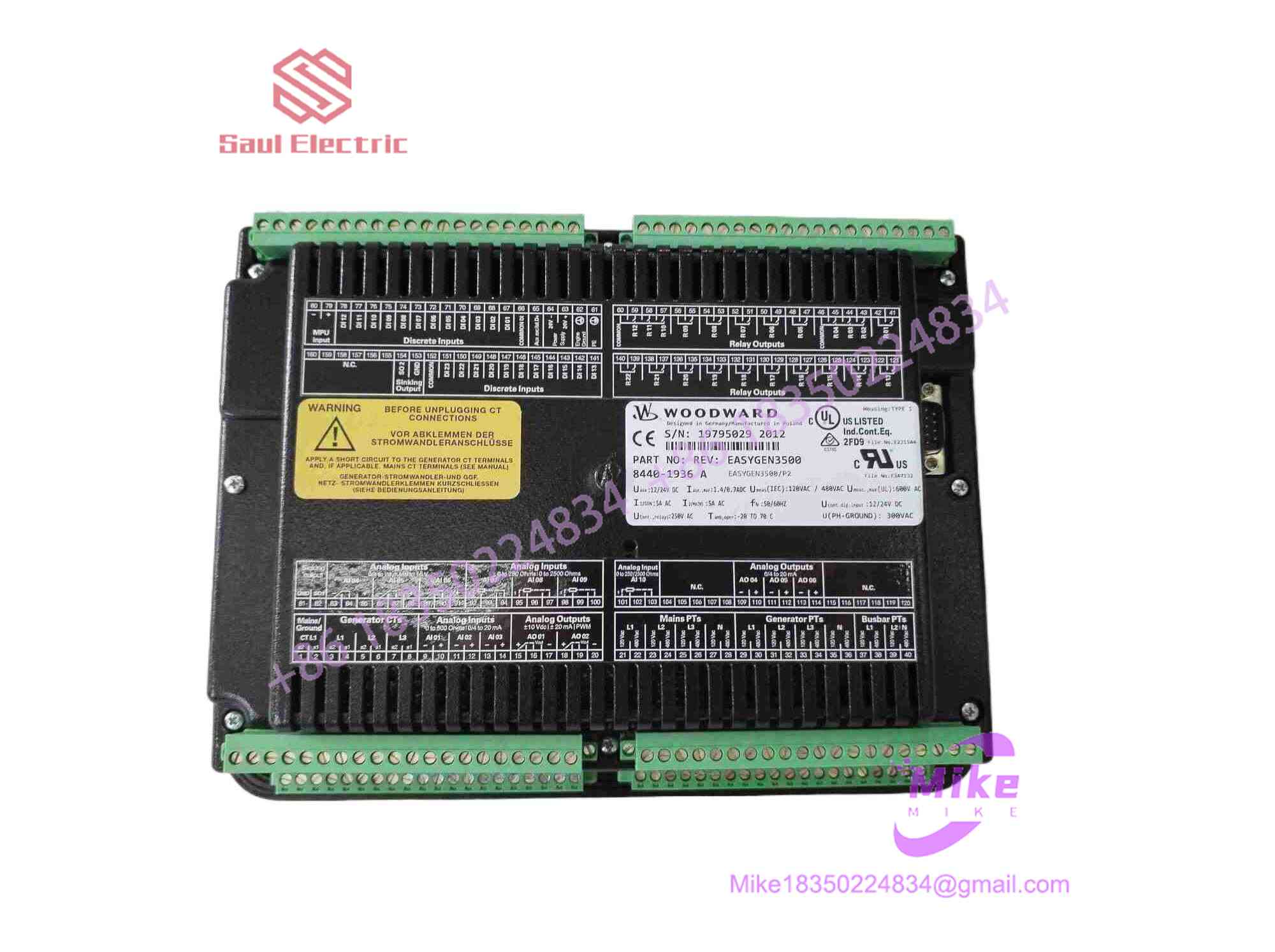
8440-1936
Key Technical Specifications
| Parameter | Technical Specification |
| System Compatibility | Woodward easYgen-3500 Series Control Architecture |
| Interface Type | High-contrast graphical display with tactile pushbuttons |
| Communication Links | Dedicated internal network / CAN bus communication channels |
| Mounting Style | Door-mount / Panel-mount configuration |
| Operating Temperature | -20°C to +70°C (-4°F to +158°F) |
| Enclosure Protection | Front panel gasket sealed (IP54 / NEMA 4 equivalent when mounted) |
| Physical Weight | ~1.36 kg (approx. 3.00 lbs) |
Field Engineer’s Pitfall Guide
- WARNING: Network Baud Rate Mismatches. Replacing an older operator interface revision without updating the node ID or CAN bus communication settings will trigger persistent communication faults on the screen. Verify network parameters before closing the panel.
- WARNING: Bezel Distortion from Over-Torque. Cranking down mounting studs unevenly warps the plastic front housing, compromising the moisture gasket and allowing condensation to infiltrate the display electronics. Use a calibrated torque driver.
- WARNING: Live Harness Insertion. Never plug or unplug communication or power harnesses into the rear of the module while the switchgear control power bus is live. This can latch logic errors or damage internal transceiver chips.
QA & Testing SOP (Transparency)
- Visual & Origin Verification: Inspection of OEM branding, membrane switch tactile feedback, display backlighting clarity, and rear connector pin block integrity.
- Bench Power & Network Handshake: The panel is connected to a live easYgen-3500 test rig powered by an isolated DC source to verify proper boot behavior, screen rendering, and error-free polling.
- Keypad Matrix Testing: Every individual push-button on the front membrane is exercised to confirm proper contact closure and register recognition by the internal processor.
- Final Packaging: Units are sealed in anti-static moisture-barrier packaging and crated inside custom high-density shock-absorbing foam containers to protect the screen assembly.
Technical FAQ
Can I hot-swap this operator panel while the generator is running?
Yes, data communication buses allow live connection, but it is not recommended. Disconnecting the interface removes local monitoring capabilities. While the core engine controller keeps running, local manual trip/start commands from this panel will be lost until reconnected.
Does this operator panel store the primary configuration files?
No. The core configuration files, PID tuning parameters, and site-specific engine logic reside in the main controller module, not on the 8440-1936 display interface.
What causes a blank display or missing screen elements?
A blank screen is typically caused by a failed internal DC power feed, a loose communication harness, or a degraded display backlight module resulting from prolonged exposure to high ambient cabinet temperatures.
Is the front keypad membrane replaceable separately?
No. The unit is serviced as an integrated sub-assembly. Field replacement requires swapping the complete 8440-1936 module to maintain structural integrity and panel sealing ratings.





