Description
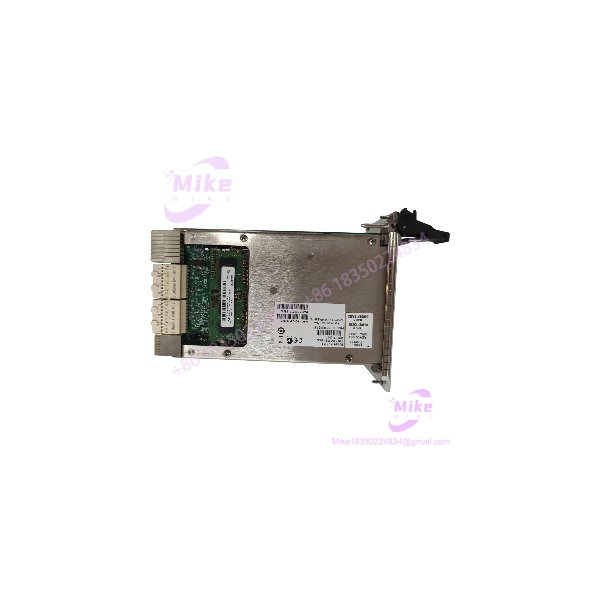
NI PXIe-8133 | Quad-Core Intel Core i3 Embedded Controller
Dynamic Product Introduction
System integration specialists managing automated test rigs know how disruptive an embedded host CPU failure can be to production schedules. When a master controller experiences thermal shutdown, motherboard degradation, or storage failure, restoring full test cell operation without reconfiguring driver stacks or rebuilding chassis slot configurations is an immediate operational priority.
The NI PXIe-8133 delivers reliable processing performance directly inside Slot 1 of any standard PXI Express or hybrid PXIe mainframe. Powered by a quad-core Intel Core i3 processor paired with DDR4 system memory, the module executes multi-threaded measurement applications and data logging routines smoothly. Featuring a dual-bus architecture delivering up to 8 GB/s system throughput, dual Gigabit Ethernet ports, USB 3.0 interfaces, DisplayPort video outputs, and reliable solid-state storage options, the PXIe-8133 provides the computing power required for automated production test stands, modular instrumentation control, and industrial monitoring.
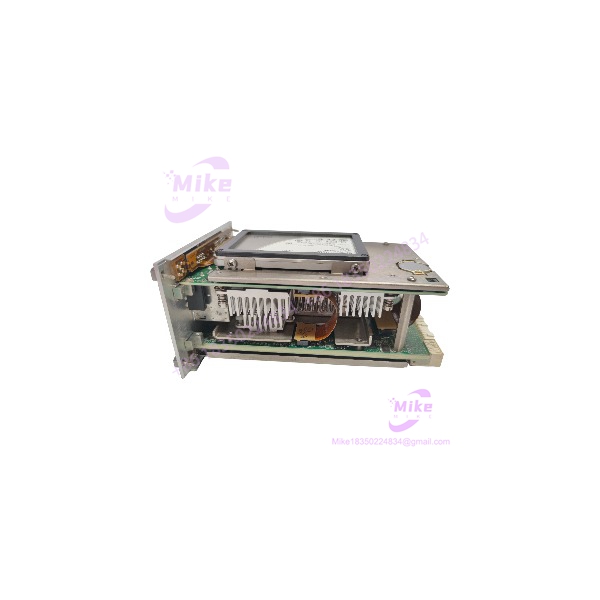
PXLE-8133
Key Technical Specifications
- Processor: Quad-core Intel Core i3 processor
- System Bandwidth: Up to 8 GB/s total system bandwidth (PCIe Gen 2 links)
- Memory Support: Dual-channel DDR4 SODIMM configurations
- Storage Options: Factory-installed onboard high-reliability SATA Solid-State Drive (SSD)
- Front Panel Video Output: 2 DisplayPort connectors supporting multi-monitor configurations
- Front Panel I/O: 2 Gigabit Ethernet ports (10/100/1000Base-T), USB 3.0 and USB 2.0 ports
- Peripheral Interfaces: 1 RS-232 serial port (DB-9), SMB trigger input/output lines
- Supported Operating Systems: Windows 10, NI Linux Real-Time
- Bus Form Factor: Designed for System Controller Slot (Slot 1) of PXI Express or hybrid PXIe mainframes
- Width: 3-slot or 4-slot wide module design (depending on specific revision)
Global Sourcing & Live-Test SOP (Transparency Core)
Sourcing replacement embedded controllers requires rigorous hardware diagnostics to ensure PCI Express backplane routing, processor thermals, and memory stability meet factory specs.
Inbound Verification & Traceability
- Paperwork Audit: Verification of physical serial numbers against factory databases to validate motherboard hardware revision, chipset stepping, and original OS license status.
- Physical Inspection: Detailed check of front-panel connectors, CPU cooling heatsinks, RAM retention clips, drive mounting assemblies, and gold-plated backplane connectors.
Live Rack Simulation & Diagnostics
- PXIe Slot 1 Insertion Check: Controller is mounted in Slot 1 of an active PXI Express chassis to verify startup sequencing, CMOS battery retention, and BIOS setup configuration.
- Memory & Storage Benchmarking: Running diagnostic suites across all DDR4 memory channels while conducting raw read/write stress testing on the internal SATA drive.
- PCIe Bus & Peripheral Stress Run: Executing high-bandwidth data transfers across all front-panel USB ports, DisplayPort outputs, Ethernet interfaces, and chassis peripheral slots simultaneously to verify zero bus latency or frame drops.
- 24-Hour Stress Run: Controller undergoes a continuous 24-hour thermal chamber stress test under 100% CPU load to guarantee cooling fan operation and thermal dissipation under continuous production workloads.
Final Prep
- Image & OS Restore: Restoring factory NI recovery partition images, BIOS settings, and driver packages.
- ESD Safe Packaging: Sealed in anti-static shielding bags with desiccant packs before double-boxed air shipping.
The Field Engineer’s Pitfall Guide
- ❗ Strict Slot 1 Installation Rule: The PXIe-8133 is engineered strictly as a System Controller module and must be installed in Slot 1 (the far-left slot) of a PXI Express or hybrid PXIe chassis. Attempting to force the module into peripheral or timing slots will damage backplane edge pins.
- ❗ RAM Module Density & Speed Requirements: Upgrading memory on the PXIe-8133 requires DDR4 SODIMM modules matching the exact clock frequency and timing parameters supported by the onboard Intel chipset. Installing mismatched RAM densities will lead to no-boot states or random system crashes under DMA transfer loads.
- ❗ BIOS & Driver Matching for Real-Time Systems: When swapping a controller that boots into NI Linux Real-Time, replacing hardware with a different BIOS version or CPU stepping can result in network driver enumeration failures or prevent the RT engine from initializing properly.
Intent-Driven FAQ
Will swapping out a damaged PXIe-8133 invalidate my software licenses?
If your third-party software or specialized Windows application licenses are locked to the specific network adapter MAC address or hardware UUID of the old system board, those specific licenses may need to be re-activated. Standard NI application software licenses (like LabVIEW runtimes) are easily transferred by swapping your original drive or re-applying license files via NI License Manager.
Can I transfer my original SATA SSD into a replacement PXIe-8133?
Yes. If your original drive is physically intact, you can move the drive directly into the replacement PXIe-8133 controller. The replacement board will boot your existing operating system, drivers, and application code seamlessly.
What video adapters are required for connecting external monitors?
The PXIe-8133 features 2 native DisplayPort outputs on the front panel. If you are using HDMI, DVI, or VGA monitors, you can use active DisplayPort adapters to connect your displays.
Is the PXIe-8133 compatible with standard non-Express PXI chassis?
No. The PXIe-8133 uses a PXI Express multi-link backplane interface and requires a PXI Express or hybrid PXIe chassis System Controller slot. It cannot be installed in legacy 32-bit PXI-only mainframes.
What warranty coverage comes with replacement controllers?
All verified PXIe-8133 modules include a standard 12-month full-replacement warranty covering motherboard functionality, processor performance, power delivery rails, and front-panel I/O interfaces.
If you need help configuring BIOS boot order, restoring factory recovery partitions, or setting up multi-monitor configurations for your PXIe-8133 setup, let me know your host OS build and I can guide you through the process.