

Description
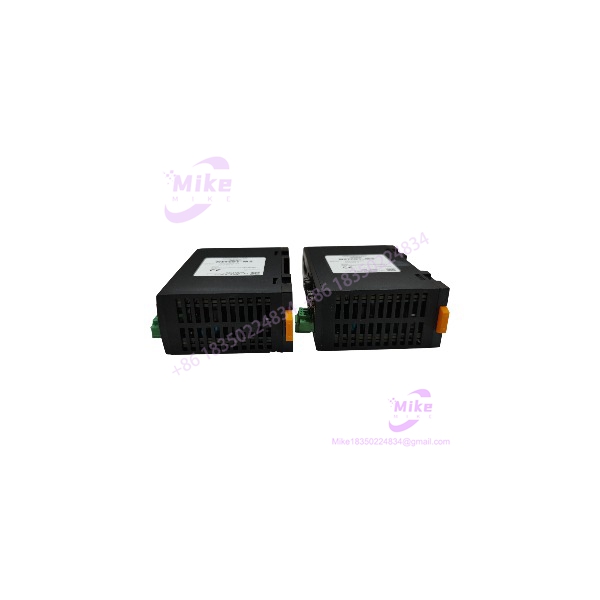
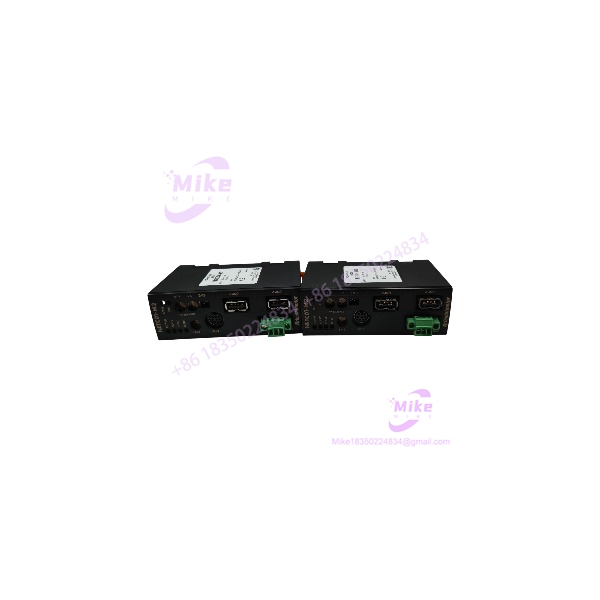
NETC01-M2 | MECHATROLINK-II Network Gateway Converter
Dynamic Product Introduction
Facing continuous high-speed motion cycles where fieldbus handshakes drop can paralyze an entire packaging or assembly cell. When a main PLC loses fieldbus sync with multi-axis stepper drivers, the root cause usually centers on an overloaded or failed protocol translator module like the NETC01-M2. Rather than replacing individual driver cards or re-engineering host control software, inserting a direct OEM gateway unit re-establishes deterministic command throughput while preserving your existing motor hardware.
The NETC01-M2 acts as an isolated operational bridge between a MECHATROLINK-II master controller and local Oriental Motor drivers (such as the AR, RKII, or CRK series). Operating at 10 Mbps transmission speeds over MECHATROLINK-II networks, it offloads real-time polling tasks from the central controller while maintaining optical isolation against ground loops and electrical interference common in crowded cabinet enclosures.
NETC01-M2
Key Technical Specifications
- Model Number: NETC01-M2
- Host Interface Protocol: MECHATROLINK-II
- Host Transmission Speed: 10 Mbps
- Local Communication Port: Modbus RTU / Proprietary RS-485 (Mini-DIN / Terminal)
- RS-485 Baud Rates: Configurable up to 115.2 kbps
- Input Power Voltage: 24 V DC ±10%
- Rated Current Draw: 0.2 A max
- Maximum Connected Drives: Up to 16 axes (slaves) via single-cable daisy chain
- Mounting Configuration: 35 mm Standard DIN-rail
- Configuration Software Support: MEXE02 / OPX-2A Data Setter
- Diagnostic Indicators: LEDs for Power, MECHATROLINK Status, RS-485 Data Transmission, and Alarm Faults
Global Sourcing & Live-Test SOP (Transparency Core)
To guarantee operational integrity when purchasing new-surplus or replacement inventory, every unit undergoes a strict quality control lifecycle prior to dispatch.
1.Inbound Visual & Verification Inspection:Prerequisite。
Perform serial number verification to prevent counterfeit sourcing. Inspect the plastic enclosure, spring latches, terminal connection pins, and PCB headers for micro-cracks or heat degradation.
2.Test Bench Mount & Power Cycle:5 min。
Secure the module to a grounded test rack. Apply a regulated 24 V DC power source to ensure normal boot sequences and power LED stabilization without overcurrent draw.
3.Live Protocol & Fieldbus Simulation:20 min。
Connect the unit to a MECHATROLINK-II master and daisy-chain three Oriental Motor RS-485 stepping drivers. Execute motion profile updates, position monitoring commands, and I/O polling continuously to verify zero packet drop.
4.Thermal Run & ESD Sealing:24 Hours。
Run the module under continuous communication load inside a temperature-controlled chamber (45°C) for 24 hours. Once verified, record the firmware version on the inspection report and seal the module in an ESD-shielded bag with fresh desiccant.
The Field Engineer’s Pitfall Guide
Critical Installation Warnings
Verify power, DIP switch addresses, and bus line termination prior to commissioning replacement hardware to avoid system lockout.
❗ 1. RS-485 Termination Resistor Switch Neglect
—In field deployments, technicians often mount a replacement NETC01-M2 and overlook the physical RS-485 switch settings (SW3). If the built-in 120-ohm termination resistor is not switched ON at the last physical driver in the sub-network, signal reflections will cause intermittent communication timeouts across all connected motor drivers.
❗ 2. MECHATROLINK-II Station Address Duplication
I’ve seen plants lose hours of commissioning time because a replacement gateway was installed with factory-default station address rotary switches. If the MECHATROLINK-II address collides with another node on the motion controller ring, the host master will fail the init-handshake and halt the entire line. Always replicate the address switch positions from the failed unit before powering up.
❗ 3. Hot-Plugging Control Connectors Under 24V Supply
Plugging in or disconnecting the 24 V DC power connector or local RS-485 communications cables while energized can generate transient ground arcs. In cabinets where motor shield grounding is poor, this ESD arc can burn out the internal transceiver ICs on the NETC01-M2 or connected driver interfaces. Always isolate power before touching wiring connections.
Intent-Driven FAQ
Will swapping out this gateway erase my stepper motor positioning profiles?
No. Operating profiles and positioning parameters are stored inside the individual motor drivers or the host motion controller, not inside the protocol converter itself.
What software tool do I need to inspect module parameters?
You can monitor communications and configure internal gateway operating modes using Oriental Motor’s free MEXE02 support software (via a USB cable) or the OPX-2A handheld data setter.
Why is the ALARM LED glowing red after initial power-up?
A solid red ALARM LED indicates either an internal hardware diagnostic fault or an invalid configuration setting (such as an out-of-range station address setting or an RS-485 baud rate mismatch).
Can I connect non-Oriental Motor RS-485 devices behind this converter?
No. The utilizes a specific protocol layer designed specifically to communicate with Oriental Motor RS-485 compatible drivers (such as the αSTEP AR or AZ series).
How do I confirm that the host MECHATROLINK-II network sees the gateway?
Verify the board LEDs. A solid green C-DAT LED indicates that MECHATROLINK-II data frames are being successfully received and decoded from the master.





