

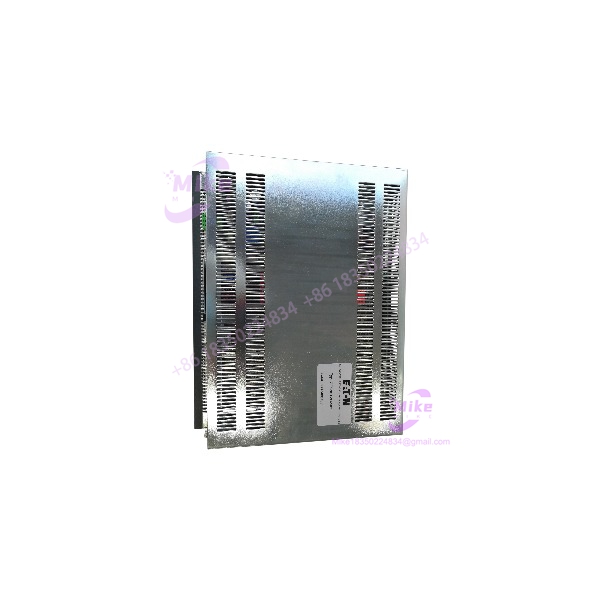
Description
Micro Innovation GF1-10TVD-102 | Industrial HMI Operator Panel
Product Introduction
A failed legacy HMI rarely gets replaced cleanly by simply finding another screen with the same physical size. The Micro Innovation GF1-10TVD-102 belongs to the GF-1 Micro Panel platform, where the operator interface is tied to its project configuration and the surrounding automation system. Current industrial repair and replacement records identify the exact GF1-10TVD-102 as a Micro Innovation operator interface with 24 VDC supply.
The GF-1 platform is associated with Micro Innovation’s GALILEO engineering environment. That makes project preservation particularly important during a migration strategy: a replacement panel can power up normally while still being unusable for the original machine if the application project, communication hardware, or configuration has not been recovered.
The exact GF1-10TVD-102 is also listed across industrial repair/supply channels as a legacy component, with Micro Innovation AG identified as the manufacturer.
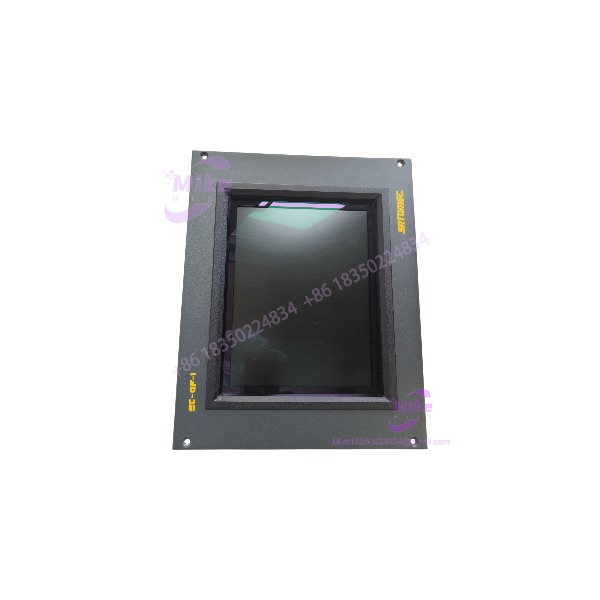
GF1-10TVD-102
Key Technical Specifications
- Model: GF1-10TVD-102
- Manufacturer: Micro Innovation AG
- Product Family: GF-1 Micro Panel
- Equipment Type: HMI / MMI / OIT operator interface
- Supply Voltage: 24 VDC
- Application Class: Industrial operator interface
- Engineering Environment: GALILEO family
- Mounting: Industrial panel/operator-interface installation
- System Role: Machine visualization, status display, alarm handling, and operator input
- Product Status: Legacy/discontinued
- Typical Deployment: PLC-based and industrial control systems
- Weight: Approximately 2.20 lb according to an industrial replacement record
The exact communication interface should be verified from the installed hardware and nameplate. Some third-party pages assign RS-232, RS-485, Ethernet, CAN, and MODBUS specifications to the GF1-10TVD-102, but those claims are not sufficiently supported by the stronger product records I found and should not be treated as confirmed specifications.
Global Sourcing & Live-Test SOP
For a surplus , the correct test is a configuration-aware functional test, not simply a power-on inspection.
1. Inbound Verification
- Confirm the complete part number on the nameplate.
- Record serial number and hardware revision.
- Photograph the front, rear, connectors, mounting hardware, and rating label.
- Check the display surface for scratches, pressure marks, dead areas, or liquid intrusion.
- Inspect the touch interface for physical damage.
- Check all connectors for corrosion, bent contacts, or cracked housings.
- Verify the 24 VDC supply designation before energizing.
- Record any installed communication or expansion hardware.
2. Power-Up Test
Apply a controlled 24 VDC source with current monitoring.
Verify:
- Normal startup sequence
- Display initialization
- Touch response
- No repeated rebooting
- No abnormal display artifacts
- No excessive heating
- Stable operation after warm-up
A Fluke multimeter can be used to verify the actual voltage at the HMI power terminals rather than relying solely on the cabinet power-supply indication.
3. Application and Communication Test
If the original machine project is available:
- Identify the GALILEO project version.
- Preserve the original project before making modifications.
- Load the project using the documented engineering procedure.
- Confirm screen navigation.
- Verify alarm/status displays.
- Check PLC tag communication.
- Exercise representative operator commands.
- Confirm that communication faults are correctly reported.
Do not declare a ready for field installation solely because its LCD and touch interface operate.
4. Extended Heat Run
A refurbished unit should be subjected to an extended operating test appropriate to its intended application.
Monitor:
- Display stability
- Touch response
- Startup reliability
- Communication stability
- Unexpected resets
- Supply-current behavior
- Housing temperature
- Intermittent connector faults
Record the test configuration and any observed alarms.
5. Final Preparation
Before shipment:
- Record model and serial information.
- Photograph the tested configuration.
- Preserve customer-supplied project media.
- Record installed communication hardware.
- Document the applied test voltage.
- Protect the display and touch surface against impact.
- Package the electronics using appropriate ESD protection.
Field Engineer’s Pitfall Guide
❗ Do not confuse a working display with a restored HMI
The is an operator interface, but its usefulness depends on the application configuration. A blank, default, or incomplete screen after power-up does not necessarily indicate defective hardware. The original project and its associated configuration need to be preserved during replacement work.
❗ Verify the 24 VDC version before applying power
Industrial GF-1 panels were produced in multiple electrical configurations. The available records specifically identify the . Do not use another GF-1 model’s electrical specification as a substitute for the exact nameplate.
❗ Do not assume the communication protocol from the model number alone
Some current reseller descriptions attach multiple communication standards to this part number, but those specifications conflict with the limited primary documentation available. The installed hardware and original machine documentation should determine the actual PLC/network interface.
Intent-Driven FAQ
What is the Micro Innovation ?
It is a Micro Innovation GF-1 industrial HMI/operator interface used for machine and process visualization and operator interaction. Industrial replacement records classify it as an HMI/MMI/OIT device.
What voltage does the use?
Available industrial product records identify the exact model as a 24 VDC operator interface. Always verify the physical nameplate before connecting a surplus unit.
Is the still a current product?
It is treated as a legacy/discontinued Micro Innovation product in current industrial replacement records. This makes tested surplus inventory, repair capability, and configuration preservation relevant to long-term maintenance planning.
Can I replace another GF-1 panel with a ?
Not automatically. Check the complete model suffix, electrical version, mounting arrangement, display configuration, installed communication hardware, project data, and machine-side wiring before approving the substitution.
Does the require GALILEO software?
The GF-1 platform is associated with Micro Innovation’s GALILEO engineering environment. For an existing machine, preserving the original project and confirming its software compatibility should be part of the replacement procedure.
Can the be hot-swapped?
Do not assume hot-swap capability. Unless the specific machine documentation explicitly authorizes live replacement, treat HMI removal and installation as a power-off maintenance procedure.
What should I request from a surplus supplier?
Request clear photographs of the actual , including the nameplate, rear connectors, mounting area, and any installed communication hardware. For a used unit, also request confirmation that the display, touch interface, power-up sequence, and communication functions have been tested.





