

Description
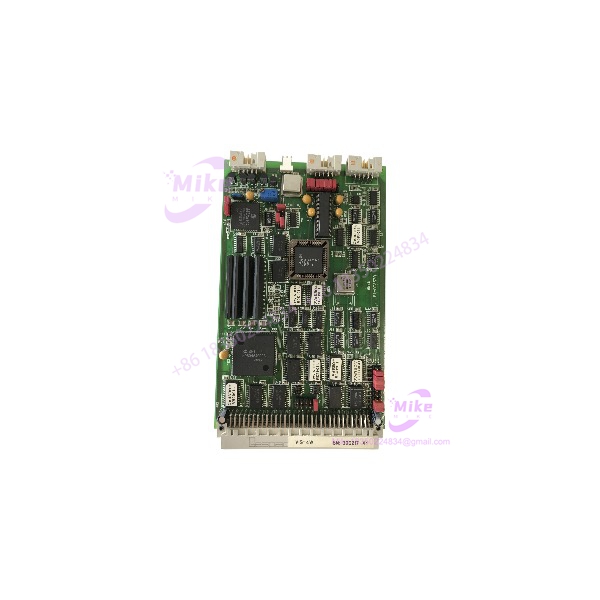
GESPAC GESVIG-4W | Composite Video Graphics Controller Board
Product Introduction
A failed graphics board can stop a legacy control workstation just as effectively as a failed CPU. The GESPAC GESVIG-4W occupies that display-side role in the GESPAC modular control architecture: available component records identify it as a Video Graphics Controller, while industrial replacement catalogs specifically describe the board as a composite video graphics board.
This makes the GESVIG-4W a very different component from GESPAC’s CPU, memory, digital I/O, or analog I/O cards. It is part of the system’s visualization path, so compatibility depends on the host GESPAC hardware, board revision, connector arrangement, and expected video interface—not simply on whether the replacement board powers up.
The GESVIG-4W also appears in repair documentation under the related VIG-4W designation, including the reference GESVIG-4W 9736 / VIG-4W. That is useful when tracing obsolete inventory because an old maintenance record may use the shorter VIG-4W designation rather than the complete GESVIG-4W part number.
GESVIG-4W
Key Technical Specifications
- Manufacturer: GESPAC
- Model:
- Functional Designation: VIG-4W
- Product Type: Video graphics controller
- Video Category: Composite video graphics
- Board Function: Graphics/display interface within GESPAC control hardware
- Installation: Modular plug-in control-system PCB
- System Architecture: GESPAC industrial control system
- Application: Legacy industrial computer / process-control visualization
- Lifecycle: Legacy / discontinued
- Known Repair Reference: 9736 / VIG-4W
GESPAC system references place the alongside CPU, memory, disk-controller, serial I/O, digital I/O, analog input, backplane, and power-distribution boards. This confirms that the board belongs to a larger modular control platform rather than functioning as a standalone modern display adapter.
Specification Boundary
Publicly accessible documentation does not provide enough reliable information to state the exact video resolution, refresh rate, connector pinout, video timing, memory size, bus interface, power consumption, or supported monitor list for every revision.
Those parameters should therefore be verified from the physical board and the host-system documentation before using them in a migration or replacement specification.
This is particularly important because unrelated reseller pages currently associate the name with specifications such as 24 VDC input and 0/4–20 mA output. Those specifications describe a signal-conditioning product and conflict with the much better-supported identification of the as a GESPAC video graphics controller.
Global Sourcing & Live-Test SOP
1. Inbound Verification
For a legacy graphics controller, document the board before applying power.
Record:
- Complete marking
- VIG-4W designation if present
- PCB revision
- Assembly number
- Serial number
- Date codes
- Connector configuration
- IC population
- Any graphics-memory devices
- Jumper/DIP-switch positions
- Signs of previous repair
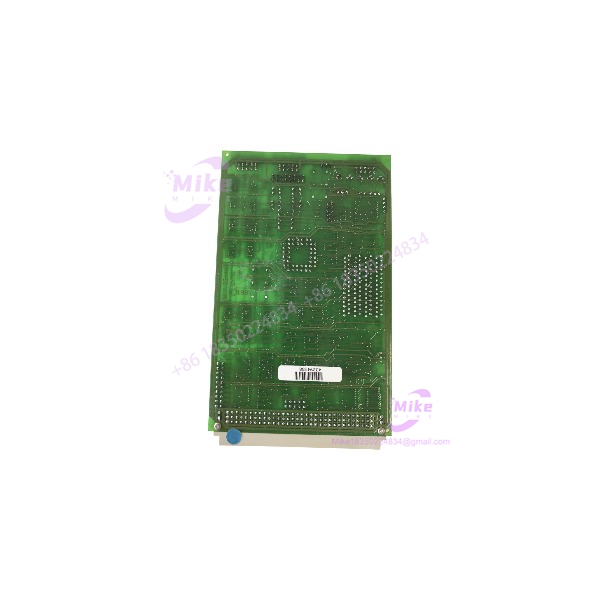
Photograph the front and rear of the PCB and retain close-up photographs of every identification label.
If the board carries an additional number such as 9736, record it separately rather than replacing the primary model designation with it. Repair catalogs associate 9736 with the /VIG-4W family.
2. Physical Inspection
Check the following before installation:
- Edge connector condition
- Video connector condition
- Socketed ICs
- Cracked solder joints
- Damaged capacitors
- Corrosion
- PCB contamination
- Bent connector pins
- Evidence of component substitution
- Previous rework around video circuitry
Older graphics boards can develop intermittent faults from connector oxidation or socket contact degradation. A simple visual inspection is therefore worth doing before attempting software diagnostics.
3. Controlled System Test
The preferred test environment is a known-compatible GESPAC chassis and host CPU.
Recommended sequence:
- Power down the host system according to its service procedure.
- Record the original board position.
- Compare connector keying and board revision.
- Confirm configuration links.
- Install the .
- Power the system.
- Observe the controller’s startup sequence.
- Verify video output.
- Check display stability during extended operation.
- Compare the result with the known-good board.
Do not assume hot-swapping is supported. No sufficiently authoritative public documentation was found establishing live-insertion capability for the .
4. Video Verification
A proper functional test should examine more than the presence of a picture.
Where the host system permits, verify:
- Startup display
- Character readability
- Graphics rendering
- Stable synchronization
- Absence of intermittent video loss
- Display behavior during controller restart
- Video stability after thermal warm-up
If possible, test the board with the same display hardware used by the production system. A generic monitor may accept a signal that the original industrial display architecture does not handle correctly—or vice versa.
5. Extended Run
For production spare inventory, allow the to operate through an extended test period.
Monitor for:
- Video dropout
- Flickering
- Loss of synchronization
- Random characters
- Graphics corruption
- Startup-to-startup variation
- Temperature-related faults
If an intermittent display problem appears only after the system warms up, inspect the board’s connectors, socketed devices, and video circuitry before condemning the host CPU.





