

Description
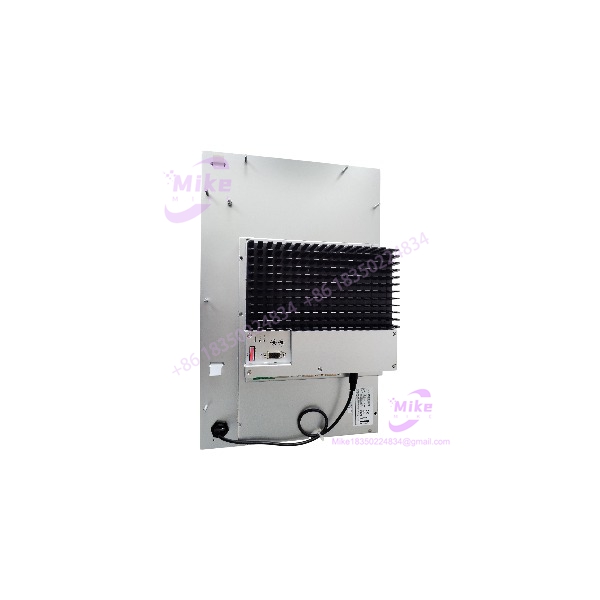
FRECH IPC1412 | 12.1-Inch Industrial PC Operator Terminal
Product Introduction
Replacing an industrial operator PC is not the same as upgrading an office computer. In a machine-control environment, display compatibility, storage contents, operating-system image, and application-specific configuration can all affect commissioning. The FRECH IPC1412 is a legacy industrial PC associated with FRECH die-casting machine control systems.
The IPC1400-series catalog identifies the IPC1412 as a 12.1-inch SVGA TFT platform. The supplied listing identifies a configuration string of FRE/CM1G1/1G/CF8G/XPE, which corresponds to a Celeron M 1 GHz, 1 GB RAM, 8 GB CompactFlash, and Windows XP Embedded configuration. These details should be treated as configuration-specific, not universal across every IPC1412. For machine restoration or spare-parts procurement, match the complete configuration and verify whether the original machine application and boot media are included.
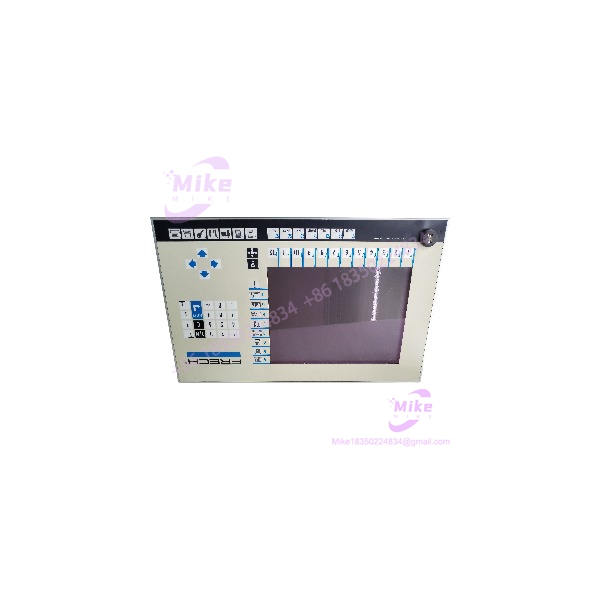
IPC1412
Key Technical Specifications
- Model: IPC1412
- Manufacturer / Brand: FRECH
- Product Family: IPC1400 Series
- Product Category: Industrial PC / HMI operator terminal
- Display Size: 12.1 inches
- Display Type: Color TFT
- Display Resolution: 800 × 600 pixels (SVGA)
- Processor: Celeron M 1 GHz, per the referenced configuration code
- Installed RAM: 1 GB, per the referenced configuration code
- Storage Media: CompactFlash
- Storage Capacity: 8 GB, per the referenced configuration code
- Operating System: Windows XP Embedded, per the referenced configuration code
- Touchscreen: Resistive touchscreen option; confirm actual installation
- Typical Application: FRECH die-casting machine operator interface and control system
- Configuration Code: FRE/CM1G1/1G/CF8G/XPE
- Additional Reference: X11-15305, as shown in the supplied listing
Configuration caveat: IPC1412 units may differ in CPU, memory, storage, touchscreen, and installed software. The specifications above reflect the referenced configuration and catalog-level information. Confirm the physical label, internal hardware, and software image before treating this unit as a like-for-like replacement.
Global Sourcing & Live-Test SOP
For legacy industrial PCs, the key procurement question is not simply whether the computer powers on. The unit must match the required hardware and, where applicable, retain the software environment needed by the machine.
Incoming Verification
- Confirm the model marking and any FRECH part or configuration number.
- Record serial number and hardware revision, if available.
- Inspect the display, touchscreen surface, enclosure, connectors, and mounting points.
- Check for corrosion, impact damage, loose connectors, or signs of unauthorized repair.
- Photograph the nameplate and all configuration labels.
Hardware & Configuration Review
- Verify CPU, installed RAM, and CompactFlash capacity against the required configuration.
- Confirm touchscreen presence and functionality.
- Inspect available communication and peripheral ports against the original machine’s requirements.
- Determine whether the original storage device is included and whether it contains the required machine software.
- Confirm whether the unit is supplied with the required power supply, cables, or mounting hardware.
Functional Test Procedure
- Power up the using the correct power requirements for the specific unit.
- Verify display output, brightness, and touchscreen response, where fitted.
- Check BIOS/POST behavior and confirm the installed CPU and memory.
- Verify that the installed storage is detected and that the operating system boots, if included.
- Test available Ethernet, serial, USB, and display interfaces as applicable to the unit’s configuration.
- Where possible, test with the intended FRECH application or a representative system image.
Extended Run & Documentation
- Record the hardware configuration, operating-system status, and test results.
- Document BIOS settings and storage-image details where accessible.
- Perform an extended operating run if included in the seller’s test scope.
- Use ESD-safe packaging and adequate protection for the display and touchscreen.
Testing transparency: This is a recommended procurement and acceptance procedure. It does not establish that the specific in the referenced offer has been tested or is fully operational. Request current photos, boot-test evidence, storage details, and return terms from the seller.
Field Engineer’s Pitfall Guide
- ❗ Do not assume every has the same hardware configuration. Processor, RAM, storage, and touchscreen options vary. Match the complete configuration string and physical labels against the machine’s existing terminal before ordering.
- ❗ Preserve the original software environment. A compatible industrial PC may still fail as a machine replacement if the required FRECH application, operating-system image, drivers, or configuration files are missing. Confirm whether the original CompactFlash card is included and functional.
- ❗ Check the machine-level interface before installation. Verify the required communication ports, display/touchscreen behavior, mounting arrangement, and power requirements. A PC that boots successfully is not automatically compatible with the machine’s control system.
Intent-Driven FAQ
Q1: What is the FRECH used for?
The is a legacy industrial PC associated with FRECH die-casting machine control and operator-interface applications.
Q2: What display does the use?
catalog information specifies a 12.1-inch color TFT display with 800 × 600 SVGA resolution. Touchscreen availability should be confirmed for the specific unit.
Q3: What does the configuration code FRE/CM1G1/1G/CF8G/XPE mean?
The listing’s configuration code is consistent with a Celeron M 1 GHz processor, 1 GB RAM, 8 GB CompactFlash, and Windows XP Embedded. Verify these details against the physical unit before purchase.
Q4: Can the replace the operator PC in my FRECH machine?
Potentially, but compatibility depends on the machine model, hardware configuration, software image, interfaces, and installation requirements. Confirm the complete configuration with the machine documentation or service provider before commissioning.
Q5: Does the include the original FRECH control software?
That cannot be assumed. Confirm whether the original storage device is included, whether it boots, and whether the required application and configuration data are present.
Q6: Is the hot-swappable?
No hot-swap capability should be assumed. Follow the machine manufacturer’s shutdown and replacement procedure, including proper power isolation and software/configuration backup.
Q7: Is this tested or covered by a warranty?
The referenced offer identifies the item as used. Actual test status, included software, warranty, and return eligibility are seller-specific and should be confirmed before purchase.





