

Description
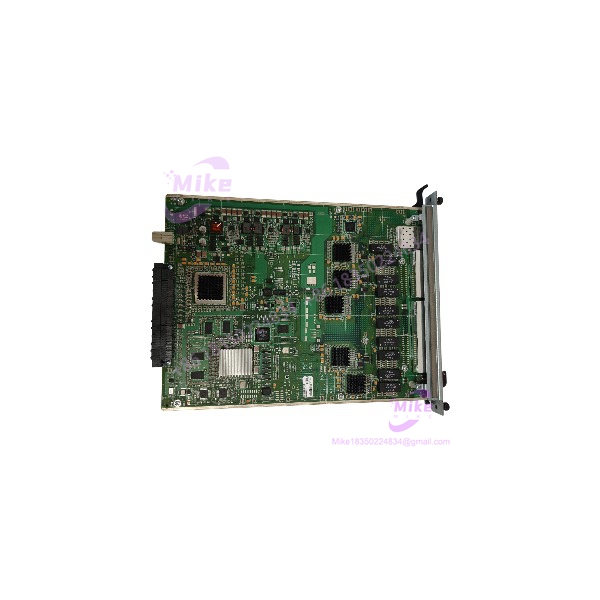
Alcatel-Lucent OS9-GNI-C20L Gigabit Ethernet Network Interface Module
Product Introduction
When a production network depends on an aging chassis switch, a failed line card can create an unexpected outage window. The problem is rarely the replacement card itself — it is finding the exact module revision that matches the backplane, firmware environment, and switching architecture already installed.
The Alcatel-Lucent OS9-GNI-C20L is a Network Interface module for the OmniSwitch 9000 family. It installs into compatible OmniSwitch chassis slots and provides multiple RJ45 Ethernet ports along with SFP-based fiber connectivity. The module is designed for environments requiring modular expansion, centralized management, and high-density network access.
This module combines 20 copper Ethernet ports and 2 SFP interfaces, making it suitable for mixed copper/fiber network deployments. The standard configuration operates at 10/100 Mbps, while a software upgrade license enables Gigabit Ethernet capability on supported installations (verify licensing status before deployment).
For replacement projects, the real challenge is compatibility. Firmware release, chassis model, software license state, and installed transceiver type all affect whether a spare module will return the switch to service without additional configuration work.
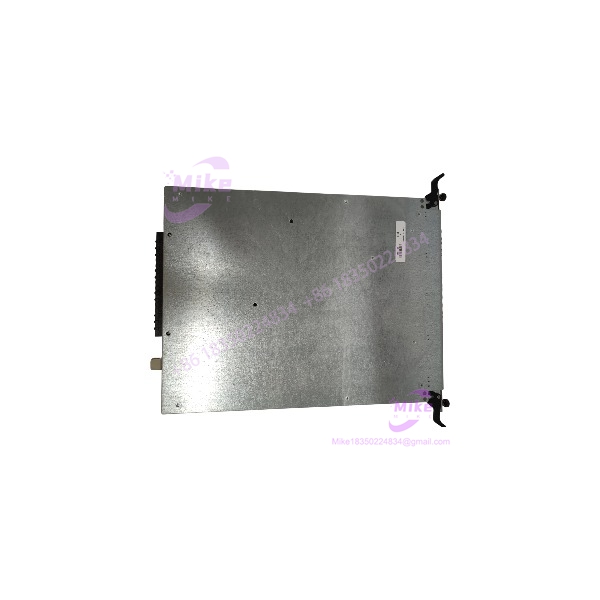
OS9-GNI-C20L
Key Technical Specifications
- Manufacturer: Alcatel-Lucent
- Product Family: OmniSwitch 9000
- Module Type: Network Interface Module (NI)
- Model: OS9-GNI-C20L
- Part Number: 902434-90
- Copper Ports: 20 × RJ45 Ethernet ports
- Fiber Ports: 2 × SFP / MiniGBIC slots
- Copper Interface: 10/100Base-TX standard operation
- Gigabit Capability: Software upgradeable to 10/100/1000Base-T on supported systems
- Maximum Data Rate:
- 10 Mbps
- 100 Mbps
- 1000 Mbps after upgrade license activation
- Connector Type: RJ45 copper ports + SFP optical interfaces
- Jumbo Frame Support: Up to approximately 9216 bytes at Gigabit operation
- MAC Address Capacity: Approximately 16,000 MAC addresses per module
- Cable Support: Category 5 / 5e / 6 Ethernet cabling
- Maximum Copper Distance: 100 meters
- Power Consumption: Approximately 49–55 W
- Installation Type: Modular chassis slot installation
- Hot Swap Support: Supported in compatible OmniSwitch chassis
- Supported Chassis Family: OmniSwitch 9000 series platforms
Application Scenarios & Pain Points
Legacy Enterprise Network Recovery
A manufacturing facility running an older OmniSwitch 9000 chassis loses one interface card. The immediate concern is not replacing a switch — it is restoring dozens of connected devices without redesigning the entire network.
The OS9-GNI-C20L allows maintenance teams to replace a failed network interface module while keeping the existing chassis architecture intact.
Industrial Control Network Expansion
With OS9-GNI-C20L:
- Existing chassis remains in operation.
- Additional Ethernet ports can be added.
- Fiber uplinks remain available through SFP interfaces.
Without a compatible replacement:
- Network redesign may be required.
- Existing cabling may need modification.
- Downtime increases during migration.
Mixed Copper/Fiber Infrastructure
High-density automation networks often combine copper connections for local devices with fiber uplinks between cabinets or buildings.
The OS9-GNI-C20L supports this mixed approach through RJ45 access ports and SFP connectivity.
Data Center and Campus Switching Maintenance
For organizations maintaining legacy modular switching systems, keeping tested spare NI cards reduces recovery time after hardware failure.
The important part: verify the exact chassis family and software environment before installation.
QA & Live Testing SOP
For an obsolete network module like the OS9-GNI-C20L, visual inspection is not enough.
Our recommended inspection workflow:
- OEM Identification Check
- Verify Alcatel-Lucent labeling.
- Confirm model number: OS9-GNI-C20L.
- Record serial number, hardware revision, and manufacturing information.
- Physical Inspection
- Check PCB condition.
- Inspect edge connectors.
- Look for oxidation, overheating marks, damaged RJ45 ports, or missing components.
- Power Verification
- Install into a compatible OmniSwitch chassis test platform.
- Confirm module initialization.
- Check status LEDs.
- Network Port Testing
- Connect Ethernet test devices.
- Verify link negotiation.
- Test 10/100 operation.
- Confirm Gigabit capability only if the upgrade license is available.
- SFP Interface Testing
- Install compatible SFP transceivers.
- Verify optical link establishment.
- Check transmit/receive operation.
- Management Validation
- Confirm the chassis recognizes the module.
- Verify module status using switch management commands.
- ESD-Safe Packaging
- Package using anti-static protection.
- Protect the connector edge.
- Use shock-resistant packaging for transportation.
A powered-up module is only the first checkpoint. A production spare should be verified inside the target chassis environment whenever possible.
Field Engineer’s Pitfall Guide
❗ Do not assume Gigabit support is active.
The OS9-GNI-C20L may require a software upgrade license to enable 10/100/1000 operation. Confirm the chassis software status before promising Gigabit performance.
❗ Check chassis compatibility first.
This module belongs to the OmniSwitch 9000 family. It is not a standalone Ethernet switch and cannot operate outside the supported chassis environment.
❗ Verify firmware compatibility.
A hardware match does not always mean a software match. Older and newer OmniSwitch releases may handle module initialization differently.
❗ Confirm SFP requirements.
The fiber ports require compatible SFP transceivers. Do not assume every generic SFP will be accepted by the chassis software.
❗ Inspect the backplane connector carefully.
Repeated insertion cycles, contamination, or mechanical damage can cause intermittent module failures that look like software problems.
❗ Do not hot-swap without checking system policy.
Although the platform supports modular replacement, verify redundancy, traffic impact, and maintenance procedures before removing a live card.
Intent-Driven FAQ
Q1: What is the Alcatel-Lucent OS9-GNI-C20L?
The OS9-GNI-C20L is a modular Ethernet Network Interface card for the Alcatel-Lucent OmniSwitch 9000 chassis family. It provides copper Ethernet access ports and SFP-based uplink connectivity.
Q2: How many ports does the OS9-GNI-C20L have?
It provides 20 RJ45 Ethernet ports and 2 SFP interfaces.
Q3: Is the OS9-GNI-C20L a Gigabit Ethernet module?
It can support Gigabit Ethernet operation after the appropriate software upgrade on supported systems. The default configuration is based around 10/100 Ethernet operation.
Q4: Can I install this card in any OmniSwitch chassis?
No. It is designed for compatible OmniSwitch 9000 family chassis systems. Confirm the exact chassis model before ordering.
Q5: Does the OS9-GNI-C20L support fiber connections?
Yes. It includes two SFP-based fiber interfaces for compatible optical transceiver installation.
Q6: Is this module still available from the manufacturer?
The OmniSwitch 9000 platform is considered a legacy product family, and OS9-GNI-C20L units are generally sourced through surplus, refurbished, or secondary industrial networking channels.
Q7: What should I verify before buying a used OS9-GNI-C20L?
Request:
- Clear photos of the module label
- Serial number and hardware revision
- Confirmation of tested status
- Chassis compatibility
- Firmware/software environment
- License status for Gigabit upgrade capability





