


Description
ABB ETP90H-4G50 | Industrial Automation Component
Product Introduction
The ABB ETP90H-4G50 should be treated as a legacy industrial automation spare requiring exact identification before installation. Current online sources consistently repeat the ETP90H-4G50 designation under ABB, but the technical descriptions are inconsistent enough that assigning a definitive product class from reseller data alone would be poor engineering practice.
This matters for procurement. One source describes the ETP90H-4G50 as an embedded power-supply product and gives a 9–30 VDC input with a 9–30 VDC output rated up to 10 A; another reseller provides only generic fields such as “operating voltage” and “output frequency.” Those descriptions do not establish a reliable OEM specification for the exact ABB part.
Therefore, this listing deliberately separates verified identification from specifications that require physical-unit confirmation.
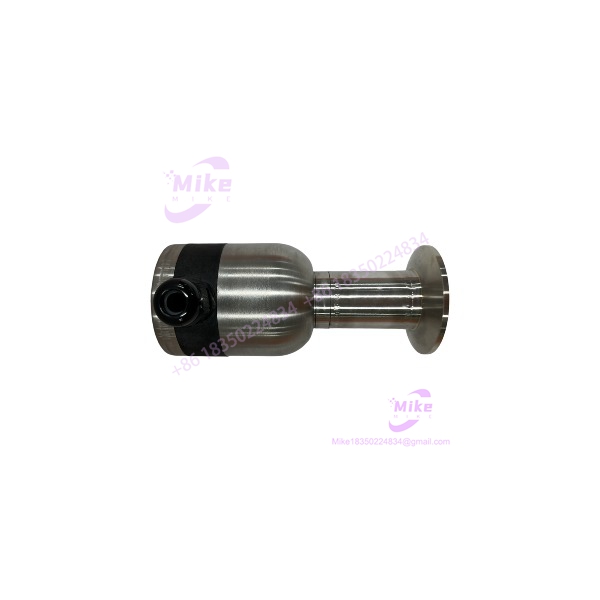
ETP90H-4G50
Key Technical Specifications
- Brand: ABB
- Model: ETP90H-4G50
- Part Number: ETP90H-4G50
- Product Family: Not reliably established
- Product Function: Requires exact OEM/nameplate verification
- Industrial Application: Automation/control equipment
- Input Voltage: Not confirmed from an authoritative ABB source
- Output Voltage: Not confirmed from an authoritative ABB source
- Output Current: Not confirmed from an authoritative ABB source
- Power Rating: Not confirmed
- Communication Interfaces: Not confirmed
- Processor/Controller: Not confirmed
- Display Specification: Not confirmed
- Operating Temperature: Not confirmed
- Mounting Configuration: Verify from the physical unit
- Hardware Revision: Verify from nameplate
- Firmware Revision: Verify where applicable
- Certification: Do not assume from reseller descriptions
- Condition: Verify actual unit condition before sale
Conflicting Secondary Data
One current reseller page describes the ABB as an embedded industrial computer/power-supply assembly and lists:
- 9–30 VDC input
- Up to 10 A power output
- 45 W typical consumption
- -20 to +55°C operating temperature
- Multiple display interfaces
- Intel processor options
- USB and serial interfaces
However, the same page mixes the model with unrelated embedded-computing specifications, making it unsuitable as the sole technical authority forxact .
Another reseller labels the same model as but gives “220 V” operating voltage and “30 kHz” output frequency without providing an engineering context that makes those figures credible for this exact part.
Do not use either set of figures as guaranteed specifications without matching the physical nameplate or ABB documentation.
Application Scenarios & Procurement Pain Points
Legacy Automation System Support
The most defensible application is legacy industrial automation spare-parts procurement. If an existing ABB-controlled system cs an , the physical identification should be completed before ordering a replacement.
Obsolete Equipment Maintenance
Older automation installations frequently remain in production long after the original commercial support cycle has changed. A correctly identified spare can be useful for reducing downtime when the original assembly fails.
Emergency Replacement
When a machine is down, searching only by a partial description such as “ABB power supply” or “ABB control module” can produce incompatible hardware. The complete identifier should be retained in the maintenance record.
Installed-Base Spare Inventory
For inventory control, record:
- Full model number
- Manufacturer marking
- Hardware revision
- Serial number
- Connector arrangement
- Nameplate electrical ratings
- Existing system location
- Photographs of front and rear assemblies
That information is considerably more useful than a generic category description.
QA & Live Testing SOP
We would not apply power to an unfied simply because a reseller page lists a voltage range.
Step 1 — Nameplate verification
Confirm:
- ABB marking
- model
- Serial number
- Hardware revision
- Electrical ratings
- Certification markings
Step 2 — Physical inspection
Inspect the assembly for:
- Cracked housing
- Burn marks
- Corrosion
- Damaged connectors
- Bent terminals
- Missing components
- PCB contamination
- Evidence of previous overheating
Step 3 — Documentation match
Compare the nameplate against the customer’s installed unit and available ABB system documentation.
The complete system model should be recorded whenever pos The identifier by itself is not enough to establish every installation parameter.
Step 4 — Controlled electrical test
Only after the required input/output ratings have been independently confirmed should a controlled power test be performed.
Verify:
- Input current
- Output voltage where applicable
- Startup behavior
- Thermal behavior
- Alarm or diagnostic indicators
- Communication behavior where applicable
Step 5 — Functional system test
For a replacement component, the best validation is normally performed in the correct host system or an approved test setup.
A bench power-up alone does not prove compatibility.
Field Engineer’s Pitfall Guide
❗ Do not copy generic reseller specifications into the purchase specification.
Theable pages disagree substantially about what the part actually is and what its electrical characteristics are.
❗ Do not assume it is the same asNIOP .
The identical model string appears in UNIOP-related listings, but that does not establish that an ABB-marked physical unit is the same product or that the manufacturer attribution is correct.
❗ Verify the physical nameplate.
For this model, a clear photograph of the actual ABB label is more valuable than another generic reseller specification page.
❗ Do not infer voltage, current, frequency, or power from the model number.
Those values must be taken from the actual nameplate or authoritative OEM documentation.
❗ Check the complete host system.
E the identification is correct, the installed application, wiring, connectors, firmware, and surrounding hardware determine whether a replacement is actually usable.
Intent-Driven FAQ
W ABB ?
The model is currently associated with ABB by multiple industrial reseller sources, but its exact ABB product classification is not sufficiently established by authoritative documentation found during verification.
Is an ABB product?
Several reseller databases explicitly identify it as ABB. However, conflicting sources also associate the same model number with UNIOP and other unrelated descriptions. The manufacturer marking on the physical unit should therefore be treated as the decisive identification point.
What is the input volt ABB ?
A reseller source reports a 9–30 VDC input, but this specification is not sufficiently corroborated by authoritative ABB documentation. It should not be treated as a guaranteed specification without nameplate verification.
What is the output rating?
One secondary source reports up to 10 A output, but this figure has not been independently verified against ABB documen for .
Is an HMI?
There are online listings describing the same model number as a UNIOP industrial operator panel. That creates a significant identification conflict. An ABB-marked unit should not be sold as a UNIOP HMI unless its physical labeling and documentation establish that relationship.
How should I ver ABB before purchase?
Request clear photographs of the front, rear, nameplate, connectors, and any PCB/model labels. Match those markings against the customer’s installed unit before specifying electrical ratings or functional compatibility.
Procurement Note
For purchasing purposes, the safest description is:
ABB — legacy industrial automation component; exact function, electrical rating, and system compatibility to be verified from physical nameplate and OEM documentation.
I would not publish the 10.4-inch HMI specifications from the previous listing under ABB, and I would not publish the embedded-computer specifications from the reseller page as confirmed ABB data. The online evidence is internally inconsistent.
For this particular part number, nameplate verification should take priority over SEO completeness.





