Description
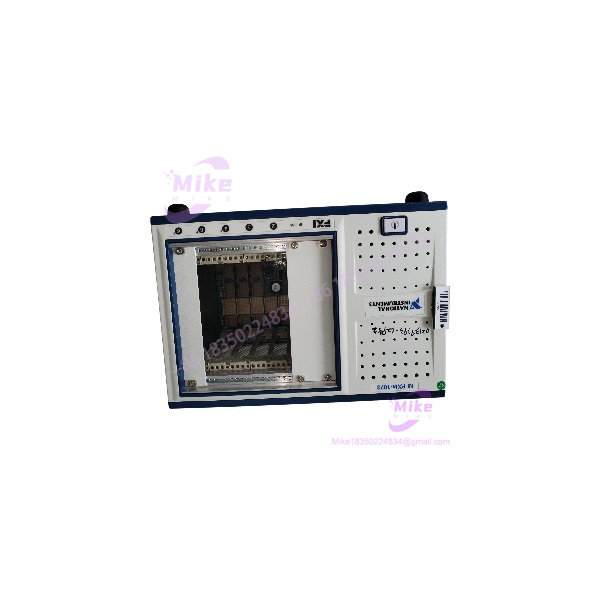
NI PXIe-1073 | 5-Slot PXI Express Chassis Integrated Controller
Dynamic Product Introduction
Test system engineers designing compact automated test equipment or benchtop validation rigs know how frustrating backplane communication drops can be. When a central test chassis experiences power supply instability or MXI host link failure, replacing the core enclosure quickly without altering installed instrument cards or re-cabling host PCs becomes a top operational priority.
The NI PXIe-1073 combines a compact 5-slot PXI Express mainframe with an integrated MXI-Express controller into a single enclosure. Designed for cost-effective remote control via a host computer, the chassis eliminates the need for a separate Slot 1 controller module, freeing up backplane real estate. Delivering 250 MB/s throughput across 3 dedicated PXI Express peripheral slots and 2 PXI Express hybrid slots, the PXIe-1073 provides stable backplane clocking (10 MHz and 100 MHz reference clocks) and auto-sensing forced-air cooling, making it an ideal footprint for portable DAQ rigs, automated circuit board testing, and benchtop medical device validation setups.
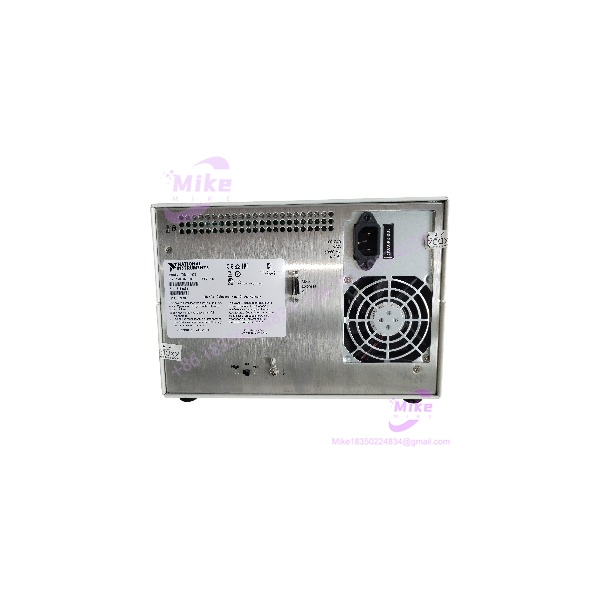
PXIe-1073
Key Technical Specifications
- Total Slots: 5 slots (3 PXI Express slots, 2 PXI Express Hybrid slots)
- Integrated Controller: Onboard MXI-Express link (cables directly to PCIe/PCI host interface cards)
- System Bandwidth: Up to 250 MB/s per slot (PCI Express Gen 1 x1 interface)
- Power Supply Rating: Integrated continuous AC power supply (100–240 VAC wide input range)
- Cooling System: Rear-mounted cooling fan with automatic speed control based on ambient intake temperature
- System Timing Clocks: Integrated 10 MHz and 100 MHz system reference clocks
- PXI Trigger Bus: 8 PXI trigger lines routed across all peripheral slots
- Form Factor: Compact 3U rack-mountable or benchtop enclosure
- Dimensions: Standard 3U height, 7.00 in x 7.03 in x 15.60 in
- Weight: Approximately 11.0 lbs (5.0 kg) empty
Global Sourcing & Live-Test SOP (Transparency Core)
Sourcing surplus or replacement PXIe mainframes requires thorough physical and electrical verification to guarantee long-term system stability under heavy instrument loads.
Inbound Verification & Traceability
- Paperwork Audit: Validation of physical serial numbers against OEM manufacturing logs to confirm chassis revision history and power supply batch tracking.
- Physical Inspection: Comprehensive check of backplane card slot pins, peripheral guide rails, fan assembly blades, power switch mechanics, and the integrated MXI-Express cable port.
Live Rack Simulation & Diagnostics
- Power Rail Stability Check: Multimeter and oscilloscope monitoring of +3.3 V, +5 V, +12 V, and -12 V DC power rails under full slot load to confirm voltage ripple remains well within factory limits.
- MXI Link & Backplane Throughput Test: Connected to a host PC running an NI PCIe-8361 link card to verify PCIe enumeration, bus stability, DMA streaming, and 10 MHz / 100 MHz reference clock phase-noise limits.
- 24-Hour Thermal Burn-In: Chassis undergoes a 24-hour thermal chamber stress test running continuous peripheral power draw to ensure fan auto-throttling and thermal sensor stability under continuous production workloads.
Final Prep
- Firmware Checks: Verification of chassis management EEPROM constants and MXI transceiver health.
- ESD Safe Handling & Shipping: Packaged in heavy-duty anti-static shielding materials and double-walled freight boxes to prevent backplane pin damage during transit.
The Field Engineer’s Pitfall Guide
- ❗ Host PC Power-Up Sequence Order: Always power up the PXIe-1073 chassis before turning on the connected host computer. If the host PC boots before the chassis is fully powered and initialized, the host BIOS/OS will fail to enumerate the PCIe bus switches inside the PXIe-1073, rendering all installed PXIe modules invisible in Measurement & Automation Explorer (MAX).
- ❗ Slot Type & Legacy Module Constraints: The PXIe-1073 features 3 PXIe-only slots and 2 PXIe Hybrid slots. Legacy 32-bit PXI modules with a backplane J2 connector will not physically fit into the hybrid slots without removing or altering pins. Always check your card backplane connector types prior to insertion.
- ❗ MXI Cable Cable Length and Bending Limits: Exceeding the maximum recommended length for MXI-Express copper cables or exceeding the minimum bend radius can cause bit errors or link drops during high-speed DMA data transfers.
Intent-Driven FAQ
Do I need a separate embedded controller for the PXIe-1073?
No. The PXIe-1073 features an integrated MXI-Express remote controller built directly into the chassis backplane. You control the chassis from an external desktop PC, laptop, or industrial PC using a compatible host interface card (like an NI PCIe-8361 or ExpressCard-8360) and an MXI cable.
Will swapping out a damaged PXIe-1073 require reconfiguring my software applications?
No. The chassis is completely transparent to your host operating system and LabVIEW applications. As long as you re-insert your peripheral cards into the same relative slot positions, MAX will recognize the hardware configuration automatically.
Can I use standard PXI modules in the PXIe-1073?
Yes, but only in the 2 hybrid peripheral slots. The 2 hybrid slots accept standard PXI modules equipped with CompactPCI/PXI connectors (those without the J2 connector), while the remaining 3 slots accept standard PXI Express modules.
How does the variable-speed fan cooling work on the PXIe-1073?
The chassis features an automatic cooling system. Onboard thermal sensors dynamically adjust the cooling fan speed based on ambient intake air temperature, keeping acoustic noise low during light workloads and ramping up airflow under heavy power draw.
What warranty coverage is provided on replacement chassis units?
All verified PXIe-1073 chassis units include a standard 12-month full-replacement warranty covering backplane connectivity, power supply stability, MXI link transceivers, and fan assembly performance.
If you need help selecting compatible host interface cards, MXI cables, or calculating slot power budgets for your PXIe-1073 setup, let me know your current setup and I can guide you through the process.