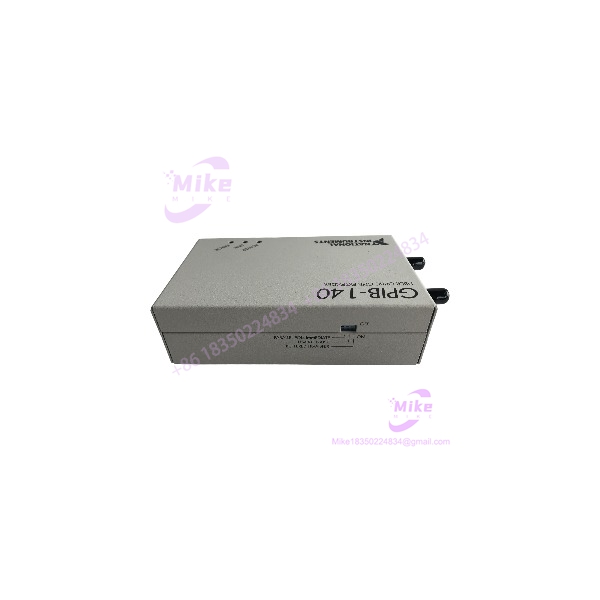
Description
NI GPIB-140A | 1 km Fiber-Optic GPIB Bus Extender
Product Introduction
Long GPIB cable runs become a physical-layer problem long before the instrumentation software notices anything is wrong. The NI GPIB-140A addresses that limitation by converting the GPIB traffic into a fiber-optic transmission link and reconstructing the GPIB interface at the remote end.
A complete extension normally uses two GPIB-140A units, one at each end of the fiber. The resulting system can extend a GPIB installation up to 1 km while remaining functionally transparent to the existing GPIB control software. NI documents support for IEEE 488.1 and IEEE 488.2, with buffered transfer above 1.1 MB/s and HS488 transfer above 2.8 MB/s.
This architecture also provides an important electrical advantage: the two GPIB sides are physically separated by the fiber link, allowing each extender to reside at a different ground potential. That can be useful where long instrumentation installations have difficult grounding conditions.
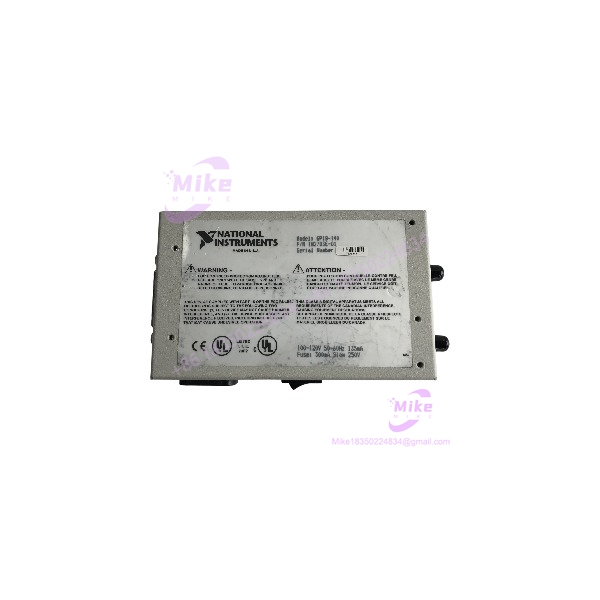
GPIB-140A
Key Technical Specifications
- Model: GPIB-140A
- Manufacturer: National Instruments
- Interface Standard: ANSI/IEEE 488.1 and IEEE 488.2
- Function: High-speed fiber-optic GPIB bus extension
- Maximum Distance: 1 km per GPIB-140A extension system
- Buffered Non-HS488 Rate: >1.1 MB/s
- HS488 Rate: >2.8 MB/s
- Unbuffered Transfer: >200 kB/s
- Device Loading: Up to 28 devices in the extension system, including both extenders
- Multiple Extensions: Supported in linear or star arrangements
- Fiber Type: 62.5/125 µm multimode fiber
- Fiber Wavelength: 850 nm
- Fiber Connector: ST-style duplex
- Fiber Cable Type: NI Type T7 specification for GPIB-140A
- GPIB Cable: Shielded cable required for documented FCC emissions compliance
- Enclosure: Metal
- Dimensions: 3.5 × 5.65 × 1.62 in.
- Weight: 0.55 lb
- Application: Remote instrumentation, automated test systems, laboratory GPIB networks, and electrically separated GPIB installations.
vs. /2
Do not confuse the with the .
- up to 1 km
- up to 2 km
- uses the T7 fiber specification.
- /2 uses the T8 fiber specification.
- The two models use different optical transmission characteristics and should not be treated as interchangeable merely because the housings look similar.
Global Sourcing & Live-Test SOP
For surplus inventory, testing the box by itself is not enough. The actual communication path is a system consisting of two extenders, GPIB cables, and the correct fiber link.
- Identity verification: Confirm the front/rear label specifically states . Record the NI part number and AC-voltage variant.
- Mechanical inspection: Check the metal enclosure, GPIB connector, fiber-optic ports, power switch, LEDs, and mounting hardware.
- Fiber inspection: Inspect both ST-style optical connectors for contamination, damaged ferrules, cracked housings, or missing protective caps.
- Power test: Apply the correct AC supply and verify the POWER LED illuminates immediately.
- Link test: Connect two known-good units with the appropriate fiber cable. The LINK LED should illuminate when both units are powered and the optical connection is correct.
- Self-test: Use the extender’s documented self-test procedure before connecting valuable instrumentation.
- GPIB communication test: Connect a known-good GPIB controller and instrument and verify normal identification/query traffic.
- Transfer test: Exercise both standard buffered GPIB communication and, where the connected equipment supports it, HS488 operation.
- Error monitoring: Observe the ERROR LED during sustained traffic. NI specifies that this indicator illuminates when corrupted data is received and clears after successful retransmission.
- Extended run: Run repeated instrument queries and data transfers for several hours while monitoring LINK and ERROR status.
- Final record: Document the AC variant, serial/asset markings, fiber cable type, measured communication result, and test configuration.
A particularly useful bench test is to place a GPIB instrument on the remote side and repeatedly perform identification, configuration, measurement, and data-read operations. A unit that merely illuminates its LINK LED has not yet demonstrated reliable GPIB communication.
Field Engineer’s Pitfall Guide
❗ 1. One is not a complete fiber extension
The normal architecture requires a pair of units. One unit converts the local GPIB signals to the optical link; the second reconstructs the GPIB bus at the remote location. Buying a single surplus unit can therefore leave the project incomplete.
❗ 2. Do not substitute the wrong fiber extender or cable
The uses an 850 nm optical interface with the T7 fiber specification. The /2 uses a different T8 optical system for 2 km operation.
NI explicitly documents that and /2 use different optical transmission configurations. Match the extender and fiber cable rather than assuming any ST-terminated fiber cable will produce a valid link.
❗ 3. Check the DIP switches before blaming the controller
The has a 3-bit DIP switch controlling operating mode, including buffered transfer, HS488 enablement, and parallel-poll response behavior. The factory/default configuration is not necessarily the optimal setting for every application.
This is an easy field mistake: the GPIB cable is good, both POWER LEDs are on, and the fiber appears connected, yet the application behaves differently from the original installation. Record the DIP-switch positions before replacing a failed extender.
Intent-Driven FAQ
What does the NI actually do?
It extends an existing IEEE 488/GPIB instrumentation bus over fiber optic cable. It does not replace the GPIB controller and does not convert GPIB directly to Ethernet, USB, or serial communications.
How far can extend a GPIB system?
The documented maximum is 1 km for a extension system. The /2 is the separate 2 km model.
Does the require software changes?
No. NI describes the extender as functionally transparent, so existing GPIB communications and control programs can operate through the extension.
Can I use only one ?
For a normal fiber extension, no. You need a pair: one unit at the local GPIB bus and one at the remote GPIB bus. The fiber forms the link between them.
Does provide electrical isolation?
The fiber link separates the electrical GPIB systems. NI specifically notes that each extender can reside at a different ground potential because the GPIB signals are transformed into optical signals at each end.
This should not be confused with claiming a particular standalone isolation voltage unless the applicable hardware documentation specifies it.
What fiber cable does use?
The documented transmission cable is a duplex 62.5/125 µm fiber operating at 850 nm, terminated with ST-style connectors. NI identifies its corresponding cable specification as Type T7.
Is the still manufactured?
NI currently lists the as no longer available. That makes surplus, refurbished, and used-unit inspection particularly important when sourcing replacements for legacy test equipment.
Procurement Notes
The is a specialized legacy instrumentation-network component. Its value is not simply the GPIB connector on the front; it provides a documented optical bridge capable of extending an IEEE 488 system to 1 km, while retaining normal GPIB software operation.
For replacement procurement, verify the exact variant, AC power configuration, optical cable specification, DIP-switch configuration, GPIB connector condition, and communication performance. For a production test system, a live communication test with a known-good second is preferable to accepting an “untested” surplus unit based only on power-up behavior.