

Description
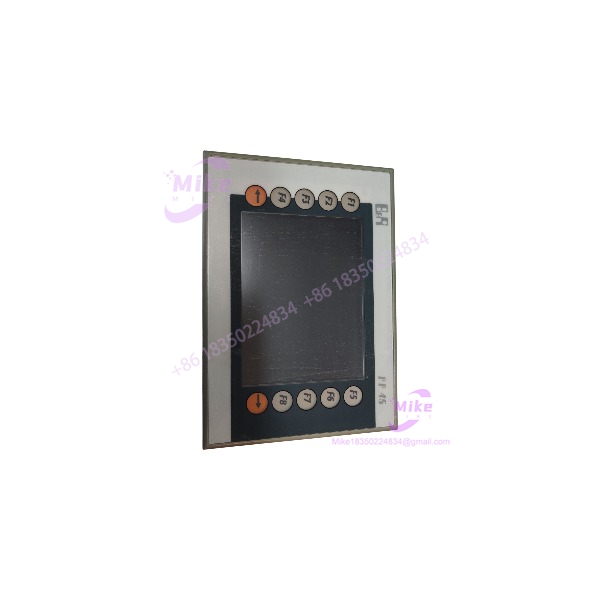
B&R 4PP045.0571-K30 | Power Panel 45 Touch Screen Terminal
Product Introduction
When an automated packaging station or custom assembly cell suffers a touchscreen freeze or display driver fault, operators lose both visual monitoring and machine execution control simultaneously. The B&R 4PP045.0571-K30 is not a basic commercial monitor; it is an integrated Power Panel 45 unit engineered specifically to combine real-time controller logic with robust touchscreen human-machine interface (HMI) execution. Attempting to replace integrated B&R panel controllers with standard consumer-grade touchscreens leads to total communication failure across the Automation Studio software ecosystem—making this exact unit critical for maintaining continuous machine uptime.
Operating inside demanding factory environments requires hardware built to withstand dust, oil mist, and severe electrical noise. The 4PP045.0571-K30 features an IP65-rated front bezel designed to seal tight against enclosure cutouts while handling real-time task cycles. Built-in industrial communication ports allow seamless networking across B&R servo drives and remote I/O slices—though you must always ensure correct 24VDC supply voltage polarity before powering up to protect internal power conversion circuits.
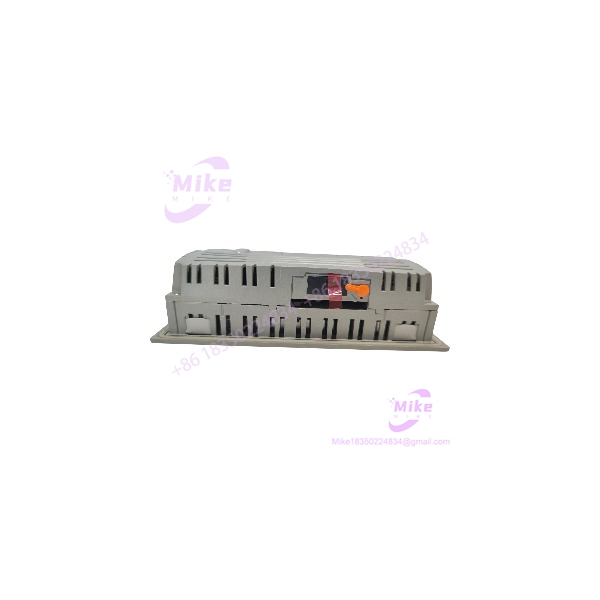
4PP045.0571-K30
Key Technical Specifications
- Model Designation: 4PP045.0571-K30 (B&R Power Panel 45)
- Display Type: 5.7″ QVGA Color TFT display with resistive touch membrane
- Processing Architecture: Low-power industrial processor core running B&R Automation Runtime
- Operating Voltage: 24 V DC (±20%) reverse polarity protected
- Onboard Memory: Non-volatile flash memory for application projects and RAM for real-time task execution
- Integrated Interfaces: Ethernet 10/100 Mbit/s, RS232 serial port, USB interface, POWERLINK fieldbus compatibility
- Protection Rating: IP65 front panel (when correctly mounted with gasket); IP20 rear housing
- Operating Temperature Range: 0°C to +50°C (32°F to 122°F)
- Storage Temperature Envelope: -20°C to +70°C (-4°F to +158°F)
- Mounting Format: Front panel cutout installation with rear retaining clamps
Application Scenarios & Pain Points
A high-speed food processing plant in Wisconsin experienced recurring machine stoppages whenever washdown moisture seeped through a cracked touchscreen gasket on an older operator terminal. Installing a tested B&R 4PP045.0571-K30 with a fresh IP65 front seal restored reliable touch input response and protected internal processor boards from moisture ingress, recovering lost daily production throughput.
With vs. Without Integrated Panel Controllers:
- Without the 4PP045.0571-K30: Using separate PLCs and third-party HMIs increases cabinet footprint, adds wiring complexity, and introduces communication latency between display screens and control logic.
- With the 4PP045.0571-K30: Single-unit architecture unifies control execution and display visualization within B&R Automation Studio, eliminating network translation lag and saving panel space.
Custom OEM Packaging & Labeling Machinery:
- Condition: Continuous multi-shift manufacturing operating in high-vibration, space-constrained machine panels.
- Impact: Electrical transients and screen wear cause display lockups and uncoordinated machine stopping.
- Solution: Deploying the rugged 4PP045.0571-K30 guarantees fast boot times, reliable touch accuracy, and steady fieldbus execution under harsh plant conditions.
QA & Live Testing SOP (Trust Signal)
Every B&R 4PP045.0571-K30 panel entering our facility undergoes a strict, multi-point validation protocol. We start with a full microscopic inspection of the front touch membrane, glass substrate, rear terminal headers, and housing clips to verify zero physical cracking, seal degradation, or pin oxidation. Next, the unit is mounted on a test panel and energized with a regulated 24VDC power supply—we measure internal power rail stability using a calibrated Fluke digital multimeter.
During live functional testing, we load test project files using B&R Automation Studio software, verifying touchscreen touch-grid accuracy, backlight brightness, and serial/Ethernet communication throughput across all active ports. We run a continuous 24-hour thermal soak test to confirm zero display flicker, touch drift, or controller runtime lockups under load. Once cleared, the module is wiped clean, fitted with a protective screen film, and vacuum-sealed in ESD protective packaging with custom foam cushioning.
Field Engineer’s Pitfall Guide
❗ GOTCHA #1: Front Gasket Sealing & Clamp Torque Do not over-torque the rear mounting clamps when securing the 4PP045.0571-K30 into the cabinet cutout. Excessive clamping pressure will warp the front bezel frame, causing permanent touch grid calibration drift or breaking the IP65 environmental seal.
❗ GOTCHA #2: CompactFlash / USB Storage Formatting When transferring target runtime files or operating system images via USB/CompactFlash media, format the drive exclusively within B&R Automation Studio or using supported industrial FAT file formats. Non-standard partition tables will prevent the panel bootloader from loading runtime applications.
❗ GOTCHA #3: 24VDC Power Supply Ripple Avoid powering the Power Panel 45 from the same unconditioned 24V supply that feeds heavy inductive DC solenoid valves or motor brakes. Electrical noise and voltage dips caused by inductive switching will trigger unexpected panel resets and corrupt open log files.
Intent-Driven FAQ
What is the difference between part numbers PP045.0571-K30 and 4PP045.0571-K30?
They refer to the exact same physical B&R hardware unit. The “4” prefix is part of B&R’s formal internal order structure (4PP = Power Panel product group 4), while field nameplates and short catalogs often omit the leading numeral.
Which programming software is used for this panel?
Project development, screen visualization, and control logic for the 4PP045.0571-K30 are created and compiled using B&R Automation Studio development software.
Can I replace the front touch membrane if it becomes worn or damaged?
While the unit is built as an integrated display assembly, field repairs usually involve replacing the complete front display bezel/touch assembly or swapping the panel unit to preserve IP65 seal integrity.
How do I perform a touchscreen recalibration?
Touch calibration can be triggered through the system diagnostics utility menu during bootup, or called directly within the runtime visualization interface using built-in system function blocks.
What maintenance should be performed during routine machine service?
Clean the front screen using a soft cloth with mild isopropyl alcohol solutions, check that rear mounting clamps remain snug, blow dust out of rear cooling vents using dry compressed air, and inspect 24VDC power wiring for terminal tightness.
If you like, I can pull together additional panel mounting clamps, 24VDC power supply modules, or fieldbus connector accessories tailored to your control cabinet layout. Would you like me to do that?





