Description
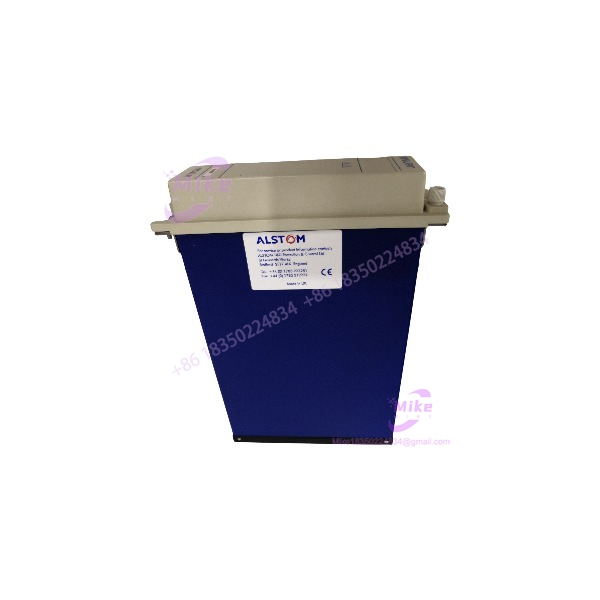
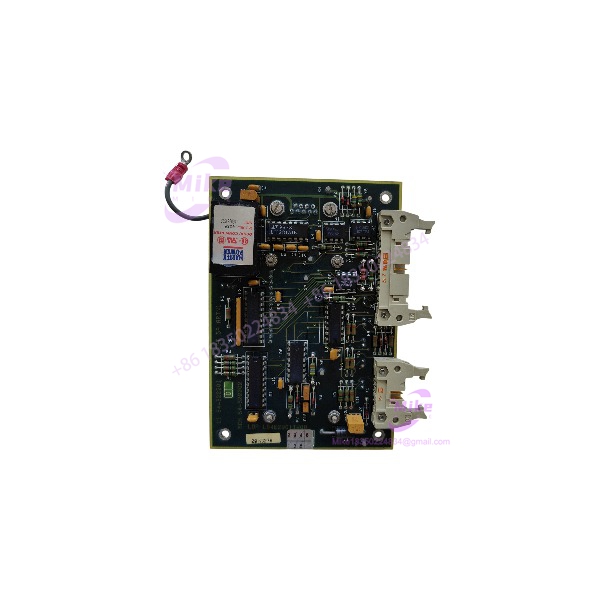
ALSTOM L54E2901TW00 | ARTN1 Visualization Card
Product Introduction
A failed visualization card can leave a generator control panel without its intended operator-display function, even when other control hardware remains operational. The ALSTOM L54E2901TW00 ARTN1 is identified in generator control-panel documentation as a display card, making it a relevant legacy spare for equipment using the corresponding ARTN1 configuration.
The exact interface details, display output, and revision-specific compatibility should be verified against the installed card and panel documentation. For procurement, the complete part number and physical board markings matter: do not assume that another ALSTOM visualization card or a similarly numbered L54-series module is interchangeable.
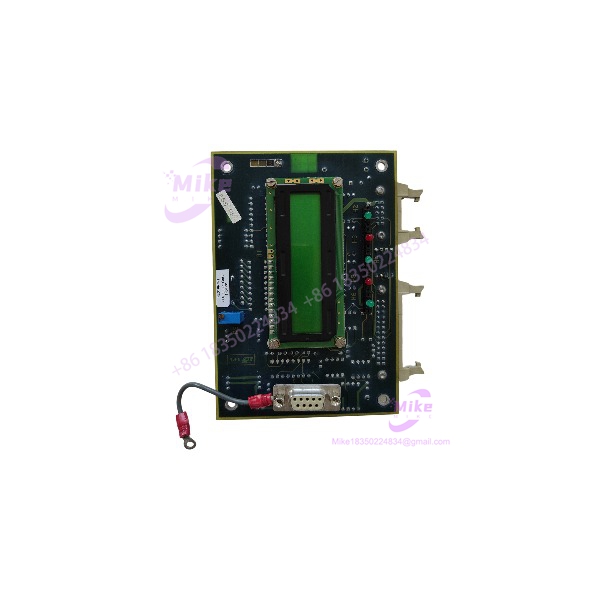
L54E2901TW00
Key Technical Specifications
- Part Number: L54E2901TW00
- Manufacturer: ALSTOM
- Card Designation: ARTN1
- Product Classification: Visualization / display card
- Application: Generator control panel
- System Association: Legacy ALSTOM generator-control / Microrec environment
- Primary Function: Display and visualization interface
- Display Output Type: Not independently verified
- Resolution: Not independently verified
- Supply Voltage: Not independently verified
- Connector / Backplane Type: Confirm from the installed card and OEM drawings
- Board Dimensions: Not verified
- Operating Temperature Range: Not verified
- Firmware / Configuration Requirements: Confirm against the target panel revision
- Included Accessories: Not established; verify the actual offer
The available references support the ARTN1 display-card identification, but do not establish a complete card-specific electrical or mechanical datasheet.
Global Sourcing & Live-Test SOP
For a used or surplus ALSTOM L54E2901TW00, verify the board identity and intended panel configuration before accepting it as a replacement.
1. Inbound Verification
- Photograph the complete card, front and rear, before cleaning or handling.
- Confirm the exact marking L54E2901TW00 and designation ARTN1.
- Record secondary part numbers, revision codes, serial numbers, and date codes.
- Inspect the PCB for corrosion, contamination, damaged traces, heat discoloration, or previous rework.
- Check connector pins and card-edge contacts for bending, wear, or oxidation.
- Compare the board layout with the original installed card or verified reference photographs.
2. Configuration & Compatibility Review
- Confirm the intended generator control-panel and AVR configuration.
- Verify the card’s rack, slot, and backplane assignment.
- Compare the offered card’s revision with the original installed unit.
- Obtain the original system BOM, wiring drawings, or OEM documentation where available.
- Confirm the display interface and any associated operator-panel hardware.
- Do not assume that another ARTN1 revision or visualization card is interchangeable without documentation.
3. Bench Inspection & Functional Simulation
- Use an approved OEM or qualified-service test procedure.
- Do not apply power based on assumed pinouts or unverified voltage requirements.
- Inspect the card and connector interface before testing.
- Verify card recognition and diagnostics only in a compatible test environment.
- Test the display function using the documented interface and approved setup.
- Record the test fixture, host configuration, card revision, and observed results.
4. System Diagnostics & Extended Run
Where a compatible test setup and approved procedure are available:
- Confirm card recognition and expected status indications.
- Verify display initialization and visualization output.
- Check for abnormal display behavior, intermittent operation, or unexpected resets.
- Confirm correct interaction with the intended control-panel hardware.
- Perform an extended run appropriate to the application.
- Record test duration, panel configuration, card revision, and results.
A card that passes visual inspection or powers up should not be described as fully tested unless its intended visualization function has been verified.
5. Final Preparation
- Preserve all labels and revision markings.
- Photograph the final inspected condition.
- Package the card in ESD-safe material.
- Protect connectors against impact and contamination.
- Include available inspection or test documentation.
- Clearly disclose whether the unit is untested, visually inspected, or functionally tested.
Field Engineer’s Pitfall Guide
❗ Confirm the exact designation
The L54E2901TW00 is identified as , a visualization/display card. Do not confuse it with the MDEX1 rotating-diode fault detection module or other L54-series control cards.
❗ Verify the complete display assembly
The part number identifies the card, but does not establish whether a listing includes the display, cable, operator panel, or other associated hardware. Confirm the seller’s actual scope of supply.
❗ Do not bench-power using assumed pinouts
The available references establish the display-card role but do not verify a complete standalone power specification or connector pinout. Use the OEM documentation or an approved test fixture before applying power.
Intent-Driven FAQ
What is the ALSTOM ?
It is the ALSTOM visualization/display card identified in generator control-panel documentation.
What does the card do?
Its documented role is display and visualization within a generator control panel. It should not be classified as a general-purpose analog or digital I/O card.
Is associated with generator control equipment?
Yes. A factory test procedure lists in a generator control-panel hardware configuration. Confirm the target panel’s exact revision and card assignment before ordering.
What display resolution and interface does it use?
Those details have not been independently verified for the exact . Request the OEM documentation or clear board and connector photographs before engineering a replacement.
Can another ALSTOM visualization card replace the ?
Not based on function or appearance alone. Confirm the exact designation, part number, board revision, display interface, and panel compatibility.
Is the obsolete?
It is a legacy ALSTOM control-panel component, but current OEM lifecycle status has not been confirmed. Availability may depend on specialist or surplus inventory.
What should I request when buying a surplus ?
Request clear photos of the full part number and PCB revision, confirmation of included hardware, condition details, system provenance, and any available functional-test report. For a critical replacement, verify the panel and display-interface compatibility before purchase.
Bottom Line for Buyers
The is documented as a generator control-panel visualization/display card. Its primary sourcing risks are revision mismatch, uncertain display-interface details, and incomplete assembly scope.
Before purchasing, match the full part number and board revision, confirm the intended control-panel configuration, and request evidence of condition and testing. Do not approve it as a drop-in replacement based on the designation alone.