Description
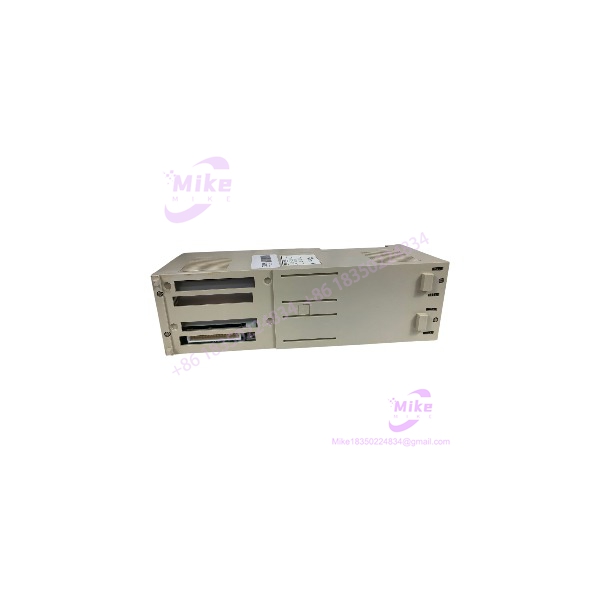
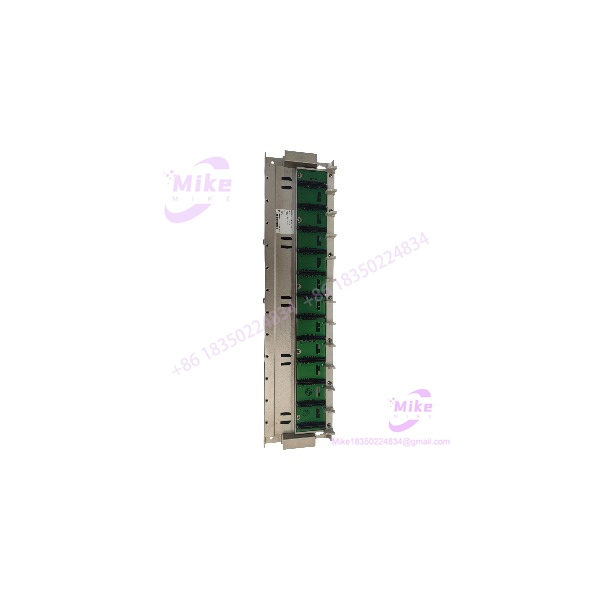
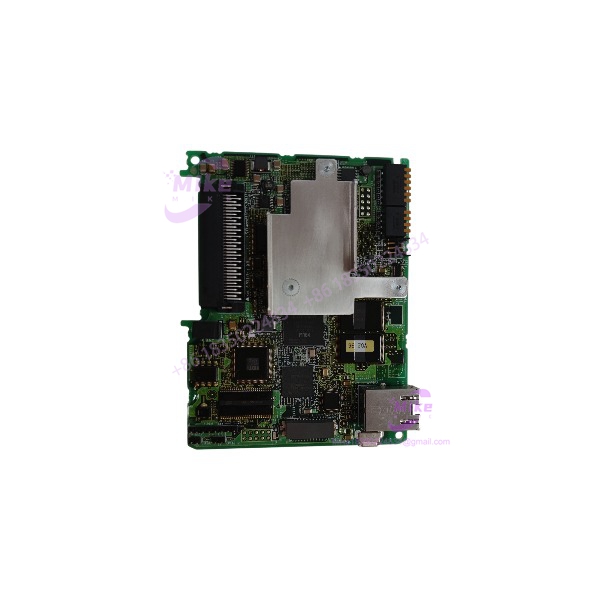
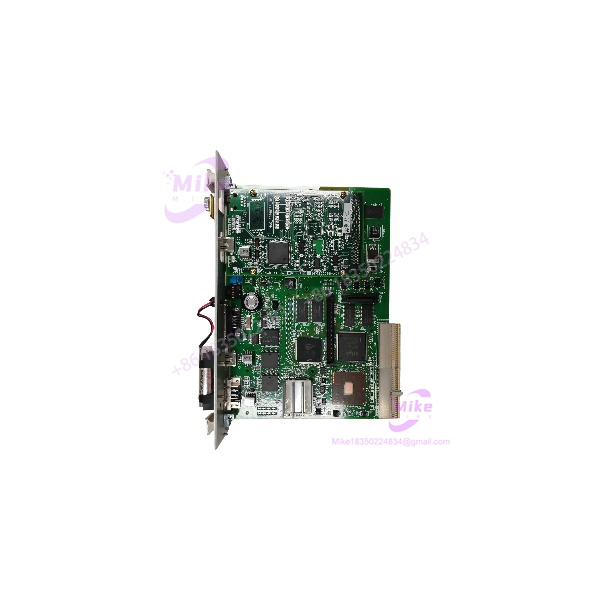
Yaskawa JANCD-XCP01-1 | Motoman XRC CPU Board
Product Introduction
A failed controller CPU board can take an entire Motoman robot cell offline. With legacy XRC equipment, replacement is not simply a matter of finding a board with the same outline. The CPU board’s installed daughtercards, memory configuration, retained data, and controller-specific compatibility all affect whether the replacement can restore the machine.
The Yaskawa JANCD-XCP01-1 is identified as the system control PC board for Motoman XRC controllers. Supplier documentation describes a Motorola XPC105 processor operating at 66 MHz, 16 MB DRAM, 1 MB SRAM, an RS-232C interface, and a CompactFlash slot. The board is also documented with a JANCD-XIF03-1 daughtercard, although the configuration of the actual offered unit should be confirmed before purchase.
For maintenance teams supporting legacy Motoman equipment, the JANCD-XCP01-1 is a controller-specific replacement component. Confirm the complete part number, installed daughtercards, memory and storage arrangement, and XRC controller revision. A CPU board replacement should also be coordinated with a verified backup of robot programs and controller data.
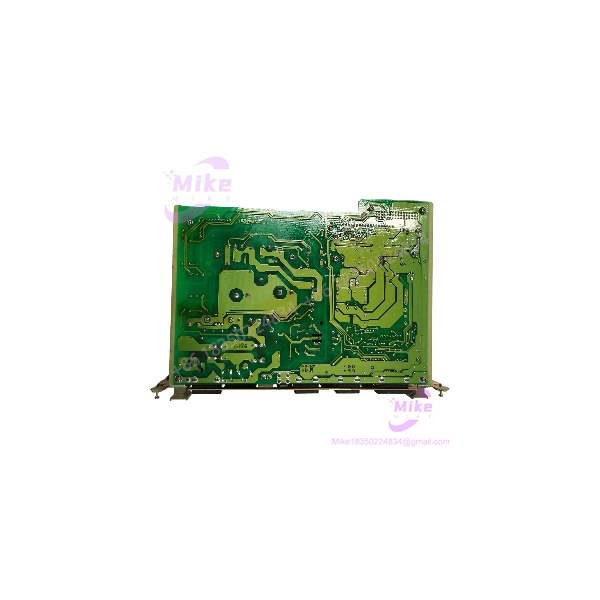
JANCD-XCP01-1
Key Technical Specifications
- Model Number: JANCD-XCP01-1
- Manufacturer: Yaskawa Electric / Motoman
- Board Classification: System control PC board / CPU control board
- Controller Platform: Motoman XRC
- Processor: Motorola XPC105, 66 MHz, supplier-reported
- DRAM: 16 MB, supplier-reported
- SRAM: 1 MB, supplier-reported
- Serial Interface: RS-232C
- Storage Interface: CompactFlash slot
- Daughterboard: JANCD-XIF03-1 reported on documented configurations; verify actual inclusion
- Memory Expansion: JANCD-XMM01 option reported in supplier documentation; verify installed hardware
- Servo Interface: Interfaces with the servo-control circuitry as part of the XRC system architecture
- Mounting: Controller rack installation
- Controller Compatibility: Motoman XRC; confirm exact controller and board revision
- Operating Voltage: Verify through the applicable XRC documentation; do not apply an assumed standalone supply rating
- Condition: Must be confirmed for the specific unit offered
Processor, memory, and daughtercard details above are based on secondary supplier documentation. Confirm the exact installed configuration from the board labels and applicable Yaskawa documentation before commissioning.
Global Sourcing & Live-Test SOP
For a legacy XRC CPU board, procurement verification should establish board identity, installed configuration, and controller-level test results.
1. Inbound Verification
- Photograph the complete JANCD-XCP01-1 label and all identification markings.
- Confirm the exact part number, including the
-1suffix. - Record serial number, revision, and additional OEM identifiers.
- Photograph both sides of the board and all installed daughtercards.
- Verify whether the JANCD-XIF03-1 daughtercard is installed.
- Inspect the CompactFlash slot, connectors, edge contacts, and mounting points.
- Check for corrosion, cracked components, heat discoloration, or evidence of repair.
- Compare the board with the customer’s original assembly.
- Retain supplier traceability documents and available service history.
2. Pre-Power Inspection
- Confirm the target Motoman XRC controller and applicable hardware revision.
- Verify the board’s installation position and power requirements using the correct OEM documentation.
- Inspect the rack connector and board contacts for damage or contamination.
- Confirm that installed daughtercards match the original configuration.
- Check the condition of any onboard battery and document its status.
- Do not assume retained programs or parameters will be intact on a used board.
- Avoid applying external test voltages to undocumented pins or interfaces.
3. Controlled Functional Test
A meaningful test requires a compatible XRC controller or a suitable service test setup.
- Verify the board’s identity and installed configuration before installation.
- Confirm the controller’s backup and recovery procedure has been followed.
- Check startup behavior and controller diagnostics.
- Verify CPU board recognition by the XRC system.
- Confirm communication with the teach pendant and relevant control hardware.
- Check the serial interface where appropriate and supported by the test procedure.
- Review alarms and fault codes before attempting motion.
- Validate robot program and controller-data availability using the approved recovery process.
- Record the test equipment, controller configuration, and observed results.
A board that powers up is not necessarily a fully functional or application-ready CPU replacement.
4. Extended Run and Diagnostic Record
Where compatible test equipment is available, perform an extended controller test under controlled conditions.
Monitor:
- CPU startup and controller recognition
- Diagnostic and alarm status
- Teach-pendant communication
- Unexpected resets or system faults
- Abnormal board temperature
- Intermittent communication behavior
Record the test duration, XRC controller configuration, installed daughtercards, and results. Do not claim a full robot-motion test or 24-hour heat run unless it was actually performed and documented.
5. Final Preparation and Shipment
- Photograph the actual board being shipped.
- Record the exact model, serial number, and revision.
- Document installed daughtercards and any included storage media.
- Protect edge connectors and exposed components with ESD-safe packaging.
- Secure the board against movement and impact during transit.
- Include the available inspection and test report.
- Clearly state condition, warranty terms, and any known limitations.
- Do not claim retained robot programs, factory certification, or OEM warranty without evidence.
Field Engineer’s Pitfall Guide
❗ Do not assume every JANCD-XCP01-1 has the same daughtercard configuration
Supplier documentation identifies the JANCD-XIF03-1 on documented configurations, but a used board may differ. Confirm the installed daughtercard and compare it with the original XRC assembly before approving the replacement.
❗ Protect the robot programs and controller data before replacement
A replacement CPU board should not be assumed to contain the customer’s robot programs, parameters, or retained data. Follow the applicable XRC backup and recovery procedure, and confirm the availability of valid backups before removing the original board.
❗ Do not confuse the CPU board with the Ethernet interface board
The is the system control board. XRC Ethernet functionality is associated with separate interface hardware, including the JANCD-XIF02 arrangement described in supplier documentation. Do not assume that the CPU board alone provides the required Ethernet connection. Verify the installed network hardware and controller configuration.
Intent-Driven FAQ
What is the Yaskawa ?
The is a system control PC board / CPU control board used in Motoman XRC robot controllers. It handles core controller functions and interfaces with other control-system hardware.
Which robot controller uses the ?
Supplier references identify it for the Yaskawa Motoman XRC controller family. Confirm the exact XRC controller model and board revision before ordering a replacement.
What processor and memory does the use?
Secondary supplier documentation reports a 66 MHz Motorola XPC105 processor, 16 MB DRAM, and 1 MB SRAM. Confirm the board’s physical configuration and applicable documentation when exact revision-level verification is required.
Does the include a JANCD-XIF03-1 daughtercard?
The JANCD-XIF03-1 is reported in documented configurations. However, installed daughtercards can be configuration-dependent. Request photographs of the actual board before assuming it is included.
Can the replace any XRC CPU board?
No universal interchangeability should be assumed. Match the complete part number, controller model, board revision, installed daughtercards, and applicable OEM replacement instructions.
Is the discontinued?
Secondary industrial-parts references identify the as discontinued by the manufacturer. Availability is therefore likely to depend on legacy inventory, repair channels, and surplus suppliers. Confirm current support status with Yaskawa.
What should I request before buying a used ?
Request actual-unit photographs, complete nameplate details, serial and revision information, installed daughtercard details, condition disclosure, test scope, and written warranty terms. For a production-critical robot, also confirm the availability of a compatible backup and recovery procedure.
Bottom Line for Buyers
The is a legacy Motoman XRC system control CPU board. Its reported processor, memory, serial interface, and CompactFlash features help identify the platform, but successful replacement depends on matching the complete controller configuration.
Before purchasing, verify the full part number, installed daughtercards, board revision, XRC compatibility, and available program backups. Request actual-unit photographs and a documented controller-level test. If the board’s configuration or test status cannot be established, classify it as an unverified legacy spare, not a guaranteed drop-in replacement.