

Description
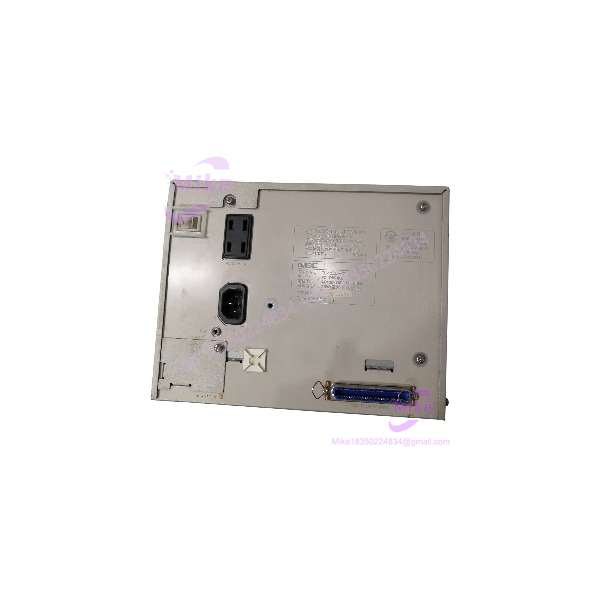
NEC FC-9821Ke | Industrial Factory Computer
Dynamic Product Introduction
The hard part with a legacy NEC factory computer is rarely raw computing power. It is preserving the exact operating environment that an older production machine expects.
The NEC FC-9821Ke belongs to that category. Introduced in 1995, it was built around an Intel 486DX2 running at 66 MHz, with an 8 KB internal cache and a 486-class 16 MHz compatibility mode. NEC also offered an optional DX4-equivalent 100 MHz overdrive processor. Standard memory was 2 MB, with expansion to 64 MB through additional RAM sub-boards.
That specification looks primitive by modern standards, but that is exactly why substitution needs care. A modern industrial PC may have vastly greater processing capacity while remaining incompatible with software, display modes, storage interfaces, expansion boards, or timing assumptions built around the original PC-9821 environment.
For maintenance teams, the FC-9821Ke is therefore best treated as a legacy system-continuity asset. Keeping an existing machine operational can be substantially less disruptive than redesigning an entire application around new hardware.
NEC’s own accessory documentation identifies FC-9821Ke-specific hardware, including the FC-9821KE-E01 HD adapter, FC-9821KE-E02 850 MB fixed-disk drive, FC-9821KE-FR1/FR2 ROM files, and FC-9821KE-RF RAM-file hardware. Those details matter when evaluating a replacement because the chassis alone does not define the complete system configuration.
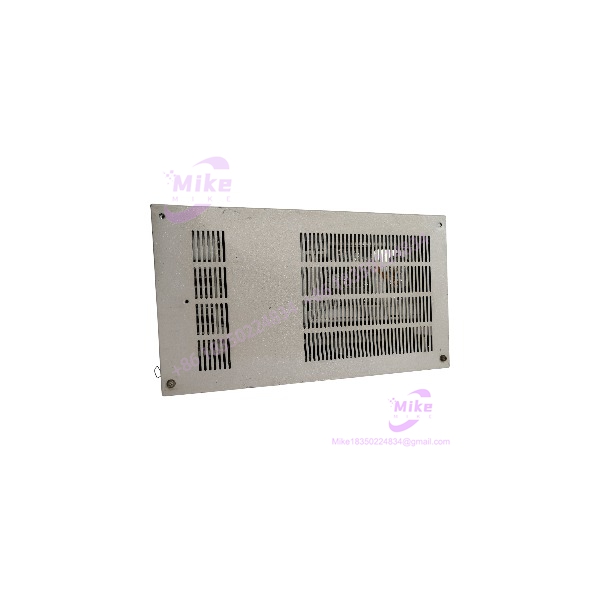
FC-9821KE
Key Technical Specifications
- Manufacturer: NEC
- Model: FC-9821Ke
- Product class: NEC Factory Computer
- System architecture: NEC PC-9821 / FC-9821 industrial-computer platform
- CPU: Intel 486DX2, 66 MHz
- CPU cache: 8 KB internal cache
- Compatibility mode: 486-class 16 MHz equivalent mode
- Optional CPU: DX4 100 MHz equivalent via NEC PC-9821-E02
- Installed RAM: 2 MB
- Maximum RAM: 64 MB with additional RAM sub-boards
- Text display: 80 × 25 / 20-line modes with character attributes
- Graphics: 640 × 400 and 640 × 480 modes; additional 1024 × 768 graphics capability depending on configuration
- Graphics memory: 1 MB VRAM
- Dedicated storage option: FC-9821KE-E02, 850 MB
- Operating environment: Legacy PC-9821-compatible software and industrial applications
- Production status: Discontinued
- NEC production end: December 2000
- NEC service end: December 2006
The memory figure deserves particular attention. NEC specifies 2 MB installed RAM with expansion to 64 MB using two additional 32 MB RAM sub-boards. The architecture also reserves memory areas that can be separated through hardware configuration, so simply comparing total RAM capacity with another PC-9821 system is not enough.
Global Sourcing & Live-Test SOP
For an obsolete FC-9821Ke, procurement should begin with configuration verification rather than cosmetic inspection.
Inbound Verification
Record the following before powering the unit:
- Exact model designation
- Serial number
- Manufacturer identification label
- Input-voltage marking
- Installed RAM boards
- Installed storage hardware
- Expansion boards
- Internal cables and connectors
- Battery condition
- Board revision markings
The FC-9821Ke is a historical product, and NEC’s documented accessory ecosystem includes model-specific storage and memory hardware. A replacement with the correct front-panel model name but a materially different internal configuration should not be assumed equivalent.
For international procurement, retain the commercial invoice, packing record, serial-number photographs, and equipment identification photographs. That creates a traceable chain between the purchased unit and the unit actually received.
Live Simulation
A meaningful test should include:
- AC input verification
- Power-up / POST observation
- Memory recognition
- Display output
- Keyboard response
- Storage detection
- Boot-device operation
- Expansion-board recognition
- Serial-interface verification where applicable
- Extended operating test
The objective is not simply proving that the power LED illuminates.
For a production replacement, the preferred test is booting the customer’s known-good application environment or a verified system image. If the original application is unavailable, document exactly what was tested rather than describing the unit as fully application-verified.
Diagnostics
Use a calibrated digital multimeter to verify supply rails and investigate abnormal voltage behavior. Inspect electrolytic capacitors, cooling fans, connectors, socketed devices, storage cabling, and signs of battery leakage.
Where legacy serial equipment is involved, validate the actual communication parameters instead of assuming modern defaults. Baud rate, parity, stop bits, flow control, and electrical interface type can all matter.
For storage, inspect the controller and drive configuration carefully. NEC documented an 850 MB FC-9821KE-E02 fixed-disk option, so an FC-9821Ke with different storage hardware should be evaluated according to the actual installed configuration.
Final Prep
Before shipment, record:
- CPU configuration
- RAM capacity
- Storage device and capacity
- Expansion-board configuration
- Boot behavior
- Display behavior
- Interface test results
- Observed cosmetic condition
- Any known faults or limitations
The computer should then be protected against ESD and mechanical shock, with particular attention to internal storage and expansion cards.
For a machine this old, transparency beats a generic “tested” label. A buyer needs to know whether the unit passed POST, detected its disk, booted an operating system, communicated through its installed interfaces, or actually ran the intended production application.
The Field Engineer’s Pitfall Guide
❗ Do Not Assume Any FC-9821 System Is Interchangeable
The FC-9821 family contains several different models, and the FC-9821Ke has its own documented accessories. NEC lists model-specific components such as the FC-9821KE-E01, FC-9821KE-E02, FC-9821KE-FR1/FR2, and FC-9821KE-RF.
I’ve seen legacy replacement projects fail because the procurement team matched the family name while ignoring the storage controller or installed expansion hardware.
❗ Preserve the Original Storage Environment
Do not wipe or reformat the original disk before creating a verified backup.
The software environment may contain application files, configuration data, drivers, boot information, and equipment-specific parameters that cannot simply be downloaded again. An apparently minor storage substitution can therefore become a production recovery problem.
If the original drive still works, capture its contents before performing the physical replacement.
❗ Check Power and Hardware Configuration Before Installation
The FC-9821Ke is not a generic modern desktop computer. Expansion boards, memory boards, storage hardware, and internal connectors should be documented before installation.
The specific listing you supplied identifies AC100–110 V, 50–60 Hz, so the electrical configuration must be checked against the intended installation site before energizing the unit.
Do not rely solely on a marketplace title. Verify the rating plate on the actual chassis.





