


Description
Lam 810-072903-014 | LonWorks PIO System Control Board
Dynamic Product Introduction
Diagnosing a mystery interlock drop on a 2300-series etch tool almost always leads back to distributed network nodes. When a parallel I/O controller starts misbehaving, the central host CPU drops the chamber off line—leaving process engineers hunting through software logs to pinpoint whether a valve failed or the board simply missed a heartbeat. The Lam 810-072903-014 acts as an essential distributed intelligence node, bridging discrete hardware signals from mass flow controllers, pressure transducers, and safety lines over a hardened LonWorks network topology.
Unlike standard peripheral expansion cards, this board features localized driver diagnostic logic alongside physical LED fault outputs right on the front bezel. Swapping in a verified 810-072903-014 clears up stubborn network handshake failures, stops phantom driver fault trips, and ensures deterministic timing across rapid gas-switching or pressure-stepping routines. Keeping a fully functional spare staged in your cleanroom storage prevents hours of unnecessary tool downtime.
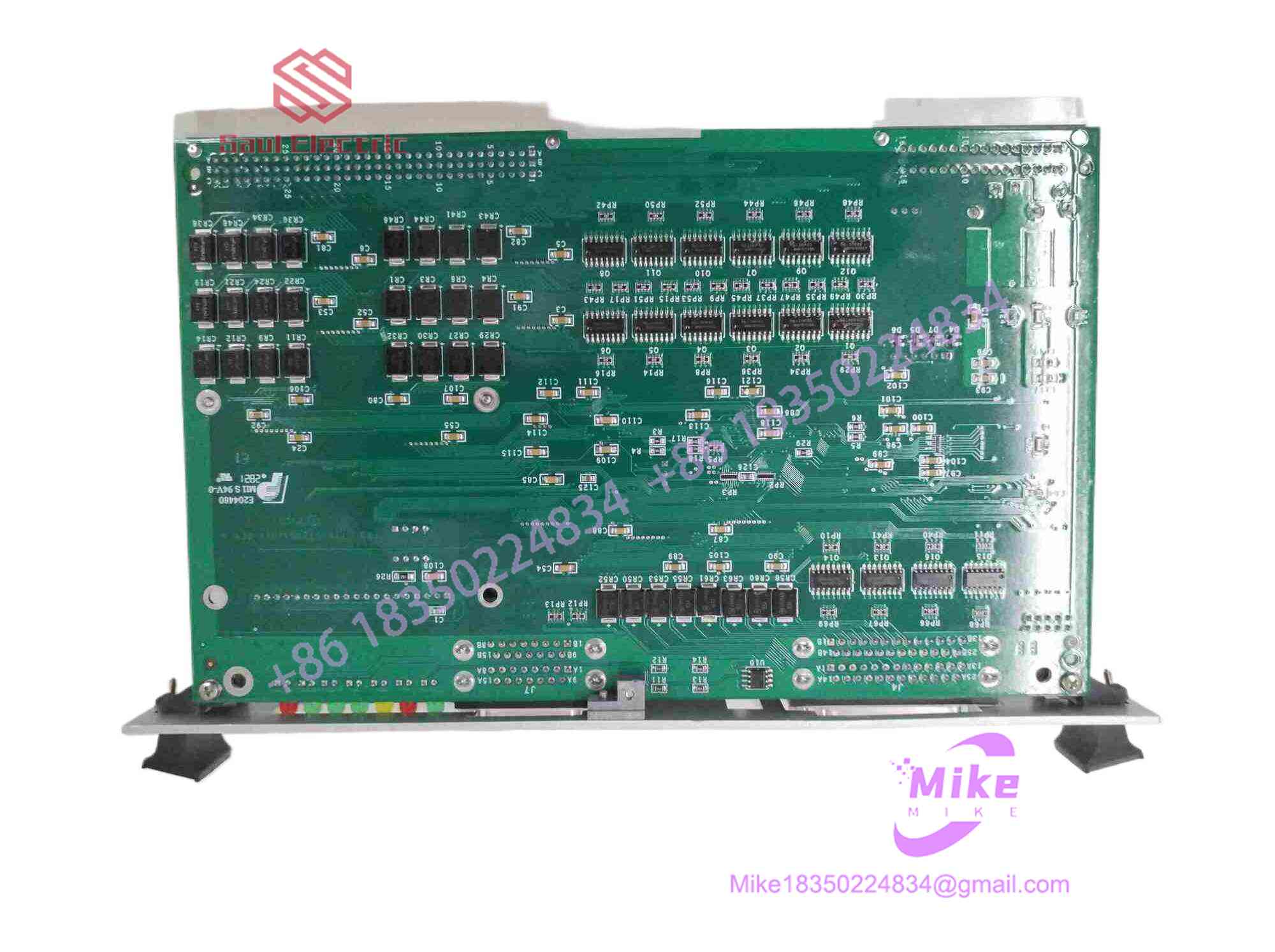
810-072903-014
Key Technical Specifications
| Parameter | Specification / Threshold |
| Part Number | 810-072903-014 |
| Board Designation | PIO (Parallel Input/Output) Controller Board |
| OEM Manufacturer | Lam Research Corporation |
| Communication Bus | LonWorks Fieldbus Network Protocol |
| Compatible Platforms | Lam 2300 Series, Kiyo, Vector Etch & Deposition Systems |
| Input Supply Voltage | 24 VDC (Distributed backplane rail) & 5V Logic |
| Front Connectors | Dual High-Density Sub-D Interfaces (J7A & J7B) |
| Diagnostic LEDs | HEART BEAT, COMM ERROR, SERVICE PIN, +24V, +5V, DRIVER FAULT |
| Control Features | Front-panel recessed RESET tactile switch |
| Conformal Coating | Industrial-grade anti-corrosive protective layer |
Global Sourcing & Live-Test SOP (Transparency Core)
Deploying surplus semiconductor hardware requires zero guesswork. We put every incoming 810-072903-014 through a strict four-stage qualification procedure before placing it into sealed stock:
- Visual Inspection & Component Verification:
- Microscopic scan of all trace runs, surface-mount ICs, and backplane connector pins to ensure zero pin bending, corrosion, or thermal degradation.
- Traceability confirmation via OEM label matching and revision audit.
- Backplane Integration & Power-On Diagnostics:
- Seating the unit into an authentic Lam 2300 card cage simulator under full 24VDC and 5V power loads.
- Verification of power rail tolerances and measuring on-card voltage regulation for clean DC distribution.
- LonWorks Network & Signal Simulation:
- Initiating a network handshake to confirm proper Service Pin broadcasts and LonWorks node ID assignment.
- Cycling all discrete inputs and outputs under real-time simulated load; verifying continuous HEART BEAT LED status and zero COMM ERROR flags over a 24-hour thermal soak at 45°C.
- Final Sanitization & ESD Packing:
- Clearing temporary bus fault logs and resetting communication registers.
- Applying contact preserver to DB interface pins and vacuum-sealing the board in anti-static ESD shielding bags with fresh desiccant.
The Field Engineer’s Pitfall Guide
- ❗ Ignoring LonWorks Node Binding Procedures:
Simply sliding an
810-072903-014into the rack won’t automatically bring your chamber online if the tool software expects a specific LonWorks domain or node address. You must trigger the SERVICE PIN routine or manually bind the replacement board within the tool’s diagnostics GUI—otherwise, the COMM ERROR LED will stay lit and the host will refuse to communicate. - ❗ Sub-D Cable Strain and Connector Binding:
The front-facing J7A and J7B Sub-D connectors handle dense parallel signal wiring. Tightening the retention screws unevenly or permitting heavy cable harness strain can fatigue solder pads on the PCB surface—I’ve seen field techs snap internal trace vias simply by yanking on unyielding cable bundles during routine maintenance.
- ❗ Confusing Driver Fault LED with Component Failures:
When the DRIVER FAULT LED illuminates, don’t immediately assume the board is fried. This LED often indicates an external field short—such as a shorted solenoid coil or grounded 24V sensor line downstream. Always meter your external field wiring for ground shorts before installing a fresh replacement board, or you risk blowing the output driver ICs on the new unit instantly.
Intent-Driven FAQ
How do I bind a replacement 810-072903-014 board to my tool host network?
After sliding the board into the card cage under power-off conditions, power up the rack. Navigate to the tool’s hardware maintenance screen on the main UI, select the appropriate node slot, and press the front-panel SERVICE PIN on the board using a small non-conductive tool. This broadcasts the board’s unique Neuron ID so the host software can pair with it.
Can I replace an older 810-072903-004 board directly with an 810-072903-014?
In most 2300-series tool baselines, higher dashboard revisions within the 810-072903 family are backward compatible. However, you should verify your system’s software release notes to ensure the installed OS build supports the firmware revision burned onto the -014’s onboard flash controller.
Is it safe to press the front-panel RESET switch while a process run is active?
No. Actuating the front-panel RESET switch momentarily clears the board’s internal logic and resets the LonWorks transceiver. Doing this during an active process run will immediately interrupt all discrete I/O lines managed by the board, causing an instant safety abort and likely ruining the wafer in process.
What causes the HEART BEAT LED to stop blinking?
A steady-on or completely dark HEART BEAT LED indicates that the board’s onboard microprocessor has frozen, suffered a logic lockup, or lost its logic voltage supply rail. First, cycle power to the rack or tap the front RESET switch. If the heartbeat fails to return to a steady pulse, the board’s internal logic processor has failed.
What warranty coverage comes with these tested surplus PIO modules?
All fully certified surplus and refurbished 810-072903-014 boards come backed by a 1-year replacement warranty. If a board experiences hardware faults, communication drops, or driver failures during standard tool operations within 365 days of purchase, it qualifies for an immediate unit exchange or repair service.





