

Description
Rexroth KE310 0 608 830 240 | Legacy System Replacement
Product Introduction
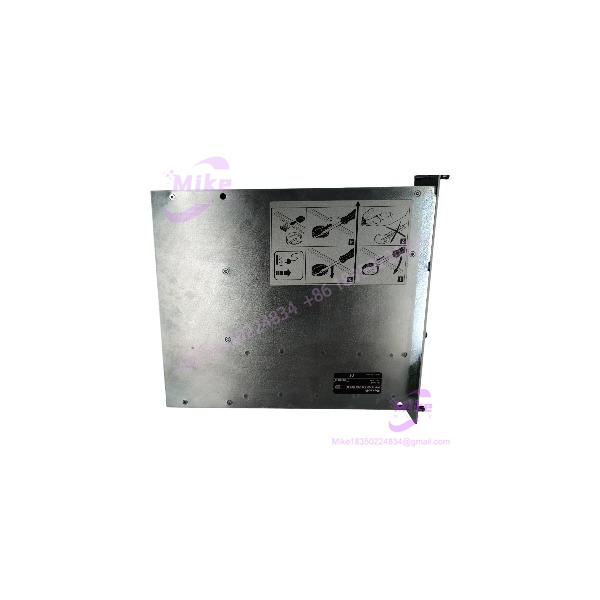
In a legacy tightening system, replacing the communication unit is not simply a matter of finding a card with the same dimensions. The Bosch Rexroth KE310, part number 0 608 830 240, is a communication unit used in the Rexroth Tightening System 300 platform. It provides the system-level communication and configuration functions that connect tightening channels with external operating or evaluation systems. The Rexroth system catalog lists the KE310 as a communication unit, while the KE310 manual documents its interfaces, expansion slots, and commissioning requirements.
The KE310 is a configuration-dependent component. Its three expansion slots can accommodate communication or interface modules, and the system may use a separate memory module. A replacement should therefore be checked against the original KE310’s installed cards, stored configuration, firmware, and connected tightening channels. A bare should not be advertised as a complete, ready-to-run tightening-system assembly unless those details have been verified.
KE310
Key Technical Specifications
- Manufacturer: Bosch Rexroth
- Model Designation:
- Ordering Number: 0 608 830 240
- Equipment Type: Tightening-system communication unit
- Product Platform: Rexroth Tightening System 300
- Communication Interfaces: X11, X12, and X13
- X11 Interface: RS232, used for programming/connection to compatible service equipment
- X12 Interface: RS232 / 20 mA interface, configuration-dependent
- X13 Interface: RS232 / RS422 interface, configuration-dependent
- Expansion Slots: Three module slots, designated X14, X15, and X16
- Expansion Options: Rexroth communication/interface modules, depending on the installed configuration
- Memory Support: Separate SMpcc memory module is documented for applicable configurations
- System Configuration: Firmware, installed modules, serial-interface parameters, and memory-module details are configuration-specific
- Operating Environment: The manual specifies operation up to 55°C with fan cooling
- Humidity: 20–90% relative humidity, non-condensing, as specified in the manual
- Installation: Designed for its intended Rexroth system mounting position; install only in the designated slot and system configuration
The manual and Tightening System 300 documentation are the appropriate references for confirming the exact interface and system requirements. Do not assume that every listing includes the same expansion cards, memory module, or stored parameters.
Global Sourcing & Live-Test SOP
For a used or surplus Bosch Rexroth 0 608 830 240, verify the complete assembly and its configuration before accepting it as a production replacement.
1. Inbound Verification
- Photograph the full nameplate and confirm 0 608 830 240.
- Record the model designation, serial number, and hardware revision.
- Photograph the front panel, connectors, expansion slots, and installed modules.
- Record any visible firmware/version information.
- Check whether the memory module is included.
- Compare the installed expansion modules with the original system’s bill of materials.
- Inspect connectors, card guides, and mounting hardware for damage or corrosion.
2. Physical and Module Inspection
- Inspect the PCB and components for heat damage, contamination, or previous repair.
- Check the three expansion positions for installed cards, blanking plates, or signs of unauthorized modification.
- Verify that installed modules are firmly seated.
- Inspect serial connectors for bent pins or damaged shells.
- Check any included memory card for physical damage.
- Photograph the assembly before removing any module.
3. Controlled Power-Up and Diagnostics
Testing should be performed by qualified personnel using the correct Rexroth system hardware and procedures.
- Install the only in its designated compatible system position.
- Verify the rack/system power supply and connector seating.
- Power up according to the applicable Rexroth commissioning instructions.
- Record startup indicators and any system faults.
- Confirm that the unit is recognized by the system.
- Check communication through the intended interface using compatible equipment.
- Verify that installed expansion modules are detected and that the reported configuration matches the physical assembly.
4. Configuration and Communication Validation
A should not be declared system-ready merely because it powers up.
- Connect using the appropriate Rexroth commissioning software and interface.
- Read the ‘s reported part number, firmware version, and configuration.
- Compare the installed X14–X16 modules with the original configuration.
- Verify serial-interface parameters and the connected tightening-channel arrangement.
- Confirm memory-module presence and relevant stored configuration.
- Test communication with the intended tightening-system components and host interface.
- Record configuration conflicts, missing-module errors, or communication faults.
The Rexroth commissioning documentation describes online configuration and comparison of the configured against the actual installed equipment. Use the applicable system documentation rather than assuming that a factory-default or differently configured unit is a drop-in replacement.
5. Extended Run and Final Documentation
Where a compatible system is available, perform an application-appropriate extended operating test.
Record:
- Test date and duration
- article number and serial number
- Hardware and firmware versions
- Installed expansion modules
- Memory-module details
- System/rack configuration
- Communication test results
- Fault history and observed anomalies
Protect the connectors and PCB against impact and electrostatic discharge during shipment. Clearly distinguish a visually inspected unit from one that has completed a documented system-level test.
Field Engineer’s Pitfall Guide
❗ 1. Do not confuse the with the KE312
The Rexroth Tightening System 300 catalog identifies the (0 608 830 240) and KE312 (0 608 830 241) as separate communication-unit models. Do not assume they are interchangeable based on similar appearance or system-family association. Verify the exact part number and system requirements.
❗ 2. Expansion cards are part of the installed configuration
The provides three expansion slots. A replacement with missing or different communication modules may not support the original system’s interface or connected equipment. Photograph and identify the installed modules before removal or shipment.
❗ 3. Preserve the memory module and system configuration
The documentation includes a separate memory-module arrangement and warns that data can be lost during battery replacement if the prescribed backup procedure is not followed. Do not replace batteries, initialize memory, or overwrite configuration data without following the applicable Rexroth instructions and preserving the customer’s original data.
Intent-Driven FAQ
What is the Bosch Rexroth 0 608 830 240?
It is a communication unit used in the Rexroth Tightening System 300 platform. It supports system communication and configuration functions; it is not a standalone PLC CPU or tightening spindle controller.
What is the difference between the and KE312?
They are distinct Rexroth communication-unit models with different ordering numbers: is 0 608 830 240, while KE312 is 0 608 830 241. Verify the system’s specified unit before ordering a replacement.
Does the have built-in communication interfaces?
Yes. The manual documents interfaces X11, X12, and X13, including RS232, RS232/20 mA, and RS232/RS422 functions. Exact interface settings and use depend on the application configuration.
Does the include fieldbus modules?
Not necessarily. The has three expansion slots for compatible modules. The actual fieldbus or interface capability depends on which modules are installed in the specific unit.
Is the compatible with every Rexroth tightening system?
Do not assume universal compatibility. Confirm the Tightening System 300 configuration, connected tightening channels, rack/system hardware, installed expansion cards, firmware, and memory arrangement.
Can I replace a without transferring configuration data?
That should not be assumed. The correct configuration and memory-module arrangement may be necessary to restore the original system. Preserve the original module and configuration data, and follow the applicable Rexroth commissioning procedure.
What should I verify before buying a used ?
Confirm the full part number, serial number, hardware/firmware details, installed expansion cards, memory-module status, connector condition, and test status. Request clear photos and a written description of what is included. Do not assume a warranty or successful system test unless explicitly documented.
Bottom Line for Buyers
The Bosch Rexroth 0 608 830 240 is a legacy Tightening System 300 communication unit. Its value as a replacement depends on the actual installed configuration—not just the label.
For procurement, request complete nameplate and module photographs, verify the expansion and memory configuration, and ask for evidence of communication testing on compatible Rexroth equipment. A correctly identified and configured unit is far more useful than a visually similar card with unknown firmware, missing modules, or unverified system data.





