Description
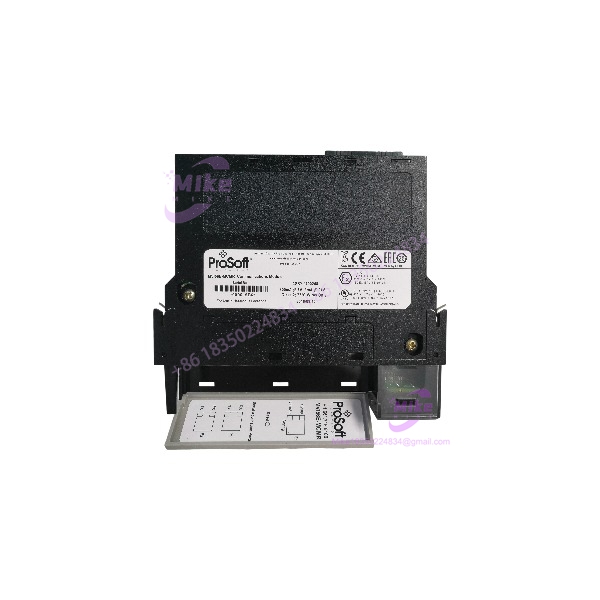
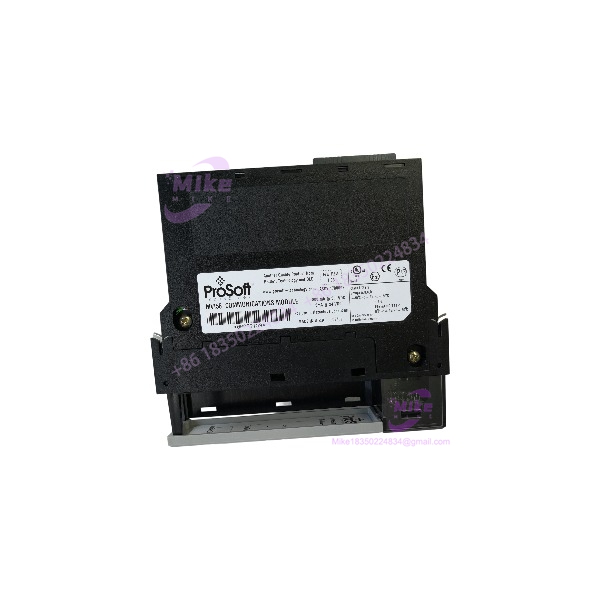
MVI56-MCM | Dual-Port Modbus RTU/ASCII, In Stock, Fast Ship
Architect’s Product Breakdown
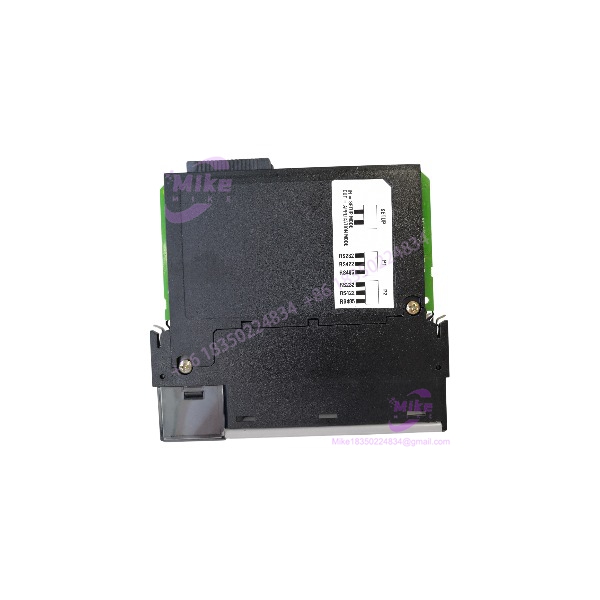
The MVI56-MCM is the workhorse that bridged ControlLogix to the Modbus world before Rockwell had a decent native answer, and it’s still out there by the thousands in power plants, water utilities, pipelines, and OEM skids. It occupies a single 1756 chassis slot and acts as an I/O-style module on the backplane: the processor reads and writes data through ladder logic, and the module handles all Modbus serial traffic on its own time, decoupled from the PLC scan. On the field side you get two independently configurable serial ports — RS-232, RS-422, or RS-485 per port — and each port can be set as a Modbus RTU/ASCII master or slave, on the same or completely different Modbus networks.
That per-port master/slave flexibility is the module’s real value. A typical plant uses Port 1 as a master polling a bank of power meters, drives, or VFDs, while Port 2 sits as a slave letting the plant SCADA system read the consolidated data — all in one slot, one module, zero gateways. As a master, the module executes a user-defined command list (up to 100 commands per port, each with its own polling interval, slave address, function code, and internal register offset), and it supports the full common function-code set including discrete and register reads/writes and Diagnostics (function 8). As a slave, it exposes its database to a remote master, with data coming from the processor, from the other port’s master polling, or both — the module becomes a protocol converter between two Modbus networks if you need one.
Configuration is done through the serial Configuration/Debug port using ProSoft Configuration Builder (PCB), with port type selected by on-board jumpers. There’s no Ethernet port on this legacy unit — that’s the headline difference from the MVI56E-MCM successor, which adds 10/100 Mbps Ethernet for configuration and diagnostics. The module also handles floating-point data gracefully, including Enron/Daniel float configuration for flow computers and gas measurement applications — a niche detail that matters enormously in the midstream world and is invisible until you need it. Data capacity and command structure carry over cleanly if you upgrade to the E-series later; the upgrade path is well-trodden.
MVI56-MCM
Key Technical Specifications
| Parameter | Specification |
|---|---|
| Part Number | MVI56-MCM |
| Manufacturer | ProSoft Technology |
| Compatible Platform | Allen-Bradley ControlLogix (1756 chassis, 1 slot, local or remote rack) |
| Protocol | Modbus RTU / Modbus ASCII, master and/or slave per port |
| Serial Ports | 2 independently configurable ports — RS-232, RS-422, or RS-485 (jumper-selected) |
| Baud Rate | Up to 115.2 kbps per port |
| Command Capacity | Up to 100 commands per port (master mode), each with independent poll rate and register offset |
| Data Transfer | Asynchronous backplane transfer via ladder logic; user-defined database in module memory |
| Special Features | Enron/Daniel floating-point support; read/write same address (pass-through); optimized polling of problem slaves |
| Configuration | Serial Configuration/Debug port; ProSoft Configuration Builder (PCB); RSLogix 5000 sample ladder |
| Backplane Current Load | 800 mA @ 5 VDC |
| Operating Temperature | 0°C to 60°C (32°F to 140°F) |
| Storage Temperature | ‘-40°C to 85°C |
Field Engineer’s Pitfall Guide
⚠️ The port jumpers must match your physical wiring — RS-232 and RS-485 are not software-selectable on this module. Port electrical type is set with on-board jumpers before installation. I’ve seen a tech wire a multidrop RS-485 meter loop into a port that was still jumpered for RS-232 from a bench test, spend four hours blaming the meter vendor’s “broken firmware,” and find the jumpers at 6 PM. Photograph the jumper positions of the unit coming out before you pull it, and verify them against the as-built before the replacement goes in.
⚠️ Slave timeout behavior will bite you on a noisy network. When a polled slave stops responding, the master port doesn’t just skip it — your configured error/timeout values determine how long each failed transaction stalls the command list. One flaky drive at the far end of a long RS-485 trunk can consume a disproportionate slice of your poll cycle. The module’s optimized polling helps (problem slaves get polled less frequently), but set realistic response timeouts (200–500 ms, not 5 ms), and physically audit your trunk: 120-ohm termination at both ends, shielded twisted pair, bias resistors where the network needs them.
⚠️ Don’t confuse this with the MVI56E-MCM when ordering spares — and check your firmware before a mixed-fleet swap. The MVI56E-MCM is the current part with an Ethernet config port; the MVI56-MCM is serial-config only. They’re functionally compatible in the field and the configuration file largely carries over, but the configuration workflow is different enough that your commissioning procedure from one doesn’t transfer cleanly to the other. Verify which part your plant standard actually documents, and if you’re buying the legacy MCM as a like-for-like spare for an installed base, bench-verify the firmware revision against your fleet before it goes on the shelf.
QA & Testing SOP (Transparency)
Every MVI56-MCM unit passes a documented four-stage process before shipping:
- Visual & Origin Check: OEM label and serial verified against ProSoft production records; enclosure and board inspected for mounting marks, port connector wear, or field-repair evidence. Jumper positions photographed and documented. New surplus stock confirmed factory-sealed.
- Live Rack Test: Module installed in a 1756 ControlLogix test chassis with a known-good processor; minimum 30-minute powered burn-in; backplane enumeration and ladder data transfer confirmed in RSLogix 5000.
- Functional Diagnostics: Both serial ports exercised in all relevant modes — RTU master polling a live slave simulator (reads, writes, Diagnostics function 8), RTU slave responding to an external master, ASCII mode spot-check at 9600 and 115.2 kbps; Enron/Daniel float conversion verified; Configuration/Debug port read/write confirmed; command-list execution and timeout handling tested against a deliberately unresponsive slave.
- Documentation & Packing: Firmware revision, jumper map, and test results recorded on the unit certificate; module returned to as-specified configuration; sealed in ESD-safe anti-static bag with conductive foam.
Technical FAQ
Q: Can I hot-swap the MVI56-MCM while the process is running?
No. The 1756 chassis accepts module insertion/removal in principle, but pulling the kills both Modbus networks instantly — polled slaves lose their master, and any remote master reading this module as a slave sees the whole database go stale. If the module is in a remote rack over ControlNet or EtherNet/IP, the rack connection faults too. Schedule the swap, and pre-configure the replacement on the bench first.
Q: What’s the difference between the and the MVI56E-MCM — should I buy the E?
The is the discontinued original; the MVI56E-MCM is the enhanced replacement adding a 10/100 Mbps Ethernet port for configuration and diagnostics, plus a Personality Module-style workflow and broader command support (up to 325 commands per port on the E-series). If you’re maintaining a like-for-like spares pool for an installed fleet of legacy modules, the avoids configuration-workflow mismatches. If you’re building something new, buy the E-series — it’s the supported part with the faster command capacity.
Q: Can both ports talk to different Modbus networks at the same time?
Yes — that’s the design intent. The two ports are fully independent: Port 1 can be a master on one RS-485 trunk while Port 2 is a slave on a separate network, both running simultaneously. Data can flow between the networks through the module’s database, effectively making it a Modbus-to-Modbus gateway in one chassis slot.
Q: Does it support Modbus TCP?
No. The is serial-only — Modbus RTU and ASCII over RS-232/422/485. If you need Modbus TCP over Ethernet from a ControlLogix chassis, you’re looking at the MVI56E-MNET series or a gateway product. Don’t let a reseller talk you into this part for a TCP application.
Q: Will the configuration survive a power loss?
Yes. The command lists, port settings, and database mapping are stored in non-volatile memory on the module, so a power cycle doesn’t clear them. Standard practice still applies: keep the PCB configuration file backed up on your engineering server. If the module itself dies, the config dies with it — there’s no removable Personality Module on this legacy series, and rebuilding a 100-command-per-port list by hand is a full day of unpleasant work you don’t want.