


Description
Siemens 6GK5204-0BA00-2AF2 | SCALANCE XF204 Industrial Switch
Architect’s Product Breakdown
The Siemens 6GK5204-0BA00-2AF2 (SCALANCE XF204) is a managed Industrial Ethernet switch engineered specifically for space-constrained installations. Adopting the ultra-flat enclosure profile typical of Siemens ET 200S I/O systems, the XF204 features angled cable outlets on its bottom face. This layout allows for installation inside shallow local control boxes, small machine enclosures, and terminal boxes where standard DIN-rail switches are too deep to allow the cabinet door to close over straight RJ45 boot connectors.
Equipped with four 10/100 Mbps RJ45 copper ports, the XF204 functions as a full PROFINET IO device. It integrates seamlessly into TIA Portal and STEP 7 hardware configurations, allowing PLC logic to read full network diagnostics—such as port link drops, cable faults, and power supply interruptions—directly through standard PROFINET alarm channels.
The switch includes an integrated Redundancy Manager (RM). This allows it to act as either an RM master or client inside High-Speed Redundancy (HSR) or Media Redundancy Protocol (MRP) ring topologies, delivering failover reconfiguration times under 200 ms if a fiber or copper ring segment is cut. Additionally, it supports the Siemens C-PLUG (Configuration Plug) for rapid hardware replacement without needing a PC on the factory floor.
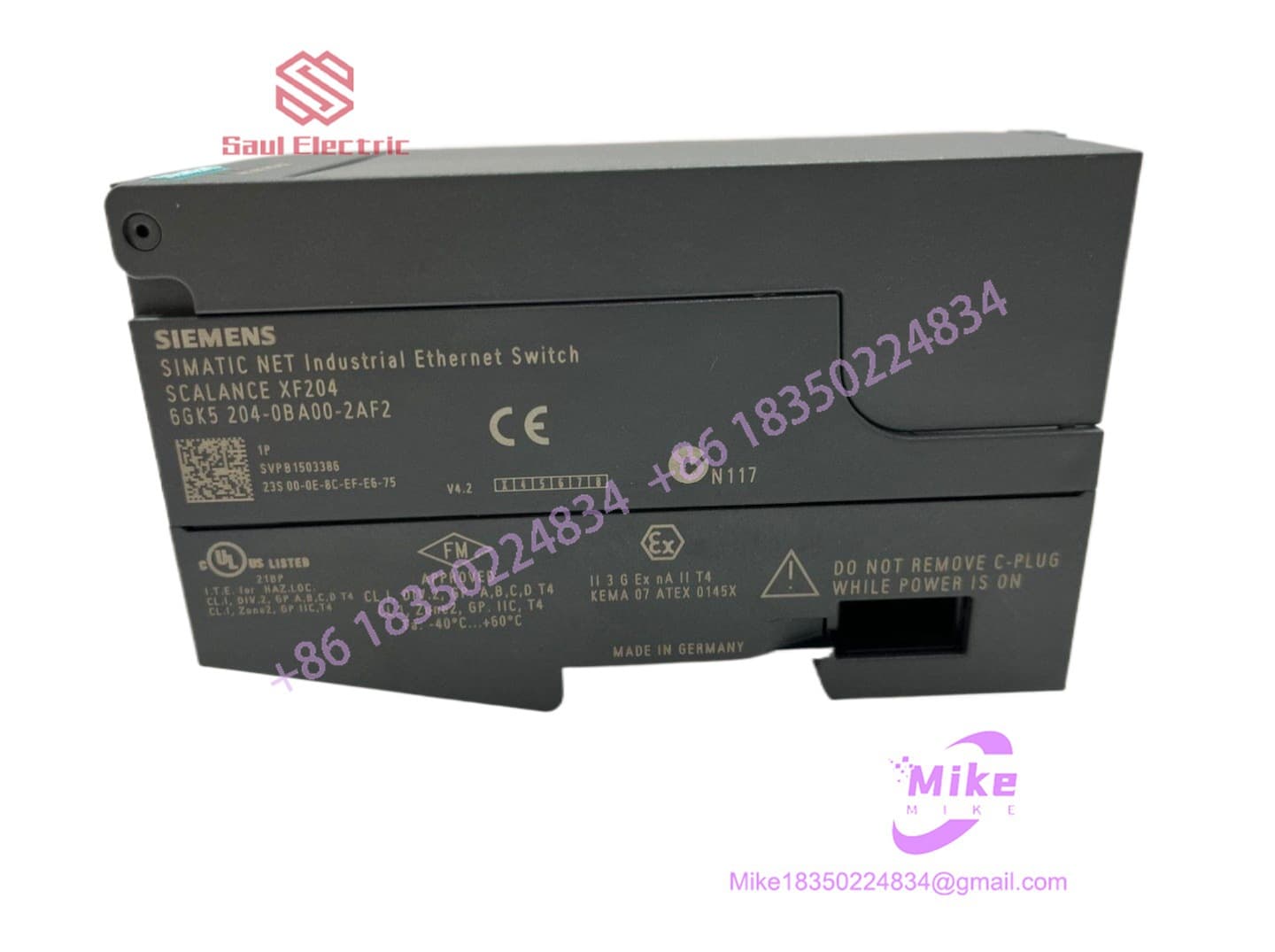
6GK5204-0BA00-2AF2
Key Technical Specifications
| Parameter | Technical Specification |
| Manufacturer | Siemens AG |
| Product Line | SCALANCE XF-200 (Flat Form Factor) |
| Interfaces | 4x RJ45 Ports (10/100 Mbit/s, Auto-Negotiation / Auto-Crossover) |
| Form Factor | Ultra-Flat ET 200S Style with Angled Bottom Outlets |
| Network Management | Web-Based Management (WBM), SNMP v1/v2/v3, PROFINET IO Device |
| Redundancy Protocols | Integrated Redundancy Manager (RM), MRP (Media Redundancy Protocol) |
| Supply Voltage | Dual Redundant 24 VDC (Range: 19.2 VDC to 28.8 VDC) |
| Signal Contact | 1x Signaling Contact Output with SET Button for Alarm Reset |
| Configuration Backup | Optional C-PLUG Slot |
| Protection Rating | IP20 Plastic Enclosure |
| Operating Temperature | -40°C to +60°C (-40°F to 140°F) |
Field Engineer’s Pitfall Guide (Unique Value)
- USING STRAIGHT RJ45 CABLE BOOTS IN ULTRA-SHALLOW BOXES: Always use short-boot or angled RJ45 connectors when wiring the XF204. While the bottom ports are angled to save depth, using long rigid strain-relief boots on standard Ethernet patch cables can force the wire against the bottom wire-way channel, placing bend stress on the internal RJ45 jacks.
- ENABLING DUAL REDUNDANCY MANAGERS IN A SINGLE MRP RING: Ensure only ONE switch in a closed MRP ring is set as the Redundancy Manager (RM). If you configure the 6GK5204-0BA00-2AF2 as an RM while another switch in the same ring is also forced to RM mode, the two managers will block each other’s test frames. This causes a broadcast storm that brings down the entire PROFINET network segment.
- POWERING DOWN BEFORE C-PLUG REMOVAL: Never pull or insert the C-PLUG memory module while the switch is powered up. Hot-swapping the configuration plug can corrupt the non-volatile memory layout, preventing the unit from loading its IP address and PROFINET device name on subsequent boot cycles.
QA & Testing SOP (Transparency)
- Visual & Port Housing Inspection: Inspection of the flat plastic casing, DIN-rail mounting latches, 24V terminal block screws, and spring clips inside all four communication jacks.
- Dual Power Input & Relay Check: Redundant 24 VDC supply channels verified independently. Fault signal contact verified by dropping primary voltage feed.
- PROFINET & Web-Based Management Test: Connected to a bench S7-1500 PLC via TIA Portal. Web-Based Management (WBM) interface accessed to verify firmware integrity, port diagnostics, and SNMP responses.
- Traffic Stress & MRP Ring Failover Test: Automated packet injection across all 4 ports at maximum wire speed. Module introduced into a closed MRP loop to verify failover switching under 200 ms.
- Anti-Static & Protective Packaging: System cleared to factory default IP settings, sealed in anti-static ESD shielding, and packed in reinforced foam shipping boxes.
Technical FAQ
What is the main advantage of the SCALANCE XF series over the standard SCALANCE X series?
The XF series (e.g., XF204) features an ultra-flat enclosure design modelled after Siemens ET 200S I/O modules. Because the cables exit at an angle from the bottom rather than straight out from the front panel, XF switches require significantly less depth clearance inside control enclosures.
Does the 6GK5204-0BA00-2AF2 come with a C-PLUG included?
No. The C-PLUG is an optional accessory (order code 6GK1900-0AB00). While the switch functions without a C-PLUG, installing one allows network settings and PROFINET device names to be swapped instantly into a replacement unit if hardware fails.
Can I use this switch in a PROFINET IRT (Isochronous Real-Time) motion control ring?
No. The SCALANCE is a PROFINET RT (Real-Time) managed switch. It supports standard PROFINET I/O traffic and MRP redundancy, but it does not contain the specialized ERTEC ASIC required for deterministic IRT clock synchronization. For IRT applications, use a SCALANCE X-200IRT series switch.
What is the purpose of the “SET” button next to the fault signaling contact?
The SET button allows field technicians to calibrate the alarm baseline. Pressing the button saves the current active port connections as the “normal” state. If an active cable is subsequently disconnected, the switch triggers the internal fault relay and illuminates the error LED.
Is this switch managed via TIA Portal or a web browser?
Both. You can manage basic device identification, IP allocation, and PROFINET IO configuration inside TIA Portal / STEP 7. For advanced IT networking functions (such as VLANs, port mirrors, SNMP settings, and syslog servers), you can access the switch’s internal Web-Based Management (WBM) via a standard web browser.





