


Description
Siemens 6ES5314-3UA11 | SIMATIC S5 IM 314 Module In Stock
Architect’s Product Breakdown
The Siemens 6ES5314-3UA11 (designated as the IM 314 interface module) is a central controller interface card engineered for heavy-duty SIMATIC S5 modular automation systems, specifically the S5-135U and S5-155U series. Its primary operational purpose is to extend the system’s parallel backplane bus beyond a single main rack, driving high-speed data handshakes out to decentralized or centralized expansion units (EU) across long cable runs.
In large-scale legacy DCS and PLC architectures—such as those found in metal rolling mills, power plants, and chemical processing skids—the I/O capacity easily exceeds what a single central rack can accommodate. The 6ES5314-3UA11 sits directly in the central controller rack, managing data conversion and signal amplification for parallel transmission over heavy-gauge 728-series interface cables. It routes digital I/O states, analog measurements, and system flag interrupts directly to matching receive modules (such as the IM 314 Expansion variant or IM 300 series) in remote sub-racks.
Because legacy S5 parallel buses operate on tight nanosecond timing windows, hardware revision mismatches or improper termination on expansion lines immediately lead to backplane bus errors (QVZ / Timeout errors) on the CPU core. Sourcing the exact 6ES5314-3UA11 replacement hardware guarantees identical line driver impedances and trace timings, preserving system scan times without requiring modifications to existing STEP 5 hardware configuration blocks.
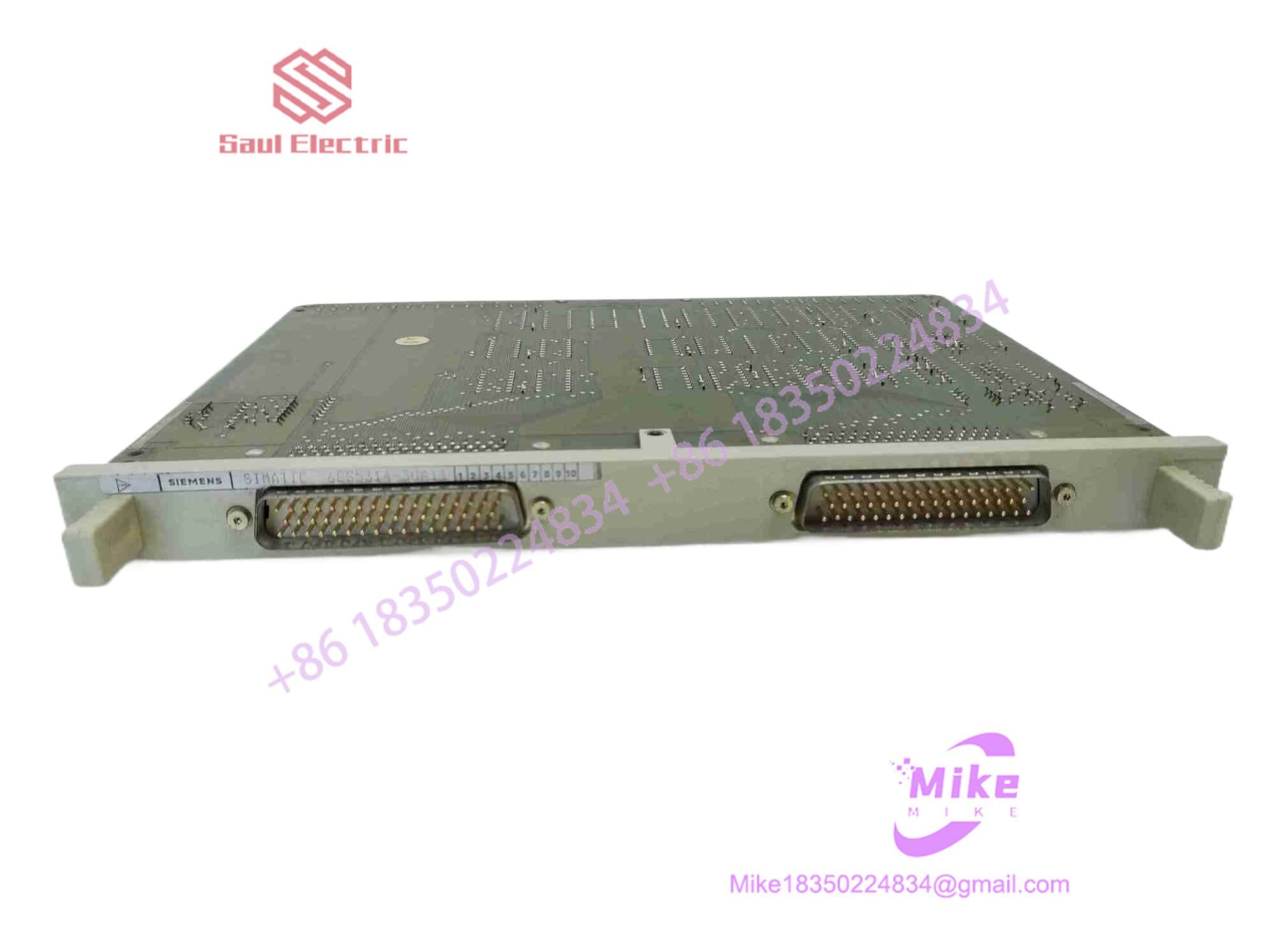
6ES5314-3UA11
Key Technical Specifications
| Parameter | Technical Specification |
| Manufacturer | Siemens AG |
| Product Line | SIMATIC S5 (S5-135U, S5-155U Platforms) |
| Module Designation | IM 314 Central Controller (CC) Interface Module |
| Bus Interface | Parallel S5 System Backplane Bus |
| Max Expansion Distance | Up to 600 meters (depending on cable gauge and active termination) |
| Connectors | Heavy-duty Multi-pin S5 Ribbon/Cable Front Terminals |
| Power Consumption | Internal 5 VDC Backplane Feed (~1.2 A Max Draw) |
| Form Factor | Double-Height Eurocard for S5 Rack Slots |
| Status Indicators | Front-panel Diagnostic LEDs (Power / Bus Error Status) |
| Operating Temperature | 0°C to 55°C (32°F to 131°F) Operating |
| Storage Temperature | -40°C to 70°C (-40°F to 158°F) |
Field Engineer’s Pitfall Guide (Unique Value)
- UNPLUGGING CABLES WHILE RACK IS ENERGIZED: Never pull the 728-series parallel interface cable while the S5 rack is powered up. The IM 314 passes raw 5V logic signals and parallel address lines. Hot-unplugging the cable causes voltage spikes across the open lines, immediately burning out the line driver ICs on the 6ES5314-3UA11 card and triggering a total CPU stop (QVZ – Time Out fault) on the main rack.
- FORGETTING DIP SWITCH ADDRESS & TERMINATION SETTINGS: Check all onboard DIP switches before sliding the new card into the rack. The 6ES5314-3UA11 uses physical micro-switches to set line impedance matching and expansion rack addressing. If these switches are set incorrectly during a late-night swap, the CPU will fail to recognize any I/O cards seated in the downstream expansion racks.
- BENT CONNECTOR PINS ON BACKPLANE INSERTION: Do not force the double-height Eurocard into the rack guide rails. S5 racks use fine-pitch backplane connector pins. If the card is pushed in at an angle, the rear guide pins can fold over flat against the backplane. This shorts out the internal 5V supply line, taking down the entire S5-135U/155U rack assembly.
QA & Testing SOP (Transparency)
- Visual & Mechanical Inspection: Inspection under magnification for burnt trace lines, cracked solder joints, micro-fissures on the rear edge connectors, and straightness of front connector pins.
- Dielectric & Ground Continuity Check: Insulation resistance tested at 500VDC between signal paths and chassis ground planes to verify circuit separation.
- Live S5 Rack Functional Testing: Module inserted into an active S5-135U/155U test rack connected via parallel interface cables to an IM-expansion rack loaded with live digital and analog I/O cards.
- Data Scan & Bus Stress Validation: Continuous read/write cycles executed via STEP 5 to monitor signal integrity, voltage drop, and cycle time stability over a 4-hour thermal burn-in period.
- Anti-Static & Protective Packaging: Reset to neutral factory DIP switch configurations, sealed in moisture-barrier anti-static bags, and packed inside custom high-density foam shipping boxes.
Technical FAQ
What is the difference between the 6ES5314-3UA11 and older 6ES5314-3UA10 modules?
The 3UA11 is a revised hardware iteration that features updated line driver components and improved immunity to electromagnetic interference (EMI). It serves as a direct, backward-compatible replacement for the older 3UA10 model.
Can I hot-swap the 6ES5314-3UA11 while the S5 CPU is running?
No. SIMATIC S5 racks do not support hot-swapping of core interface cards. Removing or installing the 6ES5314-3UA11 while the rack is powered up will disrupt the system backplane bus, causing an immediate CPU trip and potential electrical damage to internal communication drivers.
What causes a “QVZ” (Time Out) error on the CPU when using the IM 314?
A QVZ error indicates that the CPU attempted to access an I/O address on an expansion rack but received no response within the allocated timing window. On the IM 314, this is typically caused by a loose interface cable, missing bus termination, incorrect DIP switch configuration, or a damaged line driver IC on the board.
What cable is used to connect the 6ES5314-3UA11 to an expansion rack?
The module uses standard Siemens S5 parallel expansion cables (such as the 6ES5728 series). Ensure cable lengths stay within the maximum allowed limits for your specific configuration to avoid transmission line attenuation.
Does the 6ES5314-3UA11 require software or firmware configuration in STEP 5?
No. The 6ES5314-3UA11 is a pure hardware interface card. It requires no software drivers or firmware downloads. Setup is handled entirely via physical DIP switches on the circuit board and the system addressing defined in the STEP 5 hardware layout.





