


Description
Moog D138-002-002 | MSC Series License Key Core Category
Dynamic Product Introduction
Replacing a faulted industrial motion controller usually goes smoothly until the system boots up and refuses to run because the software entitlement token is missing. Honestly, the Moog D138-002-002 solves this exact software lockout by providing the physical hardware license key required for the MSC platform. This green-coded token unlocks crucial motion control functions, MATLAB/Simulink integration blocks, and fieldbus communication protocols (such as CANopen or PROFIBUS-DP) directly at the hardware layer. Compared to software-only license files, the Moog D138-002-002 ensures that control parameters and network IDs remain tied to the physical panel hardware, preventing unexpected licensing validation failures during routine maintenance swaps.
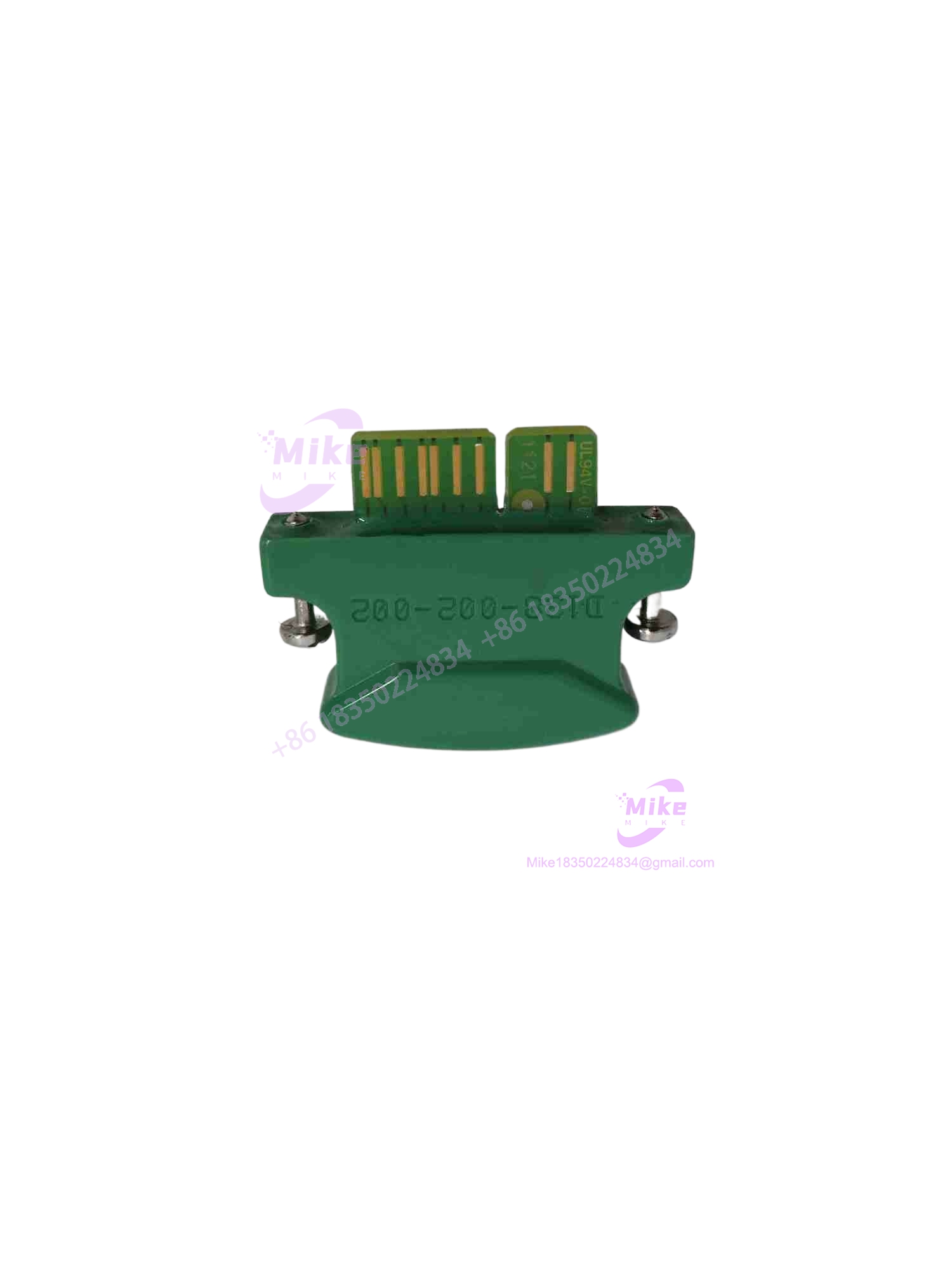
D138-002-002
Key Technical Specifications
| Specification | Parameter Value |
| Product Series | Moog MSC Controller Accessories |
| Module Designation | Hardware License Key / Passcode Module |
| Physical Color Code | Green (Motion Control profile) |
| Assigned Functionality | Unlocks motion libraries, trajectory generators, math models |
| Bus Parameter Linking | Configures IP addresses, node IDs, and station addresses |
| Software Compatibility | MSC I / MSC II environment with MATLAB/Simulink support |
| Hardware Format | Plug-in backplane license module |
| Operating Temperature | 0°C to 50°C industrial standard |
| Enclosure Rating | IP20 open-type internal component |
| Mounting Style | Direct card slot insertion on MSC controller base |
Global Sourcing & Live-Test SOP (Transparency Core)
Sourcing secondary-market hardware license keys demands precise verification to ensure internal EEPROMs haven’t suffered electrostatic discharge damage or data corruption. For every inbound Moog D138-002-002 unit, our inspection team runs high-magnification optical scans on the gold-plated connector pins and cross-references manufacturing identifiers against OEM traceability logs.
Once cleared, the module is inserted into a live MSC test controller rack. Technicians execute a full boot-sequence handshake test to verify that the controller correctly reads the license token, successfully unlocks the motion control and fieldbus communication libraries, and stabilizes network node parameters. The unit is then packaged in a static-dissipative shield bag with foam isolation.
The Field Engineer’s Pitfall Guide
❗ Color Code Confusion: Swapping a green motion-tier license key for a gray basic control variant (such as the D138-002-001) will cause the controller to boot into a crippled state, locking out all advanced motion commands. Always match the physical color code of the module.
❗ Electrostatic Discharge (ESD) Damage: Handling the exposed pins of the D138-002-002 without a grounded wrist strap can instantly fry the internal memory chip, rendering the token unreadable even if it looks physically pristine.
❗ Hot-Plugging Board Failure: Extracting or inserting this license module while the controller rack is energized can corrupt the internal memory registers or trigger severe bus backplane faults. Always kill main 24VDC power and let capacitors bleed down before servicing.
Intent-Driven FAQ
- Does the D138-002-002 store my actual motion program logic?
No, the module only stores the license entitlement and hardware network configuration parameters; your actual application code resides in the controller’s main flash memory.
- Can I replace this physical key with a software-only license file?
No, the MSC architecture relies on this specific hardware token during the initial boot handshake to validate feature sets.
- What type of warranty covers surplus license modules?
Verified secondary-market inventory includes a comprehensive 1-year operational warranty backed by our pre-shipment controller boot-test logs.
- What happens if this license key is lost during a panel upgrade?
Without it, the controller will block advanced motion routines; keeping a verified spare on hand prevents extended machine downtime.
- How do I verify if a replacement unit has passed QA testing?
Look for serialized QA verification stickers, clean unmarred contact pins, and accompanying test validation documents inside the packaging.





