

Description
Mitsubishi MR-S11-200-Z37 | Industrial Automation Module, Category ID
Architect’s Product Breakdown
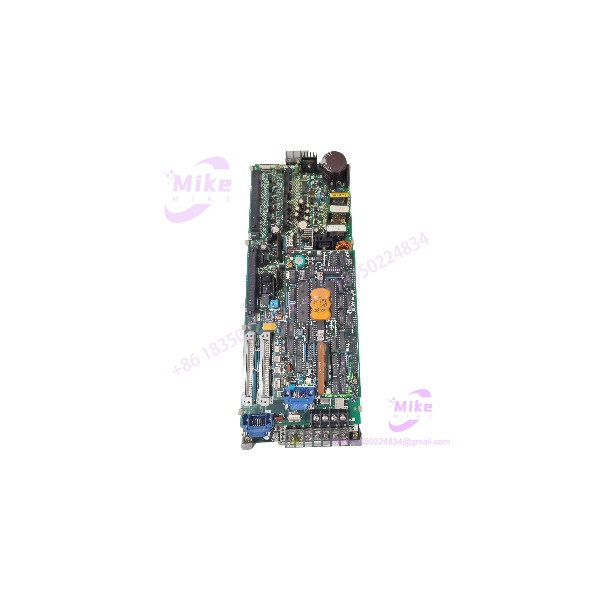
The MR-S11-200-Z37 module serves as an advanced process control I/O interface within Mitsubishi automation architectures. Positioned directly within industrial control racks, it manages local data acquisition and signal conditioning tasks, bridging field instrumentation with master controllers. Its deterministic signal processing capabilities reduce scan latency, optimizing plant responsiveness across automated production lines.
Integrating the MR-S11-200-Z37 into legacy environments requires careful validation of backplane slot assignments and firmware revision compatibility. Upgrading brownfield nodes with this hardware variant enhances system reliability and expands diagnostic transparency without requiring an extensive cabinet footprint redesign.
Field technicians must maintain rigorous wiring practices during installation. Unshielded signal lines or loose terminal connections in vibration-heavy environments can introduce common-mode noise, leading to erratic analog readings or dropped communication packets.
MR-S11-200-Z37
Key Technical Specifications
| Parameter | Specification |
| Manufacturer | Mitsubishi Electric |
| Model Number | MR-S11-200-Z37 |
| Module Category | Process Control I/O Module |
| Mounting Style | Rack / Backplane card format |
| Signal Handling | Multi-channel analog and discrete processing |
| Communication Interface | Dedicated industrial backplane bus |
| Operating Temperature | 0°C to +55°C |
| Power Supply | Internal regulated rack bus voltage |
| Enclosure Rating | IP20 open-type chassis component |
| Diagnostics | Onboard status LEDs for power and error monitoring |
Field Engineer’s Pitfall Guide
- Backplane Misalignment: Forcing the MR-S11-200-Z37 into a misaligned rack slot can bend delicate backplane connector pins, resulting in intermittent power delivery or complete communication failure.
- Firmware Version Conflicts: Installing the module into an uncoordinated control rack without verifying system software compatibility will trigger fatal configuration faults upon boot-up.
- Thermal Management Neglect: Crowding high-density enclosures without active cooling fans can cause internal component temperatures to exceed thermal operating limits during peak summer operations.
QA & Testing SOP
- Visual & Origin Inspection: Verify OEM holographic seals, part number tag legibility, and anti-static packaging integrity against factory benchmarks.
- Live Test Environment: Insert the MR-S11-200-Z37 into an energized test bench rack to validate internal power regulation and backplane communication handshakes.
- Diagnostics & Handshake Tests: Execute input/output simulation routines across all active channels to confirm signal linearity and response timing.
- Preservation & Packaging: Document final test verification signatures, apply desiccant pouches, and seal the unit inside heavy-duty static-dissipative barrier bags.
Technical FAQ
Can I hot-swap the MR- module while the process is running?
No. Hot-swapping this unit can disrupt active control loops, corrupt data registers, and trigger emergency plant interlocks.
Does the MR- retain its configuration data after a power loss?
Yes. System parameters and operational settings are stored in non-volatile flash memory, protecting configuration integrity during facility outages.
Do I need to re-flash the controller software when replacing an identical part number?
Usually no, provided the firmware revision matches the system configuration file stored on the master engineering workstation.
What tools are required to verify module operation?
Verification requires the appropriate Mitsubishi engineering software suite paired with a calibrated signal simulator connected to the rack terminals.





