

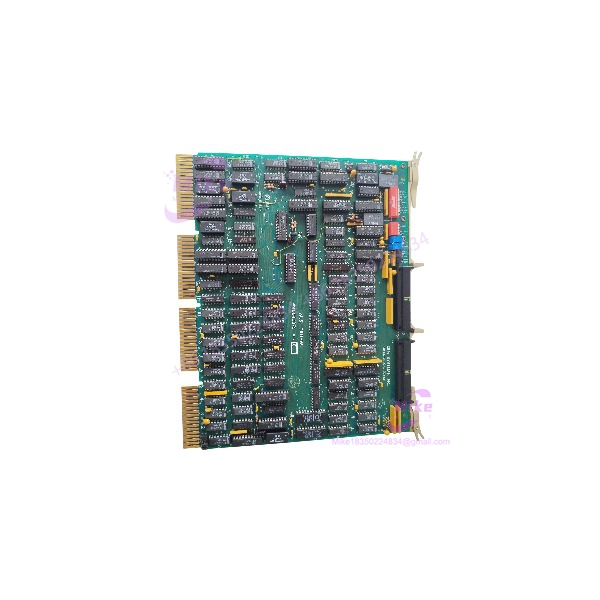
Description
MDB MLSI-DR11-W | 16-Bit DMA Parallel Interface
Product Introduction
The MDB Systems MLSI-DR11-W is a legacy Q-Bus interface module designed to provide general-purpose parallel I/O and DMA capability in DEC PDP-11 and VAX-family computer environments. Historical references specifically identify the MLSI-DR11-W as an MDB Q-Bus equivalent of the DEC DR11-W, making it relevant to legacy computer-control, laboratory instrumentation, data-acquisition, and specialized interface systems.
The interface belongs to an era when deterministic DMA data transfer between a Q-Bus computer and external equipment was handled through dedicated hardware modules rather than modern Ethernet or fieldbus gateways. Contemporary documentation for the related MLSI-DR11-W PLUS describes 16-bit DMA I/O, selectable asynchronous or synchronous operation, DMA throttling, block-mode DMA, and double-buffered I/O registers. The original MLSI-DR11-W should be identified by its actual board markings and revision before assuming every PLUS feature is present.
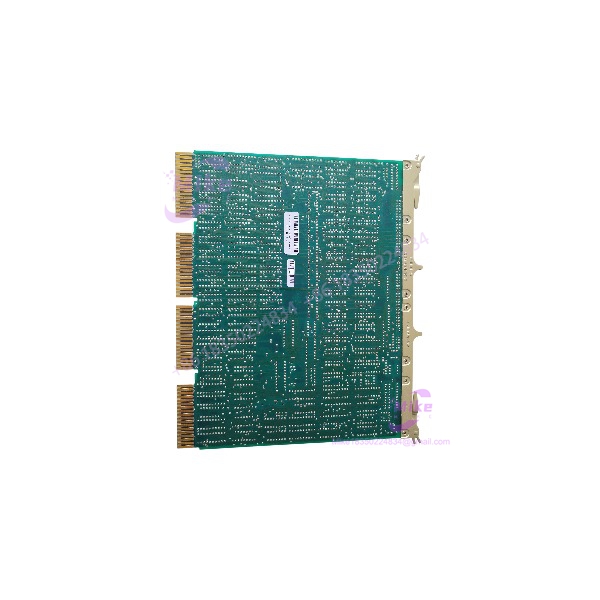
MLSI-DR11-W
Key Technical Specifications
- Manufacturer: MDB Systems, Inc.
- Model: MLSI-DR11-W
- Product Type: Q-Bus general-purpose DMA parallel interface
- Host Bus: DEC Q-Bus
- Primary Compatibility: DEC DR11-W interface architecture
- Data Width: 16-bit
- Transfer Method: DMA
- Host Platforms: PDP-11 and compatible Q-Bus systems; MicroVAX-class systems are documented in historical references
- Interface Function: General-purpose parallel I/O
- Hardware Configuration: Address and interrupt parameters selected by board hardware settings
- Interrupt Configuration: Vector and priority selection
- External Cabling: Verify connector configuration against the physical board revision
- Board Format: Q-Bus-compatible module
- Condition: Legacy / verify condition and revision
Re PLUS Characteristics
The is a related enhanced version and should be treated separately from the. Historical documentation describes the PLUS version as providing:
- 16-bit DMA I/O
- Asynchronous or synchronous transfer operation
- DMA Throttle function
- Block-mode DMA transfer
- Double-buffered I/O registers
- DRV11-WA functional subset capability
- Hardware-selectable address, vector, and priority settings
- Two 40-pin I/O connectors
These features should not automatically be attributed to a unless the physical board documentation confirms them.
Application Scenarios & Pain Points
PDP-11 / MicroVAX Legacy Control Systems
is relevant where a legacy DEC Q-Bus computer must exchange parallel data with external equipment.
Engineering pain point: Modern replacement computers rarely provide a direct Q-Bus electrical and software interface. Replacing the board with a generic PCI or Ethernet card changes the system architecture and requires driver/application work.
Laboratory and Scientific Instrumentation
Historical installations used -class interfaces for dedicated instrumentation and data-transfer applications is therefore potentially useful in maintaining equipment where the original Q-Bus interface remains operationally required.
Engineering pain point: The host operating system and application software may depend on the expected device registers, interrupt behavior, and DMA mechanism.
Legacy Industrial Computer Interfaces
Specialized industrial machines sometimes retain PDP-11 or MicroVAX controllers long after the original OEM equipment has become obsolete.
Engineering pain point: A physically clean board can still fail system integration if its address, interrupt vector, priority, cabling, or board revision does not match the original configuration.
Replacement of Obsolete Hardware
can be investigated as a third-party replacement path for systems originally designed around DE-W functionality.
Engineering pain point: ” compatible” should not be interpreted as universal software or electrical interchangeability. Verify the exact host software, register implementation, cabling, and interrupt configuration.
QA & Live Testing SOP
- Board Identity Verification
- Confirm the PCB marking reads .
- Record manufacturer markings, board revision, serial number, and assembly number.
- Do not classify the board as a PLUS variant unless the physical board documentation explicitly identifies it as such.
- Q-Bus Interface Inspection
- Inspect the Q-Bus edge connectors for oxidation, contamination, or damaged contacts.
- Check PCB fingers for wear or plating damage.
- Inspect solder joints around bus-interface circuitry.
- Look for evidence of previous overheating or component replacement.
- Configuration Verification
- Record all address-selection hardware settings.
- Record interrupt-vector settings.
- Record priority configuration.
- Compare the settings against the target PDP-11/VAX system configuration before installation.
- I/O Hardware Inspection
- Verify the actual external connector arrangement on the board.
- Inspect cabling and mating connectors for bent contacts or damaged insulation.
- Confirm external equipment wiring against the applicable MDB/DEC interface documentation.
- Never assume a PLUS connector arrangement applies to board.
- Host-System Test
- Install the board in a known-compatible Q-Bus chassis.
- Verify that the host recognizes the expected interface configuration.
- Run applicable DEC diagnostic software where available.
- Confirm register access and interrupt behavior.
- Test DMA transfers with controlled data patterns.
- DMA Test
- Test short transfers first.
- Progress to larger blocks after basic register and interrupt operation passes.
- Compare transmitted and received data patterns.
- Monitor for bus errors, parity faults, unexpected interrupts, or DMA termination problems.
- I/O Verification
- Use a controlled external test fixture rather than connecting unknown field equipment.
- Verify each active data/control line required by the application.
- Confirm signal timing and polarity against the target interface specification.
- Document the test configuration for future replacement work.
- ESD-Safe Packaging
- Handle the PCB using appropriate ESD controls.
- Place the board in an antistatic bag.
- Use rigid packaging to prevent Q-Bus edge-connector damage.
- Do not allow conductive packing material to contact exposed circuitry.
Field Engineer’s Pitfall Guide
❗ Do not co PLUS.
The PLUS version is a related enhanced design with documented DMA Throttle, block-mode DMA, double-buffered I/O registers, and additional operating capabilities. The exact board marking and revision must control the identification.
❗ Do not treat this as a modern PLC I/O module.
is a Q-Bus computer interface intended for legacy DEC computer architectures. A listing that describes it as a generic 24 VDC DIN-rail digital I/O module is inconsistent with the histo documentation.
❗ Address and interrupt configuration matters.
Hardware settings determine how the interface appears to the host system. Incorrect address, vector, or priority configuration can produce apparent board failure even when the hardware itself is functional.
❗ Verify the host computer before ordering.
The interface belongs to the DEC Q-Bus ecosystem. Confirm the target chassis, Q-Bus architecture, operating system, device driver, and application software before treatin as a drop-in replacement.
❗ Do not assume modern communication protocols.
There is no basis in the historical documentation reviewed here to characteriz as an Ethernet, EtherNet/IP, Modbus, CANopen, or EtherCAT device.
Intent-Driven FAQ
Q: What is the MDB Sy?
A: It is a Q-Bus DMA parallel interface module designed for legacy DEC computer systems and associated with -class functionality.
a PLC input/output module?
A: No. It is a computer-interface board for the DEC Q-Bus environment, not a conventional modern PLC digital I/O module.
Q: What computer systems can us?
A: Historical references associate the board with PDP-11 and VAX/Q-Bus systems, including MicroVAX-class configurations. Exact compatibility depends on the host bus, software, configuration, and board revision.
Q: I the same a PLUS?
A: No. They are related MDB Systems products. The PLUS version added documented features including DMA Throttle, block-mode DMA, and double-buffered I/O registers.
Q: What does the compatibility mean?
A: It indicates that the MDB interface was designed around the functional role of DEC’s general-purpose DMA interface. Software, register behavior, cabling, and configuration still need to be verified for the particular system.
Q: Doe use Ethernet or RS-485?
A: No such interfaces are identified in the historical documentation reviewed for this model. The relevant architecture is Q-Bus with parallel DMA I/O.
Q: What should I verify before purchasing a l?
A: Verify the exact board marking, revision, Q-Bus host, address/vector configuration, connector arrangement, cabling, operating system/driver requirements, and whether the target system actually requires the or the enhanced PLUS version.
Q: Can I u as a replacement for a DEC ?
A: It was designed as a -equivalent/compatible interface, but replacement should be validated against the target system’s hardware configuration, software driver, register behavior, cabling, and interrupt settings rather than relying on the product name alone.





