

Description
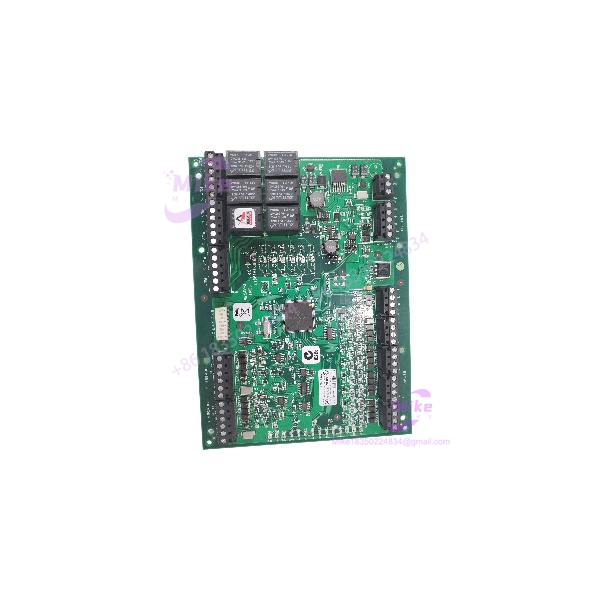
Lenel LNL-1320 | Dual Reader Interface Module
Product Introduction
The Lenel LNL-1320 is a field-level access-control interface used to connect two reader ports to a compatible Lenel Intelligent System Controller. It forms part of the OnGuard hardware architecture, with the ISC managing communications between the access-control server and downstream modules over an RS-485 multidrop network.
For maintenance teams, the LNL-1320 is relevant when restoring an existing reader interface or maintaining a legacy access-control enclosure. It provides reader connectivity, monitored inputs, and relay outputs on a single board. However, the exact board series matters: the Series 3 datasheet specifies reader power up to 300 mA per port under its stated conditions, while earlier LNL-1320 documentation lists different reader-current limits. Match the board revision and installed configuration before commissioning.
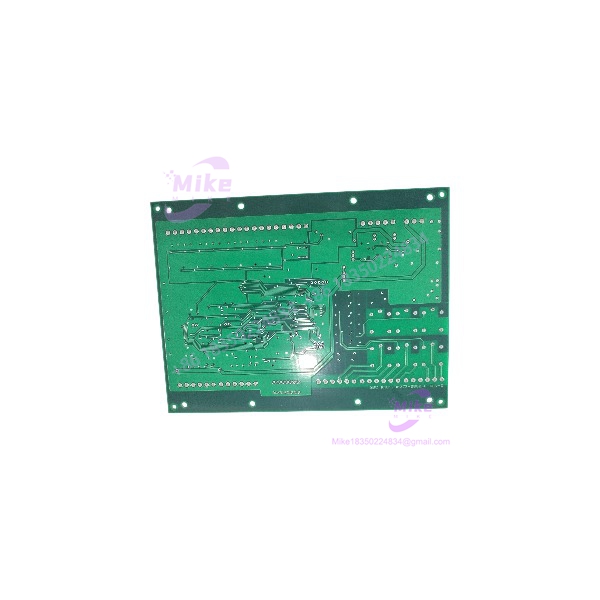
LNL-1320
Key Technical Specifications
- Model: LNL-1320
- Product Name: Dual Reader Interface Module
- Access-Control Platform: Lenel OnGuard
- Reader Ports: 2
- Controller Communication: 2-wire RS-485
- Supported Reader Interfaces: Wiegand, magnetic clock/data, supervised/unsupervised F/2F, and OSDP, depending on board series
- Primary Power: 12–24 VDC ±10%
- Maximum Board Current: 550 mA, excluding reader current, per Series 3 documentation
- Relay Outputs: 6 Form-C outputs
- Series 3 Relay Ratings: Normally open (NO), 5 A at 30 VDC; normally closed (NC), 3 A at 30 VDC
- Inputs: 8 supervised/unsupervised inputs with standard 1k/1k-ohm EOL configuration
- Dedicated Inputs: 2 unsupervised inputs for cabinet tamper and UPS fault monitoring
- Reader Power: Series 3 supports jumper-selectable 12 VDC regulated power or input-voltage pass-through, up to 300 mA per reader under documented conditions
- Reader Power Caveat: Regulated 12 VDC selection requires an input voltage of at least 20 VDC
- Communication Speed: Configurable RS-485 baud rates; supported rates depend on board series and configuration
- RS-485 Network Distance: Up to 4,000 ft (1,219 m) under specified cable and network conditions
- Dimensions: Approximately 6 × 8 × 1 in. (152 × 203 × 25 mm)
- Weight: Approximately 11 oz. (312 g)
- Operating Temperature: 0°C to +70°C (32°F to 158°F)
- Humidity: Series 3 documentation specifies 5–95% RH, non-condensing
- Compliance: Series 3 documentation lists FCC Part 15, CE, RoHS, UL 294, and UL 2610
Specification note: The LNL-1320 has multiple hardware generations. Confirm the installed board’s series and applicable datasheet before treating the values above as acceptance limits. The official Series 3 datasheet is available from LenelS2/Honeywell.
Global Sourcing & Live-Test SOP
For a used or surplus , acceptance should cover board identity, reader-interface operation, input monitoring, relay response, and communication with the intended ISC. A board that powers up is not necessarily ready for deployment in an active access-control system.
5.1 Inbound Verification
- Photograph the complete board, model label, and revision markings.
- Confirm the exact model: .
- Identify the board series and hardware revision.
- Record serial number and available traceability information.
- Inspect terminal blocks, connectors, relay areas, and mounting points.
- Check for corrosion, damaged traces, missing components, or evidence of unauthorized repair.
- Verify DIP-switch and jumper positions before making changes.
- Confirm whether the listing includes the board only or also includes an enclosure, terminal blocks, or wiring accessories.
5.2 Power-Up and Electrical Inspection
- Verify the correct supply voltage against the board’s applicable datasheet.
- Confirm polarity before energizing.
- Use a current-limited, protected DC supply for bench testing.
- Check for abnormal current draw, overheating, or visible component damage.
- Verify board status indicators and communication indications.
- Confirm reader-power jumper settings and their compatibility with the applied input voltage.
- Do not connect field readers until the reader-power configuration has been verified.
5.3 Reader and I/O Functional Simulation
Using a compatible test setup:
- Connect a known-good reader using the supported interface.
- Verify reader recognition and data transfer.
- Test both reader ports independently.
- Simulate supervised and unsupervised input states using the correct EOL arrangement.
- Verify the dedicated tamper and UPS fault inputs.
- Exercise relay outputs using a suitable low-risk test load.
- Confirm relay state changes and terminal continuity.
- Record any intermittent behavior or port-specific faults.
Do not use an uncontrolled live-door test as the initial acceptance procedure. Keep locks and door-release circuits isolated or safely controlled until the module has passed bench verification.
5.4 RS-485 Communication and System Integration
- Confirm the target ISC model and supported series.
- Verify RS-485 wiring polarity, shielding, termination, and network topology.
- Record the board’s communication address and baud-rate settings.
- Check for address conflicts on the multidrop bus.
- Confirm the ISC recognizes the module.
- Verify reader events, input changes, and relay commands through the authorized OnGuard configuration.
- Record the OnGuard version, ISC model, board revision, and communication settings used for the test.
5.5 Extended Run and Final Preparation
Where a compatible test system is available, conduct an extended powered run with repeated reader transactions and I/O activity.
Monitor:
- Reader communication stability
- RS-485 bus reliability
- Input-state consistency
- Relay operation
- Unexpected resets
- Abnormal heating or current draw
Document the test date, board revision, test setup, and results. Protect exposed electronics with appropriate ESD-safe packaging and prevent terminal blocks or connectors from being damaged in transit.
Field Engineer’s Pitfall Guide
❗ Series and reader-power differences can create a misleading replacement match
The family has multiple hardware generations. Reader-current limits and interface details can differ. Confirm the exact board series and jumper configuration before connecting field readers.
❗ RS-485 address and baud-rate settings must match the installation
An incorrectly addressed module or mismatched communication rate can prevent the ISC from recognizing the board. Record the original DIP-switch positions before removal and reproduce the intended network configuration.
❗ Relay ratings do not eliminate the need for load verification
The module’s Form-C relay ratings are specified under particular conditions. Confirm the connected load type, voltage, current, and any inductive-load suppression requirements. Do not assume that every lock or door-control load can be switched directly without checking the applicable wiring and load specifications.
Intent-Driven FAQ
What is the Lenel ?
It is a Dual Reader Interface Module used in Lenel OnGuard access-control systems to connect two reader ports to a compatible Intelligent System Controller.
How many readers does the support?
The module supports two reader ports. Supported reader technologies depend on the board series and configuration.
Does the communicate over Ethernet?
The is a downstream interface module that communicates with a compatible ISC over RS-485. It is not itself a direct Ethernet-connected controller.
What power supply does the require?
The Series 3 documentation specifies 12–24 VDC ±10%, with a maximum board current of 550 mA excluding reader current. Verify the actual board series and nameplate before applying power.
Is the hot-swappable?
Do not assume it is hot-swappable. Treat replacement as a controlled, power-off maintenance operation unless the specific system documentation authorizes another procedure. Coordinate with the access-control administrator because removing the module may affect reader and door-control functions.
Is the obsolete?
The is a legacy interface module, while LenelS2 continues to publish Series 3 documentation. Current lifecycle status and availability should be confirmed with the manufacturer or an authorized supplier.
What should I verify before buying a used ?
Confirm the exact model and board series, revision, reader-interface requirements, power configuration, RS-485 settings, terminal condition, and successful reader/I/O testing. Ask for clear board photos and a documented test result rather than relying on a generic “tested” description.
Bottom Line for Buyers
The is a dual-reader interface module for compatible OnGuard access-control systems. Its two reader ports, monitored inputs, six relay outputs, and RS-485 controller connection make it a configuration-dependent replacement component.
Before ordering, match the board series and revision, confirm reader-power requirements and RS-485 settings, and request evidence of reader and I/O testing. For an active security installation, validate the replacement within the authorized system configuration before returning affected doors to service.





