

Description
Laetus LLS570-05 | Industrial Barcode Scanner
Product Introduction
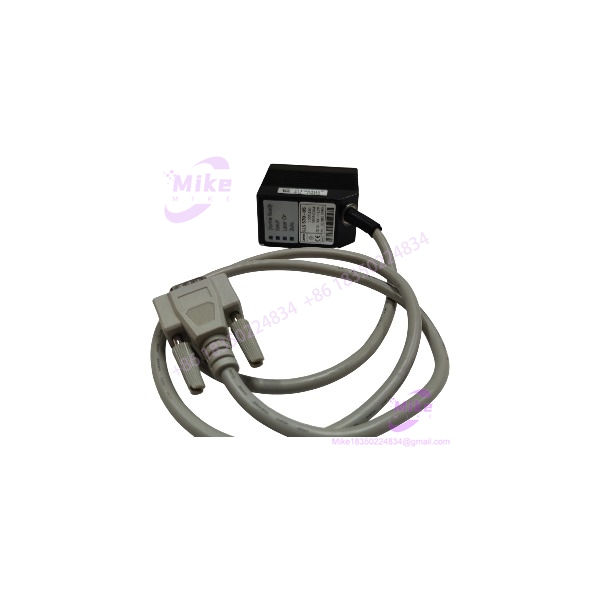
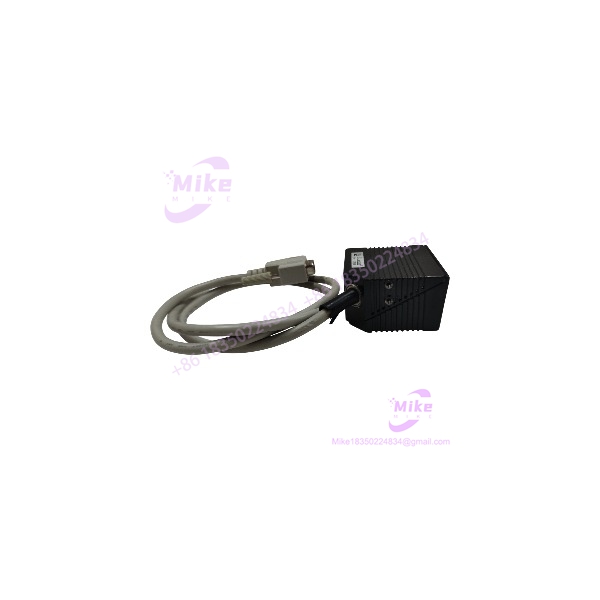
In a legacy barcode-reading station, the scanner’s optical configuration can be just as important as its connector or mounting footprint. The Laetus LLS570-05 is identified in surplus-parts records as a high-density industrial barcode scanner with a front-facing line-laser emitter and a nominal 110 mm working distance.
This is a specialized identification component—not a generic modern barcode reader. The available records do not establish its complete electrical interface, decoding capabilities, host protocol, or configuration software. Before treating it as a direct replacement, match the exact model and optical arrangement against the installed Laetus system.
LLS570-05
Key Technical Specifications
- Model: LLS570-05
- Brand: Laetus
- Equipment Category: Industrial barcode scanner
- Scanner Type: High-density barcode scanner
- Light Source Configuration: Front light emitter
- Optical Arrangement: Line laser
- Reported Working Distance: 110 mm
- Barcode Symbology Support: Not confirmed for this exact model
- Reading Speed: Not verified
- Resolution/Minimum Bar Width: Not verified
- Supply Voltage: Not verified
- Power Consumption: Not verified
- Host Interface: Not verified
- Communication Protocol: Not verified
- Connector/Pinout: Not verified
- Mounting Dimensions: Not verified
- Environmental Rating: Not verified
- Lifecycle: Listed as discontinued by Radwell
- Accessories: Cable, mounting hardware, and configuration tools must be confirmed separately
Specification note: The confirmed identification details above come primarily from surplus-market records. Do not treat unverified electrical, optical, or communications parameters as approved installation specifications.
Global Sourcing & Live-Test SOP
For a discontinued scanner such as the LLS570-05, acceptance should focus on exact model identification, optical condition, and verified operation within the intended host system.
5.1 Inbound Verification
- Photograph the complete nameplate and all product markings.
- Confirm the exact model number: LLS570-05.
- Record the serial number and any revision or configuration codes.
- Inspect the scanner window and front emitter for scratches, contamination, or impact damage.
- Check the housing, mounting points, and connector for physical damage.
- Inspect cables for cuts, kinks, corrosion, or unauthorized repairs.
- Confirm whether the unit is supplied with its original cable, mounting hardware, or interface accessories.
- Request traceability or prior application information when available.
5.2 Electrical and Optical Inspection
- Obtain the correct wiring documentation before applying power.
- Verify the required supply voltage and pinout from reliable documentation.
- Do not energize the scanner using assumed voltage or connector assignments.
- Inspect the optical window and emitter area under suitable lighting.
- Confirm that the intended line-laser output is present using an approved procedure.
- Follow applicable laser-safety precautions; do not look directly into the emitter.
- Record the test equipment and inspection results.
5.3 Barcode Reading Simulation
Where the correct host system or approved test fixture is available:
- Use a known-good barcode target appropriate to the original application.
- Reproduce the specified working distance and scanner alignment.
- Verify successful reading and repeatability.
- Test representative code quality and positioning conditions.
- Check for intermittent reads, missed triggers, or unstable output.
- Confirm that the host system receives and interprets the decoded data correctly.
- Record the test target, working distance, host interface, and result.
A scanner that emits light is not necessarily a functioning barcode reader. Functional acceptance should include successful decoding and host-system communication.
5.4 Extended Run and Final Preparation
If a compatible test setup is available, perform an extended reading test under controlled conditions.
Monitor:
- Read success and repeatability
- Intermittent decoding failures
- Trigger response
- Host communication stability
- Optical-window condition
- Connector and cable integrity
Record the test date, model, serial number, host equipment, test method, and result. Protect the optical window and connector during shipment, and use suitable impact-resistant packaging.
Field Engineer’s Pitfall Guide
❗ Do not confuse LLS570-05 with other LLS570 variants
Other LLS570 models may have different optical orientations or operating configurations. Match the complete suffix and front-emitter arrangement to the original scanner before approving a replacement.
❗ The 110 mm working distance is not a complete optical specification
The reported distance alone does not establish the scanner’s focus tolerance, minimum bar width, field of view, or mounting geometry. Verify these parameters against the original machine documentation and the actual scanner.
❗ Do not assume a standard barcode-reader interface
The available model-specific listing does not confirm the ‘s voltage, pinout, or host protocol. Confirm the electrical interface before connecting it to a PLC, inspection controller, or machine wiring harness.
Intent-Driven FAQ
What is thus ?
It is an industrial barcode scanner identified in surplus records as a high-density, front-emitter line-laser model with a reported 110 mm working distance.
he a wireless transmitter or receiver?
The stronger scanner-specific evidence identifies it as a barcode scanner. Claims describing it as a wireless transmitter/receiver are not corroborated by the scanner-specific parts records.
What is the working distanche ?
A surplus-parts listing reports a 110 mm working distance. Confirm the required operating distance and optical alignment for the installed application.
What voltage he require?
The exact supply voltage has not been reliably verified. Check the unit’s nameplate and applicable wiring documentation before applying power.
Is thus discontinued?
Radwell lhe as discontinued by the manufacturer. This indicates legacy sourcing conditions, but current OEM support status should be confirmed directly with Laetus or its successor support organization.
he be used as a direct replacement?
Only after confirming the optical configuration, working distance, electrical interface, connector, and host-system compatibility. A matching model number is important, but the supplied unit’s condition and configuration still need verification.
What should I check before buyined ?
Request clear nameplate and optical-window photos, verify the complete model number, confirm the cable and connector configuration, and ask for a documented barcode-reading test. Do not assume that a unit described as “tested” has been validated with your specific host system.
Bottom Line for Buyers
The is a legacy high-density industrial barcode scanner described with a front-facing line-laser emitter and a reported 110 mm working distance. Its discontinued status makes exact identification and functional verification especially important.
For procurement, match the full model number and optical configuration, verify the electrical and host interfaces, and request evidence of successful barcode reading. Treat unverified specifications as open items until confirmed against the original machine documentation or the actual unit.





