


Description
Helmholz 700-600-CAN01 | CAN 300 PRO Communication Module
Dynamic Product Introduction
Integrating field-level CAN bus instrumentation, engine controllers (SAE J1939), or motion drives into a Siemens S7-300 PLC platform often requires bulky external serial-to-PROFIBUS/PROFINET gateways. These external converters introduce configuration friction, high cabling complexity, and added latency. The Helmholz 700-600-CAN01 (CAN 300 PRO) eliminates external hardware by mounting directly into any standard S7-300 DIN rail slot, interfacing straight with the CPU backplane bus.
By supporting CAN 2.0A/B, CANopen, and SAE J1939 protocols on a single hardware platform, the 700-600-CAN01 enables direct exchange of process data between the S7 CPU and downstream field devices (such as frequency converters, hydraulic valves, or mobile machinery sensors). Its software integration via SIMATIC Manager or TIA Portal block libraries makes mapping CAN PDOs and SDOs straightforward. For system integrators and fab maintenance teams maintaining existing S7-300 infrastructure, a pre-tested 700-600-CAN01 provides an easy drop-in upgrade path for expanded fieldbus connectivity.
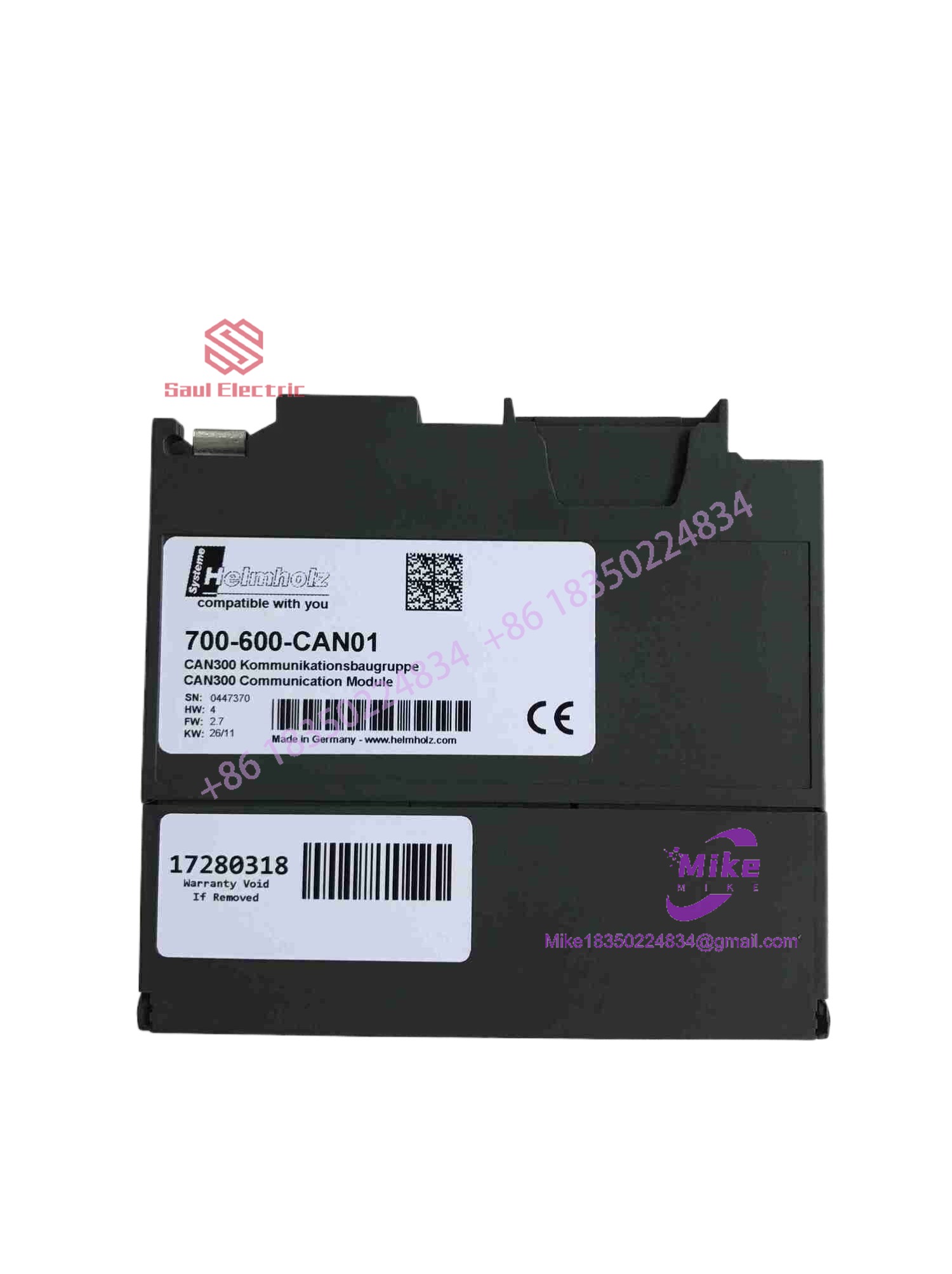
700-600-CAN01
Key Technical Specifications
| Parameter | Technical Specification |
| Backplane Interface | SIMATIC S7-300 / ET 200M backplane bus (S7-300 rack slot) |
| Fieldbus Interface | SUB-D 9-pin male connector (CiA pin assignment) |
| Supported Protocols | CAN 2.0A/B, CANopen Master/Slave, SAE J1939, DeviceNet Slave |
| Baud Rates | 10 kbit/s up to 1 Mbit/s (Software configurable) |
| Galvanic Isolation | 500 V DC between CAN bus and S7 backplane bus |
| Current Consumption | Max. 160 mA from internal 5V S7 backplane power |
| Data Buffering | Onboard memory buffer for high-speed frame handling |
| Status Indicators | LEDs for Module Status (RUN/ERR), CAN Tx/Rx activity |
| Operating Temperature | 0°C to 60°C (32°F to 140°F) |
| Configuration Software | CAN-Param configuration tool / STEP 7 / TIA Portal blocks |
Global Sourcing & Live-Test SOP (Transparency Core)
To guarantee reliable fieldbus handshaking across industrial control networks, every surplus and certified replacement Helmholz module undergoes rigorous bench validation before dispatch:
Inbound Verification & Physical Audit
- Traceability Review: Checking serial labels, hardware revision codes, and firmware tags (700-600-CAN01) against Helmholz database standards.
- Component Inspection: High-magnification optical audit of multi-pin backplane connectors, SUB-D 9 connector pins, surface-mount ICs, and housing latches to ensure zero physical damage.
Live Bench Simulation
- S7 Backplane Integration: Inserting the card into an active Siemens CPU 315-2 PN/DP rack to verify 5V power drawing and backplane bus communication.
- CANopen Loop Testing: Linking the module’s SUB-D connector to a CANopen node simulator to test frame transmission, reception, and bus speed autobaud routines up to 1 Mbit/s.
Diagnostic & Protocol Validation
- Data Mapping Audit: Executing test function blocks inside TIA Portal/STEP 7 to verify correct PDO/SDO mapping and error-frame logging under heavy bus traffic.
- 24-Hour Thermal Burn-In: Operating the module under full CAN network load inside a 50°C test enclosure to rule out thermal drift or intermittent communication dropouts.
Final Prep & Packaging
- Configuration Reset: Clearing custom network parameters to factory default state and logging test results on the inspection certificate.
- ESD Safe Sealing: Double-wrapped in anti-static shielding film with desiccant and protected in custom foam shipping crates for air dispatch.
The Field Engineer’s Pitfall Guide
❗ Missing Terminal Bus Resistors (120 Ohm Termination)
High-speed CAN networks require proper 120-ohm termination resistors at both physical ends of the line. Omitting the termination resistor at the 700-600-CAN01 SUB-D connector will cause signal reflections, resulting in high CAN error frame counts, frame drops, or total bus-off conditions.
(In actual field troubleshooting calls, I’ve seen entire automated packaging lines halt simply because a technician replaced a CAN connector and forgot to switch the internal 120Ω termination resistor back ON).
❗ Incorrect DIP Switch or Software Mode Assignment
The module must be configured using the Helmholz CAN-Param tool (or appropriate PLC block routines) to specify whether it is functioning as a CANopen Master, CANopen Slave, or Layer 2 device. Mismatching the operating mode with the PLC function block library will lead to S7 CPU system faults (SF LED active) or silent communication timeouts.
❗ Exceeding Backplane Power Budget on Large Racks
While the 700-600- draws logic power directly from the S7-300 backplane (approx. 160mA), adding multiple communication modules to a single rack without verifying the CPU/IM power budget can drop backplane logic voltage, causing intermittent CPU restarts.
Intent-Driven FAQ
Do I need a GSD file to integrate the 700-600- into STEP 7 or TIA Portal?
Yes. Helmholz provides standard GSD/GSDML files and STEP 7 function block libraries (FB/FC) to handle the communication handshake between the S7 CPU’s process image and the module’s CAN buffer.
Can the 700-600- operate simultaneously as a CANopen Master and J1939 node?
No. Operating protocols (CANopen Master, CANopen Slave, SAE J1939, or Layer 2) are selected during module configuration. You must choose one active protocol profile per channel/module setup.
What causes a blinking RED “ERR” LED on the module front panel?
A blinking red ERR light typically indicates a CAN bus error state—such as a baud rate mismatch, a missing termination resistor, physically shorted CAN-H/CAN-L lines, or an unacknowledged transmission frame from a field node.
Is the 700-600- compatible with ET 200M distributed I/O stations?
Yes. The module can be installed in a SIMATIC ET 200M station connected via PROFIBUS or PROFINET to an S7-1200, S7-1500, or S7-300 master controller.
What warranty applies when purchasing this module as certified surplus?
All fully tested surplus and replacement Helmholz 700-600- modules include a standard 12-month operational warranty covering backplane data exchange, CAN line isolation, and protocol execution under standard industrial operating conditions.





