


Description
FANUC A20B-8101-0420 | LCD/MDI Interface PCB, New Surplus
Architect’s Product Breakdown
The A20B-8101-0420 functions as a critical communication and rendering bridge within FANUC operator consoles. Installed directly behind the display or MDI unit, this circuit board translates system video data into clean screen refresh signals while simultaneously processing operator keystrokes and soft-key inputs for transmission back to the master CPU. Its reliable handling of data packets prevents screen lag and input jitter on high-utilization factory floors.
Troubleshooting an unresponsive operator interface, scrambled video output, or dead soft keys often leads directly to this board. Replacing the unit requires rigorous adherence to static discharge protection and careful manipulation of delicate ribbon cable connectors. Technicians must also ensure that all internal EMI shielding plates and ground tabs are reinstalled firmly; leaving them loose invites severe electrical noise interference from nearby drives and spindles, resulting in erratic screen behavior.
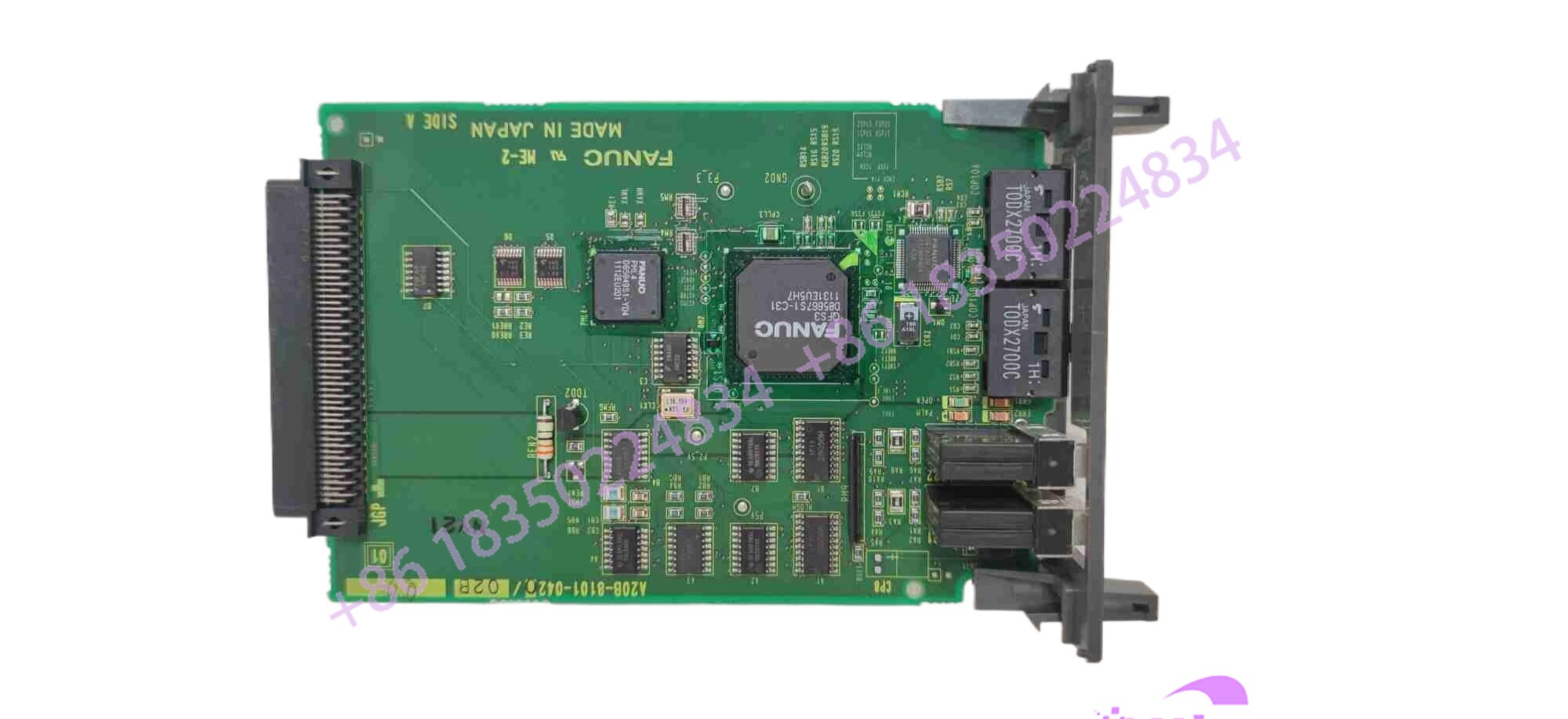
A20B-8101-0420
Key Technical Specifications
| Parameter | Specification |
| Manufacturer | FANUC |
| Part Number | A20B-8101-0420 |
| Component Category | Operator Panel / MDI Interface PCB |
| Interface Function | Video Graphic Controller & Keyboard Matrix Scanner |
| Mounting Style | Operator Console Enclosure Mount |
| Cooling Method | Natural Convection / Panel Airflow |
| Operating Temperature | 0°C to 45°C (Standard Industrial Enclosure Limits) |
Field Engineer’s Pitfall Guide
- Electrostatic Discharge (ESD) Vulnerability: Warning: The surface-mount video buffers and micro-controllers on this interface board are exceptionally sensitive to static charges. Always wear a grounded ESD wrist strap and handle the PCB strictly by its edges.
- Ribbon Cable Latch Breakage: Do not force or yank flat ribbon cables. I have seen maintenance techs snap the fragile plastic locking ears off display data headers because they rushed the extraction. Always flip the hinge latches upward smoothly before pulling data lines.
- Neglecting Ground Shielding: Failing to secure the metal EMI backplate properly after swapping the board invites severe high-frequency noise interference, causing ghost key presses and screen flickering during spindle acceleration.
QA & Testing SOP (Transparency)
- Visual & Structural Audit: Incoming boards are inspected under magnification for trace damage, corrosion, solder joint micro-fractures, and authentic OEM markings.
- Static Bench & Continuity Testing: Technicians verify power rail resistance, bus buffer stability, and decoupling network integrity to guarantee zero internal short circuits.
- Live Test Rig Simulation: The interface board is installed into a certified FANUC operator panel test fixture, powered up under controlled conditions, and subjected to a complete graphic rendering cycle.
- Keyboard & Communication Stress Run: The unit undergoes extended functional execution to verify keystroke response time, soft-key register stability, and video signal clarity before being sealed in anti-static shielding.
Technical FAQ
Can I use the A20B-8101-0420 board interchangeably across different generation operator panels?
No. Display interface boards are tightly bound to specific firmware versions and display protocols. Always match the exact part number to your specific CRT or LCD operator panel assembly.
What causes a blank screen or missing text characters after installing a replacement board?
This typically indicates an incomplete seating of the internal flat ribbon cables or an incorrect video signal configuration setting. Double-check all data cable locks.
Are component-level repairs viable for this display interface PCB?
While specialized depot repair centers can replace failed surface-mount video drivers or logic gates, field-level micro-soldering is impractical. Full board exchange or certified factory depot rebuilding is standard practice.
Does this board retain user programs or critical machine parameters?
No. The interface board handles display rendering and input processing only; machine parameters, offsets, and part programs are stored entirely on the main CNC CPU and SRAM memory modules.





