


Description
AutomationDirect C-more EA7-T6CL-R | 6-Inch TFT Touch Panel HMI, In Stock
Architect’s Product Breakdown
The AutomationDirect C-more EA7-T6CL-R operates as a robust operator interface terminal (HMI) designed for industrial automation control panels. Part of the popular legacy C-more EA7 series, this 6-inch TFT color touchscreen display allows operators and technicians to monitor PLC data, view animated graphical screens, acknowledge system alarms, and modify machine setpoints across manufacturing lines, packaging systems, and water treatment plants.
Because legacy HMI screens rely on proprietary project files created in configuration software, replacing a damaged unit requires backing up or transferring the original configuration program to ensure all screen layouts, tag mappings, and PLC communication drivers match the existing control architecture seamlessly.
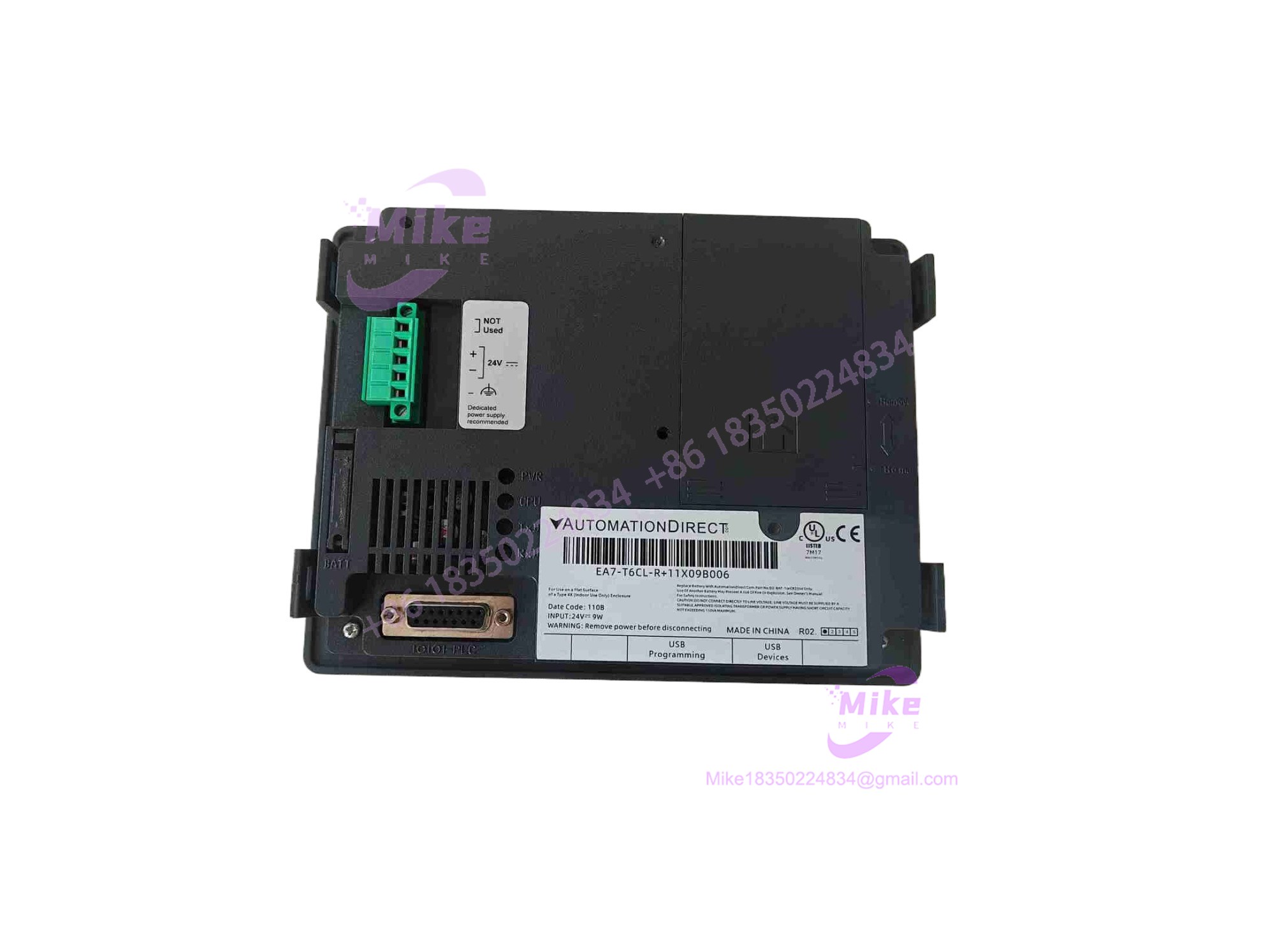
EA7-T6CL-R
Key Technical Specifications
| Parameter | Specification |
| Series | AutomationDirect C-more EA7 Operator Interface Line |
| Model / Part Number | EA7-T6CL-R |
| Display Type | 5.7-inch TFT Color LCD Touch Screen |
| Operating Power | 24 VDC industrial control voltage supply |
| Communication Ports | Built-in RS-232 / RS-422 / RS-485 serial ports (Ethernet options depending on sub-model) |
| Enclosure Rating | NEMA 4/4X / IP65 when properly panel-mounted with gasket |
| Programming Software | C-more Programming Software (legacy version required for EA7 project conversion) |
Field Engineer’s Pitfall Guide
- WARNING: Improper Project Software Version. Attempting to load an EA7 project file using newer C-more software designed exclusively for EA9 panels will result in compatibility errors unless properly converted or edited in legacy software.
- WARNING: Backlight Burnout & Dimming. Operating the HMI continuously at maximum backlight brightness in high-ambient-temperature enclosures will drastically shorten the lifespan of the display lamp.
- WARNING: Panel Gasket Compromise. Failing to torque mounting clips evenly around the bezel cutout can break the plastic housing or compromise the NEMA 4X seal, allowing moisture and dust into the control cabinet.
- Field Anecdote: I remember a water treatment plant control panel going dark because a replacement EA7 touchscreen was installed without backing up the original PLC communication settings, leaving the operator blind until the correct serial baud rate and PLC protocol were reconfigured in the software.
QA & Testing SOP
- Visual & Bezel Inspection: Inspect the touchscreen glass, LCD display area, outer plastic bezel, and rear communication ports for scratches, cracks, or dust ingress, verifying genuine AutomationDirect markings.
- Bench Power-Up & Backlight Test: Connect the HMI to a stable 24 VDC power supply on the test bench to verify that the boot sequence runs smoothly and the TFT backlight illuminates uniformly without flickering.
- Touch Panel & Communication Calibration: Execute touch screen calibration routines and test serial/Ethernet communication ports by establishing a link with a test PLC or programming PC.
- Anti-Static & Protective Packaging: Wrap the display face in antistatic foam and pack it securely inside heavy-duty corrugated packaging with structural inserts to prevent pressure damage to the screen during transit.
Technical FAQ
What programming software is used to configure the AutomationDirect EA7-T6CL-R?
It is configured using AutomationDirect’s C-more programming software, utilizing legacy project files specific to the EA7 product generation.
Is the EA7-T6CL-R still actively manufactured?
No. The C-more EA7 series is obsolete and discontinued by AutomationDirect, replaced by newer generation panels (such as the EA9 series). However, surplus units and repair services remain widely available.
What causes touch screen unresponsiveness on older C-more panels?
Unresponsiveness is typically caused by mechanical wear on the resistive touch overlay, calibration drift, or a buildup of dust and grease around the outer sealing gasket pressing against the touch active area.
Can an EA7 project file be directly transferred to a newer C-more EA9 panel?
Yes, but the project file must first be opened and converted within the C-more programming software environment before downloading it to the newer hardware generation.





