


Description
DELTA DOP-110WS | 10-Inch HMI Operator Panel Core Category
Dynamic Product Introduction
Upgrading operator visualization on crowded control floors requires hardware that balances expansive screen real estate with rugged environmental resistance. Deploying the Delta DOP-110WS replaces aging, low-resolution terminals with a crisp 10.1-inch widescreen interface designed to handle complex HMI project files without lag. Unlike older 4:3 displays that cram data into tight spaces, this unit offers a generous workspace for detailed mimic diagrams, multi-language recipe tables, and real-time trending charts.
In field deployments, dual Ethernet ports simplify network isolation, allowing maintenance teams to separate plant-floor SCADA communication from local PLC polling. The DOP-110WS pairs a slim, low-profile bezel with an IP65 front-panel rating, ensuring reliable touch sensitivity even when exposed to oil mist and washdown conditions.
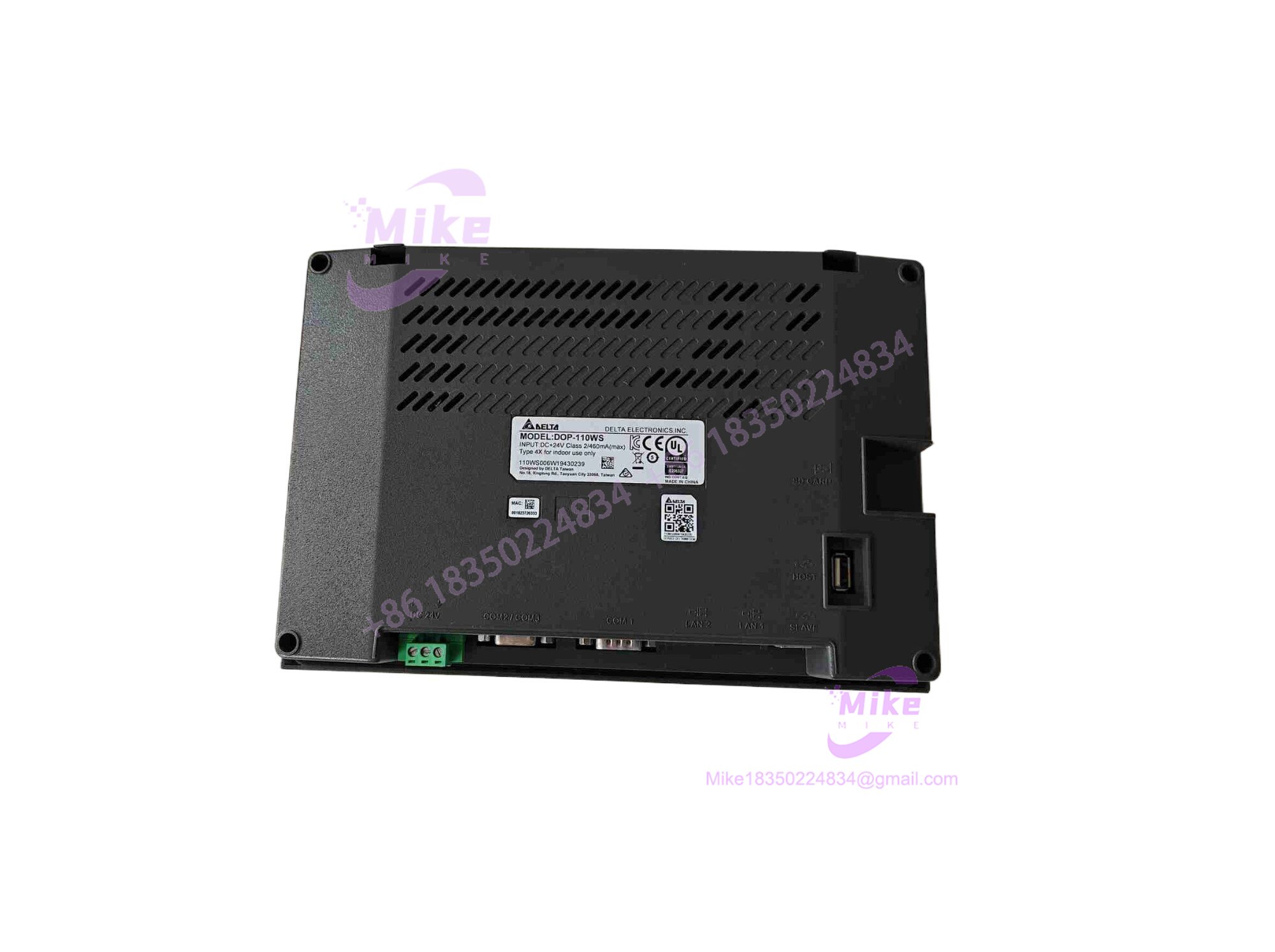
DOP-110WS
Key Technical Specifications
| Core Parameter | Technical Specification |
| Display Type | 10.1-inch TFT LCD (65,536 Colors) |
| Resolution | 1024 x 600 pixels |
| Processor | ARM Cortex-A8 (800 MHz) |
| Storage | 256 MB Flash ROM / 256 MB RAM |
| Communication Ports | 2x Ethernet ports, RS-232 / RS-485 serial ports, USB Host / USB Client |
| Operating System | Delta proprietary real-time OS (Configured via DOPSoft) |
| Power Supply Voltage | 24V DC (20.4V to 28.8V DC) |
| Panel Protection | IP65 / NEMA 4X (Front panel) |
| Operating Temperature | 0°C to 50°C |
| Approximate Weight | ~1.2 kg |
Global Sourcing & Live-Test SOP (Transparency Core)
Procuring replacement HMI terminals requires strict diagnostic screening to ensure screen responsiveness and communication port integrity. Our verification process follows a standardized testing pipeline:
- Inbound Verification: Incoming DOP-110WS units undergo anti-counterfeit checks, inspecting laser-etched serial numbers, barcode labels, and OEM packaging against factory export records.
- Live Simulation: Technicians mount the terminal onto a test bench and apply regulated 24V DC power to verify boot-loader integrity and backlight uniformity across the entire LCD matrix.
- Diagnostics: Using proprietary programming software (DOPSoft), engineers execute full-screen touch calibration tests, verify multi-point responsiveness, and ping both Ethernet ports alongside serial channels to confirm protocol handshake stability. A 12-hour thermal endurance test completes the check.
- Final Prep: The unit’s firmware is updated to stable baseline revisions, protective screen overlays are applied, and the terminal is sealed in anti-static, moisture-barrier packaging.
The Field Engineer’s Pitfall Guide
❗ Overlooking COM Port Pinout Revisions: Swapping an older Delta panel series with the DOP-110WS without checking serial cable pin definitions will break your PLC communication link. I’ve seen technicians waste hours troubleshooting “PLC No Response” errors simply because the RS-485 wiring polarity was inverted on the new terminal block.
❗ Ignoring Power Supply Ripple Tolerances: Feeding the HMI from a noisy, unconditioned 24V power supply shared with high-inductive solenoids can cause intermittent touch freeze-ups. Always ensure clean, isolated DC rails.
❗ USB Port Static Discharge Damage: Plugging flash drives directly into the front USB port without discharging static electricity can lock up the internal micro-controller, requiring a complete power cycle to recover.
Intent-Driven FAQ
Will swapping the DOP-110WS erase my screen application program?
Yes, replacement hardware ships blank. You must re-download your compiled project file using the DOPSoft programming software via Ethernet or USB before deployment.
Is the physically interchangeable with older Delta 10-inch models?
While the screen size is comparable, always check the cutout dimensions in your enclosure door. Panel cutouts can vary slightly between older legacy series and the modern widescreen DOP-100 layout.
What kind of warranty is provided with surplus or replacement units?
Verified replacement units typically include a comprehensive 365-day operational warranty covering any internal hardware failures or component defects.
Can I connect two different PLC brands simultaneously to this HMI?
Yes, the supports multi-driver communication protocols across its dual Ethernet and serial ports, allowing it to talk to Delta controllers alongside third-party PLCs concurrently.
How do I handle firmware updates on the terminal?
Firmware can be updated directly through DOPSoft using an Ethernet connection or a formatted USB flash drive containing the correct firmware image file.





