

Description
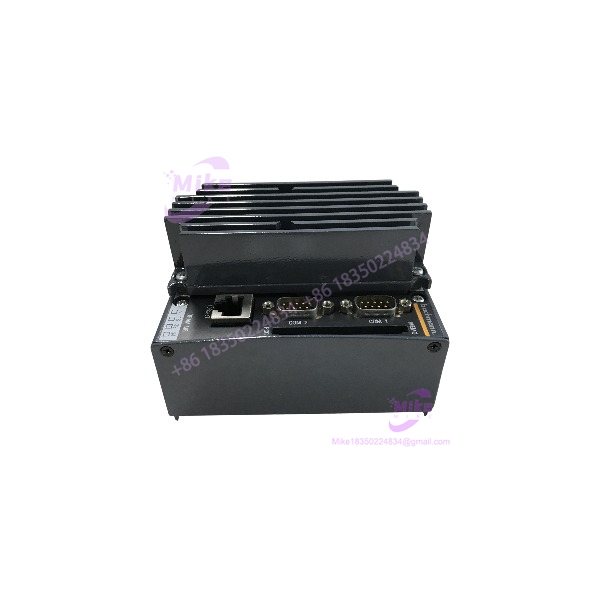
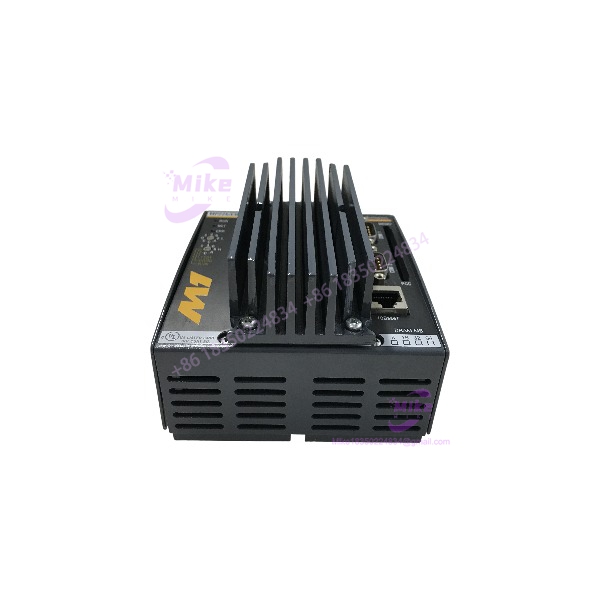
Bachmann MP226/E | M1 PLC CPU Processor Module
Product Introduction
The MP226/E belongs to the Bachmann M1 generation of modular industrial controllers, where the processor module provides the computational core for application programs and coordinates the system’s I/O and communication resources. This architecture was designed for applications requiring more than basic sequential PLC logic — including motion control, networking, data acquisition, and machine-level automation.
For maintenance teams supporting an installed Bachmann M1 system, the MP226/E is primarily a control-system lifecycle component. Replacing the CPU is therefore not simply a matter of matching the physical module. The controller’s application software, operating-system revision, memory/storage configuration, I/O topology, communication interfaces, and existing project backup all need to be considered before commissioning.
Bachmann’s M1 documentation describes its processor modules as supporting PLC, motion-control, communication, and data-center functions, with IEC 61131-3 programming supported at the system level.
MP226/E
Key Technical Specifications
- Manufacturer: Bachmann electronic
- Model: MP226/E
- Product category: PLC / machine-control processor
- System: Bachmann M1
- Module type: CPU / processor module
- Control architecture: Modular programmable automation controller
- Primary function: Application-program execution and system control
- System integration: M1 modular controller rack
- Status indication: Processor status LEDs
- Application domains: Industrial automation, machine control, motion control, and process-related applications
- Programming environment: Bachmann M1 engineering/software ecosystem
- PLC programming: M1 platform supports IEC 61131-3 programming languages
- Communication: Determined by the exact MP226/E hardware configuration and installed M1 system
- Memory configuration: Verify against the physical module and project documentation
- Firmware/software revision: Verify before replacement
- Storage/media configuration: Verify against the installed controller
- Power architecture: Supplied as part of the M1 controller architecture; verify rack/power configuration before commissioning
- Mounting: Modular M1 controller system
- Application type: Central processing/control unit
Bachmann’s broader M1 documentation identifies processor modules as the computing layer of the controller and describes support for PLC, motion, communication, and data-processing functions. The available MP226/E listings do not provide enough reliable evidence to assign a specific CPU speed, RAM capacity, flash capacity, or Ethernet configuration to every /E unit, so those values should not be assumed from another M1 processor variant.
Application Scenarios & Pain Points
Legacy Bachmann M1 PLC Replacement
The is relevant when an installed M1 controller has reached the end of its practical service life and the original CPU must be replaced without immediately redesigning the machine-control architecture.
Procurement issue: Verify the complete processor designation, hardware revision, memory configuration, and software environment before approving a substitute.
Machine-Control Systems
As an M1 processor module, the /E can serve as the central execution unit for PLC-based machine automation.
Typical system functions may include:
- Sequential machine logic
- Interlocking
- Alarm handling
- I/O processing
- Communication
- Motion-related control
- Operator-interface coordination
The exact functions depend on the application program loaded into the controller.
Motion-Control Applications
Bachmann’s M1 platform was designed to support motion applications ranging from multi-axis control to more advanced motion architectures. The processor’s suitability for a particular motion application depends on the installed software and system configuration rather than the CPU model alone.
Industrial Networking
M1 systems can integrate controller functions with external fieldbus and communication systems. During a CPU replacement, the existing network topology and communication configuration should therefore be documented before the original processor is removed.
Obsolete-Control-System Recovery
For an obsolete machine, retaining the original CPU family can reduce the scope of a modernization project.
The real value is often configuration continuity — existing I/O addressing, application logic, field wiring, and machine sequencing may be preserved rather than recreated from scratch.
QA & Live Testing SOP
For a procurement-grade , use the following recommended verification process.
1. Part-number verification
Confirm the physical label reads . Photograph the complete nameplate, connector area, status LEDs, and module housing.
2. Hardware inspection
Check for:
- Damaged connectors
- Bent pins
- Cracked housing
- Corrosion
- Contamination
- Missing covers
- Damaged mounting hardware
- Evidence of previous repair
3. Configuration verification
Before installation, document the existing controller:
- CPU model
- Hardware revision
- Firmware revision
- Application software version
- Memory/storage configuration
- I/O modules
- Communication modules
- Network addresses
- Application backup
4. Controlled power-up
Install the processor in the correct M1 system configuration and apply the specified system power under controlled conditions.
Observe startup behavior and processor status indicators.
5. Diagnostic verification
Check for processor faults, initialization errors, communication faults, and abnormal status indications.
6. Application verification
Where a valid project backup exists, confirm that the application can be restored to the replacement CPU using the appropriate Bachmann engineering environment.
Do not assume that a physically compatible processor contains the required application program.
7. I/O verification
After controller startup, verify the configured I/O topology before placing the machine into automatic operation.
Start with non-hazardous test conditions and confirm:
- Digital input states
- Digital output commands
- Analog values
- Communication status
- Interlocks
- Alarm handling
8. Functional test
Run the machine through a controlled sequence and verify that PLC execution, field I/O, communications, and machine-state transitions correspond to the approved commissioning procedure.
9. Documentation
Record:
- /E part number
- Serial number
- Hardware revision
- Firmware revision
- Software/project version
- Test results
- I/O configuration
- Replacement date
This is a recommended QA and commissioning procedure, not a claim that a particular /E unit has been tested.
Field Engineer’s Pitfall Guide
❗ Do not treat /E as a generic plug-in PLC CPU.
It belongs to the Bachmann M1 modular control architecture. Rack configuration, I/O modules, software, and communications must all be considered.
❗ Do not assume memory capacity from another Bachmann processor.
Bachmann produced multiple M1 processor generations and configurations. The available documentation for the broader M1 family shows significant differences between processor series, so RAM, flash, CPU speed, and interface specifications should be confirmed from the exact /E hardware revision.
❗ The replacement CPU may not contain your machine program.
A processor can be electrically functional while still being unusable for production because the required application software or configuration is missing.
❗ Preserve the original configuration before removing the CPU.
Back up the project, document communication settings, record the I/O topology, and photograph the installed system. This can save substantial commissioning time if the replacement requires configuration recovery.
❗ Verify connector and rack compatibility.
The M1 platform contains multiple processor, I/O, bus, and power modules. A matching model number does not eliminate the need to verify the surrounding rack architecture.
❗ Do not confuse /E with /EW or other related designations.
Secondary-market references separately identify and . Treat the suffix as a procurement-critical identifier.
Intent-Driven FAQ
What is Bachmann /E?
The is a Bachmann electronic M1 PLC/PAC processor module used as the central control processor within an M1 automation system. Secondary-market references classify it as a CPU processor/control unit.
Is /E a PLC input/output module?
No. It is primarily a processor/control module. The M1 architecture uses separate I/O and interface modules for field-level signal handling.
What system uses /E?
The belongs to the Bachmann M1 automation system. The M1 platform was designed for PLC, motion-control, communication, and industrial automation applications.
Can I replace an /E with another Bachmann M1 CPU?
Not automatically. You need to compare the exact processor designation, hardware revision, software/firmware compatibility, memory requirements, rack configuration, and communication requirements.
Does /E contain the PLC program?
Not necessarily. The CPU provides the processing hardware, but the machine’s application program and configuration are separate considerations. A replacement should be checked for the required project/software before installation.
What should I verify before buying /E?
At minimum, verify the complete part number, hardware revision, serial number, firmware/software requirements, memory configuration, installed M1 rack, I/O modules, communication interfaces, and availability of the original application backup.
Is /E obsolete?
Available industrial automation references classify /E as discontinued/legacy hardware, so it should be treated as a lifecycle-management item when planning procurement.
Is /E suitable for a legacy machine repair?
Potentially, if the existing machine uses the corresponding Bachmann M1 architecture and the CPU’s hardware/software configuration matches the installed application. For a critical production asset, verify the complete controller configuration before treating it as a direct replacement.





