


Description
AVG EZ-S6C-K EZTouch 6-Inch Color HMI
Product Introduction
The AVG EZ-S6C-K is a legacy industrial operator panel built around a simple premise: provide a dedicated color touchscreen interface for machines using AutomationDirect/DirectLOGIC PLC hardware.
The EZ-S6C-K belongs to the 6-inch color EZTouch family and uses a 5.7-inch STN color display with 320 × 240 resolution, 128-color capability, and a 48-cell resistive touchscreen. The manufacturer documentation identifies 512 KB of user memory and a standard bezel configuration.
There is one procurement detail that should not be overlooked. EZ-S6C-K is the K variant, and its supported PLC drivers are limited to DirectLOGIC PLCs. It should not be advertised as a universal multi-protocol HMI simply because other EZTouch models in the same family supported additional PLC drivers.
This makes the EZ-S6C-K particularly relevant for maintenance of older AutomationDirect/DirectLOGIC machines where replacing the HMI would otherwise require a panel redesign, new programming software, communication-driver conversion, and commissioning work.
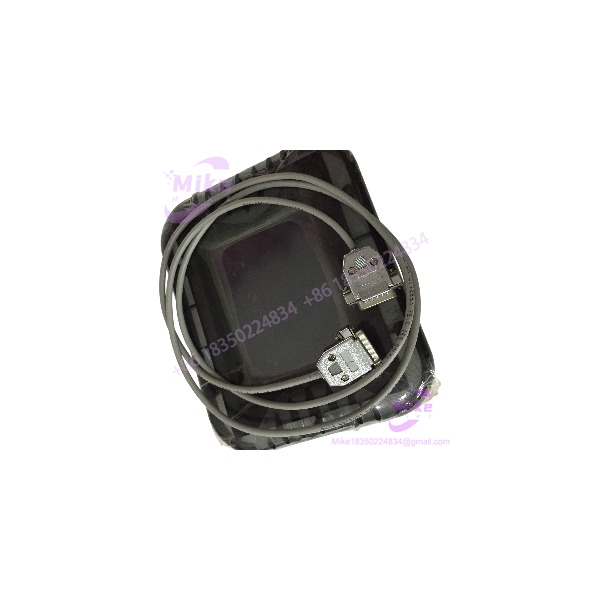
EZ-S6C-K
Key Technical Specifications
- Exact part number: EZ-S6C-K
- Product family: EZTouch
- Product category: HMI / operator interface
- Display type: Color STN LCD
- Display size: 5.7 inches diagonal
- Display resolution: 320 × 240 pixels
- Display colors: 128 colors
- Touch technology: Resistive touchscreen
- Touch cells: 48 cells, arranged 8 × 6
- User memory: 512 KB
- RAM expansion: Field expandable
- Documented expansion: Up to approximately 1–2 MB depending on hardware/document revision
- Program backup: Nonvolatile flash-card backup option
- PLC driver support: DirectLOGIC PLC drivers
- PLC interface: Serial PLC communication
- Ethernet: Not included in the standard EZ- configuration
- Optional Ethernet: The EZ- documentation distinguishes this model from EZ-S6C-F models that support Ethernet options
- Supply voltage: 20–30 VDC
- Enclosure rating: NEMA 4 / NEMA 4X for applicable indoor installation
- Bezel: Standard bezel
- Installed depth: Approximately 2.3 inches / 59 mm
- Expected display lamp half-life: Approximately 25,000 hours
- Mounting: Panel mount
- Mounting hardware: Eight mounting studs with gasket arrangement
- Approximate weight: 2 lb
- Product status: Legacy / discontinued
The manufacturer documentation gives the exact configuration as a 6-inch-class color STN panel with 512 KB memory, DirectLOGIC-only PLC driver support, and NEMA 4/4X capability. The detailed mechanical drawing lists approximately 59 mm installed depth.
Application Scenarios & Pain Points
1. DirectLOGIC Machine Maintenance
The most straightforward application is an existing machine using a DirectLOGIC PLC where the original operator panel has failed.
Keeping the same HMI architecture can eliminate unnecessary PLC communication changes and reduce commissioning time.
2. Legacy Packaging Machinery
The 48-cell resistive touch arrangement provides a relatively simple operator interface for machine status, setpoints, manual controls, alarms, and process navigation.
For an older packaging machine, replacing the HMI with a modern panel may introduce more engineering work than the original failure warrants.
3. Material Handling Systems
Older conveyors, indexing systems, sorting equipment, and discrete machine cells frequently rely on straightforward PLC/HMI interaction. The can serve as a replacement interface where the original DirectLOGIC communication architecture remains intact.
4. Spare-HMI Inventory
A tested can be useful as a plant spare when production equipment still depends on this legacy EZTouch generation.
The objective is not adding modern features. It is avoiding an unplanned HMI migration during a production outage.
5. Legacy Panel Retrofit
The standard-bezel mechanical format is also relevant when maintaining an existing panel cutout is more economical than redesigning the enclosure door.
The published mechanical documentation identifies the panel dimensions and mounting-stud arrangement needed for replacement planning.
QA & Live Testing SOP
For a used AVG EZ-, the display and touchscreen deserve more attention than a simple power-on check.
Our recommended inspection sequence:
- Verify the exact label.
- Inspect the LCD for cracks, pressure marks, dead areas, excessive discoloration, and uneven backlighting.
- Power the unit using a controlled 20–30 VDC supply.
- Verify the panel boots without abnormal behavior.
- Test the entire touchscreen surface rather than checking only the center of the display.
- Exercise all 48 touch cells where the test application permits.
- Check for areas with intermittent or inaccurate touch registration.
- Verify screen transitions and operator-button response.
- Check the PLC communication port with a known-good DirectLOGIC test environment.
- Confirm that the panel can communicate with the intended PLC driver.
- Inspect the mounting gasket and front bezel for deterioration.
- Check the programming/memory backup hardware if included.
- Verify that stored application data is retained after controlled power cycling.
- Inspect the serial connector for bent contacts or mechanical damage.
- Record LCD condition before shipment — particularly important for legacy STN displays.
A power-on test alone does not establish HMI usability. An aged resistive touchscreen can boot correctly while individual touch cells have already become unreliable.
Field Engineer’s Pitfall Guide
❗ Do not confuse EZ- with EZ-S6C-F. The suffix matters. The manufacturer specifies the for DirectLOGIC PLC drivers only, while EZ-S6C-F supports a broader range of PLC drivers and optional Ethernet functionality.
❗ Do not assume Ethernet is built in. The standard EZ- is not the Ethernet-equipped F-series configuration. Adding modern Ethernet functionality requires a different hardware configuration rather than simply changing software settings.
❗ Do not describe the display as a modern TFT panel. The exact EZ- uses a color STN LCD. That distinction is important when a customer is comparing replacement panels based on display technology.
❗ Check the touch surface thoroughly. A 48-cell resistive touchscreen can develop localized failures from age, repeated pressing, contamination, or mechanical damage. Test the complete active area.
❗ Check the PLC driver before promising compatibility. A customer replacing an obsolete HMI may assume that any EZTouch unit can communicate with the existing PLC. The exact K model has a narrower driver scope.
Intent-Driven FAQ
What is the AVG EZ-?
The AVG EZ- is an EZTouch industrial operator interface/HMI with a 5.7-inch-class color STN display and resistive touchscreen. It was designed primarily for DirectLOGIC PLC applications.
What size screen does the EZ- have?
The uses a 5.7-inch diagonal color STN LCD with 320 × 240 pixel resolution.
How many touch cells does the EZ- have?
The panel uses 48 resistive touch cells, arranged as an 8 × 6 touch-cell matrix.
How much memory does EZ- have?
The standard configuration has 512 KB of user memory. Manufacturer documentation also identifies field-expandable RAM and nonvolatile flash backup options.
What PLCs are compatible with EZ-?
The exact is specified for DirectLOGIC PLC drivers. It should not be represented as a universal PLC HMI.
Does the EZ- have Ethernet?
The standard EZ- does not include the Ethernet functionality associated with the EZ-S6C-F family. The manufacturer’s documentation explicitly differentiates the K and F variants by their supported PLC interfaces and option-board capabilities.
What voltage does the EZ- use?
Secondary industrial-service documentation specifies a 20–30 VDC operating range for the EZ-. For a used unit, the actual nameplate should still be checked before applying power.
Procurement Note
The exact procurement identifier is AVG EZ-.
Do not shorten the listing to simply “EZTouch 6-inch HMI.” The suffix determines the communication capability, and EZ- is specifically the standard-bezel, DirectLOGIC-oriented configuration. The manufacturer’s hardware manual identifies 512 KB user memory, expandable RAM, flash-card backup capability, and NEMA 4/4X protection for this model.
For a used replacement, verify:
- Exact model:
- Display condition
- Touchscreen response across all 48 cells
- 320 × 240 display operation
- Backlight condition
- 20–30 VDC power input
- DirectLOGIC communication
- Serial connector condition
- Memory retention
- Flash backup hardware, if included
- Front gasket and bezel condition
- Panel mounting hardware
- Existing HMI application/program availability
Important: The manufacturer’s documentation is the preferred source for the model identification and feature set. Some industrial reseller pages list the product under “AVG Automation,” while current EZTouch documentation is distributed through the EZ Automation/AutomationDirect ecosystem. The model itself is consistently identified as .
For procurement purposes, this is best treated as a legacy DirectLOGIC HMI replacement part, not as a general-purpose modern touchscreen panel.





