

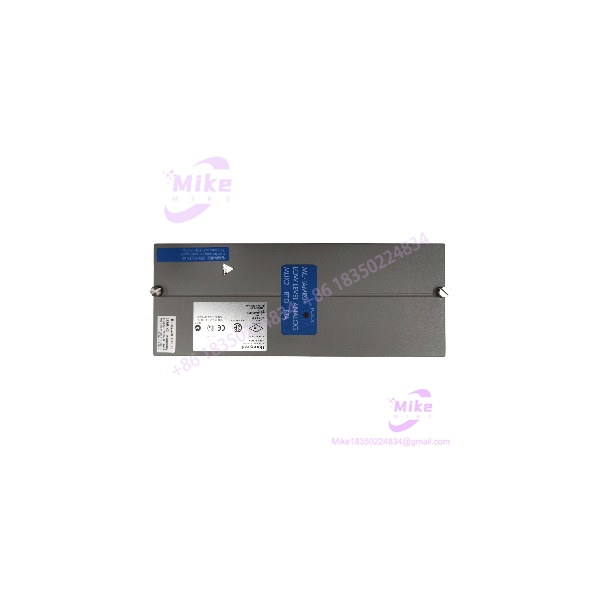
Description
Honeywell MC-TAMR04 | RTD Input Multiplexer
Product Introduction
When a temperature-input section starts throwing bad readings on an older Honeywell control system, replacing the entire I/O architecture is usually not the first thing a maintenance engineer wants to do. The Honeywell MC-TAMR04 is a dedicated low-level analog RTD field termination assembly designed for the PMIO architecture, giving maintenance teams a direct hardware reference when an installed FTA has failed or become unreliable.
The electrical path matters here. The MC-TAMR04 handles RTD inputs through the Honeywell PMIO low-level multiplexer arrangement, with documentation specifying 16 input channels and a 1-second I/O scan interval. The documented channel bandwidth is 0–4.7 Hz at -3 dB, which is appropriate for temperature measurements rather than high-speed process transients.
This is not a generic analog board. Connector arrangement, IOTA type, installed PMIO module, channel allocation, and RTD configuration all need to match before substitution.
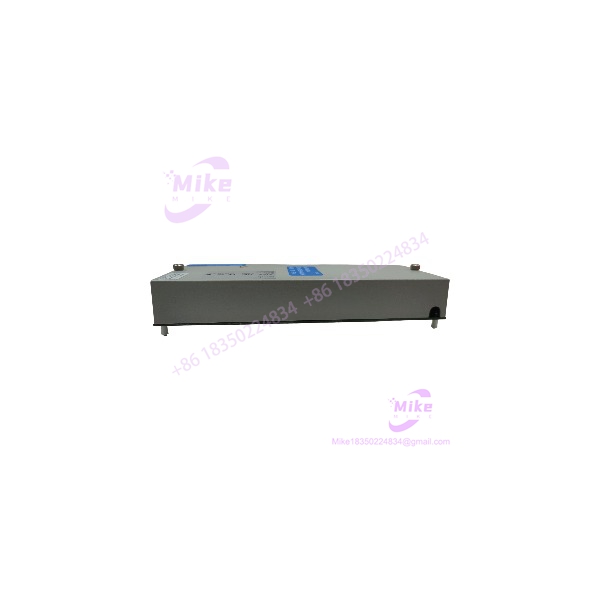
MC-TAMR04
Key Technical Specifications
- Manufacturer: Honeywell
- Model: MC-TAMR04
- Part Number: 51305907-175
- Function: Low-Level Analog Input Multiplexer
- FTA Type: LL Mux RTD
- Input: RTD
- Number of Channels: 16
- I/O Architecture: Honeywell PMIO
- Maximum PMIO Multiplexer Capacity: 64 channels
- Channel Expansion: 16-channel increments
- Input Scan Rate: 1 second, fixed by IOM
- Maximum Aggregate Scan Rate: Up to 64 channels/second within the documented PMIO architecture
- Channel Bandwidth: 0–4.7 Hz (-3 dB)
- Temperature Measurement Application: RTD process-temperature acquisition
- FTA Mounting Size: 12-inch class within the documented PMIO FTA architecture
- Redundancy: The MC-TAMR04 FTA itself is not identified as a redundant FTA in the hardware planning documentation.
The distinction between the 16-channel FTA and the 64-channel PMIO module is important. The MC-TAMR04 is the field termination component; it is not itself a 64-channel controller.
Application Scenarios & Pain Points
Process Temperature Monitoring
Without the MC-: A failed RTD termination assembly can interrupt temperature measurement across an installed process-control section even though the upstream I/O hardware remains operational.
With the correct MC-: The existing PMIO signal architecture can be maintained without redesigning the entire temperature-input section.
For temperature applications, the documented 1-second scan interval is the number that matters. This is process instrumentation, not a motion-control feedback loop.
Refinery, Chemical, and Utility Control
Multiple RTD points may be distributed across vessels, heat exchangers, piping, compressors, or utility skids.
The MC- provides the field-side RTD interface for a 16-channel section. If a plant has four corresponding 16-channel sections, the PMIO architecture can reach the documented 64-channel capacity.
Legacy Honeywell Cabinet Maintenance
A common maintenance problem is not finding a Honeywell FTA. It is finding the right one.
MC-TAMR02, MC-TAMR03, and MC- are separate hardware references. Their model numbers are close enough to cause procurement mistakes, yet their associated part numbers and system configurations differ. The hardware planning documentation specifically maps MC- to 51305907-175.
Temperature-Control Loops
A temperature loop normally changes far more slowly than a pressure or flow-control loop. The documented 0–4.7 Hz channel bandwidth and 1-second scan interval therefore need to be considered against the process dynamics rather than compared with fast analog-input hardware.
That distinction can save a retrofit team from specifying the wrong I/O technology simply because another module happens to accept an analog signal.
QA & Live Testing SOP
For a used, surplus, or obsolete Honeywell MC-, visual inspection is only the beginning.
- Part verification: Confirm and 51305907-175 against the purchase requirement.
- Hardware inspection: Examine the PCB, FTA body, terminal connections, connectors, labels, fasteners, and insulation barriers.
- Condition check: Look for corrosion, contamination, cracked housings, bent contacts, overheated components, and evidence of previous repair.
- Electrical inspection: Check relevant continuity and isolation paths before applying system power.
- Controlled power-up: Test through an appropriate Honeywell-compatible test assembly where available rather than inserting an unknown unit directly into a production cabinet.
- Signal simulation: Use calibrated RTD simulation equipment to verify representative input behavior where the complete test setup is available.
- Channel verification: Test multiple channels rather than declaring the entire FTA functional after checking one point.
- System handshake: Verify communication and I/O recognition at the associated Honeywell I/O level.
- ESD protection: Handle and package the assembly using an ESD-safe workstation, antistatic bag, and conductive protective material.
A seller saying “tested” is not enough information for a critical spare. Ask what was actually powered, which channels were checked, and whether the test was performed in the intended Honeywell I/O environment.
Field Engineer’s Pitfall Guide
❗ Do not confuse the FTA with the I/O module. The MC- is an FTA associated with the Honeywell PMIO low-level multiplexer architecture. It does not replace the corresponding I/O processor/module by itself.
❗ Do not substitute MC-TAMR02, MC-TAMR03, or MC-TAMT04 simply because the model names look similar. The documented hardware list assigns different part numbers and functions to these assemblies. MC- is the RTD version, while the TAMT family is associated with thermocouple input.
❗ Do not assume a thermocouple configuration will work with an RTD FTA. The documented MC- function is LL Mux RTD. Thermocouple and RTD hardware should be matched to the actual field instrumentation and I/O configuration.
One more point from the field: record the existing channel configuration before pulling the old assembly. A replacement can be electrically correct and still create commissioning problems if the plant documentation does not match the actual cabinet wiring.
Intent-Driven FAQ
What is the Honeywell MC-?
The Honeywell MC- is a 16-channel low-level analog input multiplexer RTD field termination assembly used within Honeywell’s PMIO I/O architecture. Its documented part number is 51305907-175.
Is MC- an RTD or thermocouple module?
RTD. Honeywell documentation identifies MC- as an LL Mux RTD FTA. The related MC-TAMT04 is used for thermocouple applications. Do not substitute the two based solely on connector appearance.
How many inputs does MC- have?
The documented MC- provides 16 RTD input channels. It forms part of a PMIO low-level multiplexer architecture capable of supporting up to 64 channels in 16-channel increments.
What is the scan rate of MC-?
The associated PMIO I/O architecture specifies a 1-second fixed scan interval, with up to 64 channels per second maximum across the documented 64-channel configuration.
What is the bandwidth of MC-?
The published Honeywell technical specification gives a channel bandwidth of 0 to 4.7 Hz at -3 dB. This specification should be considered when evaluating fast-changing temperature applications.
Is MC- compatible with every Honeywell Experion system?
No. Compatibility depends on the installed I/O architecture, IOTA, I/O module, FTA wiring, configuration, and system generation. The hardware planning documentation specifically associates MC- with the PMIO LL Mux arrangement, so verify the receiving hardware before ordering.
Can I hot-swap MC-?
Do not assume it is hot-swappable. Follow the applicable Honeywell system maintenance procedure and plant isolation requirements. If the installed architecture does not explicitly support live FTA replacement, power down and isolate the relevant equipment before removing the assembly.
How do I verify the correct replacement?
Match , 51305907-175, the physical connector and terminal arrangement, the associated IOTA/I/O module, and the existing RTD configuration. The part number is the starting point—not the entire compatibility check.
Does a warranty prove that the MC- is compatible?
No. A warranty generally addresses the condition or functionality of the supplied hardware; it does not establish compatibility with your particular Honeywell cabinet. Confirm the system configuration before installation.





