


Description
Emerson 5X00501G01 | Ovation Analog Input Module In Stock
Architect’s Product Breakdown
The Emerson 5X00501G01 operates as an essential signal acquisition electronics module within the Ovation Distributed Control System (DCS) I/O sub-rack architecture. Designed to fit directly into standard Ovation baseplate units (such as the 5X00497 series), this card conditions, filters, and digitizes analog field variables—such as flow rates, steam pressure, and fluid temperatures—and streams them to the local controller across the high-speed backplane.
In power generation and critical continuous process plants, analog line noise and ground loops are primary drivers of signal jitter and false trips. The 5X00501G01 mitigates this by applying active onboard signal filtering alongside isolation barriers that isolate field wiring faults from sensitive backplane microprocessors. Its architecture uses dedicated Analog-to-Digital converters (ADC) with rapid scan rates, providing low latency for tight feedback loops like boiler feed pumps and turbine governor controls.
Replacing or upgrading this module in an active rack requires zero hardware rewiring, as field cables land on the baseplate terminal block rather than the card itself. However, maintaining exact group hardware alignment (G01) is critical during system maintenance to preserve channel calibration constants, ADC resolution, and firmware timing compatibility across redundant controller pairs.
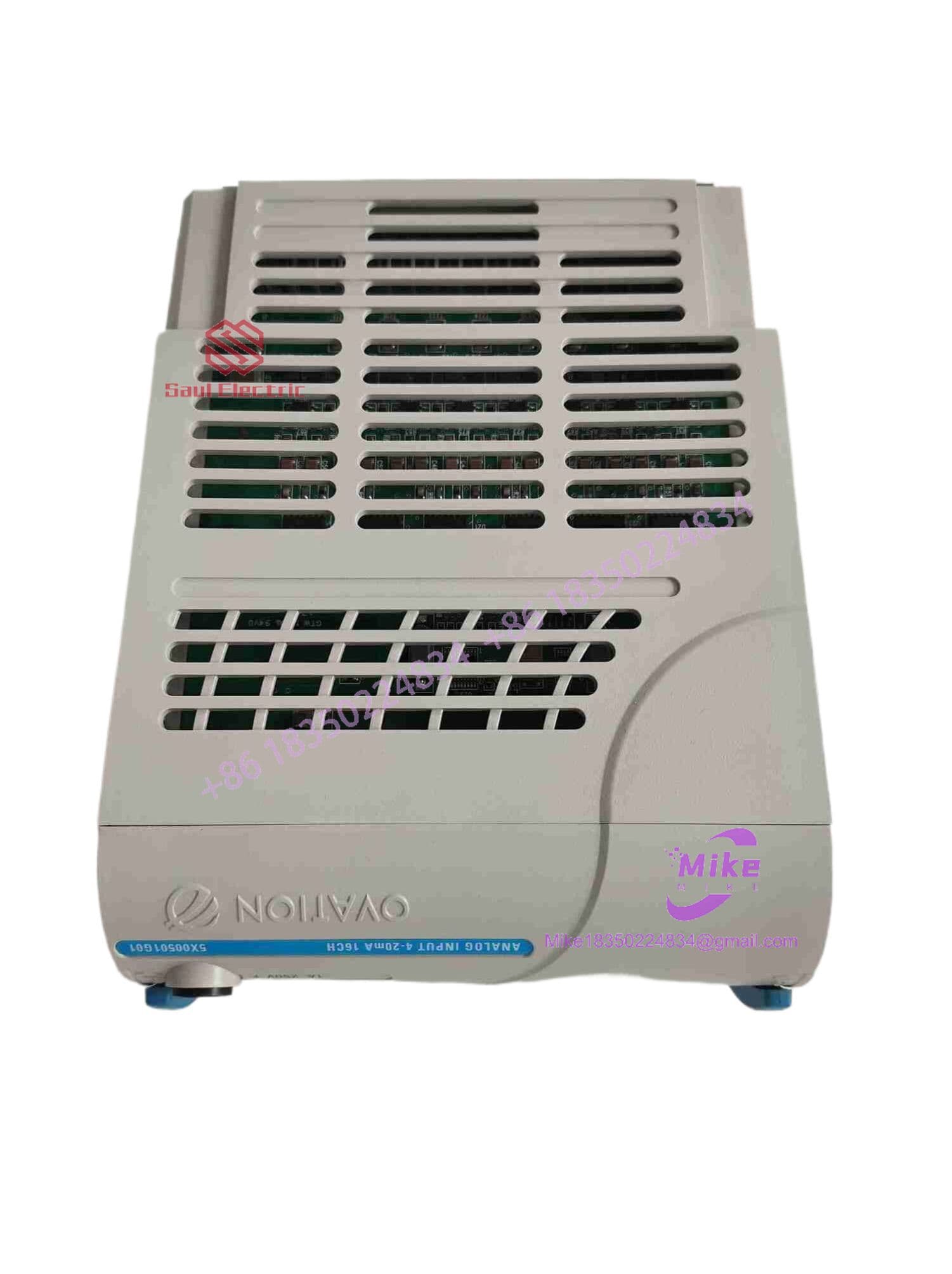
5X00501G01
4. Key Technical Specifications
| Parameter | Technical Specification |
| Manufacturer | Emerson Process Management / Westinghouse |
| System Compatibility | Ovation DCS I/O Baseplate Assemblies |
| Module Type | Analog Input Electronics Card |
| Input Channels | 8 Single-Ended or Differential Channels |
| Signal Range | 4 to 20 mA DC (Standard Process Loop) |
| Input Impedance | 250 Ohms (Nominal) |
| A/D Resolution | 12-Bit to 16-Bit (Configuration Dependent) |
| Power Consumption | 24 VDC Backplane Feed (~300 mA Max Draw) |
| Isolation Rating | 1500 VAC Channel-to-Backplane Isolation |
| Operating Temperature | -40°C to 70°C (-40°F to 158°F) |
| Relative Humidity | 5% to 95% Non-Condensing |
Field Engineer’s Pitfall Guide (Unique Value)
- UNGROUNDED TRANSMITTER LOOPS CAUSING CROSS-CHANNEL LEAKAGE: Never hook up unisolated 4-wire transmitters without verifying loop grounding. While the 5X00501G01 features robust channel-to-backplane protection, severe common-mode voltage differences between ungrounded field transmitters can blow the input precision resistor on channel 1, causing phantom voltage offsets to bleed into channels 2 and 3.
- FORGETTING TO MASK UNUSED CHANNELS IN SOFTWARE: Always disable unused input channels in Ovation Developer Studio before putting the loop in Auto. Leaving an unused channel enabled on the 5X00501G01 card will cause the floating input to read open-circuit (under-range), generating continuous hardware alarm logs that clog the Ovation alarm server and slow down diagnostic reporting.
- BENT BASEPLATE PIN ALIGNMENT ON INSERTION: Do not slam the card into the base unit. The multi-pin edge header on the bottom of the 5X00501G01 must slide straight onto the baseplate connector. I’ve seen technicians push cards in at an angle during a hot-swap, bending the 24V supply pin flat against the PCB backplane, instantly tripping the local branch power fuse.
QA & Testing SOP (Transparency)
- Visual & Mechanical Audit: Inspection under magnification for micro-fissures on edge connector gold fingers, cracked surface-mount capacitors, and physical latch integrity.
- Current Loop Calibration Test: Precision 4-20mA signal generator applied sequentially across all input channels at 0%, 25%, 50%, 75%, and 100% range to verify linear ADC response within ±0.05% tolerance.
- High-Potential Galvanic Testing: Insulation resistance tested at 500VDC across field terminals and backplane ground points to verify proper isolation barrier functionality.
- Live Ovation Rack Diagnostics: Card inserted into a live test rack for 8 hours to evaluate thermal stability, firmware handshakes, and node status reporting under load.
- Anti-Static Packaging: Sealed in static-shielding bags with moisture-absorbent desiccant packs and boxed in high-density anti-impact foam packaging.
Technical FAQ
Can I hot-swap the 5X00501G01 card while the process is live?
Yes. Individual Ovation I/O cards like the 5X00501G01 support live hot-swapping. Field wiring lands on the baseplate, not the module. However, before pulling the card, ensure the dependent process control loops are placed in Manual mode to prevent unexpected valve shifts or trips when signal feed cuts out.
Does the 5X00501G01 support HART digital protocol pass-through?
No. The standard 5X00501G01 is a conventional analog input module designed for pure 4-20mA current loop acquisition. If your field transmitters require HART pass-through to send asset management diagnostic data to Ovation AMS, you need a dedicated HART-enabled Analog Input card (such as the 5X000x series with HART support).
What happens if a field transmitter wire breaks on an active channel?
When a field wire breaks, the current drops below the 3.8mA low-fail threshold. The 5X00501G01 recognizes this as an “Under-Range / Bad Quality” fault, sets the signal quality attribute in the Ovation database to BAD, and triggers the configured fallback logic (holding last value or defaulting to a preset safe state).
Do I need to calibrate the 5X00501G01 before field installation?
No. The module comes factory-calibrated with onboard flash memory storing digital calibration trim factors. Once plugged into a functional baseplate, the Ovation controller recognizes the hardware address and begins reading process values immediately without requiring potentiometer tweaks or manual field zero/span adjustments.
Why is my replacement 5X00501G01 showing a “Module Type Mismatch” error in software?
This error occurs when the hardware module installed in the slot does not match the I/O configuration defined in Ovation Developer Studio. Verify that your software drop configuration specifies a standard 8-channel Analog Input card and that the hardware revision letter is compatible with your installed Ovation software release version.





