


Description
B&R 7EX484.50-1 | Ethernet POWERLINK Bus Module
Architect’s Product Breakdown
The B&R 7EX484.50-1 (EX484) represents a technological jump within the legacy SYSTEM 2003 catalog, transitioning remote I/O sub-assemblies from traditional CAN bus limits up to real-time, deterministic 100 Mbit/s Ethernet POWERLINK communications. It sits in the leftmost bus controller slot of a SYSTEM 2003 expansion rack, acting as an interface gateway that bridges local digital and analog I/O modules directly back to a central CPU or industrial PC host.
Equipped with an integrated 4-port Ethernet POWERLINK hub (100 Base-T) utilizing shielded RJ45 jacks, the 7EX484.50-1 eliminates the need for external industrial network switches. This internal hub architecture allows field engineers to construct flexible star, line, or tree topologies directly between machine sub-racks or servo drive groupings. The module incorporates an isolated 24 VDC power supply stage to energize the local expansion backplane bus while maintaining strict galvanic isolation against high-voltage industrial ground noise.
Station selection is handled via front-mounted rotary address dials, allowing simple identification across the deterministic POWERLINK managing node (MN) network. Because deterministic real-time Ethernet relies on tightly scheduled microsecond time-slots, the 7EX484.50-1 provides predictable cyclic data exchange, making it suitable for synchronized multi-axis motion machinery and high-speed processing packaging lines that outgrew standard serial or fieldbus bandwidth.
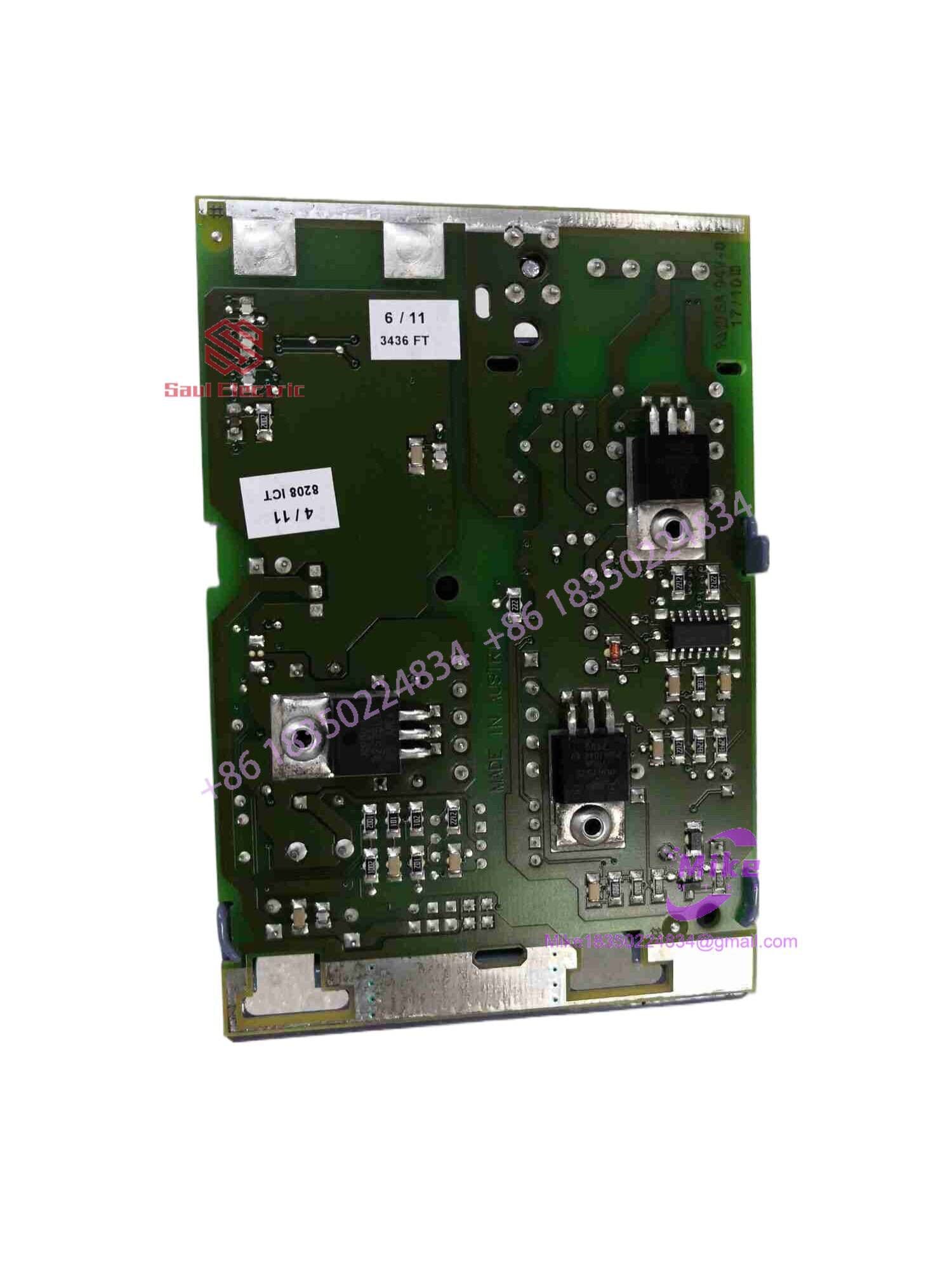
7EX484.50-1
Key Technical Specifications
| Parameter | Specification |
| Fieldbus Protocol | ETHERNET POWERLINK (Real-Time Ethernet) |
| Physical Interface | 4x RJ45 shielded sockets (Integrated 4-port Hub) |
| Transfer Rate | 100 Mbit/s (100 Base-T full duplex) |
| Input Voltage | 24 VDC (-15% / +20%) |
| Galvanic Isolation | Integrated optocoupler/transformer isolation |
| Node Addressing | Hardware rotary switches on front panel |
| Status Display | LED diagnostics for Link/Activity, Power, and POWERLINK status |
| Backplane Power Supply | Integrated DC-DC converter feeding local expansion rack |
| Certifications | CE, UKCA, cULus HazLoc Class I Div 2 |
| Operating Temperature | 0°C to +60°C |
Field Engineer’s Pitfall Guide
WARNING: Unshielded CAT5 Patch Cables and EMI Dropouts
Because ETHERNET POWERLINK operates at 100 Mbit/s in noise-heavy industrial environments, using standard commercial unshielded (UTP) Ethernet cables will lead to severe packet corruption and sudden bus-off faults triggered by nearby VFDs or servo drives. Always use double-shielded industrial-grade CAT5e or CAT6 cables (S/FTP) with 360-degree metallic RJ45 connector hoods grounded to the chassis.
WARNING: Standard Ethernet Switch Insertion Breaks Real-Time Timing
Never insert a commercial or non-POWERLINK-managed Ethernet switch into the network chain between the master CPU and the 7EX484.50-1 ports. Standard store-and-forward switches introduce unpredictable packet jitter that breaks microsecond synchronization, immediately dropping the controller into a network fault state. Use only the integrated 4-port hub connectors on the module faceplate for daisy-chaining.
WARNING: Station Address Dial Mismatch on Hot Spares
The POWERLINK managing node maps I/O slices based strictly on the hardware station number configured via the 7EX484.50-1’s front rotary dials. Replacing a faulty card with a new module without dialing in the exact station number will prevent the master controller from recognizing the slave, leaving the sub-rack disabled.
QA & Testing SOP
- Visual & Structural Inspection:
- Verify integrity of the housing, guide rails, and RJ45 port shield springs.
- Check for bent or oxidized backplane connector pins.
- Inspect front panel rotary hex switches for crisp detent positions.
- Electrical & Isolation Testing:
- Apply 24 VDC to primary power terminals and verify DC OK status.
- Check power rail outputs under a 10 W simulated backplane load.
- Conduct high-potential insulation testing between the 24 VDC supply ground and the Ethernet RJ45 shield ground.
- POWERLINK Network Functionality Bench Test:
- Mount module onto an active SYSTEM 2003 base rack with attached digital/analog I/O cards.
- Connect to an Automation Studio test bench configured with an Ethernet POWERLINK Managing Node (MN).
- Verify all 4 RJ45 hub ports by executing packet loopback and pass-through tests across every port combination.
- Dynamic Thermal & Cycle Burn-In:
- Run continuous cyclic I/O data polling across the POWERLINK network for 24 hours in a 50°C thermal chamber.
- Monitor for frame loss, late timing jitter, or CRC hardware errors under elevated operating temperature.
- ESD Cleaning & Storage Preparation:
- Clear outer casing and contact pins with zero-residue electronic cleaner.
- Pack module in static-shielding ESD bags with fresh desiccant prior to logistics dispatch.
Technical FAQ
Can I use any of the 4 ports on the 7EX484.50-1 to connect to the master CPU?
Yes. The 4 ports on the front panel are backed by an integrated internal 100 Mbit/s hub. You can plug the incoming network line into any port and use the remaining three ports to branch or daisy-chain off to other POWERLINK slave nodes, servo drives, or visualization panels.
Is the 7EX484.50-1 compatible with standard TCP/IP network traffic?
ETHERNET POWERLINK uses standard IEEE 802.3 Ethernet frames. While standard TCP/IP traffic can be encapsulated during designated asynchronous time slots in a POWERLINK cycle, plugging a standard IT laptop directly into an active POWERLINK network without proper configuration can disrupt real-time cyclical timing.
Does this module hold local PLC application code?
No. The 7EX484.50-1 is an interface bus controller, not a standalone CPU. It manages local backplane bus communications and packages I/O signal states into POWERLINK network frames transmitted back to the primary controller.
Can I hot-swap the 7EX484.50-1 while the rack is live?
No. The B&R SYSTEM 2003 backplane architecture does not support live module replacement. You must disconnect the 24 VDC main power supply from the sub-rack before removing or inserting the module to prevent electrical damage to the backplane pins and transceiver components.





