


Description
YAMATAKE EST0240Z05WBX00 5.7-Inch Color HMI
Product Introduction
Old HMIs create a very specific maintenance problem: the machine may be perfectly functional, but the operator interface becomes the part that finally fails. The YAMATAKE EST0240Z05WBX00 was built for exactly this type of control environment — a panel-mounted Smart Terminal providing graphical display, touch operation, and serial communication with automation equipment.
The EST0240Z05WBX00 belongs to the EST240Z Smart Terminal family. Its hardware uses a 5.7-inch color STN LCD with 320 × 240 resolution, while the model code identifies the white enclosure/display configuration. The documented memory capacity is 1 MB, and the unit supports programmable screens rather than functioning as a conventional PLC processor.
That distinction matters during replacement. This is an HMI/programmable display terminal, not a standalone controller. The existing application data, communication driver, PLC/DCS interface, and panel wiring all need to be considered before assuming a replacement will operate immediately.
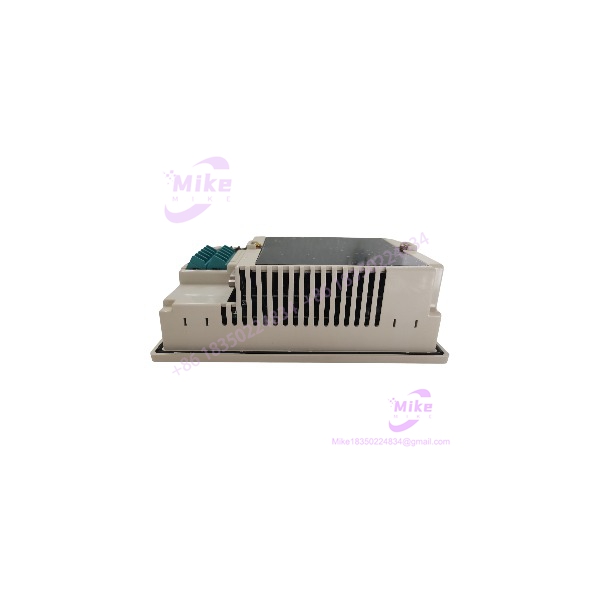
EST0240Z05WBX00
Key Technical Specifications
- Manufacturer: YAMATAKE
- Current Manufacturer Identity: Azbil Corporation
- Exact Model: EST0240Z05WBX00
- Series: EST240Z
- Product Type: Smart Terminal / programmable display unit
- Display Technology: Color STN LCD
- Screen Size: 5.7 inches
- Resolution: 320 × 240 pixels
- Display Colors: 256 colors for BMP images; 64 colors for smart objects
- Effective Display Area: 115 × 86 mm
- Touch Method: Transparent resistive-film analog touch switch
- User Memory: 1 MB
- Registered Screens: Up to 999 panels
- Simultaneous Panel Display: Up to 8 panels
- Power Supply: 24 VDC ±15%
- Permitted Supply Range: 20.4–27.6 VDC
- Current Consumption: 1 A or less
- Serial Interface: RS-232C
- Serial Interface: RS-485
- Infrared Interface: IrDA-equivalent
- Operating Temperature: 0 to 50°C
- Operating Humidity: 30–85% RH, non-condensing
- Front Protection: IP65
- Installation: Vertical panel mounting
- Cooling: Natural convection
- Dimensions: 140 × 210 × 71.2 mm
- Mass: Approximately 1.3 kg
- Withstand Voltage: 500 VAC for 1 minute under the specified test conditions
- Engineering Software: AP Editor
- Associated Maintenance Parts: EST240Z-specific LCD/backlight and battery components
The core electrical and mechanical specifications above come from the EST240Z documentation; the manufacturer also maintains an EST240Z manual under document number CP-UM-5145JE.
Communication & Control Architecture
The EST240Z is more capable than a simple display because its communication architecture was designed to connect the terminal with controllers and other automation devices.
Documented interfaces include:
- CH0: Infrared communication / IrDA
- CH1: RS-232C
- CH2: RS-485, 5-wire configuration
- CH3/CH4: RS-485, 3-wire configurations
The EST-Z communication documentation also shows connection examples for Yamatake controllers, DMC10, CMC10, and third-party PLC platforms including Omron systems. Depending on the application, RS-485 networks can support one-to-many configurations.
This is important when replacing an existing unit. The physical HMI is only one part of the system. The communication driver and application data determine what controller the terminal can actually communicate with.
Application Scenarios & Pain Points
Legacy Machine HMI Replacement
The EST0240Z05WBX00 is particularly relevant where an older machine still relies on the original application. Replacing the HMI with a modern panel may require rewriting screens, rebuilding communications, and validating the operator interface.
Keeping the same platform can reduce that migration work.
Process Monitoring
The programmable display architecture supports multiple screens and smart objects, making it suitable for monitoring process variables, alarms, status information, and operator commands.
PLC Interface
The EST-Z documentation includes communication examples for multiple controller families. RS-232C and RS-485 provide the physical communication paths, while the configured driver determines the actual protocol and data mapping.
DMC10 / Yamatake Control Systems
The documentation specifically covers connection with Yamatake DMC10 equipment, including RS-485 communication arrangements. This makes exact driver and wiring verification especially important when maintaining an older Yamatake control installation.
Panel-Mounted Operator Stations
The 140 × 210 × 71.2 mm enclosure and vertical panel-mount design make the suitable for installation directly into a machine or control-panel door. Natural convection is used for cooling, so cabinet temperature and clearance should be considered during installation.
QA & Live Testing SOP
For a legacy Smart Terminal, the display is only half of the test.
- Model verification: Confirm the complete
EST0240Z05WBX00marking. - Color/enclosure verification: Confirm the white-model configuration rather than assuming all units are identical.
- LCD inspection: Check for dead pixels, uneven illumination, dark areas, discoloration, and visible LCD damage.
- Backlight test: Operate the display long enough to identify intermittent or unstable illumination.
- Touchscreen test: Check the complete active area for dead zones, drift, false touches, and inconsistent response.
- Power test: Apply 24 VDC within the documented ±15% range using a controlled power source.
- Current observation: Verify that current consumption remains within expected operating conditions.
- Communication test: Establish a suitable RS-232C or RS-485 connection and confirm communication with the intended controller.
- Screen/application test: Load or verify a known-good application where available.
- Memory verification: Confirm that application data can be retained and recalled correctly.
- Connector inspection: Examine rear terminals and communication connectors for oxidation, looseness, or mechanical damage.
- Battery inspection: Check the internal maintenance battery where applicable.
- ESD packaging: Protect the terminal and exposed connectors during storage and shipment.
A powered display with a working touchscreen is not automatically a tested HMI. For a replacement unit, communication and application-data verification are the tests that matter most.
Field Engineer’s Pitfall Guide
❗ Do not confuse with the black variant. The manual identifies as the white model, while EST0240Z05BBX00 is the black model.
❗ Do not treat the unit as a PLC CPU. The is a programmable display Smart Terminal. The controller remains a separate system component.
❗ Do not assume RS-485 means generic Modbus compatibility. The EST-Z platform uses configured communication drivers, and the documentation includes dedicated drivers/connections for Yamatake and third-party controller families. Physical RS-485 compatibility alone does not establish protocol compatibility.
❗ Check the application software before replacing the hardware. A new or refurbished terminal may power up correctly while lacking the machine’s original screen/application data.
❗ Watch the LCD/backlight condition. The documentation specifies finite LCD and backlight service life, and specialized repair companies still list this exact model for LCD-related service.
Intent-Driven FAQ
What is the YAMATAKE ?
The is an Smart Terminal, functioning as a programmable industrial HMI/display unit rather than a PLC CPU.
What screen does use?
It uses a 5.7-inch color STN LCD with a 320 × 240 pixel resolution. The documented configuration supports 256 colors for BMP images and 64 colors for smart objects.
What voltage does require?
The specified supply is 24 VDC ±15%, corresponding to 20.4–27.6 VDC. Current consumption is specified as 1 A or less.
Does have a touchscreen?
Yes. The uses an analog transparent resistive-film touch switch.
What communication ports are available?
The EST-Z architecture supports RS-232C, RS-485, and IrDA-equivalent infrared communication. Different channels use different physical interfaces, so the correct channel and wiring should be checked against the application.
How much memory does have?
The documented memory capacity is 1 MB, with up to 999 registered panels and up to 8 panels displayed simultaneously.
Is suitable as a legacy replacement?
Yes, provided the existing machine uses the same configuration and the replacement unit’s application data, communication driver, wiring, and controller interface are compatible.
What should be checked before purchasing?
Verify the complete model number, white-model configuration, LCD/touch condition, 24 VDC power operation, communication interfaces, internal battery condition, application-data availability, and compatibility with the existing controller.
Procurement Note
YAMATAKE is a genuine Smart Terminal configuration with unusually well-documented legacy specifications. The strongest source is the manufacturer’s documentation, which confirms the model family and technical architecture; Azbil also continues to host manuals and documentation.
For a machine replacement, I would prioritize application-data recovery and communication-driver verification over cosmetic condition. A clean LCD is useful, but an HMI that cannot load the existing project or communicate with the installed controller is still the wrong spare.





