


Description
UNIOP ETOP306 HMI | 5.7-Inch TFT Touchscreen
Product Introduction
The UNIOP ETOP306 belongs to the eTOP Series 300 family of industrial operator panels built around a compact 5.7-inch color touchscreen. It was designed for factory automation and building-control applications where the operator needs a graphical interface rather than a conventional pushbutton station. The documented hardware combines a TFT display, resistive touch input, Ethernet, USB, and configurable serial communication.
For legacy machinery, the important point is not simply screen size. The ETOP306 can preserve an existing UniOP Designer application environment and established PLC communication architecture, which makes it relevant when replacing an aging panel without immediately redesigning the entire HMI layer. EXOR’s current support documentation still references ETOP306 hardware revisions and firmware behavior, including restrictions affecting firmware downgrade operations.
This is a 5.7-inch HMI, not a PLC CPU. The panel can provide operator visualization and communication functions, while the actual control logic depends on the connected PLC or the specific hardware/software configuration.
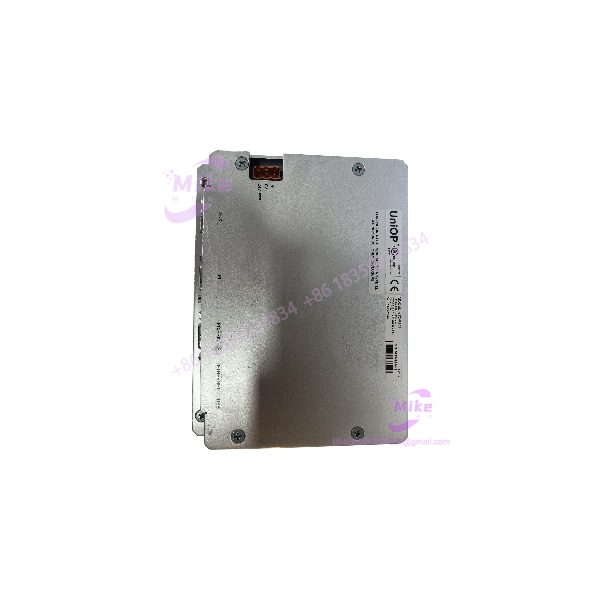
ETOP306
Key Technical Specifications
- Manufacturer/Brand: UNIOP
- Model: ETOP306
- Series: eTOP300 / eTOP Series 300
- Application: Industrial operator interface / HMI
- Display Technology: Color TFT
- Display Size: 5.7 inches
- Resolution: 320 × 240 pixels
- Color Capability: 64K colors
- Backlight: LED
- Touchscreen: Analog resistive
- User Memory: 64 MB
- Power Supply: 24 VDC
- Permitted Supply Range: 18–30 VDC
- Maximum Current Consumption: Approximately 0.55 A at 24 VDC
- Ethernet: Integrated 10/100 interface
- USB: Integrated USB interface
- Serial Interfaces: RS-232, RS-485, and RS-422, software configurable
- Serial Baud Rate: 300–38,400 baud for the documented serial interfaces
- PLC Port: RS-232 / RS-485 / RS-422 configurable
- PC/Printer Port: RS-232 / RS-485 / RS-422 configurable
- AUX Port: D-sub connector with optional communication-module functionality
- Alarm Capacity: Up to 1,024 alarms
- Event List: Up to 1,024 events
- Recipe Function: Flash-based recipe storage
- Data Acquisition: Supported
- Trend Functions: Supported
- Multilanguage Support: Supported
- Dual-Driver Capability: Supported
- Operating Temperature: 0 to 50°C
- Storage Temperature: -20 to +70°C
- Humidity: 5–85% RH, non-condensing
- Front Protection: IP65
- Rear Protection: IP20
- Faceplate Dimensions: Approximately 187 × 147 mm
- Panel Cutout: Approximately 176 × 136 mm
- Depth: Approximately 45 mm plus 4 mm front projection
- Weight: Approximately 1.0 kg in the technical documentation
- Battery: Rechargeable lithium backup battery; not user-replaceable
- Software Environment: UniOP Designer 6
- Approvals: CE; UL508; Class I, Division 2 hazardous-location approval is documented for the applicable product configuration.
Application Scenarios & Pain Points
Legacy PLC/HMI Replacement
A production machine may still have perfectly serviceable PLC hardware while its operator panel develops a failing touchscreen, dim backlight, or intermittent communication port. The ETOP306 is particularly relevant in this situation because the replacement can remain within the existing UniOP HMI architecture.
Compact Machine Control
The 5.7-inch QVGA display provides enough area for operator status, alarms, setpoints, recipes, and basic trend visualization without consuming the panel space required by a larger modern touchscreen.
PLC Communication
The supports configurable RS-232, RS-485, and RS-422 serial interfaces, while the Ethernet interface provides another route for supported communication and configuration functions. Protocol selection must be matched to the actual Designer project and PLC hardware.
Factory and Building Automation
The eTOP Series 300 documentation specifically positions the family for factory and building automation applications. Typical uses include machine operator stations, process visualization, equipment status monitoring, alarm handling, and setpoint entry.
Legacy System Spare
For a machine with a long installed life, keeping a verified available as a spare can reduce the risk associated with an unexpected HMI failure—especially where recreating an old Designer project would be considerably more work than replacing the panel.
QA & Live Testing SOP
We treat the as a complete industrial HMI assembly, not merely as a touchscreen display.
Step 1 — Physical inspection
- Verify the rear identification label.
- Record model, serial number, hardware revision, and software/firmware information.
- Inspect the touchscreen surface for cracks, dead areas, excessive wear, or delamination.
- Inspect Ethernet, USB, and serial connectors.
- Check mounting hardware and front-panel condition.
The rear label is particularly important because EXOR documentation identifies the model, production date, serial number, hardware version, and software version as useful identification information.
Step 2 — Power test
Apply the correct DC supply within the documented 18–30 VDC range. Confirm that the display starts correctly and that there are no abnormal noises, excessive current draw, or repeated boot failures.
Step 3 — Touchscreen test
Run a complete touch-grid check across the display.
Do not test only the center of the screen. Older resistive panels can develop localized dead zones near frequently used buttons, alarm acknowledgements, and numeric-entry fields.
Step 4 — Display test
Check:
- Backlight operation
- Pixel defects
- Contrast
- Uniformity
- Startup screen
- Configuration menus
- Touch alignment
Step 5 — Communication test
Where the required equipment is available, test Ethernet and the applicable serial interface against the intended PLC or test device.
The supports multiple serial standards, but the physical interface alone does not guarantee protocol compatibility. The PLC driver and UniOP Designer project must also match the target system.
Step 6 — ESD packaging
After testing, package the panel with suitable ESD and mechanical protection. The touchscreen and front bezel should be protected from pressure during international shipment.
Field Engineer’s Pitfall Guide
❗ Do not ignore hardware revision.
EXOR specifically documents hardware-dependent firmware behavior for the eTOP300 family. Certain ETOP300 hardware revisions cannot be downgraded to earlier firmware versions. Match the installed firmware to the actual hardware revision rather than assuming every is identical.
❗ Do not confuse the serial interface with the PLC protocol.
RS-232, RS-485, and RS-422 describe the electrical communication interface. The actual PLC communication depends on the configured UniOP Designer driver and project.
❗ Verify the cutout before ordering.
The documented panel cutout is approximately 176 × 136 mm. A modern replacement with a different bezel or mounting geometry may require mechanical modification.
❗ Do not assume the battery is field-replaceable.
The ETOP300 documentation identifies the backup battery as rechargeable and not user-replaceable.
❗ Check the existing project before changing panels.
A physically compatible can still create commissioning problems if the replacement hardware revision, firmware, communication driver, or project configuration does not match the original system.
Intent-Driven FAQ
What is the UNIOP ?
The is a 5.7-inch industrial HMI/operator panel from the eTOP Series 300, with a color TFT touchscreen and industrial communication interfaces.
What display does use?
It uses a 5.7-inch color TFT display with 320 × 240 pixel QVGA resolution, LED backlighting, and an analog resistive touchscreen.
What voltage does require?
The documented supply is 24 VDC, with an operating supply range of 18–30 VDC. Maximum current consumption is approximately 0.55 A at 24 VDC.
Does have Ethernet?
Yes. The documentation specifies an integrated 10/100 Ethernet interface and USB interface.
Can communicate with PLCs through RS-232 or RS-485?
Yes. The documented PLC and PC/printer interfaces support configurable RS-232, RS-485, and RS-422 communication. The exact PLC protocol must be verified against the UniOP Designer project and connected controller.
What software is used with UNIOP ?
The eTOP Series 300 is documented as compatible with UniOP Designer 6. EXOR continues to provide Designer-related support documentation and updates.
Is discontinued?
Multiple current industrial-part sources identify the as discontinued/legacy. EXOR’s current support site still references hardware and repair documentation, so discontinued does not mean the model is irrelevant for installed legacy systems.
What should I verify before buying a replacement ?
Match the model, rear-label hardware revision, firmware version, communication interfaces, front-panel dimensions, and existing UniOP Designer project. For an exact replacement, the rear identification label is the most useful reference.





