


Description
UNIOP EKDC-16 6ZA933-7 | Operator Interface HMI
Product Introduction
When an older machine still depends on its original operator panel, the HMI is rarely just a display. It is part of the operator-to-controller communication chain, and replacing it with an unrelated modern panel can create an entirely different integration problem. The UNIOP EKDC-16 6ZA933-7 is an industrial operator interface from the legacy UniOP platform, identified specifically as an EKDC-16 operator panel.
The practical value of the EKDC-16 6ZA933-7 is therefore not simply screen replacement. For maintenance teams supporting legacy machinery, retaining the correct operator-interface hardware can reduce unnecessary changes to the existing control architecture, panel cutout, operator workflow, and installed machine software. The available product identification specifies 24 VDC operation, 33 key functions, user LEDs, and an ASCII keyboard, making this a distinctly different device from later touchscreen-based UniOP terminals.
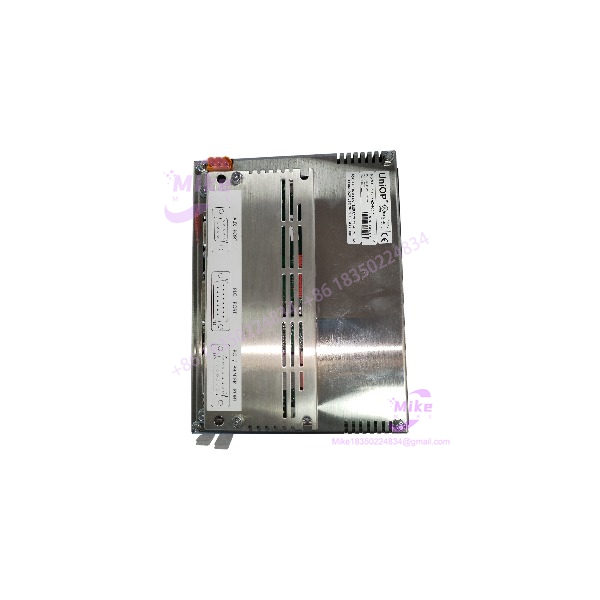
EKDC-16 6ZA933-7
Key Technical Specifications
- Model: EKDC-16
- Part Number: 6ZA933-7
- Manufacturer/Brand: UNIOP / EXOR UNIOP
- Device Class: Industrial operator interface
- Primary Function: Machine and PLC operator interaction
- Power Supply: 24 VDC
- Key Functions: 33
- Operator Input: ASCII keyboard
- Status Indication: User LEDs
- Installation Role: Panel-mounted industrial HMI/operator interface
- Lifecycle: Discontinued / legacy
- Replacement Consideration: Existing machine application and controller communication should be evaluated before substituting another HMI
The 6ZA933-7 identification is specifically associated with the EKDC-16 model; it should not be confused with visually similar UniOP EK-series panels such as EKDL-16, EKDR-16, or EKDC-46.
Application Scenarios & Pain Points
1. Legacy machine control replacement
A failed operator panel can stop an otherwise functional machine. If the PLC, I/O, drives, and field wiring remain operational, replacing the exact can be substantially less disruptive than redesigning the entire operator station.
2. PLC-controlled production equipment
The is suited to legacy automation architectures where operators need direct access to machine commands, status information, and programmed functions without converting the control system to a modern touchscreen platform.
3. Emergency maintenance inventory
For plants operating aging European machinery, keeping one verified spare can prevent a single HMI failure from becoming a prolonged controls-engineering project. The economic argument is especially strong when the machine itself remains productive and the replacement HMI would require software redevelopment.
4. Obsolete-control-system support
The is now a legacy component. That changes the procurement strategy: exact part-number matching, connector inspection, condition verification, and functional testing should take priority over simply finding a panel with a similar appearance.
Recommended QA & Live Testing SOP
For a used, surplus, or refurbished UNIOP 6ZA933-7, a proper QC process should include:
- Verify the nameplate against / 6ZA933-7 before powering the unit.
- Inspect the front panel, keyboard, LED indicators, enclosure, connectors, and mounting hardware for physical damage.
- Confirm the DC supply requirement before energizing the unit; do not assume that another UniOP panel uses the same power arrangement.
- Perform controlled power-up using a current-limited bench supply.
- Verify that the unit initializes without abnormal display, keyboard, or indicator behavior.
- Test multiple keys across the ASCII keyboard rather than checking only a single function.
- Verify all available user LEDs and operator-status indications.
- Where the correct machine controller or compatible test environment is available, perform a communication and operator-command test.
- Record the tested part number, visible revision information, power-up behavior, and any display or keyboard defects.
- Package the unit using ESD-safe materials with protection around the front panel and keyboard.
Important: A seller should not claim that an has been fully tested with a customer’s PLC unless that specific test was actually performed.
Field Engineer’s Pitfall Guide
Pitfall 1 — Confusing with another UniOP panel
UniOP produced a large range of similarly named operator panels. , EKDL-16, EKDR-16, EKDC-46, and other models are not automatically interchangeable. Match the complete model and part number, not just the family name.
Pitfall 2 — Assuming a modern touchscreen is a direct replacement
The is identified as a 33-key ASCII-keyboard operator interface, not simply a generic touchscreen HMI. A modern replacement may require application conversion, controller-driver changes, panel modifications, or a complete HMI engineering project.
Pitfall 3 — Ignoring legacy software dependencies
The hardware is only one part of the installation. Before replacing an existing unit, document the machine’s HMI application, PLC model, communication method, connector pinout, and operator functions. This is particularly important when supporting equipment that has been running for many years without its original engineering workstation.
Intent-Driven FAQ
Is 6ZA933-7 the same product as the UNIOP ?
Yes. Available equipment identification associates 6ZA933-7 directly with the UNIOP operator interface.
What is the power requirement for the ?
The available product identification specifies 24 VDC. Verify the actual nameplate and machine wiring before applying power to a replacement unit.
Does the use a touchscreen?
Do not assume so. The documented identification for the specifies a 33-key operator interface and ASCII keyboard, distinguishing it from later touchscreen-oriented UniOP products.
How many keys does the have?
The available specification identifies 33 key functions.
Is the UNIOP still a current product?
The is identified as discontinued, so procurement should be handled as a legacy-equipment requirement rather than as a normal current-production HMI purchase.
Can I replace 6ZA933-7 with any UniOP HMI?
No. Mechanical fit, power requirements, communication hardware, HMI application compatibility, and controller protocol must all be checked. A newer UniOP panel may require engineering changes rather than functioning as a drop-in replacement.
What should I verify before purchasing a 6ZA933-7?
Confirm the complete / 6ZA933-7 identification, physical condition, keyboard condition, LED operation, connectors, power requirements, and compatibility with your existing machine application. For a legacy control system, matching the exact part number is usually the safest starting point.





