


Description
Siemens 6ES7408-1TA01-0XA0 | S7-400 Fan Tray Module New Surplus
Architect’s Product Breakdown
The Siemens 6ES7408-1TA01-0XA0 is the dedicated 24VDC fan subassembly tray engineered to slide directly beneath high-density SIMATIC S7-400 rack configurations. S7-400 CPUs, signal modules, and communication processors generate significant heat loads inside control enclosures. This unit forces vertical airflow upwards through the rack channels to prevent localized heat pockets from triggering microprocessor thermal throttling or premature component degradation.
Unlike basic ventilation hardware, the 6ES7408-1TA01-0XA0 incorporates an onboard electronic monitoring printed circuit board (PCB). This monitoring circuit actively measures fan speed and status. If a fan bearing stalls or slows down below target RPM thresholds, the subassembly trips internal relay contacts and updates front-panel status LEDs. This diagnostic handshake allows the S7-400 CPU to log a hardware fault interrupt in the system diagnostic buffer, warning operators before overheating leads to a rack trip.
For plant retrofits and maintenance swaps, the 6ES7408-1TA01-0XA0 serves as a drop-in replacement for earlier fan tray iterations (such as the 6ES7408-1TA00-0XA0). It features standard spring-loaded push-in terminals for 0.5 to 2.5 mm² power wiring and connects seamlessly with standard cable duct extensions.
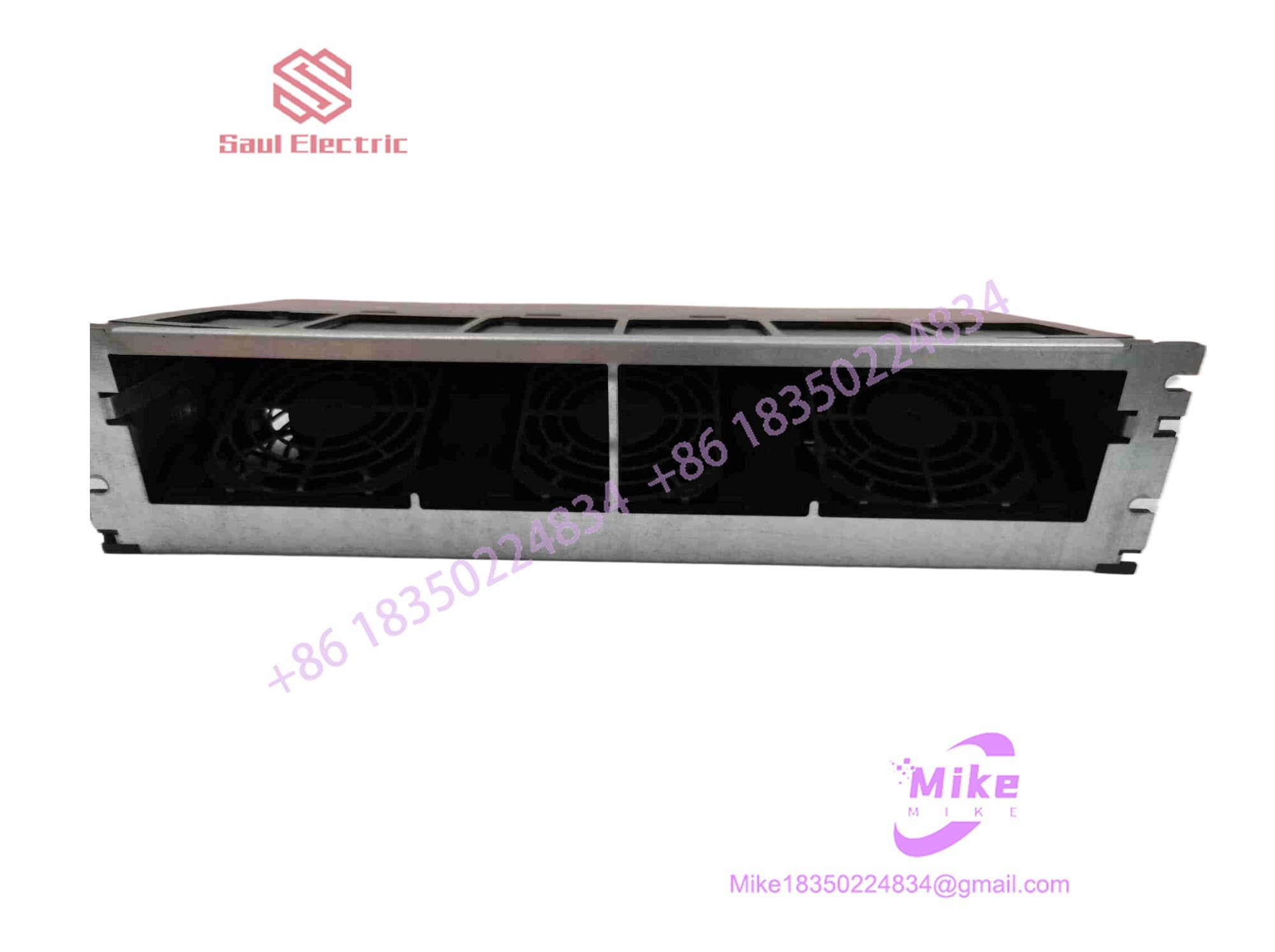
6ES7408-1TA01-0XA0
Key Technical Specifications
| Parameter | Technical Specification |
| Manufacturer | Siemens AG |
| System Compatibility | SIMATIC S7-400 Racks (CR2, CR3, UR1, UR2) |
| Supply Voltage | 24 VDC Nominal (Static Range: 20.4–28.8 VDC) |
| Inrush Current | 0.9 A at 24 VDC |
| Rated Operating Current | 450 mA |
| Power Consumption | 12 W (Fans running) / 1.4 W (Idle / Standby) |
| Internal Protection Fuse | 1.0 A Slow-Blow (5 x 20 mm, Wickmann Series 195) |
| Fan Service Life (at 40°C) | ~70,000 Hours Continuous |
| Relay Signal Output Contact | 24 VDC / 200 mA Max Contact Load |
| Dimensions (W x H x D) | 482.5 x 109.5 x 235 mm |
| Weight | ~1,600 grams (~3.5 lbs) |
Field Engineer’s Pitfall Guide (Unique Value)
- MISSEATED MONITORING PCB DURING MAINTENANCE: Ensure the internal monitoring PCB sits completely straight in its guide slot. When replacing the fan tray or swapping internal components, if the small monitoring board is inserted offset or slightly out of alignment, the pin connections will bend or short. This permanently damages the monitoring circuit, causing the CPU to register a false “Fan Failure” fault even when the fans are spinning at full speed.
- INCORRECT WIRING POLARITY ON SPRING TERMINALS: Double-check L+ and L- terminal polarity before applying power. The 24VDC spring terminals require tight 0.5–2.5 mm² wire terminations. Reversing polarity or loose wire strands can blow the internal 1.0A 5x20mm glass fuse instantly upon energization.
- FALSE ALARMS UPON INITIAL POWER-UP: Allow 10–15 seconds for startup stabilization before clearing diagnostics. When 24VDC power is first applied, the fans take roughly 10 seconds to ramp up to rated RPM. During this initial startup window, status LEDs and fault contacts may briefly indicate a fault state. This clears automatically once normal speed is reached; do not immediately pull the unit assuming a hardware defect.
QA & Testing SOP (Transparency)
- Visual & Mechanical Inspection: Detailed check of housing frame, spring retention clips, fan blades, filter mesh, and terminal block health. Serial numbers verified against OEM documentation.
- Dielectric & Continuity Check: Ground plane isolation and terminal point continuity validated using calibrated multi-meters.
- Live 24VDC Power Bench Test: Unit connected to a 24VDC power supply to verify fan startup, current draw (<450 mA), and smooth bearing operation with zero mechanical rattling.
- Monitoring Circuit Diagnostic Test: Airflow restricted intentionally to simulate a fan stall; verified that the internal relay trips correctly and the fault LED illuminates.
- Anti-Static & Protective Packaging: Cleaned, fitted with terminal protective covers, and vacuum-sealed in ESD moisture-barrier packaging with custom high-density foam casing.
Technical FAQ
What is the difference between the 6ES7408-1TA01-0XA0 and the 6ES7408-1TB00-0XA0?
The 6ES7408-1TA01-0XA0 operates strictly on a 24 VDC nominal supply. The 6ES7408-1TB00-0XA0 is an AC-powered version designed for 120/230 VAC mains feeds. Ensure your cabinet power architecture matches the specific voltage requirement of the module suffix.
Can I replace the internal fuse on the 6ES7408-1TA01-0XA0 if it blows?
Yes. The subassembly contains a standard, accessible 5 x 20 mm fuse rated at 1.0 A Slow-Blow (1.0 AT / 250V), such as a Wickmann Series 195. Always replace it with an identically rated slow-blow fuse to handle the initial 0.9A fan inrush current.
Does the fan tray shut down automatically if a fan fault is detected?
No. The monitoring PCB is designed to send a signal to the system CPU/alarm system; it does not cut power to the remaining functional fans upon a single fan failure. The remaining fans continue running to maintain as much cooling air movement as possible until maintenance can replace the subassembly.
How does the S7-400 CPU receive the fan failure signal?
The fan subassembly provides isolated relay output contacts. These contacts are wired to a digital input module on the S7-400 rack or fed directly into the rack’s monitoring interface (depending on backplane configuration), allowing the PLC program to trigger a cabinet warning alarm.
Can I run my S7-400 system without the fan subassembly installed?
It depends on rack density and ambient temperature. Small, lightly loaded S7-400 racks in cold environments may operate without forced air, but high-density racks containing multiple CPUs, high-speed CPs, and analog modules strictly require forced-air cooling. Running high-wattage racks without fan support risks thermal shutdowns and premature hardware failure.





