


Description
Reliance Electric 57C554 | AutoMax Remote I/O Interface Module
Dynamic Product Introduction
Network latency and dropped telemetry frames across legacy distributed I/O drops usually trace back to failing interface transceivers rather than main controller faults. When an older AutoMax remote drop starts throwing communication time-out flags, adjusting polling software rarely compensates for physical card degradation. Deploying the Reliance Electric 57C554 resolves this network vulnerability directly, restoring reliable data handshakes between distant machine lines and the central control host.
In complex industrial refits, swapping in this interface module stabilizes remote link performance without forcing a complete system hardware architecture rewrite. (Though verifying local node address dial settings prior to rack insertion remains critical.) It manages deterministic telegram framing cleanly, preserving uptime across demanding manufacturing environments.
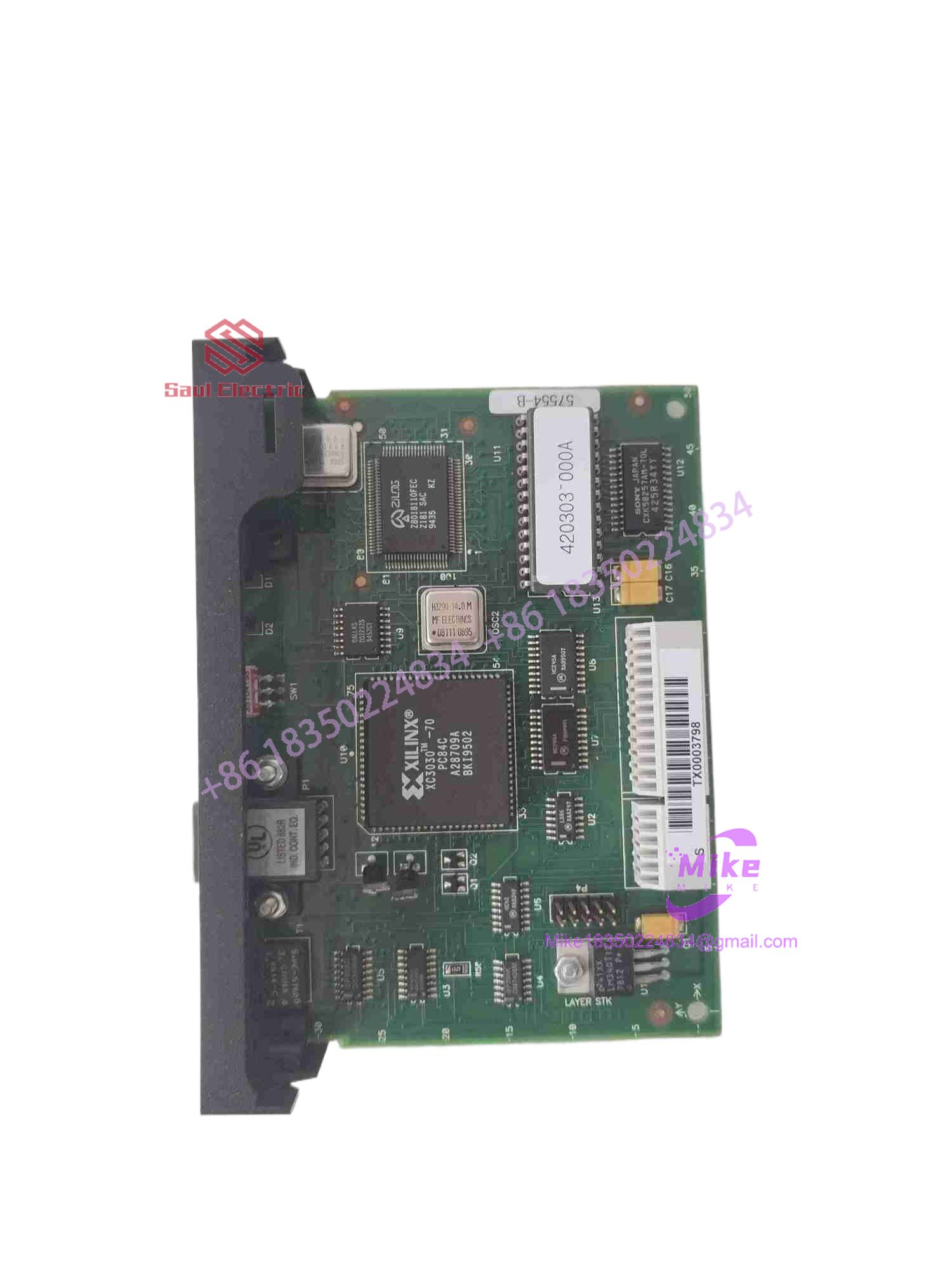
57C554
Key Technical Specifications
| Technical Parameter | Specification Detail |
| Device Category | Remote I/O Interface / Communication Module |
| Series Compatibility | Reliance Electric AutoMax / Shark XL Platform |
| Backplane Power Rail | +5VDC (supplied by host rack bus) |
| Communication Interface | Female RS-232 9-pin D-shell port (labeled NETWORK) |
| Diagnostic Indicators | Dual status LEDs: CPU OK and COM OK |
| Node Addressing | Front-panel rotary dial selector |
| Operating Temperature | 0^\circC to 60^\circC |
| Enclosure Construction | Heavy-duty industrial board with extraction clips |
Global Sourcing & Live-Test SOP (Transparency Core)
Sourcing vintage remote communication cards requires rigorous diagnostic tracking to guarantee physical backplane compatibility and error-free network packet streaming.
- Inbound Verification: Incoming modules undergo comprehensive serial tracing, OEM watermark validation, and anti-counterfeit batch checks against historical Reliance production ledgers.
- Live Simulation: Qualified interface cards are mounted into an active AutoMax/Shark test rack powered by a controlled bench supply to evaluate node synchronization and port transmission.
- Diagnostics: Technicians execute continuous ping/response sweeps, baud-rate stress verification, and thermal chamber evaluations to expose latent component failure risks.
- Final Prep: Connector edge fingers are cleaned to remove oxidation, and the unit is sealed inside heavy-duty multi-layer anti-static packaging.
The Field Engineer’s Pitfall Guide
❗ Node Address Rotary Dial Mismatch: Slashing in a replacement interface card without matching the front-panel rotary address switch to your legacy network configuration will result in an immediate node drop error. I once watched an installation crew spend hours troubleshooting a “ghost network” because a replacement module arrived set to node zero. Always mirror the exact rotary switch value from the failed unit.
❗ Improper Shield Grounding on RS-232 Links: Leaving communication cable shields ungrounded or tied at both ends invites severe electromagnetic interference (EMI) from nearby drive cables, causing intermittent frame drops. Always verify single-end cabinet grounding compliance.
❗ Hot-Swapping Under Power: Inserting or extracting communication cards into an energized backplane risks severe edge-connector arcing and bus corruption. Always drop rack power completely and verify zero voltage state prior to module insertion.
Intent-Driven FAQ
Will this interface module drop directly into an existing Shark remote rack without configuration changes?
Yes, provided you match the physical rotary node address switch on the front panel to your existing network map, the module will communicate seamlessly with your AutoMax host.
Are these legacy communication modules factory sealed or certified surplus stock?
We maintain strict inventories of both factory-sealed surplus hardware and fully recertified, bench-tested units. Each listing explicitly details the precise condition tier to match your facility rules.
What do the “CPU OK” and “COM OK” LED indicators signify on startup?
The “CPU OK” light validates internal processor health and self-test routines, while the “COM OK” indicator verifies active, error-free packet polling across the remote network link.
What kind of warranty coverage is included with this replacement part?
Every unit is backed by our comprehensive operational warranty, covering electrical component health, communication port integrity, and backplane functionality from day one.
Do I need special software to configure the 57C554 module?
No specialized programming software is required on the card itself; network configuration and data mapping are handled centrally by the master AutoMax controller configuration files.





