

Description
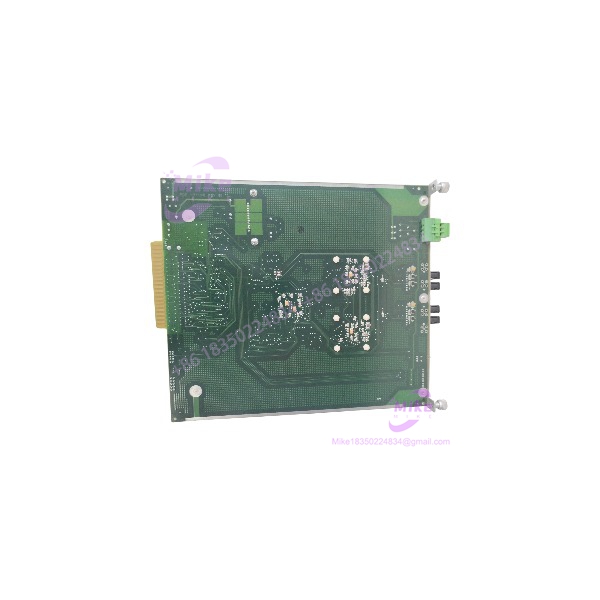
Metso IOP371 | maxPAC Fiber-Optic Bus Extender Module
Product Introduction
Remote I/O architecture can reduce long field-cable runs and simplify cabinet placement—but only if the bus extension hardware matches the installed control system. The Metso IOP371 is a maxPAC Bus Extender Module designed to carry real-time I/O bus communications between local and remote I/O areas using fiber optics.
The IOP371 converts the parallel I/O bus data for transmission over an optical link and reconstructs the bus at the remote end. Metso documentation specifies link distances up to 2,000 meters and support for redundant optical links. The extender is transparent to the DPU, allowing remote I/O modules to communicate as though they were locally connected, subject to system configuration and link-capacity limitations.
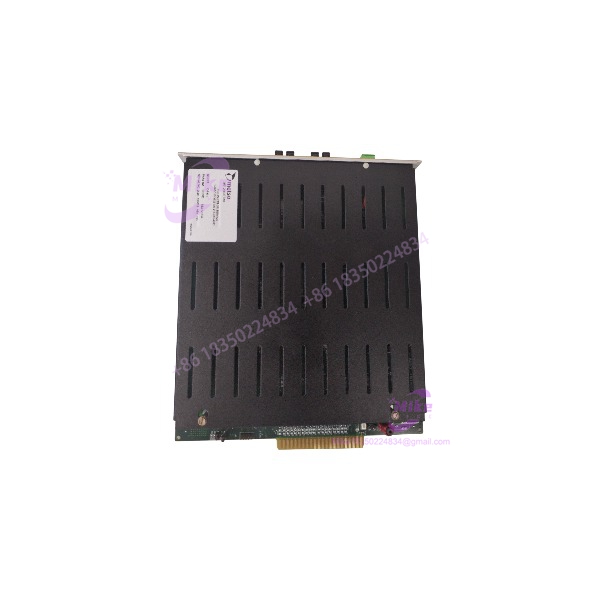
IOP371
Key Technical Specifications
- Model: IOP371
- OEM Part Number: 181500
- Manufacturer: Metso Automation / MAX Controls
- Module Classification: Bus Extender Module (BEM)
- System: maxPAC I/O subsystem
- Interface Function: Parallel I/O bus extension over optical fiber
- Maximum Optical Link Distance: 2,000 meters
- Optical Wavelength: 1300 nm
- Fiber Specification: 62.5/125 μm multimode fiber
- Optical Link Configuration: Redundant links supported
- System Power: 24 VDC
- Power Consumption: 0.5 A at 24 VDC
- I/O Bus Loading: One module equivalent
- DPU Address Capacity: Up to 255 unique I/O addresses per DPU, subject to system limits
- Maximum Local Bus Capacity: Up to 60 modules, including local BEM(s)
- Maximum Remote Bus Capacity: Up to 45 modules per remote location, including the remote BEM
- DPU Compatibility: 4A, 4B, and 4E
- Firmware Consideration: DPU 4A/4B installations may require an EPLD firmware update
- Link Monitoring: Failover/link-failure indication supported
- Environmental Rating: 0°C to 60°C; 0–90% relative humidity, noncondensing
System-planning note: The 2,000-meter figure is a maximum link distance, not a guarantee that every configuration supports its full I/O capacity at that distance. Optical delay, DPU loading, I/O mix, and application requirements can limit the usable configuration. Confirm the applicable Metso maxPAC manual and system design before deployment.
Global Sourcing & Live-Test SOP
A bus extender should be evaluated as a communications-path component, not simply as a powered circuit board. Procurement checks should establish the exact model, optical interface condition, and compatibility with the installed maxPAC architecture.
Incoming Inspection
- Verify the IOP371 model marking and OEM part number 181500.
- Record serial number and board revision, where available.
- Inspect the PCB, backplane connector, optical transceiver area, and front-panel interfaces.
- Check for cracked components, corrosion, contamination, or evidence of unauthorized rework.
- Photograph labels and connectors for procurement records.
Authenticity & Configuration Review
- Compare the unit with available Metso maxPAC documentation.
- Confirm intended local or remote BEM role.
- Verify the target DPU model and firmware compatibility.
- Review optical-link configuration and required fiber type.
- Confirm whether the installation uses redundant or nonredundant extenders.
Functional Test Procedure
- Use a compatible maxPAC test setup with a supported DPU configuration.
- Verify 24 VDC power-up and available module status indications.
- Establish an optical link using compatible fiber and a known-good extender.
- Confirm I/O bus communication across the link.
- Where redundant links are configured, test failover and link-failure indication.
- Verify remote I/O communication and address recognition within the test configuration.
Extended Run & Documentation
- Record test configuration, DPU type, firmware details, and optical-link arrangement.
- Document link status, failover results, and any observed errors.
- Perform an extended operating run when included in the seller’s test scope.
- Package the module in ESD-protective material, with optical interfaces protected against dust and physical damage.
Testing transparency: This is a recommended verification procedure, not a claim that the specific IOP371 offered for sale has completed these tests. Request actual test records, condition details, and warranty terms from the seller.
Field Engineer’s Pitfall Guide
- ❗ Check DPU compatibility before installation. The is documented for DPU 4A, 4B, and 4E systems. DPU 4A/4B installations may require an EPLD firmware update. Do not assume compatibility with earlier DPU3, DPU4, or controller-file models.
- ❗ Do not overlook optical-fiber requirements. The documented interface uses 1300 nm optics and 62.5/125 μm multimode fiber. Verify fiber type, connector condition, cable routing, and link configuration. Contaminated or damaged optical interfaces can cause intermittent communications faults.
- ❗ Plan remote I/O capacity around distance and bus loading. Although the supports links up to 2,000 meters, the maximum supported I/O count can be reduced by optical propagation delay and system-level constraints. Validate the actual remote-node count and redundancy arrangement against the maxPAC design documentation.
Intent-Driven FAQ
Q1: What does the Metso do?
The extends the maxPAC I/O bus over fiber-optic links, allowing compatible I/O modules to be located in remote cabinets while communicating with the DPU.
Q2: What is the maximum distance supported by the ?
Metso documentation specifies a maximum optical-link distance of 2,000 meters. Actual system capacity depends on distance, bus loading, and configuration.
Q3: Does the support redundant fiber links?
Yes. The maxPAC system documentation describes redundant optical links and link-failover monitoring. Confirm the required BEM arrangement and cabling for the installed system.
Q4: Which DPU models are compatible with the ?
The manual lists DPU 4A, 4B, and 4E compatibility. DPU 4A/4B systems may require an EPLD firmware update. The is not documented as compatible with earlier DPU3, DPU4, or controller-file models.
Q5: Is the a standard analog or digital I/O card?
No. It is a Bus Extender Module. It transports I/O bus communications rather than directly providing field analog or digital input/output channels.
Q6: Can the be hot-swapped?
The maxPAC documentation states that I/O modules may be inserted or withdrawn with 24 VDC and field power applied. However, follow the applicable site procedure and assess redundancy, link configuration, and process risk before removing or installing a BEM.
Q7: What should I verify before ordering a replacement ?
Confirm the model marking, OEM part number 181500, board revision, DPU compatibility, optical-fiber requirements, and intended BEM role. For used hardware, request documented power-up and optical-link test results.





