

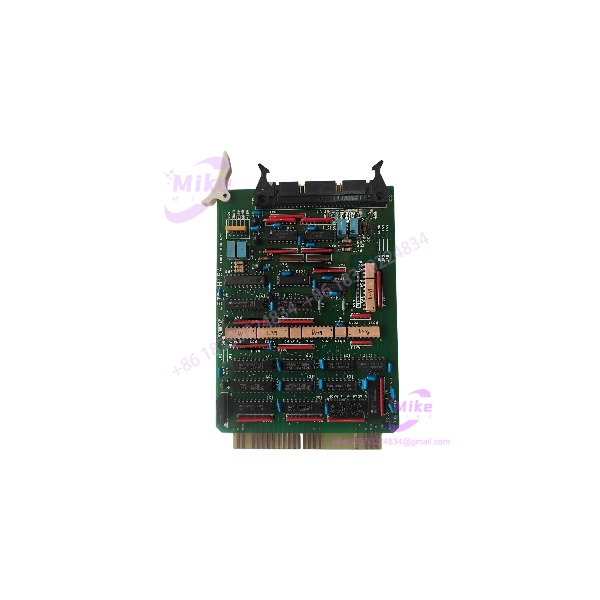
Description
JRCS JSTD-M15A | 10-Bit 8-Channel A/D PCB Card
Product Introduction
In marine automation, a replacement circuit card has to match the installed system—not just the part number printed on a supplier page. The JRCS JSTD-M15A is identified in multiple surplus-part listings as a 10-bit, 8-channel A/D PCB card. That description provides a useful starting point for sourcing, but it does not establish the board’s input ranges, signal conditioning, connector pinout, or approved host-system configuration.
JRCS manufactures marine power and automation equipment, including monitoring and control systems. For a legacy installation, the JSTD-M15A should therefore be treated as a configuration-specific replacement component. Confirm the board markings, connector layout, revision, and original equipment association before purchasing or installing it. JRCS’s current product information provides general company and marine automation context, but the exact JSTD-M15A specification should be verified against the original equipment documentation.
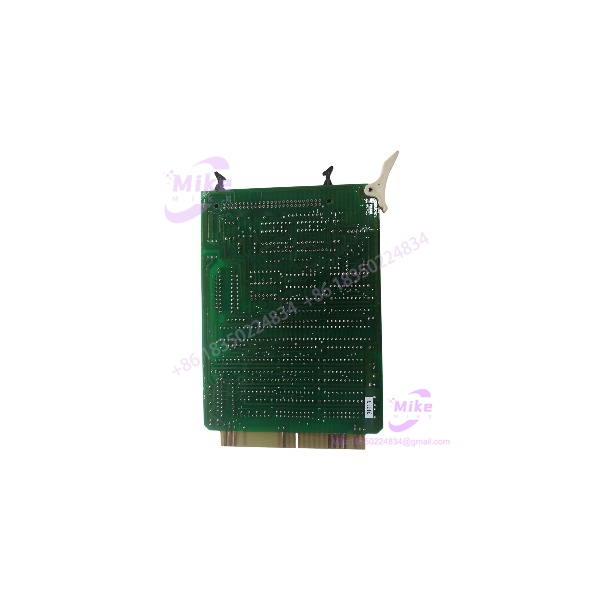
JSTD-M15A
Key Technical Specifications
- Part Number: JSTD-M15A
- Reported Manufacturer: JRCS
- Component Category: PCB card / electronic circuit board
- Reported Conversion Type: Analog-to-digital (A/D)
- Reported Resolution: 10-bit
- Reported Channel Count: 8
- Board-Level Function: Analog signal acquisition/conversion, subject to confirmation against OEM documentation
- Host System: Not verified from the part number alone
- Input Signal Types: Not verified
- Input Voltage or Current Range: Not verified
- Conversion Accuracy / Sampling Rate: Not verified
- Supply Voltage and Power Consumption: Not verified
- Connector Type and Pinout: Must be confirmed from the physical board and system documentation
- Dimensions / Mounting: Not verified
- Operating Temperature / Environmental Rating: Not verified
- Firmware or Calibration Requirements: Not verified
Specification note: The 10-bit, 8-channel A/D designation is based on supplier descriptions, not an independently verified OEM datasheet. Do not use it as the sole basis for engineering approval or system substitution.
Global Sourcing & Live-Test SOP
For a used or surplus JRCS JSTD-M15A, document the board’s identity and condition before committing it to a vessel or production system.
1. Incoming Verification
- Photograph the complete board, front and back, before cleaning or handling.
- Confirm the marking directly on the PCB or nameplate.
- Record all secondary part numbers, revision codes, serial numbers, and date codes.
- Compare component placement, connectors, and mounting features with the installed original.
- Inspect for corrosion, salt residue, moisture damage, burned components, cracked solder joints, and previous repair work.
- Confirm whether the board is supplied alone or with any carrier, connector, or mounting hardware.
- Request traceability documents where available; do not treat a reseller’s “OEM” description as proof of manufacturer authorization.
2. Bench Inspection and Electrical Checks
- Use ESD-safe handling and an appropriate grounded work surface.
- Inspect connector contacts and solder joints under magnification.
- Check for visible component damage, contamination, and signs of overheating.
- Do not apply power until the correct supply rails, connector pinout, and current limits are confirmed from reliable documentation.
- Avoid improvised signal injection or assumed pin assignments.
- Record all inspection findings before proceeding to powered testing.
3. Functional Simulation
A static visual inspection cannot establish A/D conversion performance.
- Use the correct JRCS host equipment or an approved test fixture.
- Confirm that the host recognizes the card without unexpected diagnostics.
- Where supported by the documented interface, apply known input signals within the specified operating range.
- Verify channel-by-channel response against the applicable system documentation.
- Compare reported values with calibrated test-source values.
- Record channel faults, unstable readings, offset, drift, and any intermittent behavior.
Do not claim that the board has passed a functional test unless the test setup, input conditions, and results are documented.
4. Extended Run and Stability Check
If the board is intended for operational service, run it in a compatible test environment for an appropriate duration.
Monitor:
- Host-system recognition
- Channel stability
- Conversion behavior under known inputs
- Unexpected alarms or diagnostic codes
- Intermittent faults during operation
- Abnormal heating or power behavior
A 24-hour heat run may be used when suitable for the equipment and test plan, but it is not a substitute for validating the card against the correct JRCS system.
5. Final Preparation and Shipment
- Record the final inspection and test status.
- Include board revision and serial/date-code information in the inspection record.
- Photograph the final unit and its connectors.
- Protect the PCB in ESD-safe packaging with suitable mechanical cushioning.
- Keep any customer-supplied calibration data or configuration records with the correct unit.
- Clearly state whether the item is untested, visually inspected, or functionally tested.
Field Engineer’s Pitfall Guide
❗ Do not assume all 8-channel A/D cards are interchangeable
An 8-channel, 10-bit description does not establish electrical or mechanical compatibility. Input range, signal conditioning, connector pinout, host interface, and board revision can all affect whether a replacement will work.
❗ Never infer the power rails or pinout
The exact supply requirements and connector assignments were not verified in the available public documentation. Do not energize the board using assumptions drawn from another JRCS card or a visually similar PCB.
❗ A/D functionality does not confirm system-level readiness
Even if the board responds to test signals, the host system may require a specific card revision, configuration, or calibration procedure. Validate it in the intended JRCS system before returning the equipment to service.
Intent-Driven FAQ
What is the JRCS ?
The JRCS is listed by surplus-part suppliers as a PCB card with 10-bit, 8-channel analog-to-digital conversion functionality. The exact host-system designation remains to be confirmed.
Is the an analog input card?
Supplier listings describe it as a 10-bit, 8-channel A/D card, suggesting an analog acquisition/conversion role. Confirm its exact signal interface and system function using the original JRCS documentation before assigning it to a specific input application.
What is the input voltage range of the ?
A verified model-specific input range was not found. Obtain the OEM documentation or confirm the specification from the original system drawings before connecting field signals.
Can the replace another JRCS analog card?
Not based on channel count or appearance alone. Confirm the complete part number, board revision, connector arrangement, electrical interface, and host-system compatibility.
Is the JRCS obsolete?
It appears primarily through surplus and legacy-part channels in the available search results. However, a definitive manufacturer lifecycle status was not confirmed. Check with JRCS or an authorized service channel for current support and replacement guidance.
Is the tested or ready to install?
That depends on the specific seller’s documented inspection and test results. A listing or visual inspection alone does not establish functional condition or plug-and-play compatibility.
What should I verify before buying a ?
Request clear photos of the board markings, both PCB sides, connectors, and revision information. Confirm the host-system model, input interface, and condition. For a critical marine installation, request documented functional-test results or arrange validation in a compatible test environment.
Bottom Line for Buyers
The is identified in supplier listings as a 10-bit, 8-channel A/D PCB card used in automation-related applications. The available public evidence does not establish its complete electrical specifications or exact host-system compatibility.
For procurement, match the physical board and revision against the installed original, obtain the applicable system documentation, and require an accurate condition statement. Treat the reported A/D designation as an identification lead—not a substitute for engineering verification.





