


Description
ifm efector AC1028 | Dual AS-i Master with PLC Interface
Dynamic Product Introduction
Integrating low-level sensors and actuators into a plant-wide PROFIBUS network without running massive multi-core cabling requires robust fieldbus master architecture. The ifm electronic AC1028 (AS-i ControllerE) solves this by managing up to two independent AS-i loops locally while simultaneously exchanging cyclic process data with a host PLC via PROFIBUS DP.
Honestly, configuring dual-master AS-i networks requires close attention to address mapping and power decoupling—miss a ground loop on the AS-i yellow cable, and you’ll chase intermittent slave timeout errors across the line. This processor unit handles complex decentralized topologies efficiently, making it a reliable drop-in replacement when legacy automation controllers fail.

- AC1028
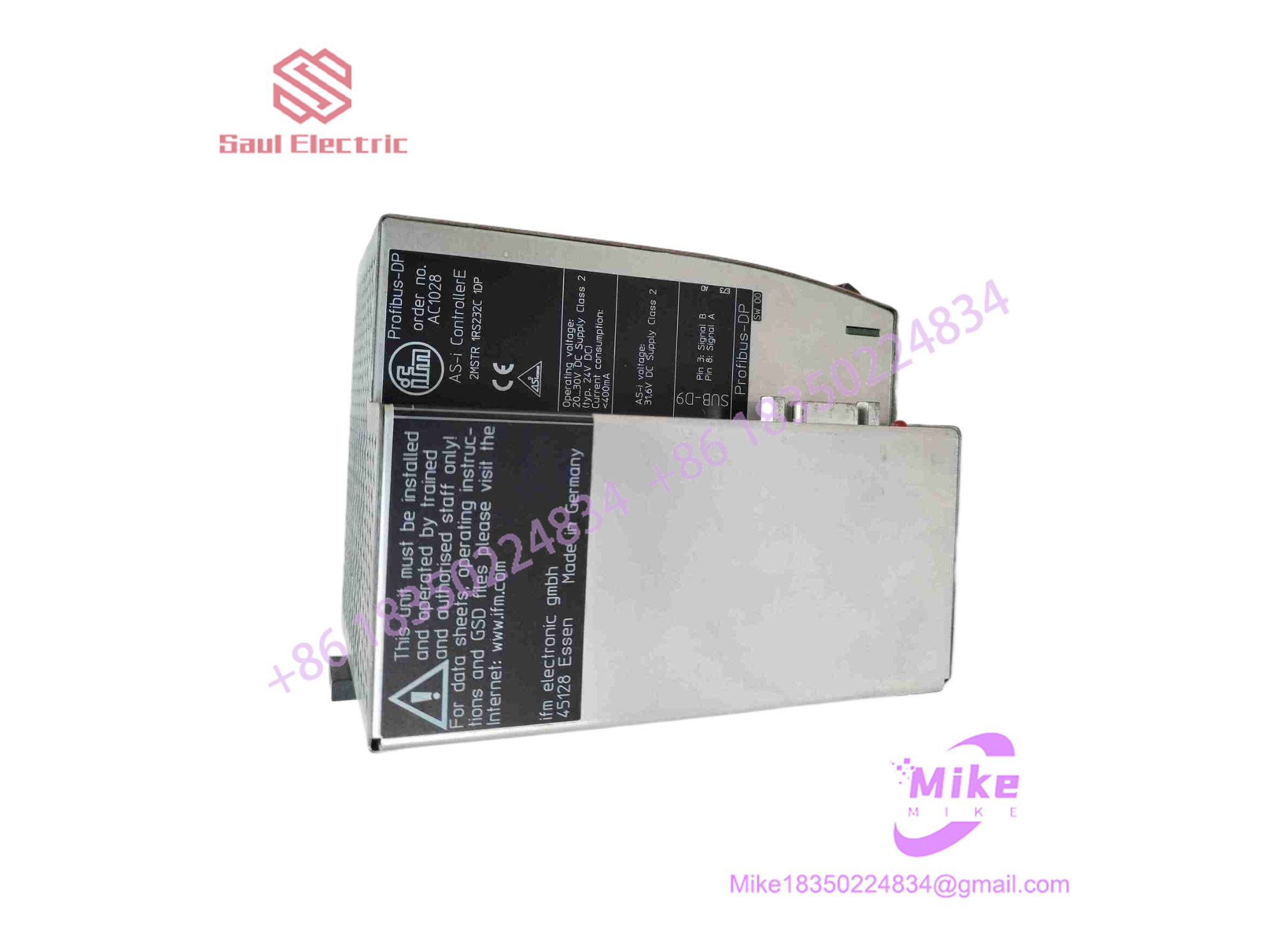
Key Technical Specifications
| Parameter | Specification Detail |
| Primary Function | Dual AS-i Master Controller with PROFIBUS DP Interface |
| Number of AS-i Masters | 2 Independent AS-i Masters (AS-i Specification v2.1 / v3.0 compatible) |
| Fieldbus Interface | PROFIBUS DP slave connection (9-pin D-SUB) |
| Integrated PLC | Onboard PLC functionality for standalone or pre-processed logic |
| Power Supply Requirements | 24 VDC nominal (powered via auxiliary or system supply) |
| AS-i Operating Voltage | 29.5 to 31.6 VDC (via AS-i power supply) |
| Enclosure & Mounting | Panel / Control cabinet mount housing |
| Operating Temperature | 0°C to +50°C |
| Diagnostics Display | Integrated graphical LCD and status LEDs for slave addressing |
Global Sourcing & Live-Test SOP
Sourcing surplus industrial network controllers requires rigorous testing of both high-speed fieldbus transceivers and local loop power regulators. Our quality control procedure guarantees reliability:
- Inbound Verification: Units are inspected for physical enclosure damage, display clarity, and authentic OEM factory labels to filter out grey-market components.
- Live Simulation: The controller is mounted on a dedicated test bench equipped with a PROFIBUS master simulator and an active dual-loop AS-i sensor string.
- Diagnostics: We verify slave auto-detection, test cyclic data exchange across both AS-i masters, and ensure the PROFIBUS DP communication link initializes without error flags.
- Final Prep: Modules are cleaned, interface ports are capped, and units are vacuum-sealed in heavy anti-static moisture-barrier bags prior to warehouse placement.
The Field Engineer’s Pitfall Guide
❗ AS-i Power Decoupling Omissions: The AS-i network requires specialized profile power supplies with integrated data decoupling coils. Supplying standard 30V DC power directly to the loop without a proper decoupling unit will short out high-frequency data telegrams, rendering the controller blind to all field slaves.
❗ PROFIBUS Station Address Mismatches: Dropping a replacement AC1028 into a live cabinet without setting the correct PROFIBUS node address via the front keypad or hardware switches will prevent the host PLC from establishing cyclic communication.
❗ EEPROM Configuration Loss: While network parameters are stored in non-volatile memory, failing to back up custom internal PLC programs before swapping a unit will leave the replacement controller in a factory-default state.
Intent-Driven FAQ
Can the AC1028 operate as a standalone controller without a host PLC?
Yes. The unit features integrated onboard PLC programming capabilities, allowing it to execute local interlocking logic and pre-process sensor data independently before passing information up to the PROFIBUS network.
What software is used to configure the AC1028?
You use ifm’s dedicated configuration software (such as AS-i control tools) via a programming cable to set slave addresses, configure cyclic data maps, and manage the internal PLC logic.
How many slaves can be connected to this controller?
As a dual-master controller, it supports up to 62 AS-i slaves per master loop (using AS-i v2.1/v3.0 profile standards), allowing high-density digital I/O expansion across the two networks.
What causes a “Configuration Error” fault on the display?
This typically occurs when the actual connected slave configuration on the yellow cable does not match the stored “target” configuration saved in the controller’s memory, usually triggered by replacing a failed sensor with a different profile type.
What warranty covers surplus units?
Every unit shipped from our inventory includes a comprehensive 12-month operational warranty covering internal processor health, gateway transceivers, and power regulation stability.





