


Description
Helmholz 700-872-MDM02 | REX 300 Analog Telecommunication Modem
Dynamic Product Introduction
When critical production machinery experiences software faults or program logic hangs at remote processing plants, sending controls engineers on-site incurs heavy travel expenses and prolonged machine downtime. The Helmholz 700-872-MDM02 (REX 300 Analog Modem) provides a dedicated, hardware-isolated remote maintenance gateway over traditional PSTN/landline telephone networks. By establishing a secure point-to-point dial-up tunnel directly to the machine’s local Ethernet or MPI/PROFIBUS subnet, remote engineers can monitor PLC tags, upload program revisions, and diagnose drive faults as if sitting directly at the panel.
Equipped with an integrated firewall and OpenVPN support, the 700-872-MDM02 ensures that legacy dial-in maintenance connections remain protected against unauthorized network penetration. Designed specifically for industrial control enclosures, its compact 35mm DIN rail footprint replaces bulky external desktop modems and fragile serial converters with a single, 24V DC industrial-grade housing. For system integrators maintaining legacy machinery or plant facilities with restricted cellular/Wi-Fi access, keeping a tested 700-872-MDM02 in stock guarantees immediate service continuity.
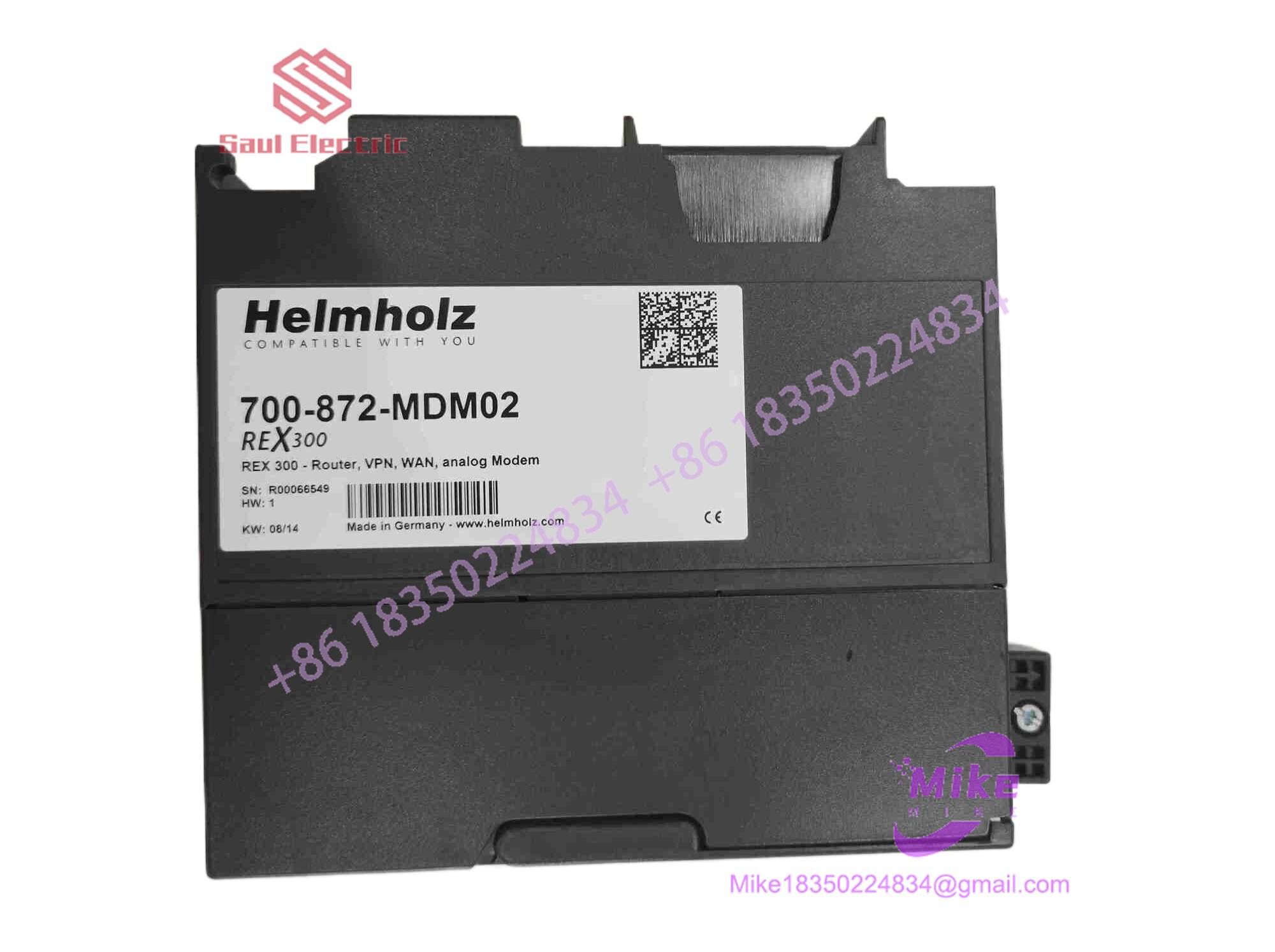
700-872-MDM02
Key Technical Specifications
| Parameter | Technical Specification |
| Modem Interface | Integrated PSTN analog modem (RJ11 connection) |
| Modulation Standards | V.90 (up to 56 kbps), V.34, V.32bis, V.22bis |
| LAN Interface | 10/100 Mbps RJ45 Ethernet port (Auto-MDI/MDI-X) |
| Power Supply Voltage | 24 V DC (18 to 30 V DC, Class 2 power input) |
| Current Consumption | Max. 250 mA at 24 V DC |
| Security Protocols | OpenVPN, IPsec, integrated Stateful Inspection Firewall |
| Digital Inputs / Outputs | 2x Digital Inputs (e.g., key-switch for connection authorization) |
| Configuration Interface | Integrated Web-Based Management (HTTP / HTTPS) |
| Operating Temperature | 0°C to 60°C (32°F to 140°F) |
| Mounting Style | Standard 35mm DIN rail mount (EN 60715) |
Global Sourcing & Live-Test SOP (Transparency Core)
To ensure fail-safe operation across legacy telecommunication networks, every surplus and certified replacement Helmholz REX modem undergoes a rigorous quality audit prior to shipment:
Inbound Verification & Physical Audit
- Traceability Review: Checking serial tags, hardware build level, and model code (700-872-MDM02) against official Helmholz documentation.
- Hardware Inspection: High-magnification optical audit of terminal block contacts, RJ11/RJ45 port pins, LED window covers, and casing clips to rule out physical damage.
Live Bench Simulation
- Power & Web Interface Boot: Energizing the unit with a 24V DC bench supply to verify boot timing, clean firmware initialization, and HTTPS web portal access.
- PSTN Dial-Up Simulation: Connecting the RJ11 port to an analog line simulator to verify tone/pulse dialing, handshake negotiations, V.90 carrier lock, and stable data throughput.
Diagnostic & Security Testing
- Digital I/O & VPN Audit: Exercising the hardware digital inputs (key switch override logic) and testing OpenVPN encryption handshake generation under simulated data transfer.
- 24-Hour Thermal Burn-In: Operating the modem under continuous data transfer in a 50°C test chamber to catch latent component breakdown or thermal signal drift.
Final Prep & Packaging
- Factory Reset: Restoring default IP settings and clearing legacy passwords, logging baseline performance metrics on the final test sheet.
- ESD Safe Sealing: Double-wrapped in anti-static shielding film with active desiccant and packed inside custom foam shipping boxes for air dispatch.
The Field Engineer’s Pitfall Guide
❗ Enabling Remote Access Without a Hardware Key Switch
Leaving the dial-up modem continuously set to auto-answer without gating it through a physical panel key switch (connected to the digital input) leaves the plant floor vulnerable to war-dialing or unauthorized PSTN intrusion.
(In actual field service calls, I’ve seen plant engineers spend days trying to diagnose intermittent PLC memory shifts, only to find an unmonitored modem port allowing unauthorized external connections).
❗ Mismatching PSTN Line Voltage / PBX Extensions
Connecting the 700-872-MDM02’s RJ11 port directly to a digital PBX extension (ISDN or proprietary digital phone system) without an analog adapter can overload internal hybrid transformer circuits and destroy the modem’s front-end interface electronics. Always ensure the line provided is a true analog tip-and-ring PSTN line.
❗ Forgetting to Configure the Gateway IP on PLC Nodes
For remote routing to function properly across the LAN port, all connected downstream devices (PLCs, HMIs, drives) must have their internal IP gateway addresses set to match the LAN IP of the 700-872-. Missing gateway settings will allow local ping response but block remote online programming.
Intent-Driven FAQ
How do I log in to the web interface of a reset 700-872-?
After a factory reset, connect your PC to the LAN port, set your network adapter to 192.168.0.x, and open [https://192.168.0.200](https://192.168.0.200) in a browser. Use the default factory credentials specified in the Helmholz manual (typically admin / admin).
Can this router route traffic to both Ethernet and PROFIBUS/MPI PLCs?
The 700-872- natively routes IP traffic via its Ethernet port. To communicate with MPI/PROFIBUS PLCs, it can be paired with an Ethernet-to-MPI/PROFIBUS gateway (such as a Helmholz NetLink-PRO module) on the local LAN subnetwork.
What do the LEDs on the front panel indicate during a dial-in attempt?
- PWR: Solid green indicates stable 24V DC supply.
- RDY: Indicates boot status (solid when ready).
- CON: Illuminates when a carrier signal is detected and an active dial-up/VPN link is established.
- USR: User-configurable or status light for active data transfer.
Does this unit support cellular (3G/4G/LTE) connections?
No. The variant specifically features an analog PSTN modem. For cellular remote access, Helmholz offers dedicated GSM/LTE variants within the REX router family (such as the REX 100 or REX 250 LTE models).
What warranty applies when purchasing this module as tested surplus?
All fully certified surplus and replacement Helmholz 700-872- routers include a standard 12-month operational warranty covering power regulation, analog modem handshake stability, and LAN routing integrity.





