

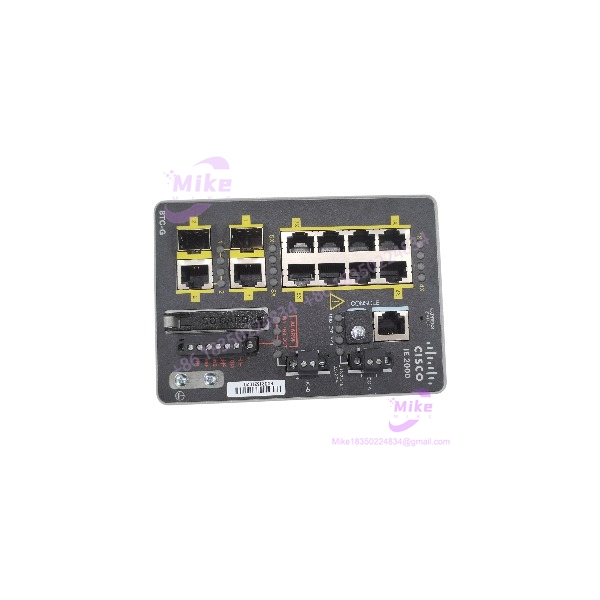
Description
Cisco IE-2000-8TC-G-B | Industrial Ethernet Switch
Product Introduction
In an industrial control network, a switch replacement has to preserve more than link connectivity. Port count, uplink speed, VLAN configuration, redundancy behavior, and software feature set can all affect commissioning. The Cisco IE-2000-8TC-G-B is an IE 2000 Series managed access switch built for industrial Ethernet environments where compact hardware and network-management functions are required.
This model combines eight Fast Ethernet copper ports with two Gigabit Ethernet dual-purpose uplinks and runs the LAN Base feature set. Cisco identifies IE 2000 switches for industrial applications and supports industrial protocols such as EtherNet/IP and PROFINET MRP across the product family. For a maintenance spare or legacy-network replacement, verify the exact SKU and software feature set before substituting another IE 2000 variant.
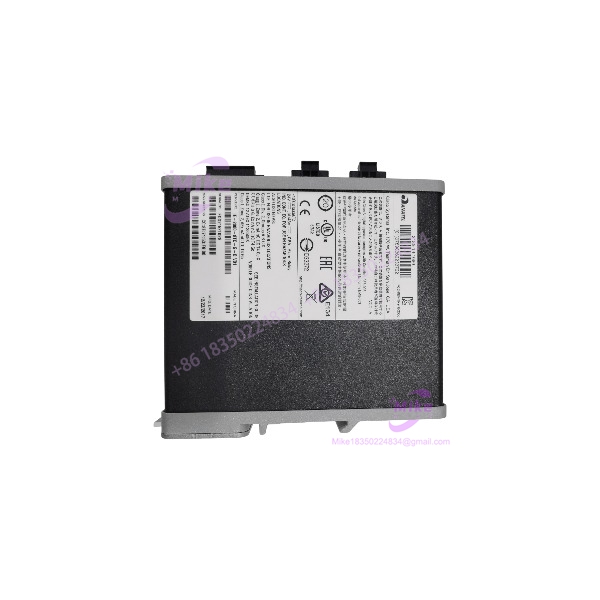
IE-2000-8TC-G-B
Key Technical Specifications
- Manufacturer: Cisco
- Model: IE-2000-8TC-G-B
- Series: Industrial Ethernet 2000
- Switch Type: Managed industrial Ethernet switch
- Copper Downlinks: 8 × 10/100BASE-T
- Uplink Ports: 2 × Gigabit Ethernet dual-purpose ports
- Uplink Interface: RJ-45 or supported SFP configuration, subject to the specific port design and compatible transceiver
- Software Feature Set: LAN Base
- Switching Bandwidth: IE 2000 family specification lists up to 7.6 Gbps
- Forwarding Rate: IE 2000 family specification lists up to 5.66 Mpps with 64-byte packets
- VLAN Capacity: Up to 1,005 VLANs across the documented IE 2000 platform
- MAC Address Table: Up to 8,000 unicast MAC addresses
- Industrial Protocol Support: EtherNet/IP and PROFINET MRP support at the IE 2000 family level; confirm software and configuration requirements for the target network.
- Power Input: Dual-input DC power architecture; confirm acceptable input voltage and connector configuration from the unit label and applicable hardware guide.
- Mounting: DIN rail
- Management: Cisco industrial switch management features; exact software image and enabled functions depend on installed IOS version and license/feature set.
- Physical Configuration: Compact industrial chassis; verify dimensions and accessories against the hardware guide and actual unit.
- Included Components: No power supply, SFP transceiver, SD card, console cable, or other accessory is implied unless explicitly listed.
Family-level performance figures are not a guarantee of performance under every traffic profile or enabled feature combination. Use Cisco’s model-specific documentation when validating a production-network design.
Global Sourcing & Live-Test SOP
An industrial switch can power up and still be unsuitable for deployment. For the IE-2000-8TC-G-B, the verification process should include hardware identity, port function, software feature set, and configuration readiness.
Incoming Verification
- Confirm the full SKU: IE-2000-8TC-G-B.
- Photograph the chassis label, serial number, hardware revision, and visible Cisco identification.
- Inspect RJ-45 ports, uplink interfaces, power terminals, grounding point, console interfaces, and mounting hardware.
- Check for corrosion, damaged connectors, bent pins, cracked housing, or signs of overheating.
- Record included accessories separately from the switch itself.
Authenticity & Traceability
- Compare model and serial information with available Cisco documentation and supplier records.
- Inspect labels and chassis markings for inconsistencies or evidence of alteration.
- Record the received condition and any discrepancies before inventory release.
- Do not claim factory-sealed or unused status without supporting evidence.
Power-On & Hardware Diagnostics
- Verify the intended DC supply and wiring arrangement against Cisco’s hardware installation guide.
- Inspect grounding and power connections before energizing.
- Confirm normal startup behavior and review visible fault indicators.
- Where access is available, inspect boot output and system diagnostics through the console.
Port & Network Verification
- Test copper ports using a controlled Ethernet test setup.
- Verify link negotiation at supported Fast Ethernet speeds.
- Test Gigabit uplink functionality using compatible equipment and supported media.
- Check console access and verify that the switch boots to a usable software state.
- Where appropriate, confirm VLAN behavior and basic forwarding using a controlled test configuration.
Software & Configuration Record
- Record the installed IOS/software version and reported hardware identity.
- Verify that the unit reports the expected LAN Base feature set.
- Check for password, configuration, or image issues that could delay commissioning.
- Do not erase or overwrite existing configuration until ownership, backup, and reset requirements are confirmed.
- Treat configuration transfer as an engineering task; validate VLANs, uplinks, redundancy settings, and management addressing before production deployment.
Extended Run & Packaging
- Perform an extended operating test only where a suitable test setup is available.
- Record actual test duration, port activity, diagnostics, and any observed faults.
- Protect ports and connectors during shipment.
- Use anti-static and impact-resistant packaging appropriate for electronic industrial equipment.
- Include available inspection and test records.
Procurement note: Actual stock status, condition, firmware, accessories, warranty, and return terms are seller-specific. Confirm these details before purchase.
Field Engineer’s Pitfall Guide
❗ Do not substitute by port count alone. The IE-2000-8TC-G-B is the LAN Base version with eight Fast Ethernet copper ports and two Gigabit dual-purpose uplinks. The -G-L and -G-E variants differ in software or feature support. Confirm the complete PID before approving a replacement.
❗ Verify uplink media and transceiver compatibility. The dual-purpose uplinks can affect how the switch connects to fiber or copper infrastructure. Confirm the required RJ-45/SFP arrangement and supported transceiver before ordering or commissioning.
❗ Preserve the network configuration and software requirements. A replacement switch may not arrive with the original IOS version, credentials, VLANs, or redundancy configuration. Back up the existing configuration where possible and validate the replacement in a controlled environment before connecting it to a live control network.
Intent-Driven FAQ
Q1: What is the Cisco IE-2000-8TC-G-B?
It is a managed Cisco IE 2000 industrial Ethernet switch with eight 10/100BASE-T copper ports, two Gigabit Ethernet dual-purpose uplinks, and the LAN Base feature set.
Q2: What is the difference between IE-2000-8TC-G-B and IE-2000-8TC-G-L?
The -B model uses the LAN Base feature set, while the -L model uses LAN Lite. Software capabilities differ, so the two should not be treated as interchangeable without checking the network’s required features.
Q3: Does the IE-2000-8TC-G-B support fiber uplinks?
Its dual-purpose Gigabit uplinks support compatible SFP configurations. Verify the required transceiver type, fiber standard, and Cisco compatibility before deployment.
Q4: Can this switch be used in an EtherNet/IP or PROFINET network?
Cisco documents EtherNet/IP and PROFINET MRP support within the IE 2000 family. Confirm the specific network topology, software version, and configuration requirements before integrating the switch into a control system.
Q5: Is the IE-2000-8TC-G-B hot-swappable?
Do not assume that the switch or its power connections can be replaced under power. Follow the Cisco hardware installation guide and site isolation procedures before removal or installation.
Q6: Does the switch include an IOS image or a saved configuration?
The installed software and configuration are unit-specific. Request confirmation of boot status, software version, password/reset state, and configuration availability from the seller.
Q7: What should I verify before buying a surplus IE-2000-8TC-G-B?
Confirm the exact PID, hardware condition, startup status, installed software/feature set, port functionality, power connector arrangement, included accessories, test documentation, warranty, and return terms.





