


Description
Cameron AAP3798102-00031 | Maestro Universal Compressor Controller
Dynamic Product Introduction
Compressor downtime in high-pressure air or gas plants rarely comes with a warning, but legacy controller failures remain the single most common culprit for unannounced stops. The Cameron AAP3798102-00031 serves as the nerve center for Maestro™-equipped turbo-compressors, managing the intricate dance between inlet guide vanes, blow-off valves, and bearing temperature trip interlocks. Honestly, if your current Maestro display is ghosting or your PLC communication timeouts have started trending upward, this logic module is the likely point of failure—though always pull your configuration backup files before attempting a swap.
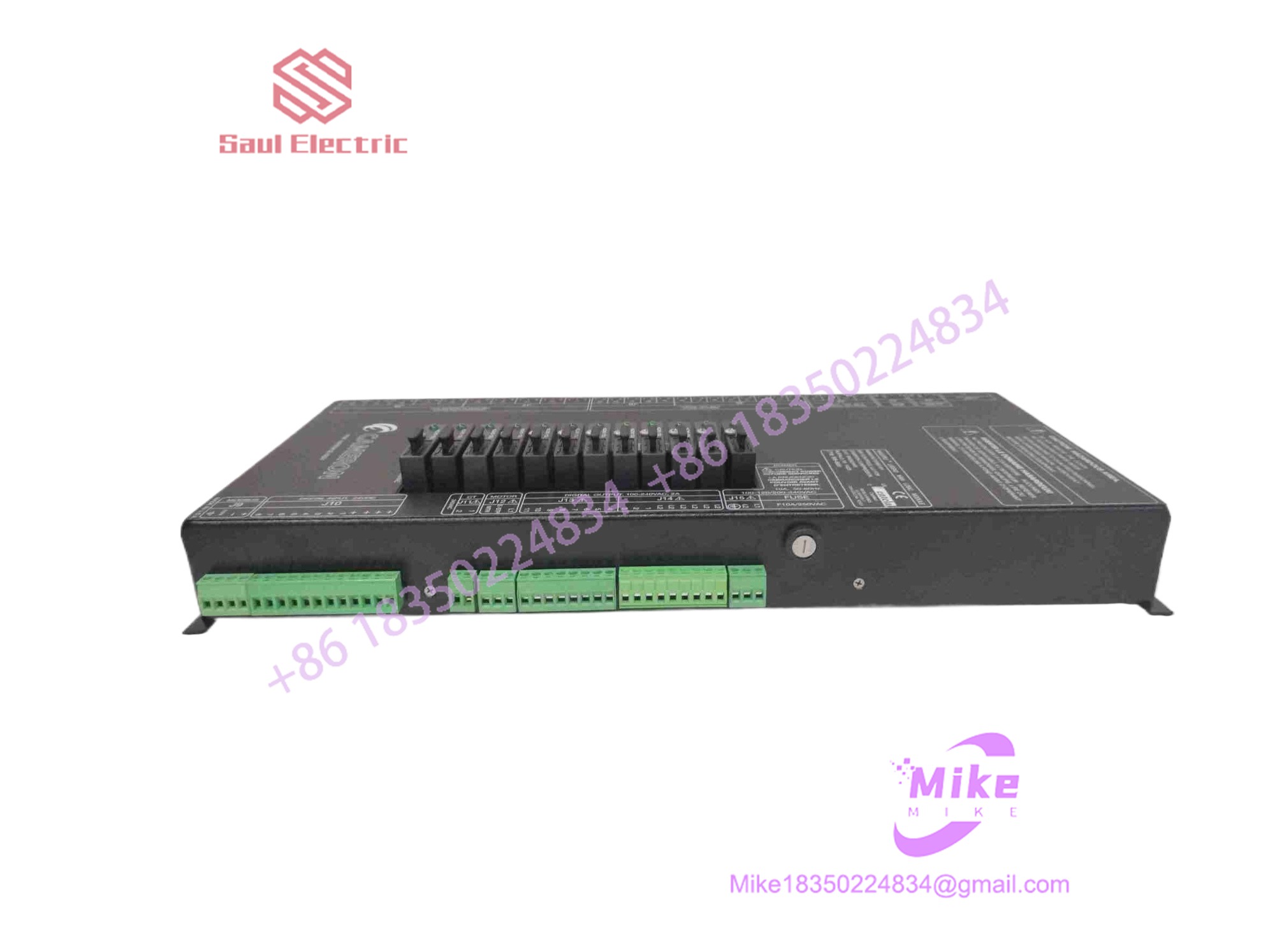
AAP3798102-00031
Key Technical Specifications
| Parameter | Specification Detail |
| System Compatibility | Cameron/Cooper Maestro™ Universal Controller |
| Processing Core | High-speed industrial RISC processor |
| Communication Protocols | Modbus TCP/IP, RS-485, Profibus (Optional) |
| I/O Interface | High-density terminal block interface |
| Memory | Non-volatile flash for logic/setpoints |
| Operating Voltage | 24VDC (+/- 10%) |
| Operational Temp | 0°C to 55°C |
| Enclosure Type | Chassis-mount logic card |
| Connectivity | RJ45 Ethernet / Serial Service Port |
Global Sourcing & Live-Test SOP
Sourcing proprietary Cameron components requires extreme vigilance regarding firmware versioning and physical board revision integrity. Our protocol is built for the practitioner:
- Inbound Verification: We audit the module against Cameron/Cooper assembly specs, ensuring original PCB fabrication markers are present. We verify that the board hasn’t been subjected to moisture ingress—a common killer of these logic modules.
- Live Simulation: We utilize a dedicated Maestro™ test bench. The module is powered on and subjected to a simulated compressor startup sequence, verifying that it correctly registers peripheral I/O cards and responds to communication polls.
- Diagnostics: We perform a complete port-to-port verification using industrial protocol analyzers to ensure the Modbus handshakes are crisp and stable. We monitor the 24VDC power rail stability for 24 hours to ensure the voltage regulator isn’t drifting.
- Final Prep: Once testing completes, we record the firmware build, clean the contact fingers with high-purity IPA, and seal the unit in conductive anti-static wrap.
The Field Engineer’s Pitfall Guide
❗ Battery Backup Failure: The AAP3798102-00031 relies on an onboard coin-cell or lithium backup battery to retain logic settings. If you pull the module and the battery is dead, you will lose your compressor setpoints; always verify the battery voltage on the new unit before plugging it into a live rack.
❗ Firmware Mismatches: Swapping a logic module with a mismatched firmware revision can cause a “Configuration Mismatch” error with your existing I/O expansion boards. I’ve seen this lead to a total compressor lockout on an offshore platform—verify your firmware build numbers against your current controller’s logic version before final installation.
❗ Terminal Connector Fatigue: The high-density connectors on these units are sensitive to repeated insertions. If the module doesn’t seat smoothly, stop. Forcing it can spread the backplane pins, leading to “ghost” intermittent communication faults that appear only when the compressor vibration hits a certain frequency.
Intent-Driven FAQ
Will I lose my logic program if I swap this CPU?
The core logic resides in non-volatile storage, but your specific calibration constants, surge map curves, and setpoints are stored in volatile SRAM supported by the internal battery. Always download the current configuration file to a laptop via the service port before removing the old module.
How do I know if my module is failing vs. the I/O cards?
Usually, the logic module is the culprit if the HMI display is dead, if the Modbus comms link drops entirely, or if the unit fails to perform self-test boot routines. If you see specific channel errors, investigate the peripheral I/O modules first.
Is this controller compatible with older Cooper compressor systems?
The Maestro™ system is quite modular. While the AAP3798102-00031 is a workhorse, always check your compressor’s serial number against the Cameron parts portal to ensure your existing software build can communicate with this hardware revision.
Do I need a technician to calibrate the unit after installation?
Yes. Once installed, you must perform a standard “Zero and Span” check on your sensors and verify that the surge avoidance algorithms are still tracking correctly against the compressor’s mechanical performance curve.
What warranty coverage do you provide for this module?
We offer a 12-month operational warranty that covers the internal logic processing, memory retention, and communication chipset integrity under normal service conditions.





