

Description
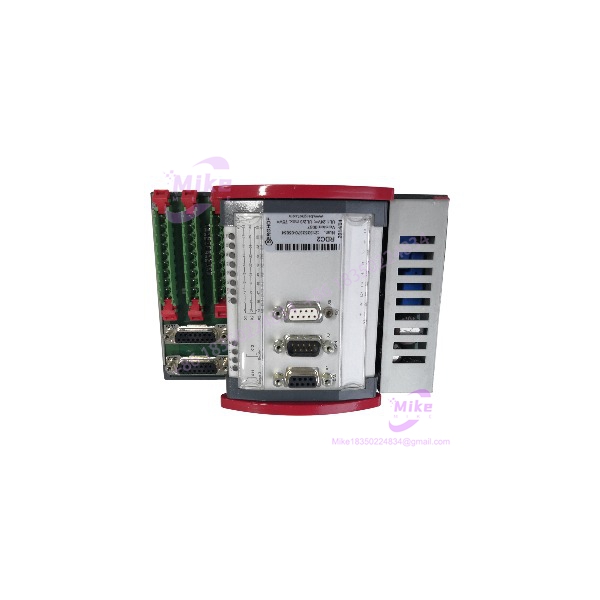
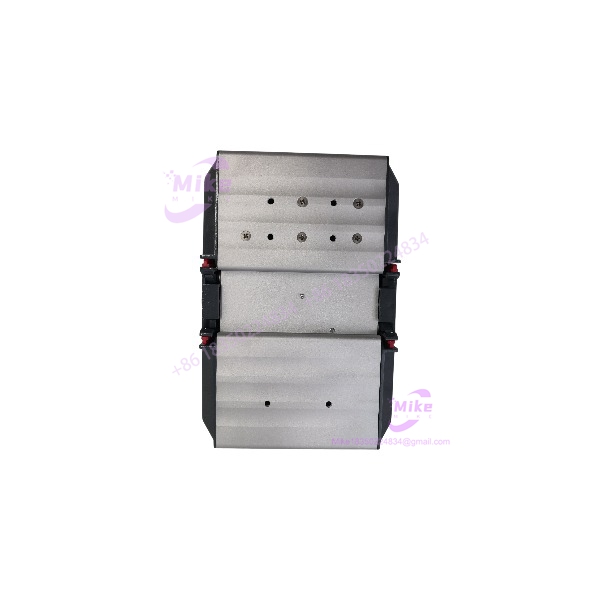
Berghof RDC2 | CAN-Open Controller & Fieldbus Display Terminal
Dynamic Product Introduction
System automation engineers and field technicians operating mobile machinery, industrial process skids, or specialized test rigs know how vital compact HMI/PLC integration is for space-constrained control cabinets. When a central operator terminal and fieldbus controller experiences display failure, CAN network transceiver breakdown, or memory corruption, replacing the unit quickly without modifying machine mounting cutouts or fieldbus node IDs is an immediate operational priority.
The Berghof RDC2 is a compact, multi-functional industrial controller and display unit engineered for rugged automation environments. Operating on a 24 V DC system bus, the device integrates programmable control logic (programmed via CODESYS) with a front-panel graphic/text LCD display and tactile user keys. Utilizing its onboard CANopen fieldbus interface, the RDC2 communicates seamlessly with decentralized I/O modules, AC drives, and valve manifolds, making it an efficient solution for small-to-medium industrial control and monitoring applications.
RDC2
Key Technical Specifications
- Operating Voltage: Nominal 24 V DC (18 to 32 V DC operational range)
- Power Consumption: Maximum 10 W
- Display Unit: Backlit LC display (text/graphics capability)
- Operator Interface: Front panel with tactile membrane keys / softkeys
- Fieldbus Interface: CAN bus interface supporting CANopen protocol (Master/Slave per DS301/DS401)
- Programming Environment: CODESYS IEC 61131-3 development software
- Serial Communication: RS-232 / RS-485 serial interfaces for programming and auxiliary diagnostics
- Digital/Analog I/O: Integrated onboard digital inputs/outputs and analog channels (configuration dependent)
- Front Panel Rating: IP65 splash-proof front panel seal (IP20 rear housing)
- Operating Temperature: 0 °C to +55 °C industrial cabinet rating
Global Sourcing & Live-Test SOP (Transparency Core)
Sourcing legacy Berghof controllers requires strict bench validation across fieldbus communication ports, display backlights, and non-volatile memory logic.
Inbound Verification & Traceability
- Paperwork Audit: Verification of serial numbers, revision codes, and firmware versions against Berghof manufacturing archives.
- Physical Inspection: Detailed check of front membrane keypad elasticity, display window clarity, rear terminal connector pins, housing mounting clips, and internal PCB solder points.
Live Bench Simulation & Diagnostics
- Power Rail & Screen Diagnostics: Unit is powered with a 24 V DC supply to verify boot-up sequencing, internal rail stabilization, display contrast adjustment, and LCD backlight uniformity.
- CANopen Fieldbus Communication Test: Connected to a simulated CANopen network (with external I/O blocks and peak CAN analyzers) to verify node address configuration, 125/250/500 kbps baud rate switching, and zero frame drop.
- CODESYS Download & Program Cycle: Uploading and running test PLC programs via CODESYS over RS-232/CAN ports to verify program flash memory integrity and real-time execution.
- Keypad & I/O Signal Sweep: Testing all front panel membrane buttons and sweeping onboard digital/analog I/O channels to confirm signal response and LED status feedback.
- 24-Hour Stress & Thermal Burn-In: Unit undergoes a 24-hour thermal chamber stress test under continuous communication cycling to ensure zero thermal drift or processor lockup.
Final Prep
- Factory Parameter Reset: Restoring default network settings or loading customer-specified project software backups.
- ESD Safe Packaging: Sealed in anti-static shielding bags with moisture desiccant packs before double-boxed shipping.
The Field Engineer’s Pitfall Guide
- ❗ CAN Bus Termination Resistors: The CANopen network requires 120-ohm termination resistors at both physical ends of the CAN bus line. Omitting the 120-ohm resistor or installing extra resistors will distort CANbus differential signal levels, leading to sporadic node dropouts (Bus-Off states) or communication loss on the RDC2.
- ❗ CODESYS Version Compatibility: Ensure the version of CODESYS used to compile target application binaries matches the target target-support-package (TSP) and runtime version loaded on the RDC2 controller. Transferring mismatched project binaries can prevent the controller from entering RUN mode.
- ❗ Power Supply Polarity Protection: Always verify 24 V DC power wiring polarity (L+ and M) before switching on main cabinet power. Reversing power leads on un-fused terminal blocks can damage internal input protection diodes.
Intent-Driven FAQ
Will swapping out a damaged Berghof RDC2 require re-downloading the PLC application program?
Yes. The PLC program (CODESYS runtime binary) and HMI screen project are stored in internal non-volatile memory. You must upload the program from your original backup project file via CODESYS or transfer the flash memory card (if equipped) to the replacement unit.
Can the RDC2 operate as a standalone controller without a master PLC?
Yes. The Berghof RDC2 features its own internal IEC 61131-3 programmable processor and can act as a standalone CANopen Master, controlling downstream I/O blocks, variable frequency drives, and valve banks independently.
What is the default CANopen baud rate for the Berghof RDC2?
The default CANopen baud rate is typically set to 250 kbps or 500 kbps, but it is fully configurable via the software setup menu or CODESYS parameter configurations.
What does a “Bus-Off” error on the RDC2 display indicate?
A “Bus-Off” error indicates that the onboard CAN controller has detected severe error frames on the CAN bus, usually caused by missing termination resistors, incorrect baud rate matching, damaged cabling, or duplicate node IDs.
What warranty coverage is provided on replacement hardware?
All verified Berghof RDC2 controllers include a standard 12-month full-replacement warranty covering CPU processor logic, display functionality, keypad operation, and CAN bus transceivers.
If you need assistance backing up CODESYS project files, setting CANopen node IDs, or verifying pinout diagrams for your Berghof RDC2 setup, let me know your system details and I can guide you through the process.